Our Top Picks
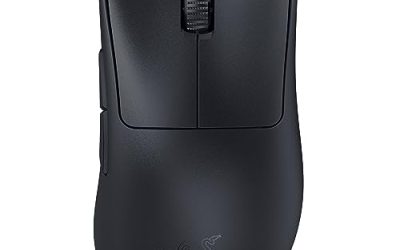
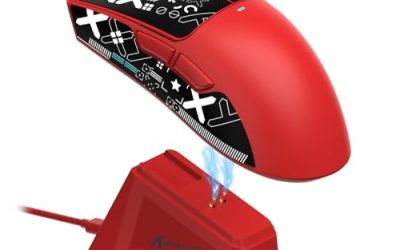
 Razer DeathAdder V3 Pro Wireless Gaming Mouse1000 Hz5.01 x 2.65 x 1.69 inches0.1 poundsCheck on Amazon
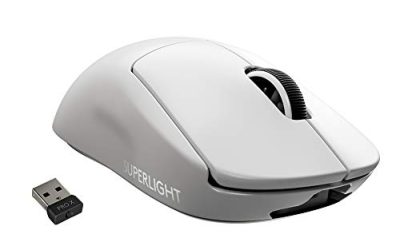
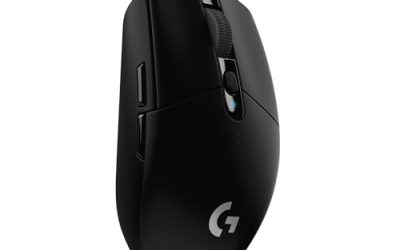
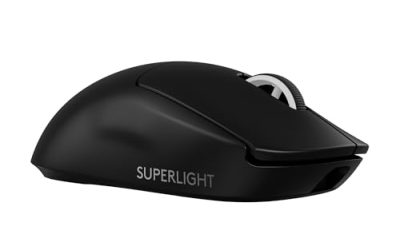
 Logitech G Pro X Superlight 2 Lightspeed WirelessClassic1.57 x 2.5 x 4.92 inches0.1 poundsCheck on Amazon
Pros & cons
- 95-hour battery life reduces how often you need to charge
- 60-gram weight suits fast, low-effort mouse movement
- HERO 2 sensor tracks up to 44,000 DPI with no smoothing
- POWERPLAY wireless charging pad is sold separately
- Premium features add a more complex setup than basic mice

A hybrid grip sits between palm and claw. The palm rests on the back of the mouse while the fingers stay arched over the buttons, ready to click fast. Most buying guides only talk about full palm or full claw, which leaves hybrid players guessing which shape will actually feel right after an hour of play.
The mice in this guide all suit that in-between hold. Each one has a shape that supports the palm without forcing the fingers flat, a sensor that tracks cleanly at high speeds, and a weight that stays comfortable when the hand lifts and resets during fast turns. Every pick below is a gaming mouse sold on Amazon US, with its ASIN listed in the reference table at the end.
As an Amazon Associate, we earn from qualifying purchases.
Quick answer
The Razer DeathAdder V3 Pro leads this list because its ergonomic shell supports the palm while keeping the buttons close enough for arched fingers. The Razer Basilisk V3 Pro adds a thumb rest and extra controls. Lightweight fans should look at the Logitech G Pro X Superlight 2 and the Glorious Model O 2 Wireless, while the SteelSeries Rival 5 is the strongest wired option.
1. Razer DeathAdder V3 Pro Wireless
The DeathAdder shape has been a favorite of palm and hybrid players for years, and the V3 Pro refines it into a lighter wireless body. The right-handed ergonomic shell rises gently toward the back, so the palm gets real support, while the main buttons sit close enough that arched fingers can click without stretching. At 63 grams it is light for an ergonomic mouse, which matters for hybrid grip players who lift the mouse often to reset their aim.
The Focus Pro 30K optical sensor tracks up to 30,000 DPI and handles fast flicks without spin-outs. Razer Optical Switches Gen-3 give the clicks a crisp, immediate feel with no debounce delay. Battery life runs up to 90 hours over HyperSpeed wireless, so a full week of evening sessions is realistic before a recharge. Five programmable buttons keep the layout simple.
For hybrid grip, the key detail is the balance of the shell. The hump sits far enough back to fill the palm, but the front tapers so the fingertips keep their natural arch. Larger hands get the most from this shape. The mouse also works wired over USB-C, so it keeps working while it charges.
Key specs
| Spec | Detail |
|---|---|
| Sensor | Razer Focus Pro 30K optical |
| Max DPI | 30,000 |
| Weight | 63 grams |
| Connectivity | HyperSpeed wireless, Bluetooth, wired USB-C |
| Switches | Razer Optical Switches Gen-3 |
| Programmable buttons | 5 |
| Battery life | Up to 90 hours over HyperSpeed wireless |
| Dimensions | 5.01 x 2.65 x 1.69 inches |
| Grip styles | Palm, hybrid palm-claw, relaxed claw |
2. Razer Basilisk V3 Pro Wireless

The Basilisk V3 Pro is the feature-heavy ergonomic pick in this guide. Its right-handed shell has a pronounced thumb rest and a slightly taller hump than the DeathAdder, which gives hybrid players a stable place to anchor the thumb while the palm stays supported. The textured side grip keeps the hold secure when the hand gets warm.
The same Focus Pro 30K sensor sits inside, tracking up to 30,000 DPI. Thirteen programmable controls cover the main buttons, a HyperScroll Tilt Wheel with four-way scrolling, side buttons, and a thumb paddle. The scroll wheel switches between tactile notched scrolling and free-spin mode, handy for weapon switching and long inventories. Chroma RGB lighting runs across 13 zones, including an underglow strip.
Battery life runs up to 90 hours over HyperSpeed wireless, with longer life over Bluetooth. The mouse is heavier than the ultralight picks in this guide, and it feels solid and deliberate rather than twitchy. Players who flick constantly may prefer a lighter shell.
Key specs
| Spec | Detail |
|---|---|
| Sensor | Razer Focus Pro 30K optical |
| Max DPI | 30,000 |
| Connectivity | HyperSpeed wireless, Bluetooth, wired USB-C |
| Switches | Razer Optical Switches Gen-3 |
| Programmable controls | 13 |
| Scroll wheel | HyperScroll Tilt Wheel, tactile and free-spin modes |
| Lighting | 13-zone Chroma RGB with underglow |
| Battery life | Up to 90 hours over HyperSpeed wireless |
| Grip styles | Palm, hybrid palm-claw, relaxed claw |
3. Logitech G Pro X Superlight 2 Wireless
The Superlight 2 takes a different approach. Instead of an ergonomic hump, it uses a clean symmetric shell that works for either hand and lets the fingers settle wherever they naturally fall. At 60 grams it is one of the lightest wireless mice available, and that low weight makes it easy to lift and reset during fast aim adjustments.
The HERO 2 sensor tracks up to 44,000 DPI with a polling rate up to 8,000 Hz over LIGHTSPEED wireless. LIGHTFORCE hybrid switches combine optical speed with a mechanical click feel. Five programmable buttons keep the layout minimal, and the PTFE feet glide smoothly across cloth pads. USB-C charging and POWERPLAY wireless charging support round out a package built for competitive play.
The symmetric shape gives the palm less dedicated support than the ergonomic picks, so large-handed players who rest their full palm may prefer the taller DeathAdder or Basilisk instead. For medium hands and for players whose grip shifts between claw and palm during a match, the Superlight 2 is hard to beat.
Key specs
| Spec | Detail |
|---|---|
| Sensor | Logitech HERO 2 optical |
| Max DPI | 44,000 |
| Weight | 60 grams |
| Polling rate | Up to 8,000 Hz |
| Connectivity | LIGHTSPEED wireless, wired USB-C |
| Switches | LIGHTFORCE hybrid optical-mechanical |
| Programmable buttons | 5 |
| Charging | USB-C, POWERPLAY wireless charging compatible |
| Grip styles | Claw, fingertip, hybrid palm-claw |
4. Glorious Model O 2 Wireless
The Model O 2 Wireless is the ambidextrous value pick in this guide. Its low, symmetric profile suits hybrid grip players who want a light mouse without giving up wireless freedom. At 68 grams it sits between the ultralight Superlight 2 and the heavier ergonomic mice, and the solid shell feels sturdy in the hand.
The BAMF 2.0 optical sensor tracks up to 26,000 DPI, which covers every sensitivity setting most players use. Dual wireless modes cover 2.4GHz for gaming and Bluetooth for everyday use, with a wired USB-C mode for charging and play. Six buttons include two side buttons and a DPI switch behind the scroll wheel. Battery life runs up to 210 hours, and the PTFE feet keep glides smooth.
The symmetric shape works best for medium hands. Players with very large hands may want a taller ergonomic shell for more palm support. For everyone else, the Model O 2 Wireless delivers a light, fast, ambidextrous mouse that handles hybrid grip well and costs less than the flagship ergonomic options.
Key specs
| Spec | Detail |
|---|---|
| Sensor | Glorious BAMF 2.0 optical |
| Max DPI | 26,000 |
| Weight | 68 grams |
| Connectivity | 2.4GHz wireless, Bluetooth, wired USB-C |
| Programmable buttons | 6 |
| Lighting | RGB side strips |
| Feet | PTFE |
| Battery life | Up to 210 hours |
| Dimensions | 126 x 66 x 38 mm |
| Grip styles | Claw, fingertip, hybrid palm-claw, palm |
5. SteelSeries Rival 5

The Rival 5 is the wired pick in this guide. Its ergonomic right-handed shell has a gentle hump and a flared thumb area that supports the palm while leaving the fingers arched and ready. Nine programmable buttons give it more controls than the other mice in this list, including a three-button side cluster for ability-heavy games.
The TrueMove Air optical sensor tracks up to 18,000 CPI with true one-to-one tracking, so the cursor moves exactly as far as the hand moves, with no added acceleration. PrismSync RGB lighting runs across ten zones. At 85 grams it is light for a wired ergonomic mouse, and the cable is flexible enough that it rarely drags during play.
Being wired means no battery to manage and no wireless latency to think about, which still matters to some players. The trade-off is the cable itself, which needs a little desk management. For hybrid grip players who want a comfortable ergonomic shape, plenty of buttons, and a proven sensor at a lower cost than the wireless flagships, the Rival 5 is a strong fit.
Key specs
| Spec | Detail |
|---|---|
| Sensor | SteelSeries TrueMove Air optical |
| Max CPI | 18,000 |
| Weight | 85 grams |
| Connectivity | Wired USB |
| Programmable buttons | 9 |
| Lighting | PrismSync RGB, ten zones |
| Switches | Rated for long service life |
| Grip styles | Palm, hybrid palm-claw, relaxed claw |
Who it’s for
These mice suit players whose grip falls between palm and claw. If the palm rests on the mouse while the fingers stay bent over the buttons, the ergonomic picks in this list will feel natural right away. The symmetric picks suit players whose grip shifts during a match, sometimes resting the palm and sometimes lifting into a claw for fast flicks.
Larger hands get the most support from the DeathAdder V3 Pro and the Basilisk V3 Pro, whose taller humps fill the palm. Medium hands work well with every mouse here, including the lighter symmetric options. Smaller hands tend to prefer the Superlight 2 and the Model O 2 Wireless, whose shorter bodies keep the buttons within easy reach.
Fast first-person shooters reward the light symmetric mice, while ability-heavy games and MMOs reward the extra buttons on the Basilisk V3 Pro and the Rival 5. Players who play a mix of genres will find the DeathAdder V3 Pro the most versatile single choice.
Who should skip
Players with a strict full palm grip and very large hands may want a bigger ergonomic mouse than anything here, since hybrid-focused shells keep the front low for arched fingers. Players with a strict fingertip grip should look at smaller, lighter mice built for that hold.
Left-handed players should skip the right-handed ergonomic picks and choose one of the symmetric mice instead. The DeathAdder V3 Pro, Basilisk V3 Pro, and Rival 5 are all right-handed designs. The Superlight 2 and the Model O 2 Wireless work for either hand.
Players who need a mouse for travel should think twice about the larger ergonomic models, which take up more room in a bag. A compact symmetric mouse travels better. Anyone who wants a silent mouse for shared spaces should look elsewhere, since the switches in these gaming mice all produce an audible click.
Comparison
The five mice split into two shape families. The DeathAdder V3 Pro, Basilisk V3 Pro, and Rival 5 use ergonomic right-handed shells with a raised hump and a thumb rest area. The Superlight 2 and the Model O 2 Wireless use symmetric shells that suit either hand. Hybrid grip works with both, but the ergonomic group gives more palm support while the symmetric group gives more freedom to shift grip mid-match.
Weight is the next split. The Superlight 2 leads at 60 grams, followed by the DeathAdder V3 Pro at 63 grams and the Model O 2 Wireless at 68 grams. The Rival 5 weighs 85 grams, and the Basilisk V3 Pro is the heaviest of the group. Lighter mice reward fast flicks and frequent lifting, while heavier mice feel steadier during slow tracking.
Sensor performance is strong across the whole list. The Superlight 2 tops the chart with a 44,000 DPI ceiling and 8,000 Hz polling, followed by the two Razer mice at 30,000 DPI. The Model O 2 Wireless reaches 26,000 DPI and the Rival 5 reaches 18,000 CPI. Almost no player uses sensitivities near these ceilings, so the differences matter less than shape and weight. Every sensor here tracks cleanly at high speeds without acceleration or smoothing.
Buttons and extras separate the feature-heavy picks from the minimal ones. The Basilisk V3 Pro leads with 13 programmable controls and a tilting HyperScroll wheel. The Rival 5 follows with 9 programmable buttons. The Model O 2 Wireless has 6 buttons, while the DeathAdder V3 Pro and the Superlight 2 keep it simple with 5 each. Players who bind many abilities will value the extra controls.
Four of the five mice are wireless with a wired fallback, and only the Rival 5 is wired alone. Battery life runs from 90 hours on the Razer mice to 210 hours on the Model O 2 Wireless. The Superlight 2 adds POWERPLAY wireless charging support for players who want to skip cables entirely.
| Mouse | Shape | Weight | Max DPI | Buttons | Connection |
|---|---|---|---|---|---|
| Razer DeathAdder V3 Pro | Ergonomic, right-handed | 63 grams | 30,000 | 5 | Wireless, wired |
| Razer Basilisk V3 Pro | Ergonomic, right-handed | Heavier build | 30,000 | 13 | Wireless, wired |
| Logitech G Pro X Superlight 2 | Symmetric | 60 grams | 44,000 | 5 | Wireless, wired |
| Glorious Model O 2 Wireless | Symmetric, ambidextrous | 68 grams | 26,000 | 6 | Wireless, wired |
| SteelSeries Rival 5 | Ergonomic, right-handed | 85 grams | 18,000 | 9 | Wired |
FAQ
What is a hybrid grip?
A hybrid grip blends palm and claw. The palm rests on the back of the mouse for support while the fingers stay arched over the buttons instead of lying flat. It gives more stability than a pure claw grip and more click speed than a full palm grip, and it works well for both fast shooters and longer sessions.
Is an ergonomic or symmetric mouse better for hybrid grip?
Both can work, and the choice comes down to hand size and habit. Ergonomic mice support the palm more, which helps larger hands and longer sessions. Symmetric mice give the fingers more freedom and suit players whose grip shifts during play. The ergonomic picks in this guide are the safer starting point for most hybrid players.
Does mouse weight matter for hybrid grip?
Weight matters because hybrid players lift the mouse often to reset their aim. Lighter mice take less effort to lift and reposition, which reduces fatigue over long sessions. The mice in this guide range from 60 grams to 85 grams, and most hybrid players notice the difference between the lightest and heaviest options within a few minutes of play.
Can I use these mice for work as well as gaming?
Yes, all five work as everyday mice. The wireless models pair over Bluetooth or a dongle and handle office tasks without any special setup. The extra buttons can be assigned to shortcuts for productivity apps. The main trade-off is the gaming look: RGB lighting and aggressive styling may feel out of place in a formal office, but the lighting can be turned off through each maker’s software.
Final verdict
The Razer DeathAdder V3 Pro is the best gaming mouse for hybrid grip overall. Its ergonomic shell supports the palm, its 63 gram body stays light enough for fast resets, and its sensor and switches are proven at the highest level of play.
Players who want more buttons and a thumb rest should choose the Razer Basilisk V3 Pro. Players who want the lightest possible mouse should choose the Logitech G Pro X Superlight 2. The Glorious Model O 2 Wireless is the best ambidextrous option for medium hands, and the SteelSeries Rival 5 is the best wired choice for hybrid grip players who want plenty of buttons without a wireless premium.
For a broader look at wireless options on this site, see our wireless gaming mouse picks. Whichever mouse you choose, match the shape to your hand first and the spec sheet second, because a comfortable grip improves aim more than any sensor number.
Product and ASIN Reference
| Product | ASIN |
|---|---|
| Razer DeathAdder V3 Pro Wireless Gaming Mouse, Black | B0B6XZLNHQ |
| Razer Basilisk V3 Pro Wireless Gaming Mouse, Black | B0B6Y3XYFG |
| Logitech G Pro X Superlight 2 Wireless Gaming Mouse, Black | B09NBWL8J5 |
| Glorious Model O 2 Wireless Gaming Mouse, White | B0BLFMS36J |
| SteelSeries Rival 5 Gaming Mouse, Black | B093LSMKL3 |
FAQ
What is a hybrid grip?
Is an ergonomic or symmetric mouse better for hybrid grip?
Does mouse weight matter for hybrid grip?
Can I use these mice for work as well as gaming?
More from Amazon
Programs that pair well with the guide above. Offers and eligibility are set by Amazon and may change.
Free shipping on eligible items, Prime Video and more. Eligible new members can start with a free trial.
Start a Prime free trialAd-free music streaming. Eligible new subscribers can start with a free trial.
Try Music Unlimited freeA Prime membership for ages 18-24 with a trial period. Eligibility is set by Amazon.
See Prime for Young AdultsAudiobooks and podcasts to listen to on the go. Eligible new members can start with a free trial.
Try Audible freeAs an Amazon Associate we earn from qualifying purchases.