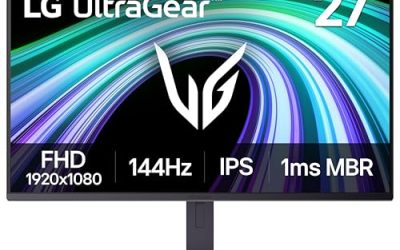
Our Short List of 3
All 4 Picks at a Glance
| Product | Specs | Action |
|---|---|---|
 1. Samsung Odyssey G5 G50F | Check price on Amazon | |
 2. GIGABYTE M32U | Check price on Amazon | |
 3. Dell S3222DGM | Check price on Amazon | |
 4. ASUS TUF Gaming VG32VQ1B | Check price on Amazon |
Key takeaways
- Compare five 32-inch gaming monitors, from high-refresh QHD screens to a 4K pick, and find the right fit for your desk, graphics card, and games.
A 32-inch gaming monitor fills the desk in a way smaller screens cannot. Games feel larger, text stays readable at a normal viewing distance, and the extra screen space makes room for a chat window or a guide beside the game. The size also suits shared rooms and living room setups where the screen sits a little farther from the chair.
The five monitors below all measure 32 inches on the diagonal, and each one takes a different approach to the same job. One is a fast flat IPS screen for competitive play, one is a 4K panel for sharp detail, two are curved screens that wrap the edges of the image toward the viewer, and one is a color-rich Nano IPS panel for players who care about image quality as much as speed. Every pick below is a gaming monitor sold on Amazon US, with its ASIN listed at the end of the article.
As an Amazon Associate, we earn from qualifying purchases.
How to Choose
Resolution is the first decision. A QHD screen, 2560 by 1440 pixels, is the natural match for a 32-inch gaming monitor. It keeps text and game interfaces sharp without demanding the graphics power that 4K needs. A 4K screen, 3840 by 2160 pixels, shows finer detail and suits story-driven games and media, but it asks much more of the graphics card. Players with a mid-range card usually get smoother play from QHD, while players with a strong card can enjoy 4K without turning settings down.
Refresh rate is the second decision. A 144Hz or 165Hz screen refreshes the image far more often than a standard 60Hz display, which makes motion look smoother and mouse movement feel more direct. A 180Hz panel goes a step further for fast shooters. The benefit is most obvious in competitive games, where quick turns and tracking matter, and it is still pleasant in slower games, where camera pans look cleaner.
Panel type shapes the look of the image. IPS panels keep colors steady when viewed from an angle and generally show accurate, consistent color, which suits both games and everyday work on the same screen. VA panels offer deeper blacks and stronger contrast, which suits dark scenes in horror and space games, though viewing angles can be narrower. A curved VA panel adds a sense of depth by bending the edges of the screen toward the viewer.
Response time and adaptive sync work together to keep motion clean. A fast response time reduces the blur that trails behind moving objects. Adaptive sync, in the form of AMD FreeSync or NVIDIA G-Sync compatibility, matches the monitor refresh rate to the graphics card output, which reduces tearing and stutter. Most modern gaming monitors support one or both, and the picks below all include adaptive sync.
Size and desk fit deserve a check before ordering. A 32-inch screen is wide, so measure the desk depth and width first. A flat panel suits a desk against a wall, while a curved panel suits a deeper desk where the viewer sits a little farther back. Height adjustment, tilt, and VESA mounting all help with positioning, and a stand that adjusts makes it easier to line the screen up with eye level. Ports matter too: DisplayPort is the usual choice for high refresh rates on PC, while HDMI suits consoles and a second device.
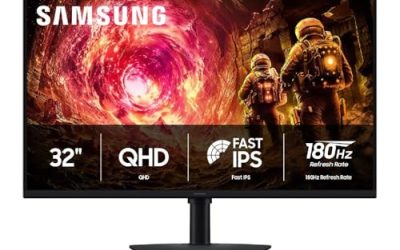
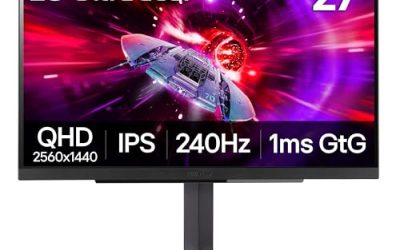
1. Samsung Odyssey G5 G50F
The Samsung Odyssey G5 G50F is a flat 32-inch QHD gaming monitor built around a Fast IPS panel. Its 180Hz refresh rate is the highest in this guide, and its 1ms GtG response time keeps fast motion clean. The flat panel suits players who sit straight in front of the screen and want a wide, even image without any curve. HDR10 support adds brighter highlights in supported games and media, and the adjustable stand helps with desk setup.
The G50F is a strong fit for competitive play. A high refresh rate and a fast IPS panel make it a natural choice for shooters and fast-paced multiplayer games, where smooth tracking and quick reactions matter. The QHD resolution keeps the graphics card workload reasonable, so high frame rates are easier to reach than on a 4K screen. G-Sync compatibility and AMD FreeSync support help keep the image free of tearing when frame rates move up and down.
Who It Suits
Players who want the fastest flat screen in this guide and mostly play competitive games will get the most from the G50F. It also suits players who use one monitor for both games and everyday work, since the IPS panel keeps colors steady from different angles. Players who want a curved screen or 4K resolution should look at the other picks below.
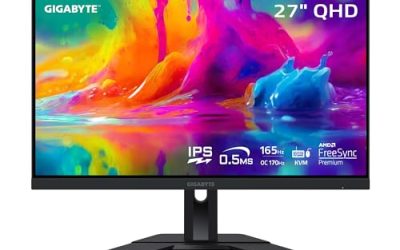
2. GIGABYTE M32U
The GIGABYTE M32U is the 4K pick in this guide. Its 32-inch SuperSpeed IPS panel shows 3840 by 2160 pixels at 144Hz, which brings out fine detail in open-world games, strategy titles, and media. A 1ms MPRT response time and AMD FreeSync Premium Pro support keep motion smooth, and the panel covers a wide color range for vivid game worlds. A built-in KVM switch and a USB Type-C port let one keyboard and mouse serve two connected devices, which suits a desk shared between a gaming PC and a laptop.
The M32U is aimed at players whose graphics card can handle 4K and who want the sharpest image in this guide. Text looks crisp, distant objects in games show more detail, and the large screen makes the extra pixels easy to appreciate. The height-adjustable stand makes it simple to set the screen at eye level, and the IPS panel keeps the image consistent when viewed from the side.
Who It Suits
Players with a strong graphics card who want the sharpest picture in this guide will like the M32U. It also suits players who mix gaming with content work on the same screen, since the high resolution gives plenty of room for timelines and toolbars. Players with a mid-range graphics card will likely get smoother play from one of the QHD picks instead.
3. Dell S3222DGM
The Dell S3222DGM is a curved 32-inch QHD gaming monitor built on a VA panel with an 1800R curve. Its 165Hz refresh rate and 1ms MPRT response time suit fast games, while the VA panel delivers deep blacks that make dark scenes look richer. The monitor covers 99 percent of the sRGB color space, so colors stay vivid and natural in games and media. Two HDMI 2.0 ports and a DisplayPort 1.2 input cover a PC and a console at the same time, and a headphone jack sits on the back for wired audio.
The gentle curve wraps the edges of the image slightly toward the viewer, which adds a sense of depth without the strong bend of tighter curves. The VA panel is at its best in dim rooms and dark games, where its contrast advantage shows most clearly. AMD FreeSync Premium support keeps the image smooth when frame rates vary, and the 2ms gray-to-gray response time helps moving objects stay sharp.
Who It Suits
Players who enjoy story-driven and atmospheric games in a dim room will get the most from the S3222DGM, since its contrast suits dark scenes. It also suits players who want a curved screen at a gentle curve rather than a tight bend. Players who sit far off to the side of the screen may prefer one of the IPS picks, which hold color better at wide angles.
4. ASUS TUF Gaming VG32VQ1B
The ASUS TUF Gaming VG32VQ1B is a curved 32-inch QHD gaming monitor with a 1500R curve and a 165Hz refresh rate. Its VA panel, 1ms response time, and Extreme Low Motion Blur technology work together to keep fast motion clear, and FreeSync Premium support plus adaptive sync compatibility help prevent tearing. HDR10 support adds brighter highlights in supported content, and a built-in speaker covers casual audio without extra desk gear.
The tighter 1500R curve gives a more wrapped feel than the Dell pick above, which suits players who sit close to the screen and want the edges of the image to feel closer. The monitor is VESA mountable, so it can go on an arm to free up desk space, and the DisplayPort and HDMI inputs cover a PC and a console. The TUF Gaming design is plain and dark, which fits most desk setups without drawing attention to itself.
Who It Suits
Players who want a strongly curved screen for an immersive feel will like the VG32VQ1B. It also suits players who want built-in audio for casual sessions and a monitor that mounts easily on an arm. Players who prefer a flat screen or an IPS panel should consider the Samsung or LG picks instead.
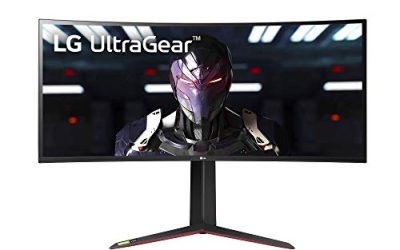
5. LG UltraGear 32GP850-B
The LG UltraGear 32GP850-B is a 32-inch QHD gaming monitor built on a Nano IPS panel. Its 165Hz refresh rate can be overclocked to 180Hz, and its 1ms GtG response time keeps motion sharp. The Nano IPS panel covers 98 percent of the DCI-P3 color space, which gives games rich, vivid color, and HDR10 support adds brighter highlights. NVIDIA G-Sync compatibility and AMD FreeSync Premium support keep the image smooth across a wide range of frame rates.
The stand adjusts for tilt, height, and pivot, so the screen can be set up for long sessions or turned upright for reading and work. The panel has thin borders on three sides, which gives the screen a clean look on the desk and suits a multi-monitor setup. Two HDMI inputs, a DisplayPort input, USB-A ports, and a headphone jack cover a PC, a console, and accessories in one place.
Specs
| Feature | Detail |
|---|---|
| Screen size | 32 inches |
| Resolution | QHD 2560 x 1440 |
| Panel | Nano IPS |
| Refresh rate | 165Hz, overclock to 180Hz |
| Response time | 1ms GtG |
| Color | 98 percent DCI-P3 |
| HDR | HDR10 |
| Adaptive sync | NVIDIA G-Sync Compatible, AMD FreeSync Premium |
| Ports | 2x HDMI, DisplayPort, USB-A, headphone jack |
| Stand | Tilt, height, pivot adjustable |
| ASIN | B0B5V4DLPR |
Who It Suits
Players who care about color as much as speed will get the most from the 32GP850-B, since its Nano IPS panel shows vivid, accurate color in games and media. It also suits players who want a flexible stand and a clean, thin-bezel design. Players who want a curved screen or 4K resolution should look at the Dell, ASUS, or GIGABYTE picks instead.
FAQ
Is a 32-inch monitor too big for gaming?
A 32-inch monitor suits most desks as long as the viewer sits at a normal distance from the screen. A desk depth of about an arm’s length or more works well. Players who sit very close may prefer a smaller screen, while players who sit farther back will find 32 inches comfortable and immersive.
Is QHD or 4K better on a 32-inch gaming monitor?
QHD suits most players because it looks sharp at 32 inches and lets a mid-range graphics card reach high frame rates. 4K shows finer detail and suits players with a strong graphics card who play story-driven games and watch media on the same screen. The right choice depends on the graphics card and the games being played.
Do I need a high refresh rate for casual games?
A high refresh rate is most useful in fast competitive games, where smooth motion helps with tracking and quick turns. Casual and story-driven games still look smoother on a 144Hz or 165Hz screen, and everyday use such as scrolling and moving windows feels more fluid. A 60Hz screen works fine for slow games, but most players notice the difference once they try a faster panel.
Should I choose a curved or flat 32-inch gaming monitor?
A curved screen wraps the image slightly toward the viewer and can feel more immersive, especially in dark and atmospheric games. A flat screen suits players who sit straight in front of the monitor and want an even image across the whole panel. Both work well for gaming, so the choice comes down to seating distance and personal taste.
Final Verdict
The best 32-inch gaming monitor depends on how it will be used. The Samsung Odyssey G5 G50F is the fastest flat pick in this guide and suits competitive players. The GIGABYTE M32U is the sharpest pick and suits players with a strong graphics card who want 4K detail. The Dell S3222DGM and ASUS TUF VG32VQ1B are the curved picks, with the Dell offering a gentle curve and deep blacks and the ASUS offering a tighter curve and built-in audio. The LG UltraGear 32GP850-B is the color pick, with a vivid Nano IPS panel and a flexible stand. Any of the five works well as a main gaming screen, and the right one is the one that matches the graphics card, the desk, and the games being played.
Product and ASIN Reference
| Product | ASIN |
|---|---|
| Samsung Odyssey G5 G50F 32-Inch QHD Gaming Monitor | B0G1DZM5QW |
| GIGABYTE M32U 32-Inch 4K Gaming Monitor | B083GRVFXN |
| Dell S3222DGM 32-Inch Curved QHD Gaming Monitor | B09FCR5658 |
| ASUS TUF Gaming VG32VQ1B 32-Inch Curved QHD Gaming Monitor | B088MKF848 |
| LG UltraGear 32GP850-B 32-Inch QHD Gaming Monitor | B0B5V4DLPR |
FAQ
Is a 32-inch monitor too big for gaming?
Is QHD or 4K better on a 32-inch gaming monitor?
Do I need a high refresh rate for casual games?
Should I choose a curved or flat 32-inch gaming monitor?
More from Amazon
Programs that pair well with the guide above. Offers and eligibility are set by Amazon and may change.
Free shipping on eligible items, Prime Video and more. Eligible new members can start with a free trial.
Start a Prime free trialAd-free music streaming. Eligible new subscribers can start with a free trial.
Try Music Unlimited freeA Prime membership for ages 18-24 with a trial period. Eligibility is set by Amazon.
See Prime for Young AdultsAudiobooks and podcasts to listen to on the go. Eligible new members can start with a free trial.
Try Audible freeAs an Amazon Associate we earn from qualifying purchases.