Our Short List of 3

- Best for: Gamers who want AX3000 headroom and 160 MHz channels in one router
- Wi-Fi class: AX3000 dual-band Wi-Fi 6
- Speeds: up to 2402 Mbps on 5 GHz and 574 Mbps on 2.4 GHz
- Channels: 160 MHz support on the 5 GHz band
- Ports: gigabit WAN and LAN ports, plus one USB 3.0 port

- Best for: Homes with internet plans faster than gigabit or a wired NAS
- Wi-Fi class: AX3000 dual-band Wi-Fi 6
- Ports: one 2.5 Gbps WAN/LAN port, one 2.5 Gbps LAN port, three gigabit LAN ports
- USB: one USB 3.0 port
- Features: OFDMA, MU-MIMO, VPN router support, WPA3

- Best for: Apartments and smaller homes moving up from Wi-Fi 5
- Wi-Fi class: AX1800 dual-band Wi-Fi 6
- Speeds: up to 1201 Mbps on 5 GHz and 574 Mbps on 2.4 GHz
- Processor: dual-core CPU
- Ports: one gigabit WAN port and four gigabit LAN ports
All 5 Picks at a Glance
| Product | Specs | Action |
|---|---|---|
| TP-Link Archer AX55 |
| Check price on Amazon |
| TP-Link Archer AX55 Pro |
| Check price on Amazon |
| TP-Link Archer AX23 |
| Check price on Amazon |
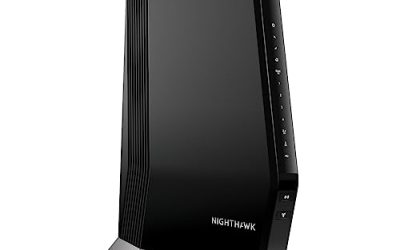
 NETGEAR R6700AX |
| Check price on Amazon |
 TP-Link Archer AX21 |
| Check price on Amazon |
Our Top Picks
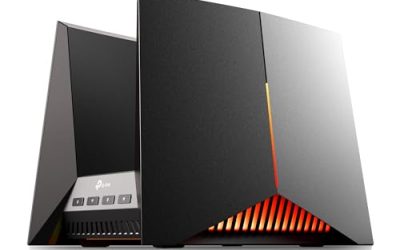
- TP-Link AX3000 WiFi 6 Router10.3 x 5.3 x 1.6 inches10.28 x 5.3 x 1.62 inches1.2 poundsCheck on Amazon
A gaming router in this price band has one main job: keep your ping steady while the rest of the household streams, downloads and video calls on the same connection. The good news is that Wi-Fi 6 has moved down into this segment, so the decision is less about raw speed class and more about which extras matter to you, such as wider 160 MHz channels, multi-gig ports, mesh expansion or built-in VPN tools.
This guide is for console and PC players in apartments and small to mid-size homes who want a single router rather than a mesh kit. The five picks below are all dual-band Wi-Fi 6 models sold on Amazon, ranging from affordable AX1800 units to AX3000 routers with 2.5 Gbps ports, and each one fits a slightly different setup and priority list.
Quick Picks
As an Amazon Associate we earn from qualifying purchases
| Product | Best for | Key spec from title |
|---|---|---|
| TP-Link Archer AX55 | Most gamers stepping up to AX3000 | AX3000 Wi-Fi 6 with 160 MHz channels |
| TP-Link Archer AX55 Pro | Multi-gig internet plans | Two 2.5 Gbps ports plus USB 3.0 |
| TP-Link Archer AX23 | Compact homes on gigabit plans | AX1800 with four gigabit LAN ports |
| NETGEAR R6700AX | Simple app-based management | AX1800 rated for up to 1,500 sq. ft. |
| TP-Link Archer AX21 | First Wi-Fi 6 upgrade on a budget | AX1800 with EasyMesh support |
How to Choose
Speed Class and Channel Width
The AX number describes the combined theoretical bandwidth across both bands, so an AX3000 router offers noticeably more headroom than an AX1800 model when several devices are active at once. For gaming, the 5 GHz band does the heavy lifting, and channel width matters there: routers that support 160 MHz channels, such as the Archer AX55 and AX55 Pro, can move data to a compatible PC or console in bigger chunks. If your internet plan is gigabit or slower and only one or two people play at a time, an AX1800 model still covers the workload comfortably.
Ports for Wired Play
A wired connection remains the most reliable way to cut latency, so count the LAN ports before you buy. Most routers here provide four gigabit LAN ports, which is enough for a PC, a console and a streaming box with one spare. The Archer AX55 Pro goes further with two 2.5 Gbps ports, useful if your internet plan runs faster than gigabit or you move large files to a NAS. A USB 3.0 port, found on both AX55 models, lets the router share a storage drive or printer across the home network without extra hardware.
Traffic Management and Gaming Features
When a roommate starts a large download mid-match, the router decides whose packets go first. Look for OFDMA and MU-MIMO, both standard on these Wi-Fi 6 picks, because they let the router serve several devices in the same transmission window instead of making each one wait its turn. Quality of Service controls, where the listing includes them, let you prioritize a console or gaming PC. Beamforming is also worth having, since it focuses the signal toward your devices rather than broadcasting equally in every direction, which helps stability in the next room.
Coverage, Mesh Options and Security
A single router in this class is generally rated for apartments and smaller houses, and the listings here quote coverage figures such as up to 1,500 square feet for the NETGEAR model. If your home is larger or has thick walls, mesh compatibility matters more than a higher speed class: EasyMesh and OneMesh support on the TP-Link picks lets you add a compatible extender later without replacing the router. On security, WPA3 encryption is the current baseline to look for, and extras such as a built-in VPN server or client add flexibility for remote access.
The 5 Best Options
TP-Link Archer AX55
- Best for: Gamers who want AX3000 headroom and 160 MHz channels in one router
- Wi-Fi class: AX3000 dual-band Wi-Fi 6
- Speeds: up to 2402 Mbps on 5 GHz and 574 Mbps on 2.4 GHz
- Channels: 160 MHz support on the 5 GHz band
- Ports: gigabit WAN and LAN ports, plus one USB 3.0 port
Gamers who want AX3000 headroom and 160 MHz channels in one router
Some HomeShield features sit behind the optional HomeShield Pro subscription
The Archer AX55 is the natural starting point in this group because it pairs an AX3000 speed class with 160 MHz channels on the 5 GHz band, giving a gaming PC or console more wireless headroom than the AX1800 models below. Its listing highlights OFDMA and MU-MIMO for busy households, a USB 3.0 port for shared storage, and TP-Link HomeShield tools. It also supports VPN client and server functions, which suits players who route traffic through a VPN service. For a single-router setup in a small or mid-size home, it covers the most bases in this roundup.
TP-Link Archer AX55 Pro
- Best for: Homes with internet plans faster than gigabit or a wired NAS
- Wi-Fi class: AX3000 dual-band Wi-Fi 6
- Ports: one 2.5 Gbps WAN/LAN port, one 2.5 Gbps LAN port, three gigabit LAN ports
- USB: one USB 3.0 port
- Features: OFDMA, MU-MIMO, VPN router support, WPA3
Homes with internet plans faster than gigabit or a wired NAS
The multi-gig ports only help if your plan, modem and cables support those speeds
The Archer AX55 Pro keeps the same AX3000 Wi-Fi 6 platform as the standard AX55 but upgrades the wired side, which makes it the pick for faster internet plans. Its listing leads with two 2.5 Gbps ports alongside three gigabit LAN ports, so a multi-gig connection and a wired gaming PC can both run at full speed. You still get OFDMA, MU-MIMO, a USB 3.0 port and WPA3 security, plus VPN support for remote access. If your provider offers speeds above one gigabit, or you plan to add a fast NAS, this is the most future-ready option in the group.
TP-Link Archer AX23
- Best for: Apartments and smaller homes moving up from Wi-Fi 5
- Wi-Fi class: AX1800 dual-band Wi-Fi 6
- Speeds: up to 1201 Mbps on 5 GHz and 574 Mbps on 2.4 GHz
- Processor: dual-core CPU
- Ports: one gigabit WAN port and four gigabit LAN ports
Apartments and smaller homes moving up from Wi-Fi 5
No USB port, so it cannot share a storage drive over the network
The Archer AX23 is an AX1800 router built around a dual-core processor, aimed at households that have outgrown older Wi-Fi 5 gear. The listing quotes 1201 Mbps on the 5 GHz band and 574 Mbps on 2.4 GHz, with OFDMA helping several devices share airtime efficiently. Four gigabit LAN ports leave room for a console, PC and streaming box on wired connections, and OneMesh support means a compatible TP-Link extender can be added later. Parental controls and WPA3 round out a package that fits apartments and smaller homes where one router sits near the gaming setup.
NETGEAR R6700AX
- Best for: Players who want simple app-based setup and management
- Wi-Fi class: AX1800 dual-band Wi-Fi 6, four streams
- Speeds: up to 1.8 Gbps combined wireless speed
- Coverage: rated for up to 1,500 sq. ft. and about 20 devices per the listing
- Ports: four gigabit Ethernet ports plus gigabit WAN
Players who want simple app-based setup and management
Advanced NETGEAR Armor security is a separate subscription service
The R6700AX is NETGEAR’s four-stream AX1800 entry, and its listing focuses on straightforward coverage: up to 1.8 Gbps of wireless speed, coverage for homes up to 1,500 square feet, and support for around twenty connected devices. Setup and management run through the Nighthawk app, which keeps everyday tasks like guest network access and device checks simple. Four gigabit Ethernet ports cover wired play for a console and PC. It is a sensible choice if you prefer the NETGEAR ecosystem and want a router that handles a mixed household of gaming, streaming and smart home gear without much tinkering.
TP-Link Archer AX21
- Best for: A first Wi-Fi 6 upgrade for apartments and small homes
- Wi-Fi class: AX1800 dual-band Wi-Fi 6
- Speeds: up to 1200 Mbps on 5 GHz and 574 Mbps on 2.4 GHz
- Antennas: four high-gain external antennas with beamforming
- Ports: one gigabit WAN port and four gigabit LAN ports
A first Wi-Fi 6 upgrade for apartments and small homes
No USB port and no 160 MHz channels, so heavy multi-device homes should look at the AX55
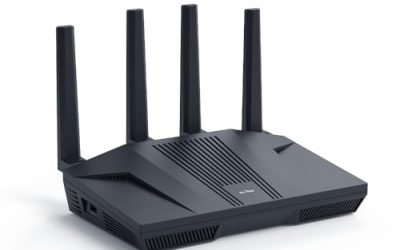
The Archer AX21 is the value pick of the group, an AX1800 Wi-Fi 6 router that covers the essentials for gaming and streaming in smaller homes. Its listing highlights up to 1200 Mbps on the 5 GHz band and 574 Mbps on 2.4 GHz, with OFDMA, beamforming and four high-gain antennas for coverage. It supports EasyMesh, so a compatible extender can widen the network later, and it works with Alexa for voice control through the Tether app. A built-in VPN server is an unusual bonus at this level. If your current router is an aging ISP unit, this is the lowest-cost step into Wi-Fi 6 here.
Which One Fits Your Situation
You Play in an Apartment With Several Connected Devices
An AX1800 router is usually enough when the gaming setup sits in the same room or one wall away. The Archer AX23 and Archer AX21 both handle a console, a PC and a rack of smart devices, and their four gigabit LAN ports let you wire the machine you play on. Choose between them based on whether you value the AX23’s parental controls or the AX21’s EasyMesh expansion and VPN server.
Your Internet Plan Is Faster Than Gigabit
A standard gigabit router caps a multi-gig plan at the port, so the wired hardware becomes the bottleneck. The Archer AX55 Pro is the only pick here with 2.5 Gbps ports, and it gives both the incoming connection and one wired device room to run at full speed. Pair it with a modem that has a multi-gig output and Cat6 or better cabling to actually see the benefit.
The Whole Household Streams While You Play
Congestion, not peak speed, is what ruins a match when someone else starts a 4K stream. The Archer AX55 answers with an AX3000 speed class, 160 MHz channels and OFDMA, which together keep more devices moving at once. Its USB 3.0 port and HomeShield tools also suit a busier home network. If dead zones are part of the problem, its EasyMesh support lets you add an extender later instead of replacing the router.
You Want Set-It-and-Forget-It Simplicity
If you would rather manage the network from a phone app and rarely open advanced settings, the NETGEAR R6700AX fits best. The Nighthawk app handles setup, guest access and device lists, and the listing’s coverage rating suits apartments and smaller houses. It lacks the extra ports and mesh ecosystem of the TP-Link models, but for a single gaming setup plus everyday devices, that trade-off keeps things simple.
Common Mistakes
- Buying on the AX number alone, without checking whether the router supports 160 MHz channels or the port speeds your internet plan needs.
- Placing the router inside a cabinet or behind the TV, which weakens the 5 GHz signal that gaming devices depend on most.
- Gaming over Wi-Fi when a LAN port is free, even though a short Ethernet cable removes most wireless interference from the equation.
- Forgetting that a router cannot fix a slow plan or a faulty modem, so test a wired connection directly to the modem before blaming the new router.
- Skipping the firmware update during setup, which leaves early software bugs and older security settings in place.
Frequently Asked Questions
Is Wi-Fi 6 enough for gaming, or do I need Wi-Fi 6E or Wi-Fi 7?
For most homes, Wi-Fi 6 is enough, because online games use very little bandwidth and care far more about a stable, uncongested connection. The routers here add OFDMA and MU-MIMO, which reduce waiting time when many devices share the network. Wi-Fi 6E and Wi-Fi 7 help in very dense buildings or with multi-gig plans, but they are not required for smooth play.
Will one of these routers work with my existing modem and internet provider?
Yes, in normal setups. These are standalone routers, so they connect by Ethernet to the modem or gateway your provider supplied and then create your home Wi-Fi network. The listings describe compatibility with major cable and fiber services. If your provider gave you a combined modem-router unit, you may need to switch it to bridge mode or turn off its Wi-Fi to avoid double NAT issues while gaming.
Should I wire my console or PC instead of using Wi-Fi?
Wiring is the better choice whenever the router sits within cable reach of your gaming machine. An Ethernet connection removes wireless interference, neighboring networks and signal drops from the equation. All five picks include four gigabit LAN ports, so a console and a PC can stay wired while phones and laptops use Wi-Fi. If the router is in another room, use the 5 GHz band close to it.
Can I add mesh coverage later if one router is not enough?
With the TP-Link picks, yes, as long as the extender supports the same system. The Archer AX55 and AX55 Pro work with EasyMesh devices, the AX23 supports OneMesh, and the AX21 supports EasyMesh, so a compatible range extender can join the network under one name. The NETGEAR R6700AX is a standalone router, so expanding later would mean replacing it with a mesh system or adding a separate extender network.
FAQ
Is Wi-Fi 6 enough for gaming, or do I need Wi-Fi 6E or Wi-Fi 7?
Will one of these routers work with my existing modem and internet provider?
Should I wire my console or PC instead of using Wi-Fi?
Can I add mesh coverage later if one router is not enough?
More from Amazon
Programs that pair well with the guide above. Offers and eligibility are set by Amazon and may change.
Free shipping on eligible items, Prime Video and more. Eligible new members can start with a free trial.
Start a Prime free trialAd-free music streaming. Eligible new subscribers can start with a free trial.
Try Music Unlimited freeA Prime membership for ages 18-24 with a trial period. Eligibility is set by Amazon.
See Prime for Young AdultsAudiobooks and podcasts to listen to on the go. Eligible new members can start with a free trial.
Try Audible freeAs an Amazon Associate we earn from qualifying purchases.