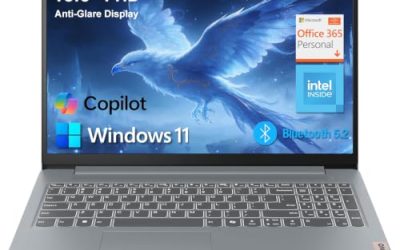
Our Short List of 3

- CPU: AMD Ryzen 7 7735HS
- GPU: NVIDIA GeForce RTX 4060 Laptop GPU, up to 140W
- Display: 15.6-inch FHD, 144Hz, 100 percent sRGB
- Memory: 16GB DDR5

- CPU: AMD Ryzen 7 7435HS, 8 cores
- GPU: NVIDIA GeForce RTX 4060, 8GB
- Display: 15.6-inch FHD IPS, 144Hz, anti-glare, 100 percent sRGB, G-SYNC
- Memory: 32GB RAM

- CPU: AMD Ryzen 5 7535HS, 6 cores, 3.3 GHz base, up to 4.55 GHz boost, 16MB cache
- GPU: AMD Radeon RX 6550M, 4GB GDDR6
- Display: 15.6-inch FHD IPS, 144Hz, micro-edge, anti-glare
- Memory: 32GB DDR5
All 5 Picks at a Glance
| Product | Specs | Action |
|---|---|---|
| 1. ASUS TUF Gaming A15 |
| Check price on Amazon |
| 2. Lenovo LOQ 15 |
| Check price on Amazon |
| 3. HP Victus 15 |
| Check price on Amazon |
 4. Acer Nitro 16 |
| Check price on Amazon |
 5. MSI Katana A15 AI |
| Check price on Amazon |
Key takeaways
- Gaming laptops with AMD Ryzen processors combine strong multi-core CPUs with dedicated GPUs. Compare five Ryzen gaming laptops by CPU, GPU and display.
As an Amazon Associate we earn from qualifying purchases.
Gaming laptops with AMD Ryzen processors pair an AMD Ryzen 5, 7 or 9 mobile CPU with a dedicated graphics card, so they handle modern games at 1080p and 1440p without relying on integrated graphics. The five laptops in this guide all run Ryzen 7000 or 8000 series chips with discrete GPUs, from the RTX 4060 class upward, plus one entry option with a Radeon RX 6550M. Pick by GPU tier first, then by display refresh rate and memory, because those three decide how games actually feel.
What a Ryzen gaming laptop is
A Ryzen gaming laptop is a Windows laptop built around an AMD Ryzen mobile processor and a separate graphics card. The Ryzen chip handles the game logic, physics, background apps and streaming, while the discrete GPU renders the frames. That split matters because modern games lean on both: a strong CPU keeps frame times steady in busy scenes, and a strong GPU keeps the picture smooth at higher settings.
Ryzen mobile chips in this guide range from the six-core Ryzen 5 7535HS to the eight-core Ryzen 7 8845HS. Every Ryzen 7 here has eight cores, which gives headroom for a game plus a browser, voice chat and recording software running at the same time. The Ryzen 5 has six cores and suits 1080p gaming where the GPU does most of the work. All five laptops also carry Radeon integrated graphics inside the processor, which handles light desktop work and video playback on battery, while the discrete GPU takes over for games.
This guide covers gaming laptops only. The site also has a general Ryzen laptop guide that covers everyday machines for school and office work, and this article is the gaming-only companion to it, with every pick carrying a discrete gaming GPU.
Quick comparison
| Product | Key spec | Best for |
|---|---|---|
| ASUS TUF Gaming A15 | Ryzen 7 7735HS, RTX 4060, 16GB DDR5, 1TB SSD, 15.6-inch FHD 144Hz | Balanced midrange gaming |
| Lenovo LOQ 15 | Ryzen 7 7435HS, RTX 4060, 32GB RAM, 1TB SSD, 15.6-inch FHD 144Hz 100% sRGB | Memory-heavy multitasking |
| HP Victus 15 | Ryzen 5 7535HS, Radeon RX 6550M, 32GB DDR5, 1TB SSD, 15.6-inch FHD 144Hz | Entry-level 1080p gaming |
| Acer Nitro 16 | Ryzen 7 7840HS, RTX 4060, 16GB DDR5, 1TB SSD, 16-inch WUXGA 165Hz | Bigger screen, faster refresh |
| MSI Katana A15 AI | Ryzen 7 8845HS, RTX 4070, 64GB DDR5, 2TB SSD, 15.6-inch QHD 165Hz | Highest GPU tier in this guide |
How to pick a Ryzen gaming laptop
Start with the graphics card, because it sets the ceiling for frame rates and settings. The RTX 4060 class in three of the five picks here is the mainstream gaming tier, comfortable at 1080p high settings and capable at 1440p with adjusted settings. The RTX 4070 in the MSI Katana A15 AI is the step above it and suits a 1440p display. The Radeon RX 6550M in the HP Victus 15 is the entry tier, built for 1080p gaming at modest settings. Match the GPU to the display: a 144Hz or 165Hz panel only shows its advantage when the GPU can push frames near that refresh rate.
Next, check the processor tier. A Ryzen 7 with eight cores gives more room for streaming, recording and background apps than a six-core Ryzen 5, and the Ryzen 7 8845HS is the strongest chip in this guide. That said, at 1080p with an RTX 4060, the difference between the Ryzen 7 7435HS, 7735HS and 7840HS is smaller than the difference between GPU tiers, so do not pay for a CPU step up at the cost of a GPU step down.
Memory comes third. Sixteen gigabytes of DDR5 is the floor for a gaming laptop in 2026 and appears on the ASUS TUF A15 and the Acer Nitro 16. Thirty-two gigabytes, as on the Lenovo LOQ 15 and the HP Victus 15, leaves room for a game plus a browser with many tabs, voice chat and capture software without slowdowns. Sixty-four gigabytes on the MSI Katana A15 AI is far beyond what current games need and mainly helps heavy multitasking and content work alongside gaming.
Storage matters more than it looks. One terabyte is the practical minimum once a few modern games are installed, and every laptop here ships with a 1TB SSD except the Katana A15 AI, which carries 2TB. A fast NVMe drive also shortens loading times and level transitions. Check whether the laptop has a second SSD slot before buying, because adding storage later is cheaper than replacing the only drive.
The display decides how the machine feels day to day. All five laptops here use high-refresh panels, from 144Hz to 165Hz, which makes motion smoother than a standard 60Hz screen. The Nitro 16 is the only 16-inch screen here and the only 165Hz WUXGA panel, while the Katana A15 AI is the only QHD panel, which pairs with its RTX 4070. The LOQ 15 and the TUF A15 both list 100 percent sRGB coverage, which helps games and video look closer to their intended colors.
Cooling and weight are the trade-offs of a gaming laptop. These machines run warm under load, so look for dual-fan cooling, rear or side vents that stay clear on a desk, and a chassis that does not block its own intakes. The 15.6-inch models here are the most portable of the group, while the 16-inch Nitro trades a little portability for screen size. Battery life on any gaming laptop is short while gaming, so plan on the charger for play sessions and use the integrated graphics for light work away from an outlet.
Finally, confirm the exact configuration on the listing before ordering. Several of these models sell in multiple configurations, and a Ryzen variant can sit next to an Intel variant of the same chassis under a similar name. Check that the listing names the Ryzen processor, the graphics card, the memory size and the storage size you expect, and confirm that the listing is for a new unit.
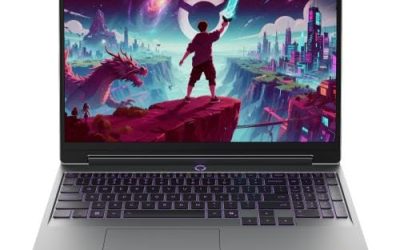
1. ASUS TUF Gaming A15
- CPU: AMD Ryzen 7 7735HS
- GPU: NVIDIA GeForce RTX 4060 Laptop GPU, up to 140W
- Display: 15.6-inch FHD, 144Hz, 100 percent sRGB
- Memory: 16GB DDR5
The ASUS TUF Gaming A15 pairs a Ryzen 7 7735HS with an RTX 4060 laptop GPU running at up to 140W, which is the full-power version of that card rather than a cut-down one. That combination makes it the most balanced midrange pick in this guide: the CPU has eight cores, the GPU is the mainstream gaming tier, and the 15.6-inch FHD display runs at 144Hz with 100 percent sRGB coverage. Sixteen gigabytes of DDR5 memory and a 1TB PCIe SSD round out a configuration with no obvious weak point for 1080p gaming.
The TUF line is built around durability, with a military-grade chassis design and a cooling system built for sustained loads. Wi-Fi 6 keeps wireless play and downloads fast, and Windows 11 ships on the machine. The listing names model FA507NV-EH74, so confirm that model number on the listing before ordering, since the TUF A15 family also sells in other configurations.
2. Lenovo LOQ 15
- CPU: AMD Ryzen 7 7435HS, 8 cores
- GPU: NVIDIA GeForce RTX 4060, 8GB
- Display: 15.6-inch FHD IPS, 144Hz, anti-glare, 100 percent sRGB, G-SYNC
- Memory: 32GB RAM
The Lenovo LOQ 15 stands out in this guide for memory: the listing tied to this ASIN ships with 32GB of RAM and a 1TB SSD, double the memory of the TUF A15 and the Nitro 16. That headroom suits gamers who keep a browser, voice chat and capture software open beside the game. The Ryzen 7 7435HS is an eight-core chip, and the RTX 4060 with 8GB of graphics memory is the same mainstream gaming GPU as in the TUF A15 and the Nitro 16, so frame rates land in the same class.
The display is a 15.6-inch FHD IPS panel at 144Hz with anti-glare coating, 100 percent sRGB coverage and G-SYNC support, which helps keep fast motion smooth. The listing also names Nahimic audio, Rapid Charge Pro and a backlit keyboard, plus one USB-C 3.2 port, three USB-A 3.2 ports, HDMI 2.1 and an RJ45 Ethernet port, so a wired connection and extra peripherals are covered.
One thing to confirm on the listing: this ASIN is a seller-configured 32GB and 1TB build that ships with an accessory bundle, including a USB-C hub. The standard LOQ 15 configuration ships with less memory, so confirm the listing states 32GB RAM and 1TB SSD before ordering if that is the build you want.
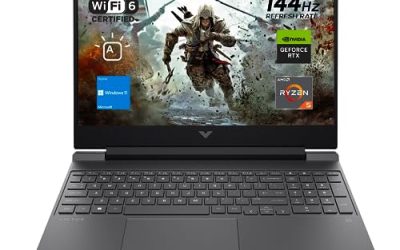
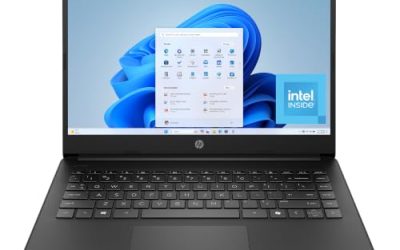
3. HP Victus 15
- CPU: AMD Ryzen 5 7535HS, 6 cores, 3.3 GHz base, up to 4.55 GHz boost, 16MB cache
- GPU: AMD Radeon RX 6550M, 4GB GDDR6
- Display: 15.6-inch FHD IPS, 144Hz, micro-edge, anti-glare
- Memory: 32GB DDR5
The HP Victus 15 is the entry point of this guide, and it is the only pick with an AMD graphics card instead of an NVIDIA one. Its Ryzen 5 7535HS has six cores with a 3.3 GHz base clock and up to 4.55 GHz boost, and the Radeon RX 6550M carries 4GB of GDDR6 memory on the RDNA 2 architecture. That pairing is built for 1080p gaming at modest settings rather than for high-refresh competitive play, and the 15.6-inch FHD IPS display runs at 144Hz with micro-edge bezels and an anti-glare finish.
The listing tied to this ASIN is a 32GB DDR5 and 1TB PCIe SSD build running Windows 11 Home, with a backlit keyboard that includes a numeric pad, Wi-Fi 6 and Bluetooth. The chassis measures 14.09 x 10.04 x 0.93 inches in Mica Silver. Two things need confirming on the listing. First, the base Victus 15 configuration ships with 8GB of memory and a 512GB drive, so confirm this listing states 32GB DDR5 and 1TB SSD. Second, listing copies disagree on weight: the 32GB listing states 5.06 lb while the base listing states 7.39 lb, so treat the weight as unconfirmed until the listing you order from states it.
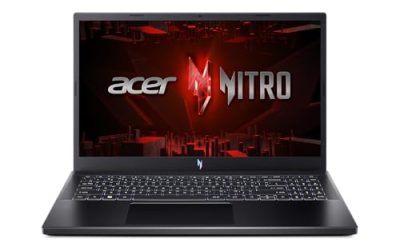
4. Acer Nitro 16
- CPU: AMD Ryzen 7 7840HS, octa-core
- GPU: NVIDIA GeForce RTX 4060 Laptop GPU
- Display: 16-inch WUXGA IPS, 165Hz
- Memory: 16GB DDR5
The Acer Nitro 16 is the only 16-inch laptop in this guide, and its larger screen is the main reason to pick it over the 15.6-inch models. The panel is a 16-inch WUXGA IPS display at 165Hz, the fastest refresh rate here, and the Ryzen 7 7840HS octa-core processor pairs with an RTX 4060 laptop GPU. Sixteen gigabytes of DDR5 memory and a 1TB Gen 4 SSD match the TUF A15 on memory and storage, while Wi-Fi 6E adds a newer wireless standard than the Wi-Fi 6 on the TUF A15 and the Victus 15. An RGB backlit keyboard completes a configuration aimed squarely at gaming.
The listing names model AN16-41-R4CY, model number NH.QLLAA.002. Confirm that model number on the listing, because the Nitro 16 family also sells in a 512GB configuration under a different model suffix, and a second listing code circulates for this same model name. The 1TB Gen 4 SSD gives more room for a game library than the 512GB variant, and the Gen 4 interface keeps loading times short.
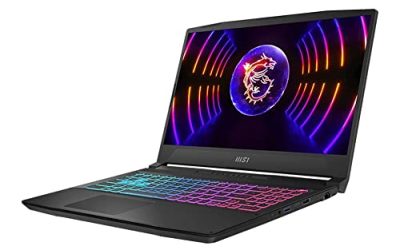
5. MSI Katana A15 AI
- CPU: AMD Ryzen 7 8845HS, 8 cores, 3.8 GHz to 5.1 GHz
- GPU: NVIDIA GeForce RTX 4070 Laptop GPU, 8GB GDDR6, 105W
- Display: 15.6-inch QHD, 165Hz, 2560 x 1440
- Memory: 64GB DDR5
The MSI Katana A15 AI is the strongest machine in this guide on both CPU and GPU. Its Ryzen 7 8845HS runs eight cores from 3.8 GHz to 5.1 GHz, and the RTX 4070 laptop GPU with 8GB of GDDR6 memory runs at 105W, a step above the RTX 4060 in the other picks. The 15.6-inch display is a QHD panel at 165Hz with a 2560 x 1440 resolution, which suits the stronger GPU, and Cooler Boost 5 handles the extra heat of the higher-tier parts.
The listing tied to this ASIN is a high-memory build: 64GB of DDR5 RAM and a 2TB PCIe SSD, far beyond what current games need and useful for heavy multitasking and content work beside gaming. Wi-Fi 6E, a backlit keyboard and Windows 11 Home round out the build, and the listing includes a mouse pad. Confirm on the listing that it states RTX 4070, 64GB RAM and 2TB SSD, because the standard Katana A15 AI configuration ships with 16GB of memory, a 1TB drive and an RTX 4060 under a different listing.
FAQ
Do gaming laptops with AMD Ryzen processors need a dedicated graphics card?
Yes, for demanding games. The Radeon graphics built into a Ryzen processor handle light games and desktop work, but the laptops in this guide pair the Ryzen CPU with a discrete GPU, and that discrete GPU does the heavy rendering in modern titles.
Which Ryzen processor is best for gaming laptops?
The Ryzen 7 8845HS in the MSI Katana A15 AI is the strongest chip in this guide, with eight cores and the highest boost clock. The Ryzen 7 7735HS and 7840HS are solid midrange choices, and the six-core Ryzen 5 7535HS suits 1080p gaming where the GPU carries most of the load.
How much RAM do Ryzen gaming laptops need?
Sixteen gigabytes of DDR5 is the floor for a gaming laptop in 2026 and is enough for most games on their own. Thirty-two gigabytes gives headroom for a game plus a browser, voice chat and capture software at the same time, and it is the configuration on the Lenovo LOQ 15 and the HP Victus 15 here.
Do Ryzen gaming laptops run hot?
Gaming laptops run warm under load, and Ryzen models are no exception. Look for dual-fan cooling, keep the vents clear on a flat desk surface, and use the charger while gaming, since battery power alone cannot sustain full gaming performance.
FAQ
Do gaming laptops with AMD Ryzen processors need a dedicated graphics card?
Which Ryzen processor is best for gaming laptops?
How much RAM do Ryzen gaming laptops need?
Do Ryzen gaming laptops run hot?
More from Amazon
Programs that pair well with the guide above. Offers and eligibility are set by Amazon and may change.
Free shipping on eligible items, Prime Video and more. Eligible new members can start with a free trial.
Start a Prime free trialAd-free music streaming. Eligible new subscribers can start with a free trial.
Try Music Unlimited freeA Prime membership for ages 18-24 with a trial period. Eligibility is set by Amazon.
See Prime for Young AdultsAudiobooks and podcasts to listen to on the go. Eligible new members can start with a free trial.
Try Audible freeAs an Amazon Associate we earn from qualifying purchases.