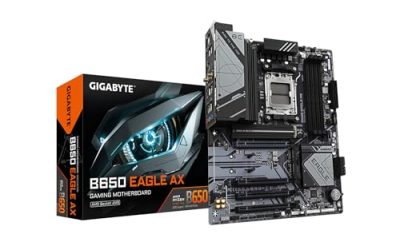
Our Short List of 3

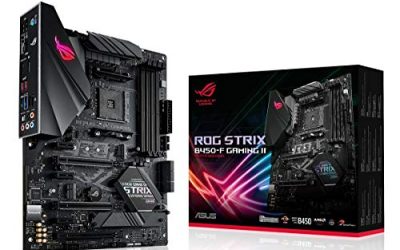
- ASUS Prime B550M-A WiFi II — Best overall AM4 board, with PCIe 4.0, WiFi 6 and dual M.2 slots.
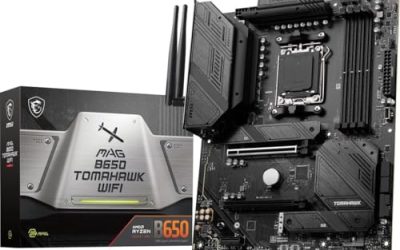
- ASRock B650M-HDV/M.2 — Best AM5 entry point, with DDR5 memory and 2.5Gb Ethernet.
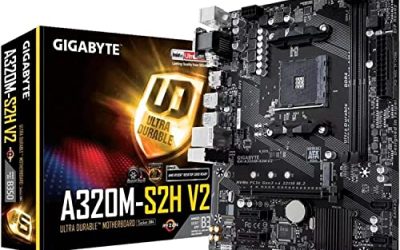
- GIGABYTE B550M DS3H AC — Best AM4 board with four memory slots and built-in WiFi.
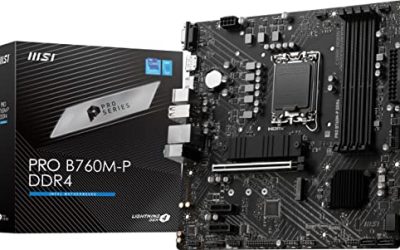
- MSI PRO B760M-A WiFi DDR4 — Best Intel board, with LGA 1700 support, Wi-Fi 6E and Bluetooth 5.3.
- Four DDR4 slots allow memory expansion later
- Dual M.2 slots plus SATA 6Gb/s ports for flexible storage
- Built-in WiFi for wireless setups
- PCIe 4.0 support for graphics and NVMe storage

- Supports 12th, 13th and 14th Gen Intel Core processors
- PCIe 4.0 graphics slot
- Wi-Fi 6E and Bluetooth 5.3 built in
- 2.5Gbps LAN for faster wired networking
All 3 Picks at a Glance
| Product | Specs | Action |
|---|---|---|
| Our Top Picks |
| Check price on Amazon |
| 3. GIGABYTE B550M DS3H AC — Best AM4 Board with Four Memory Slots |
| Check price on Amazon |
| 4. MSI PRO B760M-A WiFi DDR4 — Best Intel Board |
| Check price on Amazon |
Key takeaways
- Shopping for the best motherboards under 150? Compare four budget AM4, AM5 and Intel LGA 1700 boards with WiFi, DDR4 and DDR5 support for gaming.
As an Amazon Associate I earn from qualifying purchases.
The Short Answer
If you want the best motherboards under 150, start with the socket your processor uses. An AM4 board fits Ryzen 3000 and 5000 series processors and pairs with DDR4 memory. An AM5 board is the better call for a brand-new build, opening the door to current Ryzen 7000, 8000 and 9000 series processors and DDR5 memory. An Intel LGA 1700 board fits 12th, 13th and 14th Gen Core processors and suits builders who already own DDR4 memory.
Our leading pick is the ASUS Prime B550M-A WiFi II, a Micro-ATX AM4 board with PCIe 4.0, WiFi 6 and dual M.2 slots. For a fresh AMD build, the ASRock B650M-HDV/M.2 is the AM5 entry point, with DDR5 memory and 2.5Gb Ethernet. The GIGABYTE B550M DS3H AC is a solid AM4 alternative with four DDR4 slots and built-in wireless networking, while the MSI PRO B760M-A WiFi DDR4 covers Intel with Wi-Fi 6E, Bluetooth 5.3 and a PCIe 4.0 graphics slot.
None of these boards is a flagship, and that is the point. At this tier you pay for the essentials: stable power delivery, fast storage slots and enough USB ports for a gaming setup. Spend the money you save on a better graphics card or a larger SSD.
Our Top Picks
- ASUS Prime B550M-A WiFi II — Best overall AM4 board, with PCIe 4.0, WiFi 6 and dual M.2 slots.
- ASRock B650M-HDV/M.2 — Best AM5 entry point, with DDR5 memory and 2.5Gb Ethernet.
- GIGABYTE B550M DS3H AC — Best AM4 board with four memory slots and built-in WiFi.
- MSI PRO B760M-A WiFi DDR4 — Best Intel board, with LGA 1700 support, Wi-Fi 6E and Bluetooth 5.3.
Quick Comparison
| Motherboard | Socket | Chipset | Memory | Form Factor | Wireless | Standout Feature |
|---|---|---|---|---|---|---|
| ASUS Prime B550M-A WiFi II | AM4 | B550 | DDR4 | Micro-ATX | WiFi 6 | PCIe 4.0 with dual M.2 slots |
| ASRock B650M-HDV/M.2 | AM5 | B650 | DDR5 | Micro-ATX | None built in | DDR5 with 2.5Gb Ethernet |
| GIGABYTE B550M DS3H AC | AM4 | B550 | DDR4 | Micro-ATX | WiFi | Four DDR4 slots, dual M.2 |
| MSI PRO B760M-A WiFi DDR4 | LGA 1700 | B760 | DDR4 | Micro-ATX | Wi-Fi 6E, Bluetooth 5.3 | PCIe 4.0 graphics slot |
How to Choose
Match the socket to your processor first
The socket is the one choice you cannot work around. AM4 boards fit Ryzen 3000 and 5000 series processors. AM5 boards fit Ryzen 7000, 8000 and 9000 series processors. LGA 1700 boards fit 12th, 13th and 14th Gen Intel Core processors. If you already own a processor, the socket is decided for you. If you are buying both, pick the platform first: AM4 for value, AM5 for a new build, LGA 1700 when you already own DDR4 memory. Always confirm the exact processor support list on the listing before ordering, since some boards need a BIOS update for newer processors in the same socket family.
DDR4 or DDR5
DDR4 and DDR5 memory are not interchangeable, and the board you pick locks in the memory type. DDR4 is the practical choice at this tier because it is widely available and lets you reuse memory from an older build. DDR5 is the newer standard and is required by AM5 boards. For gaming, the memory generation matters less than the graphics card and the amount installed. Two sticks in dual-channel mode is the standard setup, and 16 GB is the sensible minimum.
Check the storage slots
Every board in this guide carries two M.2 slots for NVMe SSDs. A fast NVMe drive cuts load times and keeps the build free of extra cables. Check how many M.2 slots the board has and whether a second slot shares bandwidth with a SATA port or a PCIe slot, since that can disable a port you planned to use.
Wireless networking and ports
Built-in WiFi removes the need for a separate adapter and keeps a rear PCIe slot free. Three of the four boards in this guide include wireless networking, and the Intel board adds Bluetooth 5.3 as well. If your desk sits next to your router, a wired Ethernet connection is still the most reliable option, and all four boards include a wired LAN port. Count the rear USB ports against your keyboard, mouse, headset and controller.
Form factor and case fit
All four boards in this guide are Micro-ATX, which fits in both Micro-ATX and full ATX cases. Micro-ATX boards give up some expansion slots compared with full ATX, but a gaming build usually needs only one graphics slot and one or two M.2 slots. Measure your case before ordering if you are working in a compact chassis.
Power delivery and cooling
Budget boards are built for mainstream processors, not for heavy overclocking or flagship chips with high power draw. Pair these boards with a Ryzen 5, Ryzen 7 or Core i5 class processor and they will run comfortably with good case airflow. If you plan to run a high-end processor, step up to a board with a stronger power design and larger heatsinks.
The Picks in Detail
1. ASUS Prime B550M-A WiFi II — Best Overall AM4 Board
The ASUS Prime B550M-A WiFi II is our leading pick for builders working with an AM4 processor. It pairs the B550 chipset with PCIe 4.0 support, so both the graphics slot and the primary M.2 slot run at full modern speeds, and it carries a second M.2 slot for extra storage. WiFi 6 is built in, along with 1Gb Ethernet, so you can connect however your setup demands. HDMI 2.1 output supports a 4K display from a processor with integrated graphics, which is handy for a build that starts without a dedicated graphics card.
It also carries an addressable Gen 2 RGB header with Aura Sync support for lighting control. Four DDR4 slots give you room to start with two sticks and add more later. The board includes BIOS FlashBack, so you can update the BIOS for a newer Ryzen 5000 series processor even before a compatible CPU is installed.
Pick this board for a Ryzen 5 5600 or Ryzen 7 5700X build with a mainstream graphics card.
Pros:
- PCIe 4.0 graphics and storage support on a budget AM4 board
- WiFi 6 and 1Gb Ethernet built in
- Dual M.2 slots for fast NVMe storage
- Four DDR4 slots with room to expand memory later
- HDMI 2.1 output for integrated graphics setups
Cons:
- Micro-ATX layout gives up expansion slots compared with full ATX
- No built-in Bluetooth listed, so confirm on the listing if you need it
- BIOS version should be confirmed for newer Ryzen 5000 processors
2. ASRock B650M-HDV/M.2 — Best AM5 Entry Point
The ASRock B650M-HDV/M.2 is the most affordable way into the AM5 platform, and it is the right pick if you are building a new AMD system from scratch. It supports Ryzen 7000, 8000 and 9000 series processors, so the upgrade path stays open, and it uses DDR5 memory across two DIMM slots. The board carries two M.2 slots, a PCIe 4.0 graphics slot and 2.5Gb Ethernet, which is a step up from the 1Gb LAN found on many budget boards.
AMD EXPO support lets you run DDR5 memory at its listed speeds with a simple BIOS setting, and USB 3.2 Gen2 ports cover fast external drives and peripherals. There is no built-in WiFi on this model, so add a wireless adapter if your setup cannot use a wired connection. The two memory slots mean you should buy the memory capacity you need up front, since there is no room to add sticks later.
This board suits a Ryzen 5 7600 or Ryzen 7 7700 build with a mainstream graphics card.
Pros:
- AM5 socket supports Ryzen 7000, 8000 and 9000 series processors
- DDR5 memory with AMD EXPO support
- Two M.2 slots for NVMe storage
- 2.5Gb Ethernet for faster wired networking
- USB 3.2 Gen2 ports for fast peripherals
Cons:
- No built-in WiFi, so a wired connection or separate adapter is needed
- Only two DDR5 memory slots, so buy your full memory capacity up front
- Micro-ATX layout limits expansion compared with full ATX boards
3. GIGABYTE B550M DS3H AC — Best AM4 Board with Four Memory Slots
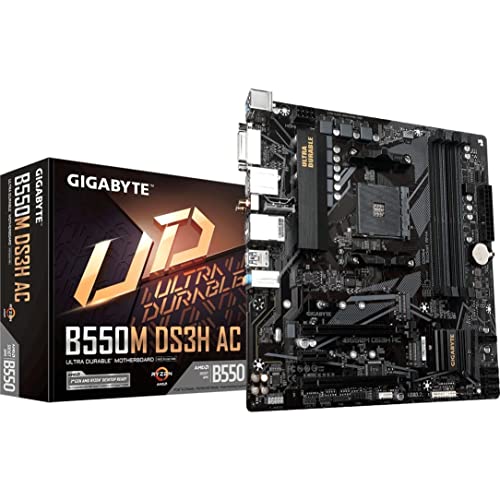
- Four DDR4 slots allow memory expansion later
- Dual M.2 slots plus SATA 6Gb/s ports for flexible storage
- Built-in WiFi for wireless setups
- PCIe 4.0 support for graphics and NVMe storage
The GIGABYTE B550M DS3H AC is a straightforward AM4 board that covers the fundamentals well. It runs the B550 chipset with DDR4 memory across four DIMM slots, which is a real advantage over two-slot boards: you can start with two sticks and add a second pair later without replacing anything. Dual M.2 slots handle fast NVMe storage, and PCIe 4.0 support keeps the graphics slot and primary storage slot running at modern speeds. SATA 6Gb/s ports cover traditional hard drives and SATA SSDs for bulk storage.
Wireless networking is built in, so a wireless setup works out of the box. The Realtek GbE LAN port covers wired connections, and HDMI and DVI outputs support displays from a processor with integrated graphics. Note that GIGABYTE also sells a newer R2 revision of this board with Wi-Fi 5, so confirm the exact model name and revision on the listing before ordering.
Pick it for an AM4 build where memory expansion matters or wireless networking is needed from day one.
Pros:
Cons:
4. MSI PRO B760M-A WiFi DDR4 — Best Intel Board
- Supports 12th, 13th and 14th Gen Intel Core processors
- PCIe 4.0 graphics slot
- Wi-Fi 6E and Bluetooth 5.3 built in
- 2.5Gbps LAN for faster wired networking
The MSI PRO B760M-A WiFi DDR4 covers the Intel side of this guide, supporting 12th, 13th and 14th Gen Intel Core processors on the LGA 1700 socket. It uses DDR4 memory across four slots with capacity up to 128 GB, so you can reuse memory from an older build or buy affordable DDR4 now. The graphics slot runs PCIe 4.0, and the two M.2 slots handle fast NVMe storage.
Wireless connectivity is a strong point here: Wi-Fi 6E and Bluetooth 5.3 are both built in, so wireless headsets, controllers and peripherals connect directly. The 2.5Gbps LAN port gives faster wired networking than the 1Gb ports on many budget boards, and USB 3.2 Gen2 ports cover fast external storage. HDMI and DisplayPort outputs support displays from a processor with integrated graphics, with two of each on the rear panel.
Pick it for a Core i5 12400F or 13400F build with a mainstream graphics card and DDR4 memory.
Pros:
Cons:
Who Should Choose What
Choose the ASUS Prime B550M-A WiFi II if you are building around a Ryzen 3000 or 5000 series processor and want a proven AM4 board with WiFi 6, dual M.2 slots and four memory slots.
Choose the ASRock B650M-HDV/M.2 if you are starting a new AMD build and want the AM5 platform with DDR5 memory and a clear upgrade path to future Ryzen processors. Accept the lack of built-in WiFi and the two-slot memory limit in exchange for a modern foundation.
Choose the GIGABYTE B550M DS3H AC if you want an AM4 board with four memory slots and built-in wireless networking. It is a good fit when you plan to expand memory later or when your setup needs WiFi from day one.
Choose the MSI PRO B760M-A WiFi DDR4 if your processor is Intel. Its Wi-Fi 6E, Bluetooth 5.3 and PCIe 4.0 slot make it a strong match for a 12th, 13th or 14th Gen Core build with DDR4 memory.
If you are still deciding between platforms, think about what you already own. A spare DDR4 kit points toward AM4 or Intel LGA 1700. A new build with no parts to reuse points toward AM5.
Common Mistakes
Buying the wrong socket. This is the most common and most expensive mistake in a budget build. A Ryzen processor will not fit an LGA 1700 board, and an Intel processor will not fit an AM4 or AM5 board. Check the socket on the board listing and on your processor before ordering.
Mixing DDR4 and DDR5. DDR4 memory fits only DDR4 boards, and DDR5 memory fits only DDR5 boards. The slots are keyed differently, so the wrong memory simply will not install. Confirm the memory type on the board listing and buy matching memory.
Forgetting the BIOS version. Some AM4 boards need a BIOS update before they recognise newer Ryzen 5000 series processors, and some AM5 boards need an update for newer Ryzen 9000 series chips. Check the processor support list and the BIOS version on the listing before ordering.
Ignoring the M.2 layout. A second M.2 slot sometimes shares bandwidth with a SATA port or a PCIe slot, disabling that port when the slot is populated. Read the manual or the listing details before planning a build with two NVMe drives and several SATA drives.
Skipping wireless when you need it. If your desk is far from your router, a board without built-in WiFi means buying a separate adapter. Factor that into the build, or pick one of the three boards in this guide that include wireless networking.
Pairing a flagship processor with a budget board. These boards are built for mainstream processors. A high-end chip with heavy power draw deserves a board with a stronger power design and larger heatsinks. Match the board to the processor class, not just the socket.
FAQ
What is the best motherboard under 150 for a new gaming build?
For a brand-new build, the ASRock B650M-HDV/M.2 is our pick, because the AM5 socket supports current Ryzen processors and DDR5 memory, and the upgrade path stays open. If you already own an AM4 processor or DDR4 memory, the ASUS Prime B550M-A WiFi II is the better fit.
Can I use DDR4 memory with an AM5 motherboard?
No. AM5 boards use DDR5 memory only, and the slots are keyed differently, so DDR4 memory will not fit. If you want to reuse DDR4 memory, choose an AM4 board such as the ASUS Prime B550M-A WiFi II or the GIGABYTE B550M DS3H AC, or an Intel LGA 1700 board such as the MSI PRO B760M-A WiFi DDR4.
Do I need WiFi on my motherboard?
You need WiFi only if your computer cannot connect to your router with a cable. Three of the four boards in this guide include wireless networking. If you pick the ASRock B650M-HDV/M.2 and need wireless, add a separate adapter.
How many M.2 slots do I need?
One M.2 slot is enough for a single NVMe drive, which covers most gaming builds. Two slots give you room to add a second drive later without replacing the first. All four boards in this guide carry two M.2 slots.
Will these boards fit in a full-size ATX case?
Yes. All four boards are Micro-ATX, and Micro-ATX boards mount in both Micro-ATX and full ATX cases using the same mounting holes. Check the graphics card clearance in your case separately, since long graphics cards can conflict with drive cages in compact chassis.
Should I pick AM4 or AM5 for a budget build?
AM4 is the better value when you already own a Ryzen 3000 or 5000 series processor or DDR4 memory. AM5 is the better choice for a new build with no parts to reuse, because it supports current Ryzen processors and DDR5 memory.
Conclusion
The best motherboards under 150 are not about chasing flagship features. They are about getting the socket, memory type and connectivity right for the processor you own or plan to buy. The ASUS Prime B550M-A WiFi II leads this guide for AM4 builders, the ASRock B650M-HDV/M.2 opens the door to AM5 and DDR5, the GIGABYTE B550M DS3H AC gives AM4 builders four memory slots and built-in WiFi, and the MSI PRO B760M-A WiFi DDR4 covers Intel builds with Wi-Fi 6E and a PCIe 4.0 slot.
Pick the board that matches your processor, confirm the memory type and the BIOS version on the listing, and check the M.2 layout against your storage plans. Get those four details right and any board in this guide will serve as a solid foundation for a gaming build.
FAQ
What is the best motherboard under 150 for a new gaming build?
Can I use DDR4 memory with an AM5 motherboard?
Do I need WiFi on my motherboard?
How many M.2 slots do I need?
Will these boards fit in a full-size ATX case?
Should I pick AM4 or AM5 for a budget build?
More from Amazon
Programs that pair well with the guide above. Offers and eligibility are set by Amazon and may change.
Free shipping on eligible items, Prime Video and more. Eligible new members can start with a free trial.
Start a Prime free trialAd-free music streaming. Eligible new subscribers can start with a free trial.
Try Music Unlimited freeA Prime membership for ages 18-24 with a trial period. Eligibility is set by Amazon.
See Prime for Young AdultsAudiobooks and podcasts to listen to on the go. Eligible new members can start with a free trial.
Try Audible freeAs an Amazon Associate we earn from qualifying purchases.