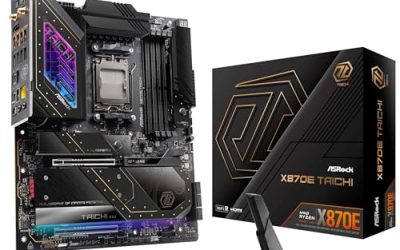
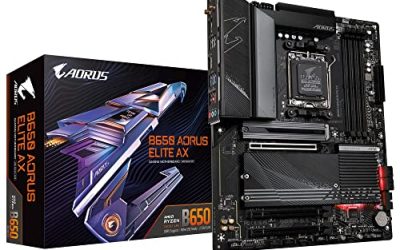
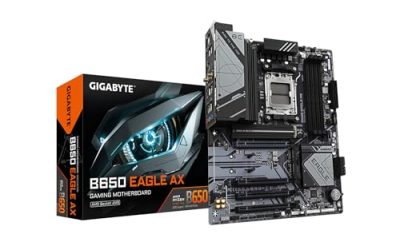
Our Short List of 3

- Best for: Developers who want 5GbE networking and USB4 on a current X870 board.
- Socket: AM5, ATX form factor, X870 chipset
- Processor support: Ryzen 9000, 8000 and 7000 series
- Memory: DDR5
- Expansion: PCIe 5.0 x16 slot

- Best for: Builders who want four M.2 sockets and WiFi 7 in a mid-priced X870 board.
- Socket: AM5 (LGA 1718), ATX form factor, X870 chipset
- Memory: DDR5
- Storage: 4x M.2 sockets
- Expansion: PCIe 5.0

- Best for: High-end Linux builds that need five M.2 sockets and the strongest power design here.
- Socket: AM5, ATX form factor, X870E chipset
- Power stages: 18+2+2, with Dynamic OC Switcher and Core Flex
- Memory: DDR5 with AEMP
- Storage: 5x M.2 sockets
All 4 Picks at a Glance
| Product | Specs | Action |
|---|---|---|
| MSI MAG X870 Tomahawk WiFi |
| Check price on Amazon |
| GIGABYTE X870 AORUS Elite WiFi7 |
| Check price on Amazon |
| ASUS ROG Strix X870E-E Gaming WiFi |
| Check price on Amazon |
 MSI MAG B650 Tomahawk WiFi |
| Check price on Amazon |
Our Top Picks
Choosing a motherboard for Linux is less about the chipset badge and more about whether the Ethernet chip, Wi-Fi module and audio codec on that exact board are supported by the kernel you plan to run. A board that boots Windows flawlessly can still leave you without wired networking on first install if its controller is too new for your distribution.
This guide is for desktop builders, developers and workstation users who want a current AM5 platform that behaves predictably under Linux. The four boards below were chosen from their Amazon listing names and specifications, with attention to controller families that recent Linux motherboard coverage describes as working out of the box on up-to-date kernels. Each pick is judged on that basis first, with gaming features treated as secondary.
Quick Picks
As an Amazon Associate we earn from qualifying purchases.
| Product | Best for | Key spec |
|---|---|---|
| MSI MAG X870 Tomahawk WiFi | Developers who want fast wired networking and USB4 | 5Gbps LAN with Wi-Fi 7 |
| GIGABYTE X870 AORUS Elite WiFi7 | Balanced X870 builds with plenty of storage | 4x M.2 with PCIe 5.0 |
| ASUS ROG Strix X870E-E Gaming WiFi | High-end builds that need maximum expansion | 5x M.2 with 18+2+2 power stages |
| MSI MAG B650 Tomahawk WiFi | Value-focused Linux workstations | 2.5Gbps LAN with Wi-Fi 6E |
How to Choose
Check the Ethernet and Wi-Fi Controllers First
On Linux, the network controller decides your first-boot experience more than the chipset does. Recent Linux motherboard coverage notes that Realtek 2.5GbE and 5GbE controllers in the r8125 and r8126 families work out of the box on recent kernels, which is why the boards in this guide list their LAN chips explicitly. Before ordering, match the exact wired and wireless controllers on the listing to your distribution’s supported hardware. A board with a familiar controller is a safer Linux choice than a newer board whose networking parts have no track record in your kernel.
Match Your Kernel Version to the Platform
Platform age and kernel version are linked. The Linux coverage behind this guide treats kernel 6.8 or newer as a sensible baseline for AM5 builds, and points to kernel 6.11 or newer for full support on X870E boards. If your distribution ships an older kernel, plan an update path before you assume every port and controller will appear. Builders who freeze a long-term release for stability should weigh that policy against the newer hardware in this roundup, because a board can be well supported in principle yet still need a kernel newer than the one installed by default.
Count Storage and Expansion Against Your Workload
Linux workstations often carry separate drives for the system, home directory, virtual machines and backups, so slot layout matters early. Look at how many M.2 sockets the listing states, whether the primary graphics slot is PCIe 5.0 or PCIe 4.0, and how many SATA ports remain for bulk storage. The X870 and X870E boards here offer four or five M.2 sockets, while the B650 option offers three. Choosing enough native storage now avoids add-in cards later, which can complicate lane sharing and make a clean dual-boot or virtualisation setup harder to keep tidy.
Weigh Power Design and Connectivity for the Build’s Lifespan
A Linux machine that compiles code, runs containers or hosts services for hours needs a power design matched to its processor tier. Listings here range from 14+2+1 designs to an 18+2+2 layout, and that spread maps to different Ryzen classes rather than to Linux support itself. Connectivity deserves the same forward look: USB4 and USB 40Gbps ports help with fast external drives and docks, while Wi-Fi 7 suits newer networks and Wi-Fi 6E remains practical for most homes. Buy the I/O you will actually use during the board’s service life.
The 4 Best Options
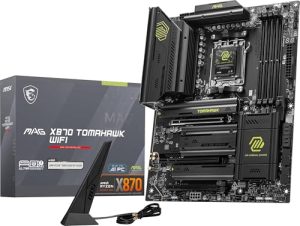
MSI MAG X870 Tomahawk WiFi
- Best for: Developers who want 5GbE networking and USB4 on a current X870 board.
- Socket: AM5, ATX form factor, X870 chipset
- Processor support: Ryzen 9000, 8000 and 7000 series
- Memory: DDR5
- Expansion: PCIe 5.0 x16 slot
Developers who want 5GbE networking and USB4 on a current X870 board.
Availability signals for this listing conflict — recent tracking found the featured offer coming from a marketplace seller rather than Amazon itself, with Renewed listings also circulating. Confirm a live featured offer for a new board under the exact ASIN B0DG3HK897 from a reputable seller before ordering, and do not confuse this board with the newer X870E Tomahawk variant.
This X870 board suits developers who want a modern AM5 foundation with fast wired networking at its centre. Its listing highlights a 5Gbps LAN connection, Wi-Fi 7 and USB 40Gbps, a combination that fits a workstation handling large repositories, remote machines and fast external storage. Linux motherboard coverage rates this board excellent for compatibility and identifies its 5GbE controller as a Realtek 8126, the family described as working out of the box on recent kernels. For a build that will spend its life in terminals, editors and browsers, that controller detail matters more than decorative extras.
Watch out for: Availability signals for this listing conflict — recent tracking found the featured offer coming from a marketplace seller rather than Amazon itself, with Renewed listings also circulating. Confirm a live featured offer for a new board under the exact ASIN B0DG3HK897 from a reputable seller before ordering, and do not confuse this board with the newer X870E Tomahawk variant.
GIGABYTE X870 AORUS Elite WiFi7
- Best for: Builders who want four M.2 sockets and WiFi 7 in a mid-priced X870 board.
- Socket: AM5 (LGA 1718), ATX form factor, X870 chipset
- Memory: DDR5
- Storage: 4x M.2 sockets
- Expansion: PCIe 5.0
Builders who want four M.2 sockets and WiFi 7 in a mid-priced X870 board.
Gigabyte sells closely named relatives, including an X870E version and a white ICE variant, under different listings. Check that the board in your basket is the X870 AORUS Elite WiFi7 described here, and confirm the socket and chipset on the product page before ordering.
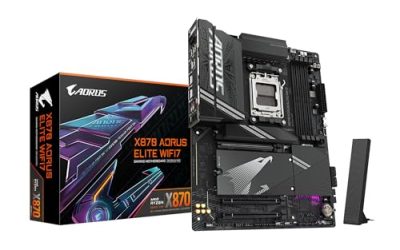
Gigabyte’s X870 entry is the balanced option in this group, pairing four M.2 sockets and PCIe 5.0 with WiFi 7 and 2.5GbE wired networking. Linux motherboard coverage rates it excellent for compatibility in the 2.5GbE tier, noting that its wired controller sits in the Realtek 2.5GbE family supported out of the box on recent kernels. That makes it a straightforward pick for a gaming and development dual-purpose machine where you want current storage and wireless standards without stepping up to the flagship tier. Its EZ-Latch fittings also suit builders who swap drives or graphics cards more than once.
Watch out for: Gigabyte sells closely named relatives, including an X870E version and a white ICE variant, under different listings. Check that the board in your basket is the X870 AORUS Elite WiFi7 described here, and confirm the socket and chipset on the product page before ordering.
ASUS ROG Strix X870E-E Gaming WiFi
- Best for: High-end Linux builds that need five M.2 sockets and the strongest power design here.
- Socket: AM5, ATX form factor, X870E chipset
- Power stages: 18+2+2, with Dynamic OC Switcher and Core Flex
- Memory: DDR5 with AEMP
- Storage: 5x M.2 sockets
High-end Linux builds that need five M.2 sockets and the strongest power design here.
ASUS also lists a WIFI7 NEO refresh and an R2 revision of this board, and a Renewed listing circulates as well. Verify that the listing you order is the original board under this ASIN, and plan on a kernel at the level noted above so the X870E platform is fully recognised.
The ROG Strix X870E-E is the expansion-heavy choice, with five M.2 sockets, an 18+2+2 power design and features such as Dynamic OC Switcher, Core Flex and Q-Release Slim. Linux motherboard coverage rates it excellent for compatibility and lists its wired networking as 5GbE Realtek, while also cautioning that X870E boards want kernel 6.11 or newer for full support. That caveat should shape your install plan: use a current distribution image rather than an old installer. For builders running a high-core-count Ryzen chip alongside several fast drives, this board offers the most headroom here.
Watch out for: ASUS also lists a WIFI7 NEO refresh and an R2 revision of this board, and a Renewed listing circulates as well. Verify that the listing you order is the original board under this ASIN, and plan on a kernel at the level noted above so the X870E platform is fully recognised.
MSI MAG B650 Tomahawk WiFi
- Best for: Budget-conscious builders who want a proven AM5 board for Linux development work.
- Socket: AM5, ATX form factor, B650 chipset
- Processor support: Ryzen 9000, 8000 and 7000 series
- Memory: DDR5, up to 6400+ (OC) per the listing
- Expansion: PCIe 4.0
Budget-conscious builders who want a proven AM5 board for Linux development work.
This board circulates under more than one Amazon code at different prices. Order only under the ASIN printed here, and check the listing title still reads MAG B650 Tomahawk WiFi with Wi-Fi 6E before ordering, so a marketplace variation does not substitute a different board.
The B650 Tomahawk is the value route into AM5 for Linux, keeping the essentials that matter for daily development work: a 2.5Gbps LAN connection, Wi-Fi 6E, three M.2 sockets and support for Ryzen 9000, 8000 and 7000 processors. Its listing-stated 2.5GbE LAN belongs to the Realtek 2.5GbE class that Linux coverage describes as working out of the box on recent kernels, and developer guides use the Tomahawk line as a default workstation recommendation while advising readers to verify exact controllers for their distribution. Treat it the same way here: a sensible, controller-led choice rather than a blanket promise.
Watch out for: This board circulates under more than one Amazon code at different prices. Order only under the ASIN printed here, and check the listing title still reads MAG B650 Tomahawk WiFi with Wi-Fi 6E before ordering, so a marketplace variation does not substitute a different board.
Which One Fits Your Situation
You Are Building a Development Workstation First
Start with the MSI MAG X870 Tomahawk WiFi if fast wired transfers and USB4 matter to your workflow, since its 5GbE Realtek controller is the kind recent Linux coverage describes as working out of the box. If budget leads instead, the B650 Tomahawk covers the same development basics with a 2.5GbE controller from the same supported family, leaving more of your spend for memory and storage.
You Want a Gaming PC That Dual-Boots Linux
The GIGABYTE X870 AORUS Elite WiFi7 fits this role well, because its four M.2 sockets make it easy to give each operating system its own drive and its 2.5GbE controller sits in a family with out-of-the-box support on recent kernels. WiFi 7 also keeps the board current for newer routers, so the gaming side of the machine does not feel dated while the Linux side stays predictable.
You Are Planning a High-End, Long-Lived Build
Choose the ASUS ROG Strix X870E-E Gaming WiFi when you expect to add drives and keep the machine for years. Five M.2 sockets and the strongest power design in this guide give a high-core-count processor room to work, provided your distribution can supply kernel 6.11 or newer for full X870E support. Build your install media from a current image so the platform is recognised from the first boot.
You Are Upgrading on a Tight Budget
The MSI MAG B650 Tomahawk WiFi is the deliberate economy pick, not a compromise on the point that matters most here. Its Realtek-class 2.5GbE networking aligns with the controller families Linux coverage recommends checking first, and three M.2 sockets still cover a system drive, a data drive and a spare. You give up PCIe 5.0 and USB4, so accept those limits knowingly if your workloads rarely touch them.
Common Mistakes
- Assuming the chipset name guarantees Linux support, when the Ethernet, Wi-Fi and audio controllers on the specific board are what the kernel must recognise.
- Installing from an old distribution image on an X870E board, then blaming the hardware when newer controllers need kernel 6.11 or newer support.
- Ordering a similarly named variant — an X870E, ICE, NEO or R2 listing — instead of the exact board and ASIN you researched.
- Accepting a Renewed or marketplace listing without checking the seller and condition, especially on boards where tracking has flagged those offers.
- Counting M.2 sockets without checking lane sharing in the manual, then finding a slot runs slower once every position is filled.
Frequently Asked Questions
Do these motherboards work with Linux out of the box?
Support depends on the controllers fitted and the kernel you install, not on a certification label. The Linux coverage behind this guide describes Realtek 2.5GbE and 5GbE controllers as working out of the box on recent kernels, with kernel 6.8 as an AM5 baseline. Always verify the exact board’s controllers against your distribution before ordering.
Why does this guide only include AMD AM5 boards?
The verified Linux-specific coverage researched for this pool centres on current AM5 boards, so every pick here is AM5 and uses DDR5. Older AM4 boards and Intel platforms are covered by this site’s existing platform guides instead. Rather than invent compatibility claims for boards without a grounded source, this guide stays with the platform its sources actually evaluated.
Which kernel version should I run on an X870E board?
Plan on kernel 6.11 or newer for full X870E support, according to the Linux motherboard coverage used for this guide. A distribution with a recent default kernel, or one that offers a hardware enablement update, is the practical route. Installing from freshly downloaded media avoids the stale-kernel problems that older images can cause on new boards.
How can I check a board’s controllers before buying?
Read the listing’s specification for the LAN and Wi-Fi chip names, then search your distribution’s hardware documentation or wiki for those exact controllers. The developer guides consulted for this pool give the same advice: verify each controller individually, because two boards sharing a chipset can ship with different networking parts and behave differently under Linux.
FAQ
Do these motherboards work with Linux out of the box?
Why does this guide only include AMD AM5 boards?
Which kernel version should I run on an X870E board?
How can I check a board’s controllers before buying?
More from Amazon
Programs that pair well with the guide above. Offers and eligibility are set by Amazon and may change.
Free shipping on eligible items, Prime Video and more. Eligible new members can start with a free trial.
Start a Prime free trialAd-free music streaming. Eligible new subscribers can start with a free trial.
Try Music Unlimited freeA Prime membership for ages 18-24 with a trial period. Eligibility is set by Amazon.
See Prime for Young AdultsAudiobooks and podcasts to listen to on the go. Eligible new members can start with a free trial.
Try Audible freeAs an Amazon Associate we earn from qualifying purchases.