Our Short List of 3

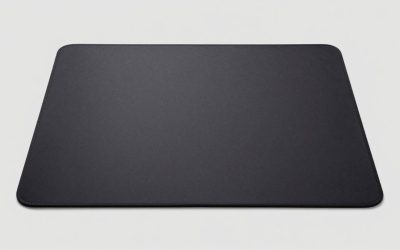
- Size: 900 x 400 mm (35.4 x 15.7 in)
- Thickness: 2 mm
- Surface: Micro-woven cloth
- Base: Non-slip rubber

- Size: 900 x 400 mm (35.4 x 15.7 in)
- Thickness: 3 mm
- Surface: Cloth, moderate-friction performance tuning
- Base: Stable rubber
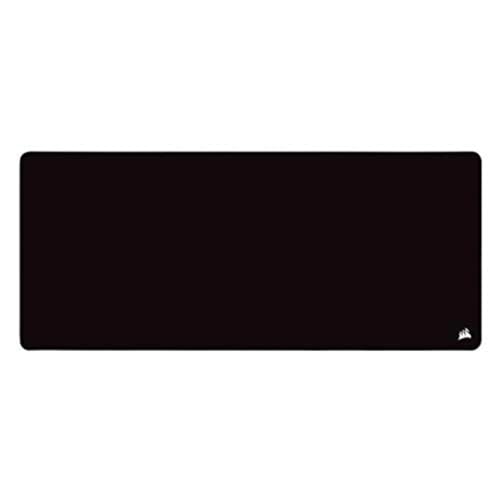
- Size: 930 x 400 mm (36.6 x 15.7 in)
- Thickness: 4 mm
- Surface: Micro-weave cloth with spill-proof coating
- Edges: Stitched, anti-fray
All 4 Picks at a Glance
| Product | Specs | Action |
|---|---|---|
| 1. SteelSeries QcK XXL |
| Check price on Amazon |
| 3. Logitech G840 XL |
| Check price on Amazon |
| 4. Corsair MM350 PRO Extended XL |
| Check price on Amazon |
 5. ASUS ROG Sheath |
| Check price on Amazon |
Our Top Picks
- SteelSeries QcK XXL Gaming Mouse Pad16L x 35W inches15.75 x 35.43 x 0.08 inches1.1 poundsCheck on Amazon
A gaming keyboard and mouse pad, in the sense used in this guide, is a single full-desk pad: one wide mat that sits under both your keyboard and your mouse at the same time. It is not a small pad that only fits under the mouse, and it is not two separate pads bundled together. Every pick below is an XXL desk mat, at least 900 mm wide, so a full-size keyboard rests on the left of the mat while the mouse still gets a wide, uninterrupted tracking area on the right.
That single-surface layout solves several everyday problems at once. The keyboard stops sliding around during play, the mouse never runs off the edge of a small pad onto bare desk, and the surface under your aiming hand feels identical from one side of the desk to the other. For low-sensitivity players who swing their whole forearm, the extra width is the main event: a 900 mm mat offers roughly double the horizontal travel of a large conventional pad.
The five mats below cover the main variations on the theme. There is a thin 2 mm mat for players who like a firm, desk-like feel, thick 4 mm mats for anyone who wants cushion under the wrist and forearm, a spill-resistant mat for desks that also hold drinks, and one extra-deep mat for setups with a monitor stand or a laptop joining the keyboard. All five use cloth surfaces tuned for gaming sensors and rubber bases that grip the desk.
Disclosure: As an Amazon Associate, we earn from qualifying purchases made through links on this page, at no extra cost to you.
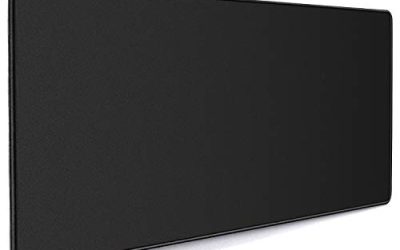
1. SteelSeries QcK XXL
- Size: 900 x 400 mm (35.4 x 15.7 in)
- Thickness: 2 mm
- Surface: Micro-woven cloth
- Base: Non-slip rubber
The QcK line is the default cloth surface in competitive gaming, and the QcK XXL stretches that same micro-woven cloth across a full desk. At 900 x 400 mm it swallows a full-size keyboard and leaves a generous mousing area beside it, while the slim 2 mm profile keeps the whole setup feeling close to the desk rather than perched on top of a cushion.
The surface is the familiar QcK weave: a smooth, high thread count cloth with balanced glide, neither slippery nor draggy, tuned for accurate tracking with both optical and laser sensors. Because the mat is thin, the keyboard keeps a low, stable stance and the wrist rests almost level with the desktop, which suits players who dislike the raised edge of thicker mats. The non-slip rubber base holds the mat flat and still during hard flicks.
There are no stitched edges here, so the perimeter is a clean cut that will not press into your forearm. The trade-off is that unstitched cloth can fray over years of use, and the black surface shows dust and lint readily, so a lint roller or a gentle wash becomes part of the routine. If you want the proven QcK feel in a desk-wide format with the lowest possible profile, this is the straightforward pick.
2. Razer Gigantus V2 XXL
The Gigantus V2 XXL is the largest mainstream mat in this guide, at 940 x 410 mm, and one of the thickest, with 4 mm of high-density rubber foam under a textured micro-weave cloth. That foam gives the mat a plush, planted feel: it stays put, softens the sound and feel of a keyboard resting on it, and smooths out small imperfections in the desk surface underneath.
Razer weaves the surface with a higher thread count aimed at a middle ground between speed and control, so the mouse glides freely for wide turns yet still stops predictably for fine aim corrections. The foam core also keeps the mat uniformly flat, which matters on a surface this wide; a mat that ripples or lifts at the corners would undo the whole point of one continuous tracking area.
The XXL footprint needs a genuinely wide desk, and the 410 mm depth means your monitor stand will likely sit on the mat as well, which many players treat as a feature since it locks the whole front of the desk into one tidy zone. There is a small Razer logo tag in one corner and green accenting on the underside edge, but the top face is plain black and stays subtle under a keyboard. Choose this one if maximum area and cushion are the priorities.
Specs
- Size: 940 x 410 mm (37 x 16.1 in)
- Thickness: 4 mm
- Surface: Textured micro-weave cloth
- Base: High-density rubber foam, non-slip
- Colour: Classic Black
- Model: RZ02-03330400-R3U1
3. Logitech G840 XL
- Size: 900 x 400 mm (35.4 x 15.7 in)
- Thickness: 3 mm
- Surface: Cloth, moderate-friction performance tuning
- Base: Stable rubber
Logitech’s G840 XL takes a measured approach: 900 x 400 mm of cloth at 3 mm thick, with a performance-tuned surface that leans toward moderate friction. That extra bit of drag compared with faster mats helps with stopping power, which is why this style of surface suits tactical shooters and anyone who plays on lower sensitivity settings and needs the mouse to halt exactly where the swing ends.
The rubber base is designed to keep the mat stable and flat, and the 3 mm thickness is a middle path between the 2 mm QcK XXL and the 4 mm foam mats in this guide: enough padding to take the edge off a hard desk, not so much that the keyboard feels tall. The surface texture is consistent across the whole mat, so tracking feels the same whether the mouse is beside the keyboard or out at the far right edge.
Logitech also sells themed editions of the G840, but the plain black version listed here is the one that disappears into a setup. The edges are not stitched, so long-term fraying is the known weakness, and the mat arrives rolled, so it benefits from a few hours lying flat, weighted at the corners, before a long session. For players who value control and a clean, brand-consistent desk, the G840 XL is an easy fit.
4. Corsair MM350 PRO Extended XL
- Size: 930 x 400 mm (36.6 x 15.7 in)
- Thickness: 4 mm
- Surface: Micro-weave cloth with spill-proof coating
- Edges: Stitched, anti-fray
The MM350 PRO is the practical pick for a desk that sees drinks, snacks and long sessions. Its micro-weave cloth carries a spill-proof, stain-resistant treatment, so liquid beads on the surface instead of soaking straight in, and a quick wipe deals with most accidents. Underneath is 4 mm of plush rubber, and the perimeter is finished with stitched anti-fray edges that resist the peeling and curling plain-cut mats can develop.
At 930 x 400 mm it is slightly wider than the 900 mm mats, which gives full-size keyboards with a number pad a little more breathing room before the mousing area begins. The surface is a smooth micro-weave that tracks well with modern optical sensors, and the stitching sits low and tight so it does not create a ridge under your wrist or forearm.
The stitched edge is the main thing to weigh: some players love the finished border and the durability it brings, others prefer the completely flat perimeter of an unstitched mat. The spill treatment also makes the surface feel a fraction slicker than untreated cloth when new. If your desk doubles as a dining table, or you simply want the mat most likely to look tidy after a year of daily use, the MM350 PRO makes a strong case.
5. ASUS ROG Sheath
- Size: 900 x 440 mm (35.4 x 17.3 in)
- Thickness: 3 mm
- Surface: Finely woven cloth
- Edges: Stitched, anti-fray
The ROG Sheath is the deep option. Its 900 x 440 mm footprint adds 40 mm of front-to-back room over the other mats here, which changes how a desk can be arranged: the keyboard, mouse, and the feet of a monitor stand or a small laptop can all share one surface, and there is still tracking room to spare. At 3 mm thick it sits in the middle of the range for cushion.
The surface is a finely woven cloth built for pixel-precise tracking across all sensor types and sensitivity settings, with a smooth glide that suits mixed gaming and desktop work. Stitched edges resist fraying, and the non-slip base is finished in ROG red, a flash of colour that mostly hides under the desk edge but matches the black and red styling on top, where a large ROG eye logo occupies one corner.
That logo placement is worth a thought: it sits in the lower area of the mat on one side, so plan the orientation before settling your keyboard. The depth also means shallow desks need measuring first, since a mat that hangs over the front edge helps nobody. Pick the Sheath if your setup is wide and deep and you want one mat to unify all of it, with a bit of gaming-brand character on show.
How to Choose a Full-Desk Gaming Pad
Start with a tape measure, not a product page. Note your desk width and, just as important, its depth. Every mat here is at least 900 mm wide, so a compact desk can end up with the mat running edge to edge, which is fine, or overhanging, which is not. Depth decides between the standard 400 mm mats, the 410 mm Razer, and the 440 mm ROG Sheath. Leave room for how you actually sit: if your chair arms or your forearms rest on the desk front, a deeper mat puts cloth under them too.
Thickness shapes the feel more than most buyers expect. A 2 mm mat keeps the keyboard low and the surface firm, close to playing on the desk itself with better tracking. A 4 mm mat adds real cushion for the wrist bone and forearm, levels out seams or slight warps in the desk, and slightly softens keyboard sound. The 3 mm options split the difference. There is no wrong answer, only a preference worth deciding before you order.
Surface character comes next. Balanced cloth, like the QcK XXL and Gigantus V2, aims for an even mix of glide and stopping power and suits mixed game libraries. A moderate-friction surface, like the G840 XL, favours control and deliberate aim. All five mats use cloth that works with optical and laser sensors, so sensor compatibility is rarely the deciding factor; friction and size are.
Finally, think about upkeep and edges. Stitched edges, on the Corsair and ASUS mats, resist fraying and give a finished border, at the small expense of a raised seam. Unstitched mats feel flatter at the wrist but can fray over time. Spill treatment matters if drinks live on your desk. Most cloth mats can be hand washed in cool water with mild soap and dried flat; make that an occasional habit and any of these mats will keep its glide consistent for years.
FAQ
What size pad do I need to fit a keyboard and mouse together?
Look for mats at least 900 mm wide and around 400 mm deep. A full-size keyboard takes roughly 450 mm of width, and the remaining space on a 900 mm mat gives the mouse a wide tracking zone for low-sensitivity play. Tenkeyless keyboards free up even more room on the right side.
Are full-desk mats good for FPS games?
Yes, especially for low-sensitivity players who aim with their whole arm. The mouse never reaches a pad edge mid-swing, and the surface stays consistent across the full arc of movement. Players who lift and reposition the mouse often also like that the keyboard cannot slide into the mousing area.
How do I clean a desk-sized gaming pad?
Shake it out, then hand wash in a bathtub or large sink with cool water and a small amount of mild soap, rinse well, and dry it flat away from direct heat. Avoid machine washing and harsh detergents, which can break down the rubber base and the surface weave.
Will a cloth desk mat work with my gaming mouse?
Cloth mats like these are tuned for gaming sensors and work with both optical and laser mice. If your mouse software offers a surface calibration routine, run it once on the new mat so lift-off distance and tracking are set for that exact surface.
FAQ
What size pad do I need to fit a keyboard and mouse together?
Are full-desk mats good for FPS games?
How do I clean a desk-sized gaming pad?
Will a cloth desk mat work with my gaming mouse?
More from Amazon
Programs that pair well with the guide above. Offers and eligibility are set by Amazon and may change.
Free shipping on eligible items, Prime Video and more. Eligible new members can start with a free trial.
Start a Prime free trialAd-free music streaming. Eligible new subscribers can start with a free trial.
Try Music Unlimited freeA Prime membership for ages 18-24 with a trial period. Eligibility is set by Amazon.
See Prime for Young AdultsAudiobooks and podcasts to listen to on the go. Eligible new members can start with a free trial.
Try Audible freeAs an Amazon Associate we earn from qualifying purchases.