Key takeaways
- Graphics Power: Look for AMD Radeon 660M or 780M integrated graphics, which outperform older entry-level dedicated GPUs and handle 1080p gaming at medium settings comfortably.
- RAM Capacity: Aim for 16GB minimum, as 8GB configurations will bottleneck modern games and multitasking. DDR5 is a bonus that improves bandwidth and power efficiency.
- Storage Size: A 512GB SSD is the practical floor for gaming, but 1TB is ideal since a single modern AAA title can consume 100GB or more. Avoid models with eMMC storage entirely.
- Display Quality: Prioritize IPS panels with at least 250 nits brightness and a 144Hz refresh rate if available. Avoid TN panels, which suffer from poor viewing angles and color reproduction.
- Build and Thermals: Check for adequate ventilation and a chassis that can sustain performance during extended sessions. A two-year warranty, like NIMO offers, adds peace of mind for budget buyers.
What's inside
Finding a gaming laptop under $800 in 2026 means navigating a market where manufacturers cut corners on build quality, display panels, and memory configurations to hit a price point. The biggest pitfalls are 8GB of RAM struggling with modern titles, dim 45% NTSC displays that wash out in well-lit rooms, and underpowered storage that fills up after two game installs. Buyers also face misleading spec sheets where older processors are dressed up in gaming chassis without the GPU muscle to back them up.
As an Amazon Associate we earn from qualifying purchases.





This guide cuts through the noise by focusing on laptops that deliver genuine gaming value within the sub-$800 bracket. We prioritized models with dedicated or strong integrated graphics, at least 16GB of RAM where possible, and displays that won’t make you squint. Each pick has been evaluated for real-world gaming performance, thermal management, and overall longevity so you can make an informed decision without wasting money on false promises.
🛒 Best Price Today on Amazon
Prime members get fast, free shipping on everything above, plus member-only deals. New members get a 30-day free trial — cancel anytime.
Watch: Best Gaming Laptop Under $800 — Video Review
How to Choose a Gaming Laptop Under $800 (2026)
- Graphics Power: Look for AMD Radeon 660M or 780M integrated graphics, which outperform older entry-level dedicated GPUs and handle 1080p gaming at medium settings comfortably.
- RAM Capacity: Aim for 16GB minimum, as 8GB configurations will bottleneck modern games and multitasking. DDR5 is a bonus that improves bandwidth and power efficiency.
- Storage Size: A 512GB SSD is the practical floor for gaming, but 1TB is ideal since a single modern AAA title can consume 100GB or more. Avoid models with eMMC storage entirely.
- Display Quality: Prioritize IPS panels with at least 250 nits brightness and a 144Hz refresh rate if available. Avoid TN panels, which suffer from poor viewing angles and color reproduction.
- Build and Thermals: Check for adequate ventilation and a chassis that can sustain performance during extended sessions. A two-year warranty, like NIMO offers, adds peace of mind for budget buyers.
The Best Gaming Laptop Under $800 (2026)s Reviewed
NIMO 17.3″ Ryzen 5 6600H
This is the standout pick of the roundup, pairing 32GB of DDR5 RAM with a 1TB SSD and the Radeon 660M GPU on a spacious 17.3-inch FHD display. The six-core Ryzen 5 6600H delivers solid multithreaded performance, and the included two-year warranty makes it an exceptional value for budget-conscious gamers.
NIMO 15.6 Ryzen 7 8745HS Creator
Featuring the eight-core Ryzen 7 8745HS and Radeon 780M graphics, this 15.6-inch model is the most capable gaming machine in the lineup for under $800. The 780M iGPU approaches dedicated GPU territory, handling modern titles at 1080p medium-to-high settings with surprising fluency.
NIMO 15.6″ Ryzen 5 6600H AI Creator
A compact alternative to the 17.3-inch model, this configuration retains the Ryzen 5 6600H and Radeon 660M combo with 16GB of RAM and a 1TB SSD. The IPS panel and 100W fast charging make it a versatile pick for both gaming sessions and remote work.
Lenovo 15 Ryzen 5 7535HS
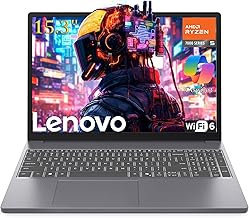
Lenovo’s budget entry leverages the six-core Ryzen 5 7535HS with Radeon 660M graphics, though the 8GB RAM and 256GB storage are limiting factors. It is a solid base platform that would benefit from user upgrades to reach its full gaming potential.
NIAKUN 17.3″ Core i5-7Y57
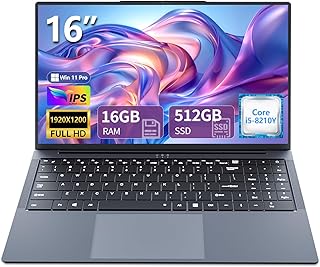
This model is included as a cautionary example rather than a recommendation, as the older Core i5-7Y57 dual-core processor and lack of dedicated graphics make it poorly suited for modern gaming. It works fine for office tasks and light media consumption but falls short for anyone serious about PC gaming.
Frequently Asked Questions
Can a laptop under $800 run modern AAA games?
Yes, but with compromises. Laptops with AMD Radeon 660M or 780M graphics can handle titles like Cyberpunk 2077 and Hogwarts Legacy at 1080p low-to-medium settings, typically achieving 30 to 60 frames per second depending on the game and optimization.
Is 8GB of RAM enough for gaming in 2026?
Barely. While some older or less demanding games will run fine, modern titles increasingly recommend 16GB as a minimum. Upgrading to 16GB is strongly advised and often costs less than $40 if you install it yourself.
Are integrated graphics good enough for budget gaming?
AMD’s Radeon 660M and 780M integrated graphics are genuinely impressive at this price tier, often matching or exceeding older entry-level dedicated GPUs like the GTX 1650. They are more than capable for 1080p gaming at reduced settings.
Should I prioritize a better CPU or more RAM for gaming?
At this budget, both matter, but 16GB of RAM will have a more noticeable impact on gaming stability and multitasking than a slightly faster CPU. Ideally, look for a laptop that offers a balanced combination of both.
Final Thoughts
For shoppers seeking the best gaming laptop under $800 in 2026, the NIMO 17.3-inch Ryzen 5 6600H stands out as the top pick thanks to its generous 32GB of RAM, 1TB SSD, and capable Radeon 660M graphics. The NIMO 15.6-inch Ryzen 7 8745HS is the runner-up for anyone wanting superior GPU performance via the Radeon 780M, while the compact NIMO 15.6-inch Ryzen 5 6600H AI Creator offers a balanced middle ground with strong portability and fast charging.