Our Top Picks
 Acer 27in FHD 1920x1080 IPS 120Hz Gaming Monitor27-inch8.27 x 24.07 x 17.44 Inches11 PoundsCheck on Amazon
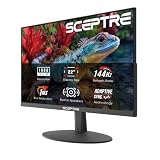
 Sceptre 27-inch Prime Gaming Monitor 100Hz 1ms DisplayPort277.66 x 24.13 x 17.21 inches7.21 poundsCheck on Amazon
 New! Sceptre Curved 27-inch Prime Gaming Monitor DisplayPort27 inches7.7 x 24.4 x 17.9 inchesCheck on Amazon
 New! Sceptre 27-inch Prime Gaming Monitor DisplayPort x227 inches6.7 x 24.2 x 17.4 inches7 PoundsCheck on Amazon

The Dell SE2726H is the best overall pick for a small desk: it is a 27-inch IPS panel at 1920×1080 with a 144 Hz refresh rate, a slim footprint, and a clean, no-nonsense look that fits next to a keyboard and a laptop. A “small desk” monitor is not about the diagonal alone; it is about stand depth, bezel width and mounting options. For shallow desks, the Acer KB272 G0bi and the Sceptre models are worth a look too, while the Dell SE2726HG adds 240 Hz for competitive players.
Quick List
- Acer KB272 G0bi – best for a simple 120 Hz IPS screen that also mounts on a VESA arm
- Sceptre 27-inch Prime 100Hz – best for built-in speakers and a frameless look at a modest refresh rate
- Sceptre Curved 27-inch 180Hz – best for a curved panel that wraps around a close viewing distance
- Dell SE2726H 144Hz – best for a balanced IPS monitor with a small desk footprint
- Sceptre 27-inch Prime 180Hz – best for a flat 180 Hz screen with two DisplayPort inputs
- Dell SE2726HG 240Hz – best for fast-paced shooters on a compact desk
Which One Is Right for You?
| If you… | Choose |
|---|---|
| want a balanced everyday gaming and work screen with an IPS panel | Dell SE2726H |
| play fast shooters and want the highest refresh rate on this list | Dell SE2726HG |
| need a curved screen for a desk where you sit close | Sceptre Curved 27-inch 180Hz |
| want a flat 180 Hz panel with speakers built in | Sceptre 27-inch Prime 180Hz |
| want to save desk space with a VESA arm and do not need DisplayPort | Acer KB272 G0bi |
| want a low-key 100 Hz screen with speakers for casual play | Sceptre 27-inch Prime 100Hz |
For small desks, resolution is the same across this whole group (1080p), so the decision comes down to refresh rate, panel type and the stand. A 27-inch 1080p screen suits a desk where you sit about an arm’s length away, and every model here is a tilt-first design that can move to a VESA arm if you want the desk surface back.
All 6 Picks in Detail
1. Acer KB272 G0bi – Best for a Simple IPS Screen on a VESA Arm
As an Amazon Associate we earn from qualifying purchases at no extra cost to you.

The listing describes a 27-inch Full HD IPS monitor at 120 Hz with a 1 ms response claim, AdaptiveSync, 99 percent sRGB, a blue light filter, and HDMI plus VGA inputs. It is the most basic model in the group, and that simplicity is the appeal for an office desk that doubles as a gaming spot.
Who it suits: students, home-office users and casual players who want a bright, easy IPS panel and may mount the screen on an arm to free the desk. The 120 Hz refresh rate is a clear step up from a standard 60 Hz office screen, and the sRGB coverage keeps colors natural for browsing and video.
- Panel: 27-inch IPS, 1920×1080
- Refresh rate: 120 Hz with AdaptiveSync
- Response: 1 ms claim on the listing
- Inputs: HDMI and VGA, no DisplayPort per the listing
- Mounting: VESA mountable, stand details confirm on listing
Fit notes: VGA is limited to lower refresh rates, so use HDMI for gaming. The stand is basic and mainly tilts, which makes a VESA arm a natural upgrade on a tight desk.
Setup tip: on a small desk the biggest win for this screen is a gas-spring or clamp arm. With the base gone, a 27-inch panel sits about as deep as a picture frame, and the keyboard can slide beneath it when you stop gaming. Run the display over HDMI rather than VGA, set the refresh rate to 120 Hz in the operating system, and turn on the blue light filter in the evening if you work late. A flat IPS panel like this also behaves well next to a second monitor.
Pros
- IPS panel with wide viewing angles
- VESA support helps reclaim desk space
Cons
- No DisplayPort input listed
- Lower refresh ceiling than most others here
It is a calmer, plainer alternative to the Dell SE2726H, which adds a faster refresh rate on a similar IPS panel.
2. Sceptre 27-inch Prime Gaming Monitor 100Hz – Best for Casual Play with Speakers

Sceptre describes this model as a 27-inch Prime gaming monitor at 100 Hz with a 1 ms claim, DisplayPort and two HDMI inputs, 100 percent sRGB, AMD FreeSync, built-in speakers and a frameless design. The combination of speakers and several inputs makes it useful when the monitor has to serve a console, a PC and a laptop at the same time.
Who it suits: players on a shallow desk who do not want separate speakers taking up room, and people who value inputs over a very high refresh rate. The frameless look keeps the visible footprint small, which matters when the screen sits close to a wall.
- Panel: 27-inch 1080p, panel type confirm on listing
- Refresh rate: 100 Hz with FreeSync
- Inputs: DisplayPort plus two HDMI
- Audio: built-in speakers
- Color: 100 percent sRGB per the listing
Fit notes: built-in speakers in a slim monitor are fine for system sounds and casual video but will not replace a headset or a proper pair of desktop speakers. Check the stand depth on the product page if your desk is very shallow.
Setup tip: place the monitor so the speakers fire toward you rather than at a wall, and enable FreeSync in both the monitor menu and your graphics driver. Because the model offers DisplayPort and two HDMI inputs, you can leave a console on one HDMI input, a PC on DisplayPort and a laptop on the other HDMI input, then switch sources from the menu. That makes it a good fit for a shared desk in a bedroom or dorm.
Pros
- Several inputs for multiple devices
- Speakers remove the need for extra gear
Cons
- Only 100 Hz, which is the lowest of the Sceptre models
- Speakers are basic
If you want a faster refresh rate with the same input layout, the Sceptre 180 Hz flat model is the nearest step up.
3. Sceptre Curved 27-inch Prime Gaming Monitor 180Hz – Best for Close Viewing on a Curve

This C275B-FW180T series model combines a 1500R curve, 180 Hz on both DisplayPort and HDMI, a 1 ms claim, built-in speakers and two inputs of each type. A 1500R curve means the screen bends along a circle with a radius of 1,500 mm, which is a gentle curve that suits a viewing distance of about 1.5 meters or less.
Who it suits: players who sit close to the screen, such as at a small desk against a wall, and who find a flat 27-inch panel tiring at the edges. The curve brings the edges toward your eyes, which can make the image feel more immersive at short distance.
- Panel: 27-inch curved 1500R, 1920×1080
- Refresh rate: 180 Hz on DisplayPort and HDMI
- Response: 1 ms claim
- Inputs: two DisplayPort and two HDMI
- Audio: built-in speakers
Fit notes: a curved screen is slightly deeper at the corners, so make sure your desk can accommodate the back of the monitor if it sits near a wall. Sceptre lists a tilt-only stand and VESA 100×100 mounting, so an arm is possible.
Setup tip: with a curved panel, sit centered and about an arm’s length away so the curve works for you rather than against you. Tilt the screen slightly back so the top edge is at or just below eye level. If the desk is against a wall, leave a few inches behind the monitor for the curved corners and the cables. Use DisplayPort when you want the full 180 Hz, and confirm the setting in your graphics control panel after connecting.
Pros
- Gentle curve suits a close seat
- 180 Hz and plenty of inputs
Cons
- Curved panels can look odd when mounted side by side
- Stand adjustment is limited to tilt
It trades the flat layout of the other Sceptre 180 Hz model for a curve, so choose by the look you prefer.
4. Dell SE2726H 144Hz – Best Balanced Pick for a Small Desk

Dell lists the SE2726H as a 27-inch FHD monitor at 144 Hz with a 1 ms response claim, IPS technology, AMD FreeSync, a TUV eye comfort certification and two HDMI inputs. It lacks the extra features of gaming-branded monitors but covers what most people need.
Who it suits: players who split time between work and games and want an IPS panel with a high refresh rate on a stand that does not take over the desk. The refresh rate sits comfortably above 60 Hz office screens and works with mainstream graphics cards at 1080p.
- Panel: 27-inch IPS, 1920×1080
- Refresh rate: 144 Hz with FreeSync
- Response: 1 ms claim
- Inputs: two HDMI per the listing
- Certification: TUV eye comfort
Fit notes: the listing names HDMI inputs, so confirm whether a DisplayPort input is present if you need one. The sibling SE2726HG uses a 100 mm VESA pattern, but confirm the mount for this exact model on the product page.
Setup tip: use the second HDMI input for a laptop or console so you do not have to swap cables, and set the refresh rate to 144 Hz in the display settings after connecting, because some systems default to 60 Hz. The matte IPS finish is easy on the eyes in a room with a window, and the eye comfort certification on the listing suggests the maker paid attention to flicker and blue light handling. It is a quiet, unfussy monitor that does not announce itself as a gaming product.
Pros
- IPS clarity with 144 Hz smoothness
- Simple styling that suits office desks
Cons
- No built-in speakers noted on the listing
- Stand adjustments are basic
Step up to the SE2726HG if you want 240 Hz for competitive play.
5. Sceptre 27-inch Prime Gaming Monitor 180Hz – Best Flat 180 Hz Screen with Speakers

This E275B-FW180T series model is the flat sibling of the curved monitor: 27 inches, 180 Hz on DisplayPort and HDMI, two of each, and built-in speakers. The listing does not state the panel type, so confirm that detail before buying if color or viewing angle is your priority.
Who it suits: players who like a high refresh rate and multiple inputs but prefer a flat screen, for example when they want to place the monitor beside another one. It is a sensible choice for a desk where the screen has to share a surface with a laptop dock.
- Panel: 27-inch, 1080p, panel type confirm on listing
- Refresh rate: 180 Hz on DisplayPort and HDMI
- Inputs: two DisplayPort and two HDMI
- Audio: built-in speakers
- Stand: confirm adjustment range on the listing
Fit notes: confirm the stand depth against your desk, and use the VESA pattern on the product page if you plan to mount it on an arm.
Setup tip: because the monitor offers two DisplayPort and two HDMI inputs, it can serve as a hub for several machines. Give it a few inches of space behind the stand, enable the high refresh rate in your operating system, and test the built-in speakers at moderate volume to hear whether they suit your room. If your desk cannot spare the stand’s footprint, check the product page for the VESA pattern and use an arm.
Pros
- High refresh rate and generous input count
- Flat screen suits multi-monitor desks
Cons
- Panel type not stated in the listing name
- Speakers are modest
Compared with the curved version, you give up the wrap-around feel in exchange for a flat, easier-to-place screen.
6. Dell SE2726HG 240Hz – Best for Fast Shooters on a Compact Desk

The SE2726HG is a 27-inch FHD IPS gaming monitor with a 240 Hz refresh rate and AMD FreeSync Premium, and it carries the same TUV eye comfort certification as the SE2726H. Dell documents a tilt-only stand and a 100 mm VESA pattern for this model.
Who it suits: competitive players who want the highest refresh rate in this group without moving to a larger format. At 1080p, a graphics card can feed 240 Hz in many esports titles more easily than at higher resolutions.
- Panel: 27-inch IPS, 1920×1080
- Refresh rate: 240 Hz with FreeSync Premium
- Inputs: HDMI and DisplayPort per Dell documentation
- Stand: tilt only, VESA 100 mm
- Audio: no speakers noted
Fit notes: a 240 Hz monitor is only useful if your system can reach those frame rates, so match it to your graphics card. Use DisplayPort for the best refresh support.
Setup tip: connect with DisplayPort, enable 240 Hz in your operating system, and turn on FreeSync Premium in your graphics driver. Because there are no speakers, plan on a headset or a pair of desktop speakers, which may take more desk space than the monitor’s own sound would. On a compact desk, the tilt-only stand has a modest footprint, and the 100 mm VESA pattern makes an arm an easy upgrade.
Pros
- Fastest refresh rate here
- IPS panel with FreeSync Premium
Cons
- Tilt-only stand
- No built-in speakers
It is the performance upgrade over the SE2726H for the same footprint.
Specs Compared
| Product | Size | Resolution | Refresh rate | Panel | Inputs | Speakers |
|---|---|---|---|---|---|---|
| Acer KB272 G0bi | 27 in | 1920×1080 | 120 Hz | IPS | HDMI, VGA | confirm on listing |
| Sceptre 27-inch Prime 100Hz | 27 in | 1080p | 100 Hz | confirm on listing | DisplayPort, 2 HDMI | Yes |
| Sceptre Curved 180Hz | 27 in, 1500R | 1080p | 180 Hz | confirm on listing | 2 DisplayPort, 2 HDMI | Yes |
| Dell SE2726H | 27 in | 1920×1080 | 144 Hz | IPS | 2 HDMI, others confirm on listing | confirm on listing |
| Sceptre 27-inch Prime 180Hz | 27 in | 1080p | 180 Hz | confirm on listing | 2 DisplayPort, 2 HDMI | Yes |
| Dell SE2726HG | 27 in | 1920×1080 | 240 Hz | IPS | HDMI, DisplayPort | No |
How We Chose These
We built this list from listing information and manufacturer specification pages, not from our own bench work. Because every monitor here uses the same 27-inch, 1080p format, we compared refresh rate, panel type, input mix, stand style and mounting options, since these are what change the experience on a small desk. We also looked at how much each listing says about stand shape, VESA support and speakers, and we flagged anything the listing leaves unstated for confirmation. Models that appear to share a platform are separated by refresh rate and curve so you can see the real trade-offs.
What to Look For
Stand footprint and desk depth
A 27-inch 16:9 screen is about 23.5 inches wide and 13.2 inches tall, so it already fills a large part of a compact desk. The stand matters more than the screen size: a wide pedestal base can eat 8 inches of depth, while a thin neck leaves room for a keyboard. Check the stated depth and base width on the product page. As a rule of thumb, you want at least 24 inches of desk depth for a 27-inch monitor so your eyes stay roughly 24 to 30 inches from the screen.
VESA mounting
The VESA standard defines the hole pattern for arms and wall mounts, and 100×100 mm is the usual size for 27-inch monitors. A single-arm or monitor shelf lets you slide the screen back, free the desk surface, and push the keyboard under the screen when not in use. Check the weight limit of the arm against the monitor weight; most 27-inch screens are light enough for a basic arm.
Refresh rate and your graphics card
Refresh rate describes how many times the screen updates per second. Going from 60 Hz to 144 Hz is a large visible step, while 144 Hz to 240 Hz is a smaller step that mostly benefits competitive shooters with a graphics card able to hold those frame rates. If your game runs at 100 frames per second, a 240 Hz monitor will not show more than 100. Match the monitor to the frame rate you can actually reach.
Panel type and curve
IPS panels offer wide viewing angles and consistent color, while VA panels often offer deeper blacks and higher contrast. A curve of 1500R wraps tighter than 1800R and suits a close seat; on a flat desk against a wall it can feel natural, but side-by-side curved screens leave gaps. At 27 inches and 1080p, pixel density is about 82 pixels per inch, so sit a bit farther back than you would with a 1440p screen to hide the pixel grid.
A worked example for a 40-inch desk
Take a desk that is 40 inches wide and 24 inches deep. A 27-inch monitor is about 23.5 inches wide, which leaves roughly 16 inches of width for a keyboard, mouse, lamp or drink. With a typical pedestal base that is 8 or 9 inches deep, the keyboard sits in the remaining 15 inches, which is tight but workable. Switch to a VESA arm and the base disappears, so the same desk offers the full 24 inches of depth, and you can push the screen back to a more comfortable 30 inches from your eyes. This is the single biggest improvement for a small desk, and every monitor here supports it as long as you confirm the VESA pattern on the product page.
Inputs and built-in speakers
DisplayPort usually gives the best refresh support on a PC, while HDMI is better for consoles and laptops. Built-in speakers help in tight setups but rarely replace headphones. If you plan to use a headset anyway, prioritize ports and stand over speakers.
Questions
Is 27 inches too big for a small desk?
Not necessarily. A 27-inch screen works on desks that are at least 24 inches deep, especially with a slim stand or an arm. If your desk is shallower, consider a smaller screen or mount the monitor on an arm.
Is 1080p fine at 27 inches?
Yes for gaming at a moderate distance, since it keeps frame rates high on mid-range graphics cards. Text looks softer than at 1440p, so sit a little farther back.
Does a curved monitor help on a small desk?
A 1500R curve can feel natural at close range because the edges sit nearer your eyes. It also adds depth at the corners, so check that the rear has room.
Which refresh rate is enough?
For most players 144 Hz is a strong target. Choose 180 Hz or 240 Hz if you play fast competitive games and have the hardware to reach those frame rates.
Can I use these monitors with a console?
Yes, any model with an HDMI input will work with a console. Check the HDMI version on the product page if you want the highest refresh rate the console supports.
Can I put two of these side by side?
Two flat 27-inch screens need about 48 inches of width, so they suit only wide desks. On a narrow desk, choose one monitor and add a laptop or a small second screen beside it.
Update History
- October 20, 2026 – Initial publication; product set drawn from current catalog listings.
- Check the product page for current specifications and availability before buying.
Sources
- Manufacturer product and specification pages for Dell, Sceptre and Acer
- Retailer listing titles and specification fields for all six products
- VESA mounting interface conventions for monitor arms