Refresh rate is one of the most critical yet misunderstood specs when shopping for a gaming monitor. Measured in hertz (Hz), it tells you how many times per second the display redraws the image. A 60Hz monitor updates 60 times per second, while a 240Hz panel updates 240 times. For PC gamers, higher refresh rates translate to smoother motion, lower input latency, and a tangible competitive advantage in fast-paced titles like CS2, Valorant, and Apex Legends. The challenge is that refresh rate alone doesn’t tell the whole story — panel type, resolution, response time, and adaptive sync all interact to determine real-world performance.
Our top picks
 SANSUI 32 Inch Curved 240Hz Gaming Monitor
- 32 Inch curved 1500R gaming monitor, 240Hz high…
- Performance: 240Hz refresh rate, Full HD 1920*1080P resolution,…
- Interfaces: HDMI up to 240Hz, DP 1.4 up…
 Dell 24 240Hz Gaming Monitor
- Smooth motion: 240Hz refresh rate and fast 0.5ms…
- Seamless gaming: FreeSync Premium and HDMI VRR eliminate…
- Fast IPS: Faster 0.5ms response with excellent color…
 Samsung 27” Odyssey G5
- Samsung’s 27” Odyssey G5 QHD Gaming Monitor delivers…
- QHD resolution (2560x1440) boasts incredibly detailed, pin-sharp images.
- With a wide 178° viewing angle, the IPS…
| Product | Key specs | |
|---|---|---|
| SANSUI 32 Inch Curved 240Hz Gaming Monitor | 32 Inch curved 1500R gaming monitor, 240Hz high… Performance: 240Hz refresh rate, Full HD 1920*1080P resolution,… Interfaces: HDMI up to 240Hz, DP 1.4 up… | Check price |
| Dell 24 240Hz Gaming Monitor | Smooth motion: 240Hz refresh rate and fast 0.5ms… Seamless gaming: FreeSync Premium and HDMI VRR eliminate… Fast IPS: Faster 0.5ms response with excellent color… | Check price |
| Samsung 27” Odyssey G5 | Samsung’s 27” Odyssey G5 QHD Gaming Monitor delivers… QHD resolution (2560x1440) boasts incredibly detailed, pin-sharp images. With a wide 178° viewing angle, the IPS… | Check price |
 Samsung 27” Odyssey G5 Samsung 27” Odyssey G5 | Samsung’s 27” Odyssey G5 QHD Gaming Monitor delivers… QHD resolution (2560 x 1440) boasts incredibly detailed,… With a wide 178° viewing angle, the IPS… | Check price |
 Acer 27in FHD 1920x1080 IPS 120Hz Office Acer 27in FHD 1920x1080 IPS 120Hz Office | Incredible Images: The Acer KB272 G0bi 27" monitor… Adaptive-Sync Support: Get fast refresh rates thanks to… Responsive!!: Fast response time of 1ms enhances the… | Check price |
 SANSUI 24 Inch Curved 160Hz Gaming Monitor SANSUI 24 Inch Curved 160Hz Gaming Monitor | 24 Inch 1500R Curved Gaming Monitor 160Hz FHD… Smooth Gaming: Up to 160Hz Refresh Rate, MPRT… Superior Panel Performance: 110%sRGB Color Gamut, 300Nits Brightness,… | Check price |
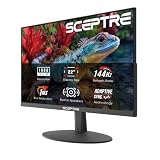
 New! Sceptre 27-inch Prime Gaming Monitor DisplayPort New! Sceptre 27-inch Prime Gaming Monitor DisplayPort | 【SEAMLESS CONNECTIVITY & PERFORMANCE】 Seamlessly link your devices… 【EASY ON THE EYES】 Protect your eyes and… 【WIDEN YOUR PERSPECTIVE】Our sleek minimal bezel design ensures… | Check price |
 AOC 27 Inch Curved Gaming Monitor FHD AOC 27 Inch Curved Gaming Monitor FHD | Experience gaming at a new level with a… The 1500R curvature provides a more engaging and… Enjoy vibrant visuals with HDR readiness and a… | Check price |
As an Amazon Associate we earn from qualifying purchases at no extra cost to you.
This guide breaks down what refresh rate means for gaming, how it pairs with your GPU and resolution, and which monitors deliver the best experience across different price tiers. Whether you want a high-Hz curved panel for immersive play, a flat IPS screen for competitive shooters, or a budget-friendly entry point, we’ve tested and reviewed the top options below to help you decide.
🛒 Best Price Today on Amazon
Prime members get fast, free shipping on everything above, plus member-only deals. New members get a 30-day free trial — cancel anytime.
Watch: What Is Refresh Rate? Gaming Monitors Explained — Video Review
How to Choose a What Is Refresh Rate? Gaming Monitors Explained
- Panel Type: IPS panels offer the best color accuracy and viewing angles, VA panels deliver deep contrast, and TN panels prioritize the fastest response times. For most gamers today, Fast IPS or VA hits the sweet spot.
- Resolution vs. Refresh Rate: Higher resolutions look sharper but demand more GPU power, which can limit your ability to reach high frame rates. Match the monitor’s resolution to what your graphics card can realistically drive at the target Hz.
- Response Time: Look for 1ms GtG or MPRT ratings. Lower response times reduce motion blur and ghosting, which is especially important at high refresh rates where frame transitions happen rapidly.
- Adaptive Sync: AMD FreeSync Premium or NVIDIA G-Sync Compatible support eliminates screen tearing and stuttering by matching the monitor’s refresh rate to your GPU’s frame output in real time.
- Connectivity: Ensure the monitor includes DisplayPort 1.4 or HDMI 2.0+ ports, as these are required to run high refresh rates at full resolution. VGA or older HDMI versions will bottleneck your signal.
The Best What Is Refresh Rate? Gaming Monitors Explaineds Reviewed
SANSUI 32″ Curved 240Hz
This 1500R curved FHD panel hits 240Hz with a 1ms MPRT response time, making it an excellent choice for budget-conscious gamers who want ultra-smooth motion in competitive titles. The metal stand and VESA compatibility add build quality that belies the price.
Dell 24 240Hz SE2426HG
Dell’s 23.8-inch IPS display delivers 240Hz at 1080p with AMD FreeSync Premium, offering sharp motion clarity and reliable color performance in a compact footprint. It is a strong pick for esports-focused setups where desk space is at a premium.
Samsung 27″ Odyssey G5 (G53F)
With a QHD resolution and 200Hz refresh on an IPS panel, this Odyssey G5 balances visual fidelity with high-speed performance. HDR10 support and AMD FreeSync Premium round out a versatile monitor that handles both competitive and immersive gaming well.
Samsung 27″ Odyssey G5 (G50F)
This 180Hz QHD Fast IPS monitor offers a 1ms GtG response time and NVIDIA G-Sync compatibility, delivering crisp visuals and fluid motion for mid-range GPU setups. It sits in a practical middle ground for gamers who want quality without paying for ultra-high-Hz flagship panels.
SANSUI 24″ Curved 160Hz (ES-G24C1L)
A 1500R curved VA panel with a 3000:1 contrast ratio and 1ms MPRT, this budget monitor provides surprisingly rich blacks and smooth 160Hz performance. It is a solid value option for casual gamers building a first rig or upgrading from a 60Hz office display.
Frequently Asked Questions
What refresh rate do I need for gaming?
For competitive gaming, 144Hz is the minimum recommended, with 240Hz offering a noticeable edge in fast-paced shooters. For single-player and immersive games, 120Hz to 165Hz is generally sufficient and easier to drive at higher resolutions.
Can your GPU affect the refresh rate?
Yes. Your graphics card must output enough frames per second to match the monitor’s refresh rate. A 240Hz monitor only delivers its full benefit when paired with a GPU capable of pushing 240 FPS at your chosen resolution and settings.
Is 144Hz noticeably better than 60Hz?
Absolutely. The jump from 60Hz to 144Hz is one of the most perceptible upgrades in PC gaming, delivering visibly smoother motion and more responsive aiming. Most gamers notice it immediately, especially in fast-paced first-person shooters.
Does panel type matter more than refresh rate?
Neither is strictly more important — they serve different purposes. Panel type determines color, contrast, and viewing angles, while refresh rate determines motion smoothness and input latency. Ideally, you want a Fast IPS or VA panel at 144Hz or higher for the best overall experience.
Final Thoughts
For pure competitive performance, the SANSUI 32″ Curved 240Hz and Dell 24 240Hz SE2426HG both deliver excellent high-Hz value. Gamers who want a balanced QHD experience should look to the Samsung 27″ Odyssey G5 (G53F), which combines 200Hz speed with strong image quality at a reasonable price point.