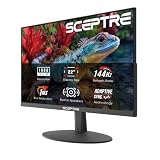
Choosing the right resolution for your gaming monitor in 2026 has never been more complicated. With graphics cards pushing higher frame rates than ever before, the debate between 1080p, 1440p, and 4K comes down to balancing visual fidelity against competitive performance. Buyers face a real dilemma: invest in a high-refresh 1080p panel for esports dominance, future-proof with a crisp 4K display, or settle on the sweet spot that 1440p has long occupied.
Our top picks
 Acer Nitro 27in QHD 2560x1440 IPS 180Hz
- Quality Visuals: The KG271U 27" IPS monitor with…
- AMD FreeSync Technology: Say “goodbye” to stuttering and…
- Up to 180Hz: The 180Hz refresh rate speeds…
 Samsung 27" Odyssey G5
- QHD Resolution (2560 x 1440) has 1.7 times…
- HDR10 provides brighter highlights and nuanced shadow for…
- The 180Hz refresh rate minimizes lag for gameplay…
 ASUS TUF Gaming 27” 1440P HDR Monitor
- High-Resolution QHD Gaming Display: 27-inch QHD (2560 x…
- ASUS Extreme Low Motion Blur Sync Technology: ELMB…
- Advanced Synchronization Technologies: FreeSync Premium, G-Sync compatible and…
| Product | Key specs | |
|---|---|---|
| Acer Nitro 27in QHD 2560x1440 IPS 180Hz | Quality Visuals: The KG271U 27" IPS monitor with… AMD FreeSync Technology: Say “goodbye” to stuttering and… Up to 180Hz: The 180Hz refresh rate speeds… | Check price |
| Samsung 27" Odyssey G5 | QHD Resolution (2560 x 1440) has 1.7 times… HDR10 provides brighter highlights and nuanced shadow for… The 180Hz refresh rate minimizes lag for gameplay… | Check price |
| ASUS TUF Gaming 27” 1440P HDR Monitor | High-Resolution QHD Gaming Display: 27-inch QHD (2560 x… ASUS Extreme Low Motion Blur Sync Technology: ELMB… Advanced Synchronization Technologies: FreeSync Premium, G-Sync compatible and… | Check price |
 ASUS ROG XG27ACS 27 Inch 1440p 180Hz ASUS ROG XG27ACS 27 Inch 1440p 180Hz | 27-inch 2560 x 1440 HDR gaming monitor with… ASUS Fast IPS technology enables a 1ms response… ASUS Extreme Low Motion Blur Sync (ELMB SYNC)… | Check price |
 INNOCN 24.5" 1440P 240Hz Gaming Monitor Fast INNOCN 24.5" 1440P 240Hz Gaming Monitor Fast | Super Fast IPS 1440p Gaming Monitor 240Hz &… High Image Quality QHD 1440P Computer Gaming Monitor:… HDMI + DisplayPort Connectivity: This INNOCN PC gaming… | Check price |
 KTC 27 Inch QHD 144Hz Gaming Monitor KTC 27 Inch QHD 144Hz Gaming Monitor | Stunning Visuals: Equipped with a 27-inch HVA panel,… Outstanding Image Quality: Boasts 129% sRGB wide color… Frameless Gaming Office Monitor: This 144Hz computer monitor… | Check price |
 Samsung 32" Odyssey Samsung 32" Odyssey | Check price | |
 Acer Nitro 27in QHD 2560x1440 Curved 180Hz Acer Nitro 27in QHD 2560x1440 Curved 180Hz | 27" WQHD (2560 x 1440) 1500R Curved Widescreen… Refresh Rate: 180Hz | Response Time: Up to… VESA mounting compliant (75 x 75mm) | Zero-Frame… | Check price |
As an Amazon Associate we earn from qualifying purchases at no extra cost to you.
This guide breaks down the best gaming monitors across all three resolution tiers, focusing on models that deliver the best value, performance, and feature sets for PC gamers. Whether you are driving games with a mid-range GPU or a flagship card, these picks represent the top options available right now.
🛒 Best Price Today on Amazon
Prime members get fast, free shipping on everything above, plus member-only deals. New members get a 30-day free trial — cancel anytime.
Watch: 1080p vs 1440p vs 4K for Gaming — Video Review
How to Choose a 1080p vs 1440p vs 4K for Gaming (2026)
- GPU Power: Match your resolution to your graphics card. Entry-level GPUs handle 1080p comfortably, mid-to-high-end cards shine at 1440p, and only top-tier GPUs can push 4K at high frame rates.
- Refresh Rate: Competitive gamers should prioritize high refresh rates (180Hz and above) over resolution, while single-player and cinematic gamers can settle for lower refresh rates at higher resolutions.
- Panel Technology: Fast IPS and OLED panels offer the best color accuracy and response times. Look for 1ms or lower response times and support for FreeSync or G-SYNC to eliminate screen tearing.
- Screen Size: 24-inch monitors work well for 1080p, 27 inches is the ideal size for 1440p, and 4K shines on 32-inch or larger displays to keep pixel density comfortable.
- Budget and Value: 1440p at 27 inches remains the best value proposition in 2026, offering a strong balance of visual clarity, frame rates, and price compared to the premiums commanded by high-end 4K panels.
The Best 1080p vs 1440p vs 4K for Gaming (2026)s Reviewed
ASUS TUF Gaming VG27AQ3A
This 27-inch 1440p monitor hits the sweet spot with a 180Hz refresh rate and 1ms response time on a Fast IPS panel. With 130% sRGB coverage, Extreme Low Motion Blur Sync, and G-SYNC compatibility, it delivers excellent all-around performance for gamers who want strong color accuracy without sacrificing speed.
Acer Nitro 27 KG271U
Acer delivers a compelling 1440p package with a 180Hz IPS panel, an impressive 0.5ms response time, and 95% DCI-P3 color coverage. The built-in blue light filter and flickerless technology make it a strong choice for long gaming sessions without eye strain.
Samsung Odyssey G5 (G51F)
Samsung’s 27-inch QHD panel stands out with its height-adjustable stand, HDR10 support, and a Black Equalizer feature that improves visibility in dark scenes. The 180Hz refresh rate and 1ms response time make it well-suited for both fast-paced shooters and immersive titles.
ASUS ROG XG27ACS
This premium 1440p monitor offers DisplayHDR 400 certification, 133% sRGB coverage, and a USB-C connection for clean single-cable setups. AI Gaming features and ELMB Sync push motion clarity further, making it a top-tier pick for gamers who want modern connectivity alongside strong visuals.
INNOCN 24.5″ 25G2S
For gamers who prioritize raw frame rates, this 24.5-inch 1440p panel pushes an impressive 240Hz with a 0.5ms response time. HDMI 2.1 support ensures compatibility with both high-end PC GPUs and current-gen consoles, making it a versatile high-refresh option.
Frequently Asked Questions
Is 1440p better than 4K for gaming?
For most gamers in 2026, 1440p offers the best balance of visual quality and performance. 4K provides sharper images but demands significantly more GPU power, making 1440p the more practical choice for high frame rates.
Can a mid-range GPU handle 1440p gaming?
Yes, modern mid-range GPUs handle 1440p gaming well, especially when targeting 60-120fps. For 180Hz gaming at 1440p, you will want a higher-end card, but lighter titles run smoothly on more modest hardware.
Does 1080p still make sense in 2026?
1080p remains relevant for competitive esports gamers who want maximum frame rates on a budget. It also works well for secondary setups or smaller screen sizes where pixel density is less of a concern.
What refresh rate do I need for 1440p gaming?
A 144Hz to 180Hz refresh rate is ideal for 1440p gaming. This range provides smooth motion handling for most game types. Competitive players may prefer 240Hz options, though they come at a higher price premium.
Final Thoughts
For most PC gamers in 2026, the 1440p category remains the best overall value, and the ASUS TUF Gaming VG27AQ3A and Acer Nitro 27 KG271U stand out as top picks for their blend of speed, color quality, and price. Gamers who want premium features and modern connectivity should look to the ASUS ROG XG27ACS, while those chasing maximum frame rates will find the INNOCN 25G2S at 240Hz hard to beat.