Key takeaways
- "2K" is a loose label. In the monitor aisle it almost always means 2560 by 1440, also called QHD or 1440p, a resolution that sits between 1080p and 4K.
“2K” is a loose label. In the monitor aisle it almost always means 2560 by 1440, also called QHD or 1440p, a resolution that sits between 1080p and 4K. That middle position is exactly why it has become the default for PC gamers: sharp enough to see a real difference from 1080p on a 27 inch panel, yet light enough on the graphics card that high frame rates stay realistic. If you are hunting for the best 2K gaming monitors, the interesting question is not resolution, which is the same on every listing below, but how you balance refresh rate, panel type, and size.
This guide is for gamers upgrading from a 1080p screen, competitive players who want 180Hz or more, and anyone setting up a desk in 2026 who wants a single monitor for both play and work. The eight options mix IPS and VA panels, flat and curved designs, and refresh rates from 180Hz to 300Hz. The notes below lean on the stated specs and spell out where each model asks you to compromise, since a high number on the box rarely tells the whole story.
Quick Picks
Our top picks
 AOC 27" Gaming Monitor QHD 260Hz Overclocked
240Hz refresh with 0.3ms response suits competitive gaming
Adaptive-Sync works across both AMD and Nvidia GPUs
Wide tilt range from -3 to 21 degrees aids ergonomics
Full 240Hz speed requires a DisplayPort connection
300-nit brightness trails premium HDR monitors


 ASUS TUF Gaming VG27AQ3A 27 Inch 1440p
- High-Resolution QHD Gaming Display: 27-inch QHD (2560 x…
- ASUS Extreme Low Motion Blur Sync Technology: ELMB…
- Advanced Synchronization Technologies: FreeSync Premium, G-Sync compatible and…

 Acer Nitro 27in QHD 2560x1440 IPS 180Hz
- Quality Visuals: The KG271U 27" IPS monitor with…
- AMD FreeSync Technology: Say “goodbye” to stuttering and…
- Up to 180Hz: The 180Hz refresh rate speeds…

As an Amazon Associate we earn from qualifying purchases at no extra cost to you.
| Product | Best for | Key spec from the title |
|---|---|---|
| AOC Q27G41ZE 27 in | High refresh on IPS | QHD, 240Hz native, 260Hz overclocked, G-SYNC Compatible |
| ASUS TUF VG27AQM5A | Competitive shooters | 1440p, 300Hz, Fast IPS, 95% DCI-P3 |
| Sceptre 32 in 2K Prime | Big screen with USB-C | Up to 210Hz, USB Type-C, DisplayPort, HDMI |
| AOC Q27G4XN 27 in | Contrast-focused play | 180Hz VA, 1ms, HDR, height adjustable |
| ASUS TUF VG27AQ3A | All-round IPS | 180Hz, Fast IPS, 130% sRGB, HDR10 |
| Hikers 27 in Curved | Console and PC mix | 280Hz, 2 HDMI 2.1 ports, 1500R curve |
| Acer Nitro KG271U N3bmiipx | Budget-minded IPS | 180Hz, 0.5ms, 95% DCI-P3, 2 HDMI |
| AOC CQ32G4VE 32 in Curved | Immersive desk setup | 32 in, 180Hz VA, 0.5ms, HDR |
How to Choose
Size and pixel density
At 27 inches, 2560 by 1440 works out to roughly 109 pixels per inch, which looks crisp at a normal desk distance. Stretch the same resolution to 32 inches and the density drops to about 92 pixels per inch, so text looks slightly softer and you will want to sit a bit farther back. A 32 inch screen suits big, immersive games, while 27 inches is the more balanced size for esports and mixed use.
Refresh rate your graphics card can feed
Refresh rates here run from 180Hz to 300Hz, but a monitor only helps if your PC can produce those frames. At 1440p, a mid-range graphics card may hold 144 to 180 frames in many esports titles, while demanding single-player games often stay below that. Paying for 300Hz makes the most sense if you play fast shooters and already own a strong GPU. For everyone else, 180Hz to 240Hz is the practical zone.
IPS versus VA
IPS panels, such as the ASUS TUF models, the AOC Q27G41ZE, and the Acer Nitro, generally offer wider viewing angles and more accurate color. VA panels, such as the two AOC 180Hz models and the Hikers, tend to deliver deeper blacks and higher contrast, with the Hikers title listing 5000:1 contrast. VA can show more smearing in dark, fast scenes, so competitive players often lean toward fast IPS.
Ports, sync, and where budget models cut corners
Check for DisplayPort 1.4 for high refresh at full resolution, and HDMI 2.0 or 2.1 if you plan to connect a console. Adaptive sync, listed as G-SYNC Compatible or FreeSync on several titles, reduces tearing. HDR labels on budget monitors are usually basic, so do not expect a dramatic effect. Built-in speakers, stand adjustment, and USB-C input are the usual places where cheaper panels save money.
The 8 Best Options
AOC Q27G41ZE 27 in
This 27 inch QHD IPS monitor lists 240Hz native refresh with a 260Hz overclock and NVIDIA G-SYNC Compatible support. It suits a gamer who wants high frame rates without leaving IPS color behind, particularly if a recent NVIDIA card sits in the PC. It is a sensible middle step for someone moving up from 144Hz who wants noticeably smoother motion without jumping to the top of the range.
- A 240Hz native rate, with an overclock option to 260Hz, gives plenty of headroom for fast games.
- IPS panel type is listed, with G-SYNC Compatible adaptive sync.
- Trade-off: the overclocked rate is a bonus, not a guarantee of identical image quality at 260Hz.
Skip it if you want a larger 32 inch screen or a curved design, and note that the listing does not mention speakers or a USB-C port.
ASUS TUF VG27AQM5A
The VG27AQM5A tops the refresh chart at 300Hz on a 27 inch Fast IPS panel, adding ELMB Sync, 95% DCI-P3 color, built-in speakers, Shadow Boost, and DisplayWidget software. It suits competitive players with a powerful graphics card who want the highest refresh rate in this group.
- 300Hz with Fast IPS is aimed squarely at fast shooters.
- 95% DCI-P3 color coverage helps games and media look vivid.
- Trade-off: only a very capable GPU will feed 300 frames at 1440p in demanding games.
Skip it if your graphics card tops out well below 200 frames, since you would pay for headroom you cannot use. Casual players who mostly enjoy slower single-player titles will rarely see the benefit.
Sceptre 32 in 2K Prime
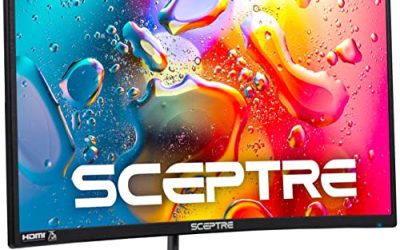
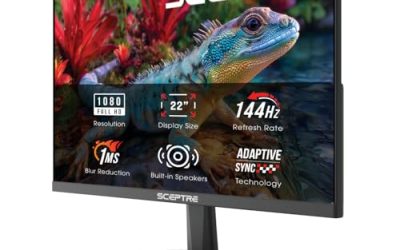
Sceptre offers a 32 inch QHD screen with refresh up to 210Hz, USB Type-C, DisplayPort, HDMI, 115% sRGB, 1ms response, and built-in speakers. It suits someone who wants a large screen and a single USB-C cable for a laptop plus a gaming PC. Built-in speakers and a 115% sRGB label round out a package aimed at a mixed work and play desk.
- A 32 inch size and USB Type-C make it flexible for work and play.
- Built-in speakers help in a pinch.
- Trade-off: at 32 inches, pixel density is lower than on the 27 inch models.
Skip it if you sit close to the screen or prefer sharper text at a smaller size, or if your desk is shallow and a 32 inch screen would crowd you.
AOC Q27G4XN 27 in
This 27 inch QHD VA panel runs at 180Hz with 1ms response, HDR, adaptive sync, DisplayPort 1.4, HDMI 2.0, height adjustment, and an earphone out. It fits gamers who care about contrast and want a stand that adjusts without extra purchases. HDR is listed, though budget HDR is best treated as a modest extra rather than a headline feature.
- VA contrast makes dark scenes look deeper than on typical IPS.
- Height adjustment and an earphone jack add everyday convenience.
- Trade-off: VA panels can smear in dark, fast scenes more than IPS.
Skip it if you play competitive shooters where motion clarity is the top priority, or if you often play in a bright room where IPS viewing angles help.
ASUS TUF VG27AQ3A
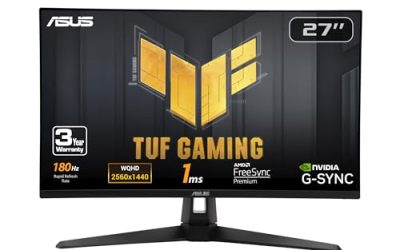
The VG27AQ3A is a 27 inch 1440p Fast IPS monitor at 180Hz with ELMB Sync, 1ms response, 130% sRGB, built-in speakers, FreeSync Premium, and HDR10. It suits players who want a dependable all-round IPS without paying for the very highest refresh. The speakers and display software mentioned in the ASUS TUF line add small conveniences for everyday use.
- FreeSync Premium and a G-SYNC label cover both sides of adaptive sync.
- Fast IPS and 130% sRGB suit both gaming and creative use.
- Trade-off: 180Hz is lower than its VG27AQM5A sibling, so competitive headroom is smaller.
Skip it if you want 240Hz or more.
Hikers 27 in Curved
Hikers markets a curved 27 inch fast VA monitor with up to 280Hz, 1ms, two HDMI 2.1 ports and one DisplayPort 1.4, 5000:1 contrast, and 134% sRGB. It fits a buyer who wants both a PC and a console connected, thanks to the dual HDMI 2.1 ports.
- Two HDMI 2.1 ports and a high refresh ceiling give strong connectivity.
- A 1500R curve adds immersion on a 27 inch panel.
- Trade-off: the brand is less established, and the title gives few details about stand features.
Skip it if you dislike curved screens or prefer a better-known brand, since the title gives fewer details about build and stand than the ASUS and AOC listings.
Acer Nitro KG271U N3bmiipx
The Nitro offers 27 inch QHD IPS at 180Hz with 0.5ms response, AMD FreeSync, 95% DCI-P3, two HDMI ports, DisplayPort, a speaker, and VESA mounting. It suits a budget-minded buyer who wants a safe IPS option with mounting flexibility.
- IPS with 95% DCI-P3 delivers strong color for the category.
- VESA mounting lets you use a monitor arm.
- Trade-off: 180Hz is the same ceiling as several others, and it lists FreeSync rather than G-SYNC.
Skip it if you want the highest refresh rate or USB-C connectivity. Its value lies in plain, dependable specifications rather than a record-setting number.
AOC CQ32G4VE 32 in Curved
A 32 inch curved VA monitor at 180Hz with 0.5ms response, HDR, adaptive sync, DisplayPort 1.4, HDMI 2.0, an earphone out, and VESA support. It suits players who want an immersive, wraparound screen for single-player games.
- A 32 inch curved panel feels immersive at a normal desk distance.
- VESA support allows arm mounting.
- Trade-off: a large 1440p panel has lower pixel density, and VA can smear in fast dark scenes.
Skip it if you want a 27 inch esports monitor or the sharpest possible text. Anyone who also does spreadsheet or document work all day may prefer a smaller panel at the same resolution.
Which One Fits Your Situation
You play competitive shooters
The ASUS TUF VG27AQM5A at 300Hz Fast IPS is the clearest fit, with the AOC Q27G41ZE as a step down.
You want a big, cinematic screen
The AOC CQ32G4VE 32 in Curved and the Sceptre 32 in 2K Prime both go big, with the Sceptre adding USB-C.
You game on both a console and a PC
The Hikers 27 in Curved lists two HDMI 2.1 ports, which makes switching sources easier.
You want dependable color on a budget
The Acer Nitro KG271U N3bmiipx offers IPS with 95% DCI-P3, while the ASUS TUF VG27AQ3A adds both FreeSync Premium and HDR10 labels.
Common Mistakes
- Paying for 300Hz without a graphics card that can produce those frames.
- Choosing 32 inches at 1440p and then noticing softer text up close.
- Ignoring HDMI version when connecting a console.
- Treating HDR labels on budget panels as a real HDR experience.
- Forgetting to enable the refresh rate in the operating system after plugging in.
Related guides
- Gaming Headsets For Competitive Fps Directional Audio
- Compact Mini Itx Gaming Pcs For Small Desks
- Threadripper Vs Xeon Vs Core I9 For Workstations
Frequently Asked Questions
Is 2K the same as 1440p?
In monitor marketing, yes. Technically 2K refers to a slightly different resolution, but gaming monitors use it as shorthand for 2560 by 1440.
Is IPS or VA better for gaming?
IPS tends to offer faster motion and wider viewing angles, while VA often delivers deeper blacks. Competitive players generally prefer IPS, and cinematic players may prefer VA.
Do I need G-SYNC or FreeSync?
Some form of adaptive sync is helpful to reduce tearing. Many monitors with FreeSync also work with NVIDIA cards under a G-SYNC Compatible label.
Is a curved monitor worth it?
It can add immersion, especially at 32 inches. It is a matter of preference, and flat panels often suit shared or mixed-use desks better.