Key takeaways
- A 4K monitor under 300 dollars used to mean a compromise so large that most buyers stayed on 1080p. That has changed.
A 4K monitor under 300 dollars used to mean a compromise so large that most buyers stayed on 1080p. That has changed. Panels with 3840 x 2160 resolution now arrive in 27-inch and 32-inch sizes with IPS or VA technology, 99 percent sRGB coverage, and in several cases refresh rates well above the old 60Hz ceiling. The real question at this cap is no longer whether you can afford 4K, but which secondary feature you are willing to give up: speed, contrast, brightness, or ergonomics. Every model below makes a different trade, and the right pick depends on what sits on your desk the other eight hours a day when you are not gaming.
This guide is written for three kinds of buyers. The first is the office or study user who wants sharper text and room for two documents side by side. The second is the console or PC player stepping up from a 1080p panel who wants 4K without paying flagship money. The third is the photo hobbyist who needs decent color accuracy for editing but does not need a reference display. Because the cap is tight, the comparison below leans on specifications listed in each product title, and you should confirm the current listed cost against the 300 dollar ceiling before ordering, since street costs move around.
Quick Picks
Our top picks
 Dell 32 Monitor S3225QS
- Improved ComfortView Plus: Reduces harmful blue light emissions…
- Refresh rate: A smooth, tear-free experience with AMD…
- Vivid colors: Immerse yourself in 4K visuals with…

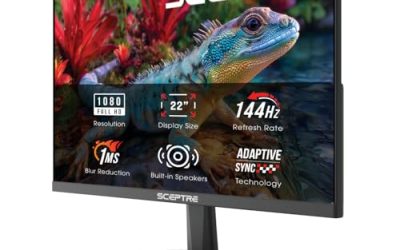
 Sceptre 32-inch 4K UHD 3840 x 2160
- Superior 4K Picture Delivering 4x the pixels (8…
- Built-In Speakers High-quality integrated treble speakers provide clear…
- Up to 70Hz Refresh Rate with Overclock With…


As an Amazon Associate we earn from qualifying purchases at no extra cost to you.
| Product | Best for | Key spec from the title |
|---|---|---|
| Dell S3225QS | Big-screen movies and office work | 31.5-inch 4K VA, 120Hz, 3000:1 contrast |
| Samsung ViewFinity S7 27 | Compact color-friendly desks | 27-inch 4K IPS with HDR10 |
| Sceptre 32-inch 4K | Multi-input setups on a tight budget | 70Hz, two DisplayPort and two HDMI inputs |
| Dell S2725QS | All-round 27-inch daily driver | 4K IPS, 120Hz, 350 cd/m2 brightness |
| ZZA 27 Inch 4K | Console and PC gaming at 4K | 144Hz with HDMI 2.1 and DP 1.4 |
| Samsung ViewFinity S7 32 | Spacious IPS workspace | 32-inch 4K IPS with HDR10 |
| ASUS VY27UQ | Long reading and spreadsheet days | 4K IPS, Eye Care Plus, blue light filter |
| ASUS TUF Gaming VG27UQ1A | Fast competitive play on PS5 or Xbox | 160Hz, G-SYNC, 1ms, 95% DCI-P3 |
How to Choose
Screen size and pixel density
Resolution only matters relative to size. A 27-inch 4K panel lands at roughly 163 pixels per inch, which makes text crisp enough that you can run the operating system at 150 percent scaling and still gain workspace over 1440p. A 32-inch 4K panel drops to about 138 pixels per inch, which is still sharper than a 27-inch 1440p screen but shows a little more pixel structure up close. If your desk is shallower than about 24 inches, the 27-inch size is the more comfortable choice. If you sit farther back or mostly watch video and work in tiled windows, 32 inches gives you a cinema-like canvas.
Refresh rate and ports
Plain 60Hz is fine for documents and video, but anything gaming related benefits from 120Hz or more. Be careful with the connection, though. Driving 4K at 120Hz or higher needs HDMI 2.1 or DisplayPort 1.4; an older HDMI 2.0 port tops out at 4K and 60Hz. A monitor advertising 144Hz is only useful at that speed if your graphics card or console outputs through the right port. Console owners should specifically look for HDMI 2.1 in the listing. Also notice how many inputs you get, since a screen shared between a desktop and a laptop is far easier to live with when it has two of each connection type.
Panel type: IPS versus VA
IPS panels hold their color and brightness when you view them from an angle, which matters on a 32-inch screen where the edges sit at a different angle from the center. VA panels trade viewing angles for much deeper blacks, with contrast in the thousands to one rather than the roughly 1000 to 1 typical of IPS. A rating like 3000:1 contrast on a VA model will make dark scenes in films look noticeably richer, while an IPS panel is the safer bet for photo editing and shared screens. Neither type is universally better; match it to the content you view most.
Color, HDR and what to ignore
Look for 99 percent sRGB if you do any photo or design work, and 95 percent DCI-P3 or wider if you want video-oriented color. The label HDR10 on a budget monitor mostly means the panel accepts an HDR signal; without strong peak brightness and local dimming the effect is modest. Brightness around 300 to 350 cd/m2 is plenty for a normal room. Ignore marketing figures such as 1ms response, which are measured under favorable conditions, and ignore built-in speakers if you own headphones or a desk set. Budget models usually cut corners on the stand, offering tilt only with no height adjustment, so plan for a VESA mount if posture matters to you.
The 8 Best Options
Dell S3225QS
This 31.5-inch 4K model uses a VA panel, and the listing highlights a 3000:1 contrast ratio, 120Hz refresh, FreeSync Premium, 4ms response, and 99 percent sRGB. That mix suits a buyer who watches a lot of film and series and wants deep blacks on a large canvas, while still getting smoother motion than a 60Hz screen. The Eye Comfort branding points to flicker and blue light reduction for long sessions.
- Strength: 120Hz refresh on a 32-inch 4K screen makes scrolling and gaming noticeably smoother than 60Hz alternatives.
- Strength: 3000:1 contrast gives richer dark scenes than typical IPS competitors.
- Trade-off: the listed 300 cd/m2 brightness is modest, so a sunlit room may wash it out.
Skip it if you share the screen with others who sit off to the side, or if your work depends on wide viewing angles.
Samsung ViewFinity S7 27-inch
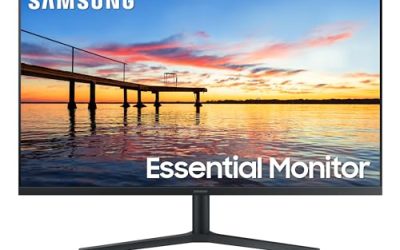
Samsung positions this 27-inch ViewFinity S7 as a high-resolution workhorse: 4K UHD, an IPS panel, and HDR10 support. For someone upgrading from a 1080p office monitor, the pixel density jump is the headline, and the IPS panel keeps colors steady across the screen. It fits a tidy desk where a 32-inch panel would feel oversized.
- Strength: IPS technology gives consistent color and wide viewing angles for shared or angled desks.
- Strength: the 27-inch size delivers sharp text at 4K without needing a deep desk.
- Trade-off: the listed specs mention no refresh rate above standard, so it is aimed at productivity rather than fast gaming.
Skip it if you play competitive shooters or want a headline high-refresh figure.
Sceptre 32-inch 4K UHD
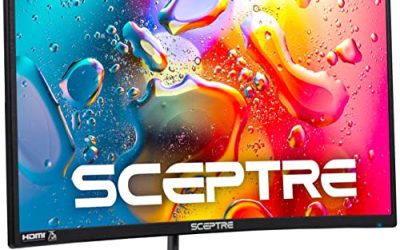
The Sceptre is the connectivity-first option: two DisplayPort inputs, two HDMI inputs, 100 percent sRGB, and built-in speakers on a 32-inch 4K panel running at 70Hz. A buyer juggling a desktop, a laptop, and perhaps a streaming box will appreciate not swapping cables. The 70Hz rate is a small step above the usual 60Hz.
- Strength: four video inputs let several devices share one large screen.
- Strength: 100 percent sRGB coverage is a solid figure for color-sensitive everyday work.
- Trade-off: 70Hz will feel limited next to the 120Hz and higher models in this list.
Skip it if gaming smoothness is a priority or you dislike the idea of relying on built-in speakers.
Dell S2725QS
The 27-inch sibling of the larger Dell pairs a 4K IPS panel with 120Hz, 5ms response, FreeSync Premium, 350 cd/m2 brightness, 1500:1 contrast, and 99 percent sRGB, plus an anti-glare coating. It is the balanced pick for someone who wants one monitor for spreadsheets by day and games or video by night.
- Strength: 120Hz on an IPS 4K panel balances smooth motion with consistent color.
- Strength: 350 cd/m2 brightness and anti-glare treatment help in rooms with windows.
- Trade-off: the 1500:1 contrast cannot match the deep blacks of VA models.
Skip it if you want a screen larger than 27 inches or care most about dark-room movie contrast.
ZZA 27 Inch 4K Gaming Monitor
This unbranded-feeling entry leads with gaming credentials: a 4K panel at 144Hz, adaptive sync, HDMI 2.1, and DisplayPort 1.4 on a flat 27-inch screen. The HDMI 2.1 port is the notable detail, since it is what lets a modern console or recent graphics card push 4K at high refresh rates. It also supports wall mounting.
- Strength: 144Hz at 4K with HDMI 2.1 and DP 1.4 covers both console and PC high-refresh needs.
- Strength: wall-mount support frees desk space.
- Trade-off: the stand offers tilt adjustment only, so ergonomics depend on a separate mount.
Skip it if you want established brand support or a height-adjustable stand out of the box.
Samsung ViewFinity S7 32-inch
The 32-inch version of the ViewFinity S7 keeps the 4K UHD IPS panel and HDR10 support but spreads it over a larger canvas. It suits a buyer who tiles several windows, edits photos with a clear view, or simply prefers a big screen at normal desk distance.
- Strength: the 32-inch IPS panel combines generous workspace with steady color from the sides.
- Strength: HDR10 support means compatible streaming and games can send an HDR signal.
- Trade-off: at this size, pixel density falls to around 138 pixels per inch, so text is less crisp than on the 27-inch twin.
Skip it if your desk is shallow or you sit very close to the screen.
ASUS VY27UQ
Eye health is the theme here. The 27-inch 4K IPS panel lists HDR10, adaptive sync, Eye Care Plus, and a blue light filter, plus HDMI, DisplayPort, and a built-in speaker. It is a sensible pick for students, writers, and analysts who spend long hours with text and want a sharp image that is easy on the eyes.
- Strength: Eye Care Plus and the blue light filter target comfort during long sessions.
- Strength: 4K IPS plus adaptive sync adds some gaming versatility to an office-focused screen.
- Trade-off: no high refresh figure appears in the title, so expect standard motion rather than a gaming-grade feel.
Skip it if you want a 120Hz or faster experience.
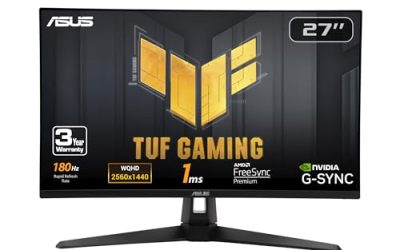
ASUS TUF Gaming VG27UQ1A
The fastest model in the group lists 160Hz, G-SYNC, 1ms response, 95 percent DCI-P3, FreeSync Premium, and ELMB Sync, and the title calls out PS5 and Xbox. It is the choice for a competitive player who wants 4K sharpness without dropping frame rates, and the DCI-P3 coverage adds more vivid color than sRGB-only panels.
- Strength: 160Hz with G-SYNC and FreeSync Premium covers both major graphics card brands.
- Strength: 95 percent DCI-P3 coverage gives richer color for games and video.
- Trade-off: as the most feature-heavy model here, it is the likeliest to sit at or above the 300 dollar cap, so confirm the current listing.
Skip it if you only need an office screen and would be paying for gaming features you will not use.
Which One Fits Your Situation
You split time between work and film nights
The Dell S3225QS is the natural fit: a 32-inch screen, 3000:1 contrast for dark scenes, and 120Hz for smoother scrolling during the workday. Pair it with a VESA arm if you want height adjustment.
You game on a console or a recent graphics card
Choose between the ZZA 27 Inch 4K and the ASUS TUF Gaming VG27UQ1A. The ZZA gives 144Hz with HDMI 2.1, while the ASUS adds 160Hz, G-SYNC, and wider color coverage if the cost sits within your cap.
You edit photos or work with color
Go with the Samsung ViewFinity S7 27-inch for a compact IPS 4K desk setup, or the 32-inch version if you want more room for editing panels. The Dell S2725QS is a good alternative if you also want 120Hz.
You connect several devices to one screen
The Sceptre 32-inch 4K, with its two DisplayPort and two HDMI inputs, is built for this. The ASUS VY27UQ is the quieter choice if your day is mostly reading and writing and you value eye-care features.
Common Mistakes
- Assuming every 4K monitor can run at high refresh over any cable; HDMI 2.0 and older cables cap 4K at 60Hz.
- Buying a 32-inch panel for a desk too shallow to sit about an arm and a half away from it.
- Treating an HDR10 label as proof of a bright, cinematic HDR image on an entry-level panel.
- Ignoring the stand: tilt-only bases force awkward neck angles, and a mount adds to the total spend.
- Forgetting that a high refresh rate needs a capable graphics card, and 4K gaming asks a lot of hardware even at the 2026 baseline.
Related guides
- Gaming Headsets For Competitive Fps Directional Audio
- Compact Mini Itx Gaming Pcs For Small Desks
- Threadripper Vs Xeon Vs Core I9 For Workstations
Frequently Asked Questions
Is 4K worth it on a 27-inch monitor?
Yes, for most buyers. At about 163 pixels per inch, text and images look noticeably sharper than on 1080p or 1440p screens of the same size. Use operating system scaling around 150 percent so interface elements stay readable.
Do I need HDMI 2.1 for 4K gaming?
Only if you want 4K above 60Hz from a console or a graphics card without DisplayPort. HDMI 2.1 carries the bandwidth for 4K at 120Hz or more, while DisplayPort 1.4 handles it on a PC. If you only play at 60 frames per second, HDMI 2.0 is enough.
Should I choose IPS or VA at this price?
Choose IPS for color accuracy and wide viewing angles, especially on larger screens shared by more than one person. Choose VA if you mainly watch movies in dim rooms and value deeper blacks. Both appear among the models above.
Are built-in speakers good enough to skip a desk speaker set?
Monitor speakers are fine for video calls and system sounds but thin for music or games. Treat them as a convenience, not a reason to choose one model over another, and plan on headphones or a small speaker pair if audio matters.