Key takeaways
- A budget of under 400 dollars is a strange sweet spot for gaming monitors, because it sits where two very different upgrade paths overlap.
A budget of under 400 dollars is a strange sweet spot for gaming monitors, because it sits where two very different upgrade paths overlap. One path trades resolution for speed: a 24 or 25-inch 1080p panel running at 240Hz, 310Hz, or even 400Hz in a reduced mode. The other trades speed for sharpness and size: a 27-inch 1440p IPS screen or a curved 34-inch ultrawide at 200Hz to 240Hz. Which path is right depends on the games you play, the graphics card you own, and how much desk you have.
This guide is for PC players who have set a firm ceiling on spend and want the most useful spec for it. Eight monitors are compared below, from a plain 22-inch 75Hz IPS panel to curved ultrawides and a QHD IPS model with HDR labeling. Judgments rest only on the specs printed in each title; confirm current availability and tier on the product page, since monitor costs move often and the cap is yours to enforce.
Quick Picks
Our top picks
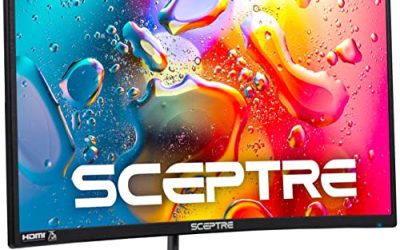
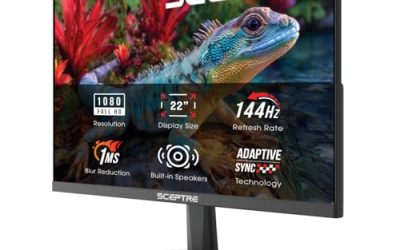
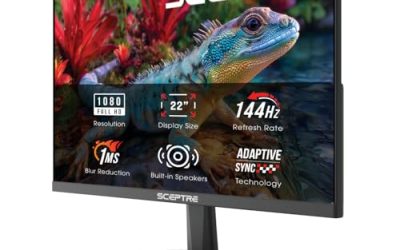
 Sceptre New 22-Inch Gaming Monitor
- 【INTEGRATED SPEAKERS】Whether you're at work or in the…
- 【EASY ON THE EYES】 Protect your eyes and…
- 【WIDEN YOUR PERSPECTIVE】Our sleek minimal bezel design ensures…


As an Amazon Associate we earn from qualifying purchases at no extra cost to you.
| Product | Best for | Key spec from the title |
|---|---|---|
| Sceptre 22-inch E225W-FW144 | Lowest-tier entry with 144Hz | 22 inch FHD, up to 144Hz, HDMI and DisplayPort, speakers |
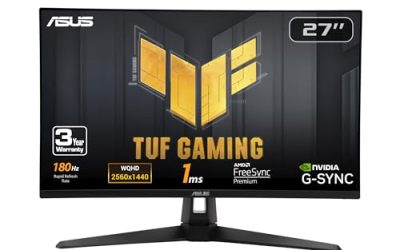
| ASUS TUF VG259QMR5A | Esports-style fast 1080p play | 25 inch 1080p, 310Hz, G-SYNC Compatible, FreeSync Premium |
| Sceptre Curved 34-inch Prime | Ultrawide immersion | 3440 x 1440, up to 240Hz, 1500R curve, 100% sRGB |
| KTC 25M1 | Pure refresh-rate chasers | 24.1 inch fast TN, 0.5ms GTG, 400Hz claim, shielding hood |
| ASUS TUF VG34WQL5A | Ultrawide with a fast fallback mode | 34 inch 1440p, 200Hz, dual mode 720p 400Hz |
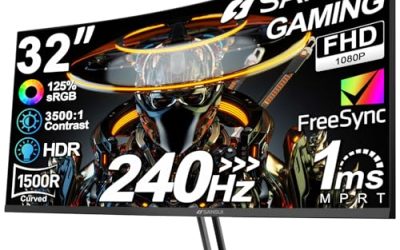
| SANSUI 27-inch Curved | Big curved WQHD with HDR labeling | WQHD 280Hz, HD 400Hz dual mode, HDR400 |
| ETiansu 22-inch IPS | Minimal-spend IPS starter | 1080p IPS, 75Hz, FreeSync, 2ms |
| LG 27G610A-B UltraGear | Balanced 1440p IPS all-rounder | 27 inch QHD IPS, 200Hz, 1ms, DisplayHDR 400 |
How to Choose
Resolution and refresh rate must fit your graphics card
A monitor can only show the frames your PC produces. If your card averages 100 frames per second at 1440p in your favorite titles, a 200Hz QHD panel is a sound match; if it manages 250 frames at 1080p in an esports title, a 240Hz or faster 1080p screen makes more sense. Chasing 400Hz on a system that delivers 150 frames wastes money. Rules of thumb: 144Hz is the entry point for smooth play, 240Hz benefits competitive shooters, and 1440p at 27 inches yields noticeably crisper text than 1080p. Before buying, open your favorite game and check its frame-rate counter; the number you see at your preferred settings is the refresh rate you should shop for, not the biggest figure on the box. If you plan to upgrade your graphics card within a year, buying a little headroom makes sense, but paying for a spec your GPU can never reach does not.
Panel type and size shape picture quality
IPS panels offer better viewing angles and color, which suits single-player games, while fast TN panels, like the KTC listed, prioritize speed over image quality. VA panels, common in curved models, give strong contrast but can show smearing in dark scenes. At 22 to 25 inches, 1080p stays sharp from a normal desk distance; at 27 inches, 1440p is the better pairing, and at 34 inches ultrawide, 3440 x 1440 is the standard resolution. Remember to measure your desk: a 34-inch ultrawide is roughly 31 inches wide, which needs more room than many compact desks offer, and a curve of 1500R means the edges bend toward you noticeably, which some people love and others find distracting for browsing or spreadsheets.
Check sync support, response claims, and the HDR label
Variable refresh support, labeled FreeSync or G-SYNC Compatible, matters more than a 1ms or 0.5ms response number, which is measured under favorable conditions. DisplayHDR 400 and HDR400 labels are entry-level; they do not bring the contrast of a true HDR panel, so treat them as a minor bonus. Make sure the monitor offers DisplayPort for the top refresh rates, since older HDMI versions can limit speeds. Two HDMI and two DisplayPort inputs, as listed on the Sceptre ultrawide, ease multi-device setups, for example a gaming PC plus a console or laptop. Also confirm your graphics card has a DisplayPort output, as that connection is the usual route to the highest refresh rates, and verify the cable that ships in the box supports them.
Ignore marketing extras and know where budget panels cut corners
Built-in speakers are usually weak; headphones or a desktop pair are better. Stand adjustments, such as height and tilt, are a common cut: some listings only list tilt. Dual-mode refresh claims, which trade resolution for a higher rate, are niche. Also verify warranty and dead-pixel policies, since lower-cost monitors vary there and returns are easier early in ownership.
The 8 Best Options
Sceptre 22-inch E225W-FW144
The entry-level choice, a 22-inch FHD 1080p monitor with refresh up to 144Hz, HDMI, DisplayPort, and built-in speakers. It is aimed at players who have been stuck at 60Hz and want the cheapest meaningful jump in smoothness, plus the connections to run a console or second PC from one screen.
- Strength: a 144Hz ceiling at the lowest tier gives a clear step up from 60Hz.
- Strength: both HDMI and DisplayPort inputs are listed, and speakers are included.
- Trade-off: the small 22-inch size and 1080p resolution feel limited next to the larger models.
Skip it if you want a bigger screen, QHD, or an IPS panel.
ASUS TUF Gaming VG259QMR5A
A 25-inch 1080p monitor at 310Hz, with G-SYNC, FreeSync Premium, ELMB Sync, Gaming AI, and G-SYNC Compatible labeling. It is built for competitive players who care about refresh rate above all else and already own a graphics card that can run their favorite shooter at very high frame rates.
- Strength: a 310Hz refresh rate suits fast shooters on strong graphics cards.
- Strength: dual sync labeling and motion-blur tech target tear-free fast play.
- Trade-off: 1080p at 25 inches is less sharp than QHD alternatives.
Skip it if you want a larger or higher-resolution display for single-player games.
Sceptre Curved 34-inch Prime
A curved ultrawide at 3440 x 1440 and up to 240Hz, with a 1500R curve, 1ms response, 100% sRGB, two DisplayPort and two HDMI inputs, and speakers. It suits racing, open-world, and flight games where a wide field of view adds to the feeling of being inside the scene.
- Strength: ultrawide resolution and a 240Hz ceiling cover immersion and speed.
- Strength: four video inputs support multiple devices.
- Trade-off: it asks for a graphics card able to push 3440 x 1440 at high rates.
Skip it if your desk is narrow or your PC is modest.
KTC 25M1
A 24.1-inch fast TN monitor that claims 400Hz and 240Hz modes, 0.5ms GTG, adaptive sync, and a shielding hood, with HDMI and DisplayPort. It is for players who treat their monitor like an esports tool and accept compromises in color to get the fastest possible motion.
- Strength: a very high refresh claim for players who prioritize speed.
- Strength: the shielding hood and vertical orientation support suit esports setups.
- Trade-off: TN panels typically show weaker color and viewing angles.
Skip it if image quality and color matter more than refresh rate.
ASUS TUF Gaming VG34WQL5A
A 34-inch ultrawide 1440p monitor at 200Hz with HDR labeling, a dual mode 720p 400Hz option, 0.5ms response, FreeSync Premium, and a 1500R curve. It is aimed at someone who wants an immersive wide screen for most games but still wants a faster mode available for the occasional competitive match.
- Strength: a 200Hz ultrawide delivers a wide view with solid speed.
- Strength: the dual mode adds a high-refresh fallback for competitive play.
- Trade-off: the 720p mode is a niche feature with a visible sharpness penalty.
Skip it if you want a flat screen or a smaller size.
SANSUI 27-inch Curved
A 27-inch curved WQHD monitor at 280Hz with an HD 400Hz mode, 1500R curve, HDR400, 135% sRGB, and a 5000:1 contrast ratio. It speaks to buyers who want the sharpness of QHD, a high refresh rate, and a curved panel in a 27-inch size that fits a standard desk.
- Strength: WQHD at 280Hz gives sharpness and speed in one screen.
- Strength: HDR400 labeling and the contrast claim suit single-player visuals.
- Trade-off: a curve on a 27-inch panel is a personal preference.
Skip it if you prefer flat screens or a well-known brand name.
ETiansu 22-inch IPS
A 22-inch 1080p IPS monitor at 75Hz with FreeSync, 2ms response, HDMI, VGA, and VESA mount support. It is a sensible pick for a first gaming monitor, a bedroom setup, or a secondary display where color and angles matter more than speed.
- Strength: an IPS panel at the lowest tier gives good viewing angles.
- Strength: VESA support lets you use an arm.
- Trade-off: 75Hz is only a modest bump over 60Hz.
Skip it if you want fast competitive refresh rates.
LG 27G610A-B UltraGear
A 27-inch QHD 2560 x 1440 IPS monitor at 200Hz with 1ms response, AMD FreeSync Premium, VESA DisplayHDR 400, HDMI, DisplayPort, and tilt and height adjustment.
- Strength: QHD IPS at 200Hz is a balanced combination for most gamers.
- Strength: height and tilt adjustment improve ergonomics.
- Trade-off: it is not as fast as the 240Hz-plus alternatives.
Skip it if you want ultrawide or a 1080p esports speed monitor.
Which One Fits Your Situation
You play fast shooters on a strong GPU
The ASUS TUF VG259QMR5A at 310Hz or the KTC 25M1 with its 400Hz claim fit this style best.
You want one monitor for games and everyday use
The LG 27G610A-B balances QHD IPS clarity with a 200Hz refresh rate and a height-adjustable stand.
You love immersive single-player games
The Sceptre Curved 34-inch and the ASUS TUF VG34WQL5A offer ultrawide views with 200Hz to 240Hz speed.
Your spend is at the lowest tier
The Sceptre 22-inch gives 144Hz, while the ETiansu 22-inch offers an IPS panel.
Common Mistakes
- Buying a 400Hz claim without a PC that can feed it.
- Choosing 1080p at 27 inches or larger and regretting the softness.
- Skipping DisplayPort when planning to use high refresh rates.
- Trusting a 1ms or 0.5ms number as proof of a clear, smear-free image.
- Ignoring stand height adjustment and neck comfort.
Related guides
- Gaming Headsets For Competitive Fps Directional Audio
- Compact Mini Itx Gaming Pcs For Small Desks
- Threadripper Vs Xeon Vs Core I9 For Workstations
Frequently Asked Questions
Is 1440p worth it over 1080p for gaming?
If your graphics card can deliver high frame rates at 1440p, yes. It brings sharper detail, especially at 27 inches and above.
Do I need 240Hz or higher in 2026?
Only for competitive shooters with strong hardware. For most players, 144Hz to 200Hz is smooth and much easier to feed.
Are curved monitors good for gaming?
They suit immersion in single-player games, especially on ultrawide screens. A 1500R curve is fairly aggressive and some players prefer flat panels for work.
What does HDR400 actually do?
It signals basic HDR support with limited brightness and local dimming, so the effect is modest. Treat it as a minor extra, not a reason to buy.