Key takeaways
- You already own a prebuilt desktop or small-form-factor PC that came with a 5300G and want to know what it can handle.
- You are building a very cheap starter PC for school, office work and older or esports-style games, and you plan to add a graphics card later.
- You want a Zen 3 chip on AM4 for a secondary PC, a media box or a kids’ computer.
The Ryzen 3 5300G for gaming is a four-core, eight-thread Zen 3 APU with Radeon Vega 6 graphics that boosts up to 4.2 GHz on the AM4 socket. Verdict: it is a capable 720p to 1080p low-settings chip for esports and older games, but it is an OEM-only part found mostly inside used desktops, so most builders should buy a Ryzen 5 5600G instead.
Ryzen 3 5300G at a Glance: Who It Suits and Who Should Skip It
The AMD Ryzen 3 5300G (also searched as 5300G, Ryzen 5300G or amd ryzen 3 5300g) is the smallest chip in the Cezanne desktop APU family. It combines four Zen 3 cores with an integrated Radeon Vega graphics block, so a system can boot, run Windows and play lighter games without a separate graphics card.
It suits you if:
- You already own a prebuilt desktop or small-form-factor PC that came with a 5300G and want to know what it can handle.
- You are building a very cheap starter PC for school, office work and older or esports-style games, and you plan to add a graphics card later.
- You want a Zen 3 chip on AM4 for a secondary PC, a media box or a kids’ computer.
Skip it if:
- You want to buy a bare processor for a new build. AMD lists the 5300G as OEM only, so retail supply is thin and unpredictable.
- You want comfortable 1080p gaming on medium settings. Four cores and Vega 6 graphics run out of headroom quickly in modern titles.
- You plan to stream, edit video or run heavy multitasking. Eight threads is the floor, not the sweet spot, for that work.
Ryzen 3 5300G Specs
These figures were cross-checked against several spec databases and an AMD support listing. Items that sources disagree on are marked as not confirmed rather than guessed.
| Spec | Ryzen 3 5300G |
|---|---|
| Architecture / codename | Zen 3 / Cezanne |
| Cores / threads | 4 / 8 |
| Base / boost clock | 4.0 GHz / up to 4.2 GHz |
| L3 cache | 8 MB |
| Default TDP | 65 W (configurable range 45 to 65 W) |
| Max temperature | 95 degrees Celsius |
| Socket | AM4 |
| Memory | DDR4-3200 |
| Integrated graphics | Radeon Vega 6 (384 shaders, around 1.7 GHz) |
| Process | TSMC 7 nm |
| Multiplier | Unlocked |
| Sales start | 13 April 2021 |
| Retail status | OEM only |
| PCIe version | Not confirmed (sources disagree; plan for PCIe 3.0) |
The important number is the 4.0 GHz base clock. Zen 3 cores at that frequency have strong single-thread speed, which is why the chip feels snappy in day-to-day use even though it only has four cores. Many games still lean heavily on one or two fast threads, and that is where this chip does its best work.
What does “OEM only” mean for the 5300G?
OEM only means AMD sold the chip to system builders for use in prebuilt PCs, not as a boxed retail product with a retail warranty and cooler. You will mostly meet it inside complete desktops.
Does the 5300G come with a cooler?
Not as a boxed retail item. A prebuilt system usually ships with its own cooler, while a loose chip may not include one, so budget for a small AM4 air cooler.
Ryzen 3 5300G Gaming Performance
No benchmark figures are quoted here because none were verified for this article. The ranges below are approximate expectations based on the hardware class (four Zen 3 cores plus Vega 6 graphics) and should be read as rough guides, not promises. Results vary with RAM speed, cooling, drivers and the specific game version.
Integrated graphics (no graphics card)
Vega 6 is a small graphics block with six compute units. It shares system memory with the processor, so memory speed and channel count matter more than almost anything else you can change.
| Game type | Realistic setting | Expectation (approximate) |
|---|---|---|
| Esports titles (older shooters, MOBAs, block-building games) | 720p to 1080p, low | Playable, often 40 to 60+ fps depending on the game |
| Older AAA games (several years old) | 720p, low | Often around 30 fps with compromises |
| Recent demanding AAA titles | 720p, lowest, with upscaling | Usually below comfortable frame rates |
| Indie, retro and 2D games | 1080p | Generally fine |
To get the most from the integrated graphics, use two matched memory sticks in dual-channel mode, ideally DDR4-3200. A single stick roughly halves memory bandwidth and noticeably hurts integrated graphics.
Tips that help on Vega 6 graphics
- Lower the render resolution first. Dropping from 1080p to 720p (or using a resolution scale slider) is the biggest single gain.
- Use FSR upscaling where a game offers it. AMD’s FidelityFX Super Resolution works on integrated Radeon graphics and can lift frame rates in supported games.
- Turn off heavy effects. Shadows, volumetric fog and ambient occlusion cost the most on small graphics blocks.
- Keep drivers current. Install the latest AMD Adrenalin driver for the board’s chipset and graphics.
- Check the UMA frame buffer. Some BIOS setups let you reserve more system memory for graphics, which can help in memory-hungry games.
With a discrete graphics card
The cores themselves are the more interesting part. Zen 3 is a strong architecture, and four cores with eight threads can still feed an entry-level or mid-range graphics card in many games at 1080p. The weak spot is modern games that want six or more cores; there you may see lower minimum frame rates and stutter even when the average looks fine.
- Entry-level graphics cards: a sensible pairing. The processor is unlikely to be the main limit.
- Mid-range graphics cards: workable at 1080p, but expect the processor to hold the card back in CPU-heavy titles.
- High-end graphics cards: not recommended. The money is better spent on a six- or eight-core chip.
Productivity and Everyday Use
For browsing, office apps, video calls, 1080p video playback and light photo editing, a Ryzen 3 5300G is perfectly comfortable. The unlocked multiplier and 4.0 GHz base clock make Windows feel fast, and the integrated graphics handle hardware video decoding so a media or home-office PC does not need a graphics card at all.
It is less suited to heavy rendering, large compile jobs or running several virtual machines. Eight threads is simply less parallel capacity than the six-core, twelve-thread chips that now cost only a little more. If you game and stream at the same time, the processor will be the first thing to run out of room.
Platform: Socket, Chipset, RAM and BIOS
- Socket: AM4, the same socket used by the whole Ryzen 1000 through 5000 generation.
- Chipsets: A520, B550 and X570 boards generally support Zen 3. Older B450 and X470 boards need a BIOS update first, and a few very old boards cannot run it at all.
- Memory: DDR4, with DDR4-3200 as the target. Use two sticks for dual-channel.
- Cooler: check whether your system or kit includes one. A basic AM4 air cooler is enough for a 65 W part.
- Graphics outputs: you need a motherboard with HDMI or DisplayPort video outputs to use the integrated graphics.
BIOS update checklist before you install a Zen 3 APU
- Find your exact motherboard model and revision on the board or in the manual.
- Open the manufacturer’s CPU support list and confirm the 5300G (or 5000 G-series) is listed and which BIOS version is needed.
- Check the BIOS version printed on the board or shown at startup. If it is older than the required version, update before installing the new chip.
- Use a board with a BIOS flashback button where possible; it can update the BIOS without any processor installed.
- Reset to defaults after updating, then enable the memory profile (XMP/DOCP) for your RAM.
If you buy a bare chip, confirm your board’s support list before purchase. A board that needs a BIOS update to boot a Zen 3 APU can be hard to flash without a compatible processor already installed.
Power Draw and Thermals
The default TDP is 65 W, with a configurable range of 45 to 65 W, and the maximum rated temperature is 95 degrees Celsius. In practice this is an easy chip to cool. A small tower air cooler keeps it quiet, and a low-profile cooler works in compact cases. That makes it a good match for small-form-factor builds where a hot processor would struggle, and for quiet living-room PCs.
A 45 W configurable mode, where a prebuilt system uses it, lowers heat and noise at the cost of some sustained performance.
Real-World Scenarios: Where the 5300G Makes Sense
Scenario 1: a used office desktop turned into a light gaming PC
Many small business desktops shipped with a 5300G, 8 GB of single-channel memory and a hard drive. The cheapest meaningful upgrades are a second memory stick to reach dual-channel, a SATA or NVMe SSD, and a clean Windows install. After that, the same machine handles older shooters, racing games and block-building titles at low settings. Do not expect modern open-world games to run well without a graphics card.
Scenario 2: a first graphics card on a tight budget
A family PC with a 5300G can be paired with an entry-level graphics card if the power supply has the right connector and enough wattage. Prebuilt power supplies are sometimes small or proprietary, so check the label and the case before buying a card. This route turns a basic office box into a 1080p gaming machine for esports titles.
Scenario 3: a quiet media or retro-emulation box
Because the chip is cool and efficient, it suits a living-room PC for streaming apps, local video, retro emulators and older console libraries. The integrated graphics decode common video formats without trouble, and a small cooler keeps noise low.
When it is the wrong tool
If your goal is modern games at 1080p medium or higher, a six-core processor with a proper graphics card is the better route. Likewise, if you want a long-lived PC that will survive several years of upgrades, AM5 is the platform with a future, while AM4 is now an end-of-life socket that is best bought cheaply.
Ryzen 3 5300G vs Alternatives
The table lists newer or easier-to-buy options with a comparable role. Core counts come from vendor specifications.
| Chip | Cores / threads | Integrated graphics | Why consider it |
|---|---|---|---|
| Ryzen 5 5600G | 6 / 12 | Radeon Vega | The retail-friendly upgrade over the 5300G, with two extra cores |
| Ryzen 7 5700G | 8 / 16 | Radeon Vega | Strongest AM4 APU for a build without a graphics card |
| Ryzen 5 5500 | 6 / 12 | None | Six-core option if you will add a graphics card anyway |
| Ryzen 5 8500G | 6 / 12 | Radeon 740M | Newer AM5 platform with DDR5 and a stronger iGPU |
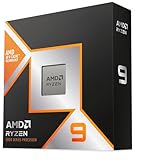
AMD Ryzen 5 5600G
The Ryzen 5 5600G is the natural step up from the 5300G. It is a six-core, twelve-thread desktop processor with Radeon graphics built in, so it keeps the one-chip simplicity while giving noticeably more headroom for multitasking and newer games. It uses the same AM4 socket, so a board that suits the 5300G will usually accept it after any required BIOS update. For a starter gaming PC that relies on integrated graphics for a while, this is the safer buy than hunting for a 5300G. Pair it with fast dual-channel memory to get the best from its built-in graphics.
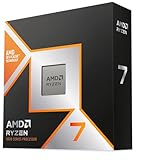
AMD Ryzen 7 5700G
If you want the strongest AM4 chip with graphics included, the Ryzen 7 5700G adds eight cores and sixteen threads to the same platform. It is a good fit for a PC that must game lightly now, handle productivity well and still take a graphics card later without being replaced. It costs more than the 5600G, so choose it only if you will actually use the extra cores, for example for streaming, content work or heavier multitasking.
Companion Parts for a 5300G or 5600G Build
Thermalright Assassin X120 Refined SE air cooler
A 65 W APU does not need a large cooler, and this four-heat-pipe tower with a single PWM fan is a simple way to keep temperatures and noise down on a loose chip that arrives without one. It supports AM4 mounting, and its modest size leaves room around the memory slots. Check your case’s height clearance before ordering, because tower coolers vary in height.
MSI PRO B550M-P motherboard
This micro-ATX AM4 board lists support for Ryzen 5000 and 5000 G-series processors, which covers the 5600G and 5700G. A B550 board gives you a straightforward platform with video outputs for the integrated graphics and room to add a graphics card later. Always confirm the BIOS version on the board with the seller if you are pairing it with a Zen 3 chip, and check the manufacturer’s CPU support list for the 5300G specifically.
PNY 16GB DDR4-3200 desktop memory
For an APU, system memory doubles as graphics memory, so speed and channel count matter. This DDR4-3200 desktop module is a mainstream, widely compatible option. Remember that a single 16 GB stick runs in single-channel mode, which hurts integrated graphics; two matching modules, bought as a pair, is the better plan for gaming on an APU.
Is the Ryzen 3 5300G Still Worth Buying in 2026?
For most people, no. It is a competent chip, but it is OEM only, supply is patchy, and listings for a bare processor can be priced oddly compared with the retail six-core APUs. A used prebuilt that already contains a 5300G can be a reasonable bargain for office use and light gaming, but a new build is better served by a 5600G, a 5500 plus a graphics card, or a newer AM5 chip.
If you are shopping, follow these rules:
- Prefer complete systems. A whole used desktop with a 5300G is safer than a bare processor because compatibility and cooling are already sorted.
- Check seller reputation and return terms. Avoid vague listings, and avoid anything described as renewed without clear condition notes.
- Look at the entire system. RAM in dual channel, an SSD and a decent power supply matter as much as the chip.
- Do not overpay. If a bare 5300G costs about as much as a retail Ryzen 5 5600G, buy the 5600G.
- Check upgradability. Some OEM boards use proprietary power supplies or limited BIOS options, which makes later upgrades harder.
Upgrade path from a 5300G system
If you own a 5300G machine and want more speed, the best order of upgrades is usually: add a second matching memory stick for dual-channel, move to an NVMe SSD, add an entry-level graphics card, and finally swap in a Ryzen 5 5600 or 5600G or a Ryzen 7 5700X if the board and BIOS allow. AM4 gives you a useful final upgrade in the Zen 3 range without changing the board.
Ryzen 3 5300G FAQ
Is the Ryzen 3 5300G good for gaming?
It is good for esports and older games at 720p to 1080p low settings. Modern demanding titles need a graphics card and ideally more cores.
Does the Ryzen 3 5300G have integrated graphics?
Yes. It includes Radeon Vega 6 graphics, so you can use it without a graphics card for light gaming and everyday tasks.
Can I buy the Ryzen 3 5300G at retail?
Rarely. AMD lists it as OEM only, so it is mostly found inside prebuilt PCs rather than as a boxed retail chip.
What socket does the Ryzen 5300G use?
It uses socket AM4 and DDR4 memory. Older 400-series boards may need a BIOS update before they recognise it.
Is the 5300G better than the Ryzen 5 5600G?
No. The 5600G has six cores and twelve threads versus four and eight, so it is stronger in nearly every workload and easier to buy.
Can the Ryzen 3 5300G run with a discrete graphics card?
Yes. It pairs well with entry-level and some mid-range graphics cards at 1080p, though four cores can limit CPU-heavy games.
How much RAM and what speed should I use?
Use at least 16 GB of DDR4-3200 in two matching modules. Dual-channel memory makes a big difference to integrated graphics performance.
Sources
- AMD support listing for the Ryzen 3 5300G (OEM only designation)
- iTechGuides: AMD Ryzen 3 5300G review
- CPU Benchmark (PassMark): AMD Ryzen 3 5300G
- Technical City: Ryzen 3 5300G specifications
Last updated: October 2026