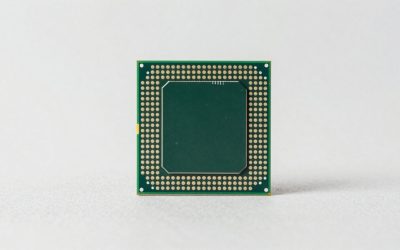
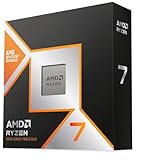
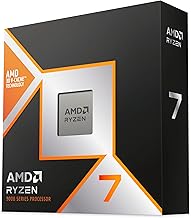
Building or upgrading a gaming PC on the AM5 platform comes with a critical decision: which 3D V-Cache processor do you choose? AMD’s Ryzen 7 7800X3D has been the reigning king of gaming for a while, offering incredible frame rates at reasonable temperatures and power draw. Now the new Ryzen 7 9800X3D arrives with a second-generation 3D V-Cache design that promises higher clock speeds and better productivity performance alongside its gaming dominance.
Our top picks
 AMD RYZEN 7 9800X3D 8-Core
- The world’s fastest gaming processor, built on AMD…
- 8 cores and 16 threads, delivering +~16% IPC…
- 96MB L3 cache with better thermal performance vs
 AMD Ryzen 7 7800X3D 8-Core
- Processor provides dependable and fast execution of tasks…
- Ryzen 7 product line processor for better usability…
- 5 nm process technology for reliable performance with…
 Micro Center 3-in-1 Combo: AMD Ryzen 7
- 3-in-1 CPU Motherboard Memory Combo: AMD Ryzen 7…
- AMD Ryzen 7 9800X3D Desktop Processor, 8-Core, 16-Thread,…
- MSI B850 GAMING PLUS WIFI Motherboard, ATX Form…
| Product | Key specs | |
|---|---|---|
| AMD RYZEN 7 9800X3D 8-Core | The world’s fastest gaming processor, built on AMD… 8 cores and 16 threads, delivering +~16% IPC… 96MB L3 cache with better thermal performance vs | Check price |
| AMD Ryzen 7 7800X3D 8-Core | Processor provides dependable and fast execution of tasks… Ryzen 7 product line processor for better usability… 5 nm process technology for reliable performance with… | Check price |
| Micro Center 3-in-1 Combo: AMD Ryzen 7 | 3-in-1 CPU Motherboard Memory Combo: AMD Ryzen 7… AMD Ryzen 7 9800X3D Desktop Processor, 8-Core, 16-Thread,… MSI B850 GAMING PLUS WIFI Motherboard, ATX Form… | Check price |
 Micro Center 3-in-1 Bundle: AMD Ryzen 7 Micro Center 3-in-1 Bundle: AMD Ryzen 7 | 3-in-1 Bundle: AMD Ryzen 7 9800X3D CPU Processor… AMD Ryzen 7 9800X3D Desktop Processor, 8-Core, 16-Thread,… MSI MAG X870E Tomahawk WiFi Motherboard, ATX Form… | Check price |
 AMD 7800X3D Processor with GIGABYTE B650 AORUS AMD 7800X3D Processor with GIGABYTE B650 AORUS | AMD Ryzen 7 7800X3D Desktop Processor, 8 Cores,… It features AMD 3D V-Cache technology delivers absolute… GIGABYTE B650 AORUS Elite AX ICE Motherboard, ATX… | Check price |
 AMD Ryzen 7 7800X3D Processor 4.2 Ghz AMD Ryzen 7 7800X3D Processor 4.2 Ghz | W128303129 | Check price |
 AMD RYZEN 7 9800X3D 8-Core AMD RYZEN 7 9800X3D 8-Core | The world’s fastest gaming processor, built on AMD… 8 cores and 16 threads, delivering +~16% IPC… 96MB L3 cache with better thermal performance vs | Check price |
 Micro Center AMD 7800X3D Processor with MSI Micro Center AMD 7800X3D Processor with MSI | AMD Ryzen 7 7800X3D Desktop Processor, 8 Cores,… It features AMD 3D V-Cache technology delivers absolute… MSI B850 Gaming PRO WIFI6E Motherboard, ATX Form… | Check price |
As an Amazon Associate we earn from qualifying purchases at no extra cost to you.
This guide breaks down exactly what you need to know when choosing between the Ryzen 7 9800X3D and 7800X3D, covering standalone processors and bundled motherboard-and-RAM combos. Whether you want maximum future-proofing or the best value in high-refresh-rate 1080p and 1440p gaming, we cover the options that matter.
🛒 Best Price Today on Amazon
Prime members get fast, free shipping on everything above, plus member-only deals. New members get a 30-day free trial — cancel anytime.
Watch: Ryzen 7 9800X3D vs 7800X3D: Upgrade in 2026? — Video Review
How to Choose a Ryzen 7 9800X3D vs 7800X3D
- Platform and Budget: Both chips use the AM5 socket, but if you are building fresh, consider a bundle that includes a compatible motherboard and DDR5 memory to simplify installation and cut costs.
- Gaming Performance Gap: The 9800X3D delivers measurably higher average frame rates in CPU-bound titles, but the 7800X3D remains excellent and saves money if pure budget value is your priority.
- Clock Speeds and V-Cache: AMD moved the cache stack below the compute die on the 9800X3D, allowing higher boost clocks and thermals that translate to better single-thread and lightly threaded productivity work.
- Cooling Requirements: Neither chip draws extreme wattage, but the 9800X3D can sustain higher boost frequencies longer under load, making a capable tower air cooler or 240mm AIO worthwhile.
- Bundle vs Processor Only: If you already own an AM5 motherboard and 6000MHz DDR5, a processor-only purchase makes sense. If starting from scratch, a Micro Center combo delivers meaningful savings and verified compatibility.
The Best Ryzen 7 9800X3D vs 7800X3Ds Reviewed
AMD Ryzen 7 9800X3D
The second-generation 3D V-Cache design delivers the highest frame rates in CPU-bound games while improving multi-core throughput, making it the top choice for enthusiasts who want maximum gaming performance without sacrificing workstation capability.
AMD Ryzen 7 7800X3D
Still one of the most efficient gaming processors available, the 7800X3D offers nearly identical frame rates in many GPU-bound scenarios at 1440p and 4K, making it the smart value pick when pricing undercuts the newer chip.
Micro Center 9800X3D with MSI B850 Gaming Plus WiFi Bundle
This bundle pairs the new 9800X3D with a solid B850 motherboard and 32GB of 6000MHz DDR5, giving builders a verified-compatible foundation that reduces guesswork and saves money compared to buying parts individually.
Micro Center 9800X3D with MSI MAG X870E Tomahawk WiFi Bundle
For those who want premium connectivity, this X870E combo offers robust power delivery, PCIe 5.0 support, and tight CL30 memory timings alongside the 9800X3D, ideal for a no-compromise AM5 build.
AMD 7800X3D with GIGABYTE B650 AORUS Elite AX ICE Combo
This B650-based bundle delivers proven AM5 performance with the 7800X3D at a lower price point, making it an excellent option for builders who prioritize gaming value and do not need the newest chipset features.
Frequently Asked Questions
Is the Ryzen 7 9800X3D worth the extra money over the 7800X3D?
If you play at 1080p with a high-refresh-rate monitor or run CPU-heavy simulations and strategy games, the 9800X3D’s higher clocks and improved cache layout justify the premium. At 1440p or 4K with a strong GPU, the gap narrows considerably.
Do I need a new motherboard for the 9800X3D?
No, both processors use the AM5 socket. Any 600-series or 800-series motherboard with an updated BIOS supports the 9800X3D, though newer chipsets like B850 and X870E offer better out-of-the-box connectivity and memory stability.
Which memory speed is best for these X3D processors?
6000MHz at CL30 remains the sweet spot for AM5 and pairs optimally with both the 7800X3D and 9800X3D, as the Infinity Fabric runs synchronously with DDR5 at that frequency for lowest latency.
Should I buy a bundle or just the processor?
If you already have a compatible AM5 board and DDR5 memory, purchase the processor alone. If starting fresh, a Micro Center combo delivers verified compatibility, pre-matched memory, and meaningful savings over piecing parts together.
Final Thoughts
For builders chasing maximum gaming performance and improved productivity, the Ryzen 7 9800X3D is the clear flagship pick, especially in the Micro Center X870E Tomahawk bundle for a premium foundation. If value matters more than peak frame rates, the Ryzen 7 7800X3D paired with a B650 board remains an outstanding choice that keeps costs down without sacrificing much in real-world gameplay.