Choosing between AMD’s Ryzen 7 9800X3D and Intel’s Core i9-14900K is one of the toughest decisions PC gamers face today. Both processors sit at the top of the desktop CPU market, but they get there through entirely different philosophies. The Core i9-14900K throws 24 cores and extreme clock speeds at every task, while the Ryzen 7 9800X3D leverages AMD’s second-generation 3D V-Cache to dominate gaming frame rates with just eight cores. The problem is that raw specifications only tell part of the story, and the wrong pick can leave money on the table or bottleneck a high-end graphics card.
Our top picks
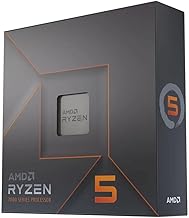
 AMD RYZEN 7 9800X3D 8-Core
- The world’s fastest gaming processor, built on AMD…
- 8 cores and 16 threads, delivering +~16% IPC…
- 96MB L3 cache with better thermal performance vs
 AMD RYZEN 7 9800X3D 8-Core
- The world’s fastest gaming processor, built on AMD…
- 8 cores and 16 threads, delivering +~16% IPC…
- 96MB L3 cache with better thermal performance vs
 AMD Ryzen 7 9800X3D Processor with ASUS
- AMD Ryzen 7 9800X3D Desktop Processor, 8-Core, 16-Thread,…
- For the state-of-the-art Socket AM5 platform, can support…
- ASUS ROG Strix X870E-E R2 Gaming WiFi Motherboard,…
| Product | Key specs | |
|---|---|---|
| AMD RYZEN 7 9800X3D 8-Core | The world’s fastest gaming processor, built on AMD… 8 cores and 16 threads, delivering +~16% IPC… 96MB L3 cache with better thermal performance vs | Check price |
| AMD RYZEN 7 9800X3D 8-Core | The world’s fastest gaming processor, built on AMD… 8 cores and 16 threads, delivering +~16% IPC… 96MB L3 cache with better thermal performance vs | Check price |
| AMD Ryzen 7 9800X3D Processor with ASUS | AMD Ryzen 7 9800X3D Desktop Processor, 8-Core, 16-Thread,… For the state-of-the-art Socket AM5 platform, can support… ASUS ROG Strix X870E-E R2 Gaming WiFi Motherboard,… | Check price |
 Micro Center 3-in-1 Bundle: AMD Ryzen 7 Micro Center 3-in-1 Bundle: AMD Ryzen 7 | 3-in-1 Bundle: AMD Ryzen 7 9800X3D CPU Processor… AMD Ryzen 7 9800X3D Desktop Processor, 8-Core, 16-Thread,… MSI MAG X870E Tomahawk WiFi Motherboard, ATX Form… | Check price |
 AMD Ryzen 9 9950X3D 16-Core Processor AMD Ryzen 9 9950X3D 16-Core Processor | AMD Ryzen 9 9950X3D Gaming and Content Creation… Max Form Factor: Desktops , Boxed Processor | Check price |
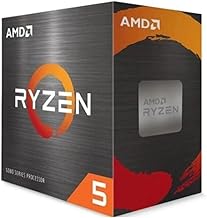
 AMD Ryzen 7 5800X3D 8-core AMD Ryzen 7 5800X3D 8-core | The world's fastest gaming desktop processor and first… 8 Cores and 16 processing threads with AMD… 4.5 GHz Max Boost, 100 MB cache, DDR4-3200… | Check price |
 Micro Center 3-in-1 Combo: AMD Ryzen 7 Micro Center 3-in-1 Combo: AMD Ryzen 7 | 3-in-1 CPU Motherboard Memory Combo: AMD Ryzen 7… AMD Ryzen 7 9800X3D Desktop Processor, 8-Core, 16-Thread,… MSI B850 GAMING PLUS WIFI Motherboard, ATX Form… | Check price |
 AMD Ryzen™ 7 9850X3D Desktop Processor AMD Ryzen™ 7 9850X3D Desktop Processor | AMD Ryzen 7 9850X3D Desktop Processor | Check price |
As an Amazon Associate we earn from qualifying purchases at no extra cost to you.
This guide breaks down exactly how these two flagship processors compare and helps you decide which path makes sense for your next build. We cover the key trade-offs in gaming performance, productivity workloads, platform longevity, power efficiency, and overall value. We also highlight the best Ryzen 7 9800X3D bundles and alternatives available right now, including options that pair the chip with a compatible motherboard and memory so you can skip the guesswork and get straight to building.
🛒 Best Price Today on Amazon
Prime members get fast, free shipping on everything above, plus member-only deals. New members get a 30-day free trial — cancel anytime.
Watch: Ryzen 7 9800X3D vs Core i9-14900K: Gaming CPU Comparison 2026 — Video Review
How to Choose a/an Ryzen 7 9800X3D vs Core i9-14900K
- Primary Use Case: If gaming is your priority at 1080p or 1440p with a high-refresh monitor, the Ryzen 7 9800X3D is the clear winner. If you stream, edit video, or run heavy productivity apps alongside gaming, the Core i9-14900K offers more headroom.
- Platform Longevity: The AM5 platform supports both current and upcoming Ryzen generations, giving you a straightforward upgrade path. Intel’s LGA 1700 socket is at the end of its life, meaning a 14900K build has no meaningful CPU upgrade path without a full motherboard swap.
- Power and Thermals: The 9800X3D is remarkably power-efficient, typically drawing under 80 watts under gaming loads. The 14900K can pull well over 250 watts under load, demanding a robust power supply and a high-end AIO liquid cooler to stay at peak performance.
- Memory and Bundle Value: Bundles that include the 9800X3D with a motherboard and DDR5 memory offer excellent value and guarantee compatibility. Going with a standalone 14900K means sourcing your own DDR5 kit and dealing with potential memory speed instability on Intel’s platform.
- Total System Cost: Beyond the CPU itself, factor in cooling and motherboard costs. The 14900K requires a premium Z790 board and a top-tier cooler, which can add hundreds to your build. The 9800X3D runs comfortably on mid-range B650 or X870E boards with more modest cooling requirements.
The Best Ryzen 7 9800X3D vs Core i9-14900Ks Reviewed
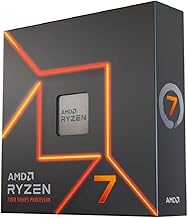
AMD Ryzen 7 9800X3D 8-Core Desktop Processor
This is the standalone flagship chip that turned the gaming CPU market on its head. With its second-generation 3D V-Cache placed beneath the compute dies for better thermal dissipation, it delivers unmatched gaming frame rates while sipping power compared to Intel’s flagship.
AMD Ryzen 7 9800X3D Processor with ASUS ROG Strix X870E-E Motherboard
This Micro Center combo pairs the 9800X3D with a premium X870E board featuring WiFi 7, multiple PCIe 5.0 M.2 slots, and USB4. It is an outstanding foundation for a high-end AM5 build that will remain upgrade-ready for years.
Micro Center 3-in-1 Bundle: Ryzen 7 9800X3D with MSI MAG X870E Tomahawk WiFi and 32GB KLEVV DDR5
This all-in-one bundle takes the guesswork out of building by including the CPU, an excellent X870E motherboard, and a tuned 6000MHz CL30 DDR5 kit. It represents one of the best values for gamers looking to build a top-tier system in one purchase.
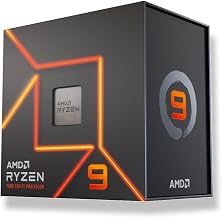
AMD Ryzen 9 9950X3D 16-Core Processor
For users who refuse to compromise between gaming and productivity, the 9950X3D brings 16 cores and 3D V-Cache together. It matches the 9800X3D in gaming while offering the multi-threaded muscle to rival and exceed the 14900K in content creation.
AMD Ryzen 7 5800X3D 8-core Desktop Processor
For builders locked into the AM4 platform, the 5800X3D remains the best gaming CPU you can drop into an older board. It cannot match the 9800X3D’s raw output, but it delivers exceptional gaming value without requiring a full platform rebuild.
Frequently Asked Questions
Is the Ryzen 7 9800X3D better than the Core i9-14900K for gaming?
Yes, the 9800X3D consistently outperforms the 14900K in gaming workloads, particularly at 1080p where CPU bottlenecks are most pronounced. The large L3 cache gives it a measurable advantage in frame rates and especially in 1% low frame times.
Does the Core i9-14900K make sense if I also do productivity work?
It can, but the Ryzen 9 9950X3D now offers a better alternative by matching or beating Intel in multi-threaded workloads while still delivering elite gaming performance. The 14900K is only worth considering if you find it heavily discounted.
Do I need to upgrade my motherboard for the Ryzen 7 9800X3D?
If you are already on AM5, most B650 and X670 boards will support the 9800X3D with a simple BIOS update. If you are coming from an Intel platform or older AMD AM4 build, you will need an AM5 motherboard and DDR5 memory.
What cooler do I need for the Ryzen 7 9800X3D?
A quality 240mm AIO liquid cooler or a top-tier air cooler is sufficient for the 9800X3D. It runs far cooler than the Core i9-14900K, so you do not need an oversized 360mm AIO to keep it at safe operating temperatures during long gaming sessions.
Final Thoughts
For pure gaming supremacy, the Ryzen 7 9800X3D is the undeniable winner over the Core i9-14900K, offering better frame rates, lower power draw, and a forward-looking AM5 platform. The Micro Center 3-in-1 Bundle with the MSI X870E Tomahawk is our top value pick, while gamers who need serious productivity muscle should step up to the Ryzen 9 9950X3D to get the best of both worlds.