
Key takeaways
- Installing or updating several large games at once, which produces sustained writes.
- Using the same drive for video editing, game capture, or a scratch disk.
- Running virtual machines or large file copies alongside gaming.
- Keeping performance steady as the drive fills, since a fuller drive makes the controller work harder.
An SSD DRAM cache is a small chip of fast memory on the drive that holds the map telling the controller where every piece of data sits in the flash, and for most gamers it matters far less than the marketing suggests. A DRAM-equipped drive tends to stay more consistent under heavy, sustained writes, while a DRAM-less drive that uses the host memory buffer feature is usually fine for loading games and everyday use.
Our top picks
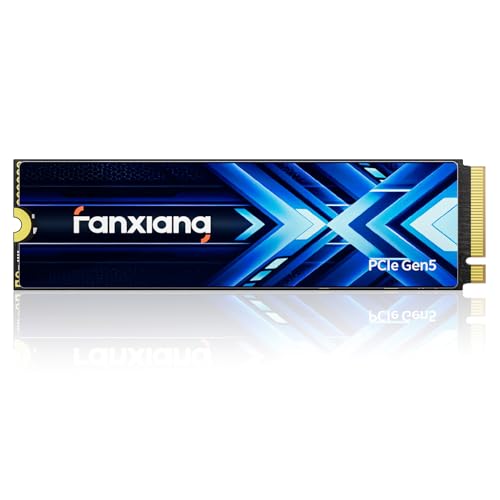 fanxiang 1TB PCIe 5.0 x4 NVMe M.2
- Blazing Fast Data Transfer: Utilizing PCIe 5.0 technology,…
- Exceptional Thermal Management: Featuring a state-of-the-art 6nm controller…
- Optimized for Speed with DRAM & SLC Caching:…

As an Amazon Associate we earn from qualifying purchases at no extra cost to you.
Short Answer: What the DRAM Chip Actually Does
Despite the name, the DRAM on an SSD is not mainly a cache for your game files. Its main job is to store the flash translation layer table, the lookup that maps the logical addresses your operating system uses to the physical flash locations where the data really lives. Flash memory cannot be overwritten in place, so the controller constantly moves data around for wear leveling and garbage collection, and that map changes all the time. Keeping the map in fast DRAM means the controller can find and update entries quickly instead of reading them from slower flash.
A drive without that chip is called DRAM-less. Such a drive keeps the map in flash and caches only part of it, which can add latency when the working set is large or when the drive is busy with random writes.
DRAM Cache vs SLC Cache: Two Different Things
Shoppers often mix up two caches. The DRAM chip holds mapping data. The SLC cache is a region of the NAND itself that is temporarily written in a faster one-bit-per-cell mode, then folded into slower multi-bit storage later. Most consumer TLC and QLC drives have an SLC cache whether or not they have DRAM. When a long write fills it, speeds fall to the native flash speed. That slowdown is a flash and controller design issue, not something a DRAM chip fixes.
| Feature | DRAM on the board | SLC cache in the NAND |
|---|---|---|
| What it stores | Logical-to-physical mapping table | Incoming write data, temporarily |
| Where it lives | Separate memory chip | Part of the flash itself |
| Main benefit | Fast lookups, steadier random performance | Fast burst writes |
| Limit | Adds cost and board space | Slows once it fills during long transfers |
What Is the Host Memory Buffer?
The NVMe specification introduced the host memory buffer, or HMB, in version 1.2. It lets an SSD borrow a slice of the computer’s system RAM, which Wikipedia notes can improve input and output performance for DRAM-less drives. Makers describe the allocation as small, generally tens of megabytes, though exact amounts vary by drive and driver. The drive depends on the operating system and NVMe driver supporting the feature, so a DRAM-less drive in an unusual setup, such as an older system or a particular enclosure, may not get the benefit.
HMB is a clever workaround, but system RAM sits across the PCIe link, so lookups there are slower than a DRAM chip placed beside the controller. Reviewers generally report that HMB drives do well in typical desktop workloads and fall behind mostly in heavy mixed or sustained loads.
Does DRAM Matter for Gaming?
For loading a game, the work is mostly large sequential and moderately random reads. Reads do not force heavy map updates the way writes do, so the DRAM-less penalty tends to be small. Reviewers who compare game load times across drive types commonly report that differences between good SATA and NVMe drives are already modest, and that the DRAM question is even less visible. Where DRAM tends to help is:
- Installing or updating several large games at once, which produces sustained writes.
- Using the same drive for video editing, game capture, or a scratch disk.
- Running virtual machines or large file copies alongside gaming.
- Keeping performance steady as the drive fills, since a fuller drive makes the controller work harder.
DRAM vs DRAM-Less at a Glance
| Drive type | Best for | Typical strengths | Typical limits |
|---|---|---|---|
| NVMe with DRAM | Boot drive, mixed workloads, creators who game | More consistent random and sustained behavior | Costs more, a little more heat and power |
| NVMe DRAM-less with HMB | Game library, budget builds, secondary drive | Good everyday responsiveness, lower cost tier | Can slow under long mixed writes |
| SATA with DRAM | Older systems, simple upgrades | Broad compatibility | Interface limits speed |
| DRAM-less without HMB support | Light use only | Cheapest tier | Weakest under load, especially when nearly full |
Pick This If
| Your situation | Reasonable choice |
|---|---|
| Main system drive that also holds your games | A drive with DRAM, mid-range tier |
| Extra game storage on a modern PC | DRAM-less with HMB is usually adequate |
| You edit video or copy huge files often | DRAM plus a larger capacity for more headroom |
| Handheld or laptop with tight power and space | Follow the device maker’s drive guidance; some need specific form factors |
| Older motherboard or enclosure | Prefer DRAM, since HMB support depends on the platform |
How to Tell Whether a Drive Has DRAM
- Read the maker’s product specification page. Many list a DRAM cache or a DRAM-less design, and some say HMB.
- Look at independent teardown or review coverage that names the controller and any memory chip. Controller names such as those used in DRAM-less designs are often noted by reviewers.
- Be wary of listings that never mention it. Silence in the spec sheet is not proof either way.
- Remember that makers sometimes change components between production batches under the same model name, so the label alone is not a guarantee.
Common Mistakes
- Assuming DRAM-less means slow. Rated sequential speeds depend on the controller and flash, not only on the DRAM chip.
- Paying extra for DRAM on a pure game drive. If the drive mostly serves reads, the benefit may go unnoticed.
- Ignoring capacity. A larger drive usually has more flash dies working in parallel and a larger SLC cache, which can matter as much as DRAM.
- Ignoring heat. A hot drive throttles whatever its memory layout; see the maker’s thermal guidance and your motherboard manual.
- Confusing the two caches. A drive can have DRAM and still slow down after the SLC cache fills.
- Filling the drive to the brim. Leaving some free space gives the controller room for garbage collection on any design.
Alternatives to Consider
- Spend the difference on capacity. A bigger DRAM-less drive may serve a growing library better than a small drive with DRAM.
- Use two drives. A DRAM-equipped drive for the operating system and a DRAM-less drive for game installs is a common split.
- Consider a SATA drive with DRAM for older platforms where NVMe or HMB support is uncertain.
Frequently Asked Questions
Is a DRAM cache necessary for a gaming SSD?
No, it is not necessary for most gaming use. Game loading is mostly reads, which stress the mapping table lightly. DRAM becomes more useful when the same drive handles heavy writes, multitasking, or content creation.
Is HMB as good as real DRAM?
It narrows the gap but does not erase it. HMB uses a small slice of system RAM across the PCIe link, so it is slower than DRAM next to the controller. Reviewers typically find it sufficient for everyday desktop tasks.
Does DRAM make an SSD last longer?
It can help indirectly, because a faster mapping table lets the controller manage writes more efficiently. Endurance is still set mainly by the flash type and the rated terabytes written in the maker’s warranty, so check that figure rather than assuming.
Why do some good drives have no DRAM?
Dropping the chip reduces cost, board size, and power draw, which suits small form factors and budget tiers. Some controllers are designed around HMB and perform well within their intended use.
Can I add DRAM to a DRAM-less SSD?
No. The memory is part of the drive’s design and cannot be upgraded. If you need the behavior, choose a model that includes it.
Will an SSD with DRAM load games noticeably faster?
Usually not by a margin most players would notice. Game load times often depend more on the game engine, CPU, and decompression than on the drive, once you are on a decent NVMe model.
FAQ
What Is the Host Memory Buffer?
Does DRAM Matter for Gaming?
Is a DRAM cache necessary for a gaming SSD?
Is HMB as good as real DRAM?
Does DRAM make an SSD last longer?
Why do some good drives have no DRAM?
Can I add DRAM to a DRAM-less SSD?
Will an SSD with DRAM load games noticeably faster?
More from Amazon
Programs that pair well with the guide above. Offers and eligibility are set by Amazon and may change.
Free shipping on eligible items, Prime Video and more. Eligible new members can start with a free trial.
Start a Prime free trialAd-free music streaming. Eligible new subscribers can start with a free trial.
Try Music Unlimited freeA Prime membership for ages 18-24 with a trial period. Eligibility is set by Amazon.
See Prime for Young AdultsAudiobooks and podcasts to listen to on the go. Eligible new members can start with a free trial.
Try Audible freeAs an Amazon Associate we earn from qualifying purchases.



