Key takeaways
- Compare four 32-inch 4K monitors built for office work, with USB-C hubs, ergonomic stands and sharp IPS panels for documents, spreadsheets and design.
Choosing a 32-inch monitor for work is really a decision about how much of your day you spend reading, comparing and arranging information on one screen. A panel this size holds two full documents side by side without shrinking the text, so the choice turns on resolution, panel quality and how the stand and ports fit the desk you already own. Get those right and the monitor disappears into the work; get them wrong and every spreadsheet scroll becomes a small irritation.


This guide is for office workers, spreadsheet and document heavy professionals, coders and designers who need a large, sharp screen for a full working day. Every monitor below was picked from its Amazon listing, using the size, resolution, panel type and connectivity stated there, so you can check each claim against the same product page before you buy.
Quick Picks
As an Amazon Associate we earn from qualifying purchases
| Product | Best for | Key spec from title |
|---|---|---|
| Dell UltraSharp U3223QE | Single-cable laptop docking at a desk | 32-inch 4K UHD, USB-C hub with 90W power delivery |
| LG UltraFine Ergo 32UN880-B | A flexible arm setup in a shared workspace | 32-inch 4K UHD IPS, HDR10, USB-C, C-clamp Ergo stand |
| Samsung ViewFinity S8 (S80D) | Everyday office work with several devices plugged in | 32-inch 4K UHD, HDR10, HDMI, DisplayPort, USB-A |
| BenQ PD3205U | Colour-critical design and photo work | 32-inch 4K UHD IPS, 99% Rec.709 and sRGB, USB-C 90W |
How to Choose
Resolution and text sharpness
At 32 inches, resolution decides whether text stays crisp or turns fuzzy at normal reading distance. A 4K panel with 3840 x 2160 pixels gives documents, spreadsheets and code room to breathe, with small fonts staying legible and two windows sitting comfortably side by side. Lower resolutions on a screen this large stretch each pixel wider, so fine print and thin spreadsheet gridlines lose definition. If your day is mostly reading and writing, treat 4K as the baseline and check the listing states 3840 x 2160 before anything else. It is the single specification that most affects daily comfort.
Panel type and viewing comfort
Most work monitors in this class use an IPS panel, and for good reason: colours stay consistent when you lean back, shift sideways or share the screen with a colleague standing beside your desk. That matters during long meetings and collaborative reviews, where a panel that washes out at an angle makes the whole display harder to read. Look for the panel type in the listing, and note any stated colour coverage if your work involves images or presentations. A matte or anti-glare finish also helps in bright rooms, so check whether the listing mentions one before you commit to a glossy screen.
Connectivity and the USB-C hub
A work monitor is also a docking station, so count the ports before you buy. A USB-C connection that carries video and charges the laptop over one cable clears the most clutter from a desk, and the listings here state power delivery up to 90W on several models. Check the wattage against your laptop, since a machine that needs more power will drain slowly even while plugged in. HDMI and DisplayPort cover desktop towers and second machines, while a built-in USB hub and an Ethernet port let a keyboard, mouse and wired network live on the monitor instead of the laptop.
Stand adjustment and desk fit
A 32-inch screen is heavy and wide, so the stand decides whether the monitor fits your posture or forces you to adapt to it. Height, tilt, swivel and pivot adjustments let you set the top of the screen near eye level and turn the panel vertical for long documents or code. Measure your desk depth too: a deep stand base can push the screen too close, while a C-clamp arm like the one on the LG model frees the surface underneath entirely. Confirm the listed adjustment range and whether the monitor supports a VESA mount if you plan to use your own arm.
The 4 Best Options
Dell UltraSharp U3223QE
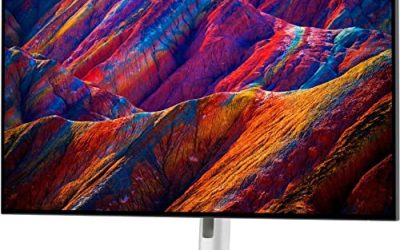
The U3223QE suits a professional who docks one laptop and wants the desk to stay tidy. Its USB-C hub carries video, data and charging through a single cable, while the Ethernet port and DisplayPort output let a second screen join the setup without a separate dock. The 4K panel keeps dense spreadsheets and long documents readable, and the height, tilt, swivel and pivot stand adjusts to a proper eye-level position. It is the pick for an office worker who values a clean, single-cable routine over extra features.
Specs
- 32-inch 4K UHD display, 3840 x 2160 resolution
- USB-C hub with up to 90W power delivery
- RJ45 Ethernet port
- DisplayPort 1.4 and HDMI inputs
- Height, tilt, swivel and pivot adjustable stand
Best for: A single-laptop office desk where one cable should handle video, charging and networking.
Watch out for: The viewable panel measures 31.5 inches even though the listing markets it as a 32-inch class monitor, so check the stated viewable size if that distinction matters to you.
LG UltraFine Ergo 32UN880-B
The 32UN880-B is built around its Ergo stand, a C-clamp arm that extends, retracts, swivels and pivots the screen across the desk. That flexibility suits shared workstations, small desks and anyone who shifts between sitting and standing through the day. The 4K IPS panel covers 95% of the DCI-P3 colour space according to the listing, with HDR10 support for richer images, and USB-C carries video while charging a connected laptop. It is a strong choice when the stand matters as much as the screen itself.
Specs
- 32-inch UltraFine Ergo UHD 4K display, 3840 x 2160 resolution
- IPS panel with HDR10 support
- 95% DCI-P3 (D65) colour coverage
- USB Type-C connectivity
- Ergonomic stand with C-clamp and full movement adjustment
Best for: A shared or compact desk where the monitor arm needs to move, extend and pivot freely.
Watch out for: The C-clamp needs a desk edge it can grip, so confirm your desk has a suitable overhang and thickness before ordering.
Samsung ViewFinity S8 (S80D)

The ViewFinity S8 is the straightforward office workhorse of this group. Its 4K panel gives documents and spreadsheets plenty of room, HDR10 adds depth to presentations and images, and the listing names HDMI, DisplayPort and USB-A ports for connecting a desktop, a laptop and peripherals at once. The height adjustable stand sets the screen to a comfortable viewing position without extra hardware. It fits a general office setup where several devices share one screen and no single feature needs to dominate the buying decision.
Specs
- 32-inch ViewFinity S8 4K UHD high resolution display
- HDR10 support
- HDMI, DisplayPort and USB-A ports
- Height adjustable stand
- 2024 model with 3-year warranty stated in the listing
Best for: A general office desk where a desktop and a laptop both connect to one screen.
Watch out for: The listing gives no USB-C port in its title, so laptop users who want single-cable docking should confirm the full port list on the product page first.
BenQ PD3205U

The PD3205U is aimed at designers, photographers and anyone whose work depends on colour they can trust. Its listing states 99% Rec.709 and 99% sRGB coverage with a Delta E of 3 or less, factory calibration and an included calibration report, so colour-critical work starts from a known baseline. The HotKey Puck switches colour modes without digging through menus, and USB-C with 90W power delivery charges a laptop over the same cable that carries the picture. It is the most specialised monitor here, and the right one when accurate colour is part of the job.
Specs
- 32-inch 4K UHD IPS display, 99% Rec.709 and 99% sRGB
- Delta E of 3 or less, factory calibrated with calibration report
- AQCOLOR technology with ICC Sync
- USB-C with 90W power delivery and USB hub
- DisplayPort input and HotKey Puck controller
Best for: Design and photo work where accurate colour and a calibration report matter.
Watch out for: The viewable panel measures 31.5 inches while the listing presents it as a 32-inch class monitor, and the colour features add cost that general office work may not need.
Which One Fits Your Situation
You dock one laptop and want a tidy desk
Pick the Dell UltraSharp U3223QE. Its USB-C hub carries video and up to 90W of charging through one cable, and the built-in Ethernet port means the laptop needs nothing else plugged in. The adjustable stand sets the screen at eye level, and the DisplayPort output can daisy-chain a second monitor later. It is the cleanest setup in this group for a single-laptop worker.
Your desk is small or shared with others
Pick the LG UltraFine Ergo 32UN880-B. The C-clamp arm lifts the screen off the desk surface and swings it into position, so the space underneath stays free for notebooks and devices. The full range of movement suits people who change posture through the day and colleagues who pull the screen around for a quick review. Just confirm the desk edge accepts the clamp first.
Several devices share one screen
Pick the Samsung ViewFinity S8 (S80D). Its HDMI, DisplayPort and USB-A ports let a desktop tower, a laptop and peripherals stay connected at once, and the height adjustable stand needs no extra hardware to set up. The 4K panel and HDR10 support handle documents, spreadsheets and presentations alike, making it the most general-purpose office choice here.
Colour accuracy is part of your work
Pick the BenQ PD3205U. The listing states 99% Rec.709 and 99% sRGB coverage with a Delta E of 3 or less, plus a factory calibration report, so design and photo work starts from verified colour. The HotKey Puck makes switching colour modes quick, and USB-C with 90W charging keeps a laptop connected through a single cable while you work.
Common Mistakes
- Buying a 32-inch monitor without checking the resolution, since a lower resolution on a panel this large makes text noticeably softer.
- Assuming every USB-C port charges a laptop, when some only carry video and leave the machine draining through the day.
- Forgetting to measure desk depth and stand footprint, then finding the screen sits too close or the base crowds the keyboard.
- Choosing a gaming-framed model for office work and paying for refresh rate and response time that documents and spreadsheets never use.
- Skipping the panel type in the listing, then discovering colours shift badly when viewed from an angle during a shared review.
Frequently Asked Questions
Is 4K worth it on a 32-inch monitor for work?
Yes, for most office work it is. A 3840 x 2160 panel keeps small text sharp and gives two documents room to sit side by side without shrinking. On a screen this large, lower resolutions stretch pixels wider and make fine print and spreadsheet gridlines harder to read over a full working day.
How much power delivery do I need from a USB-C monitor?
It depends on your laptop. Many ultrabooks charge fully from 60W, while larger performance laptops need 90W or more. The Dell and BenQ models in this guide state 90W delivery, which covers most work laptops. Check your laptop charger rating first, since a monitor that delivers less will charge slowly or not at all.
Can a 32-inch monitor fit on a normal desk?
Usually yes, if the desk is at least 60 centimetres deep and the stand or arm fits. A C-clamp arm frees the most surface, while a standard stand needs room for its base. Measure your desk depth and width before ordering, and check the listing for VESA mount support if you plan to use your own monitor arm.
Do I need a colour-accurate monitor for office work?
Not for documents, email and spreadsheets, where any good IPS panel will do. Colour accuracy matters when your work involves photos, design, video or print, because the screen must show colours as they will appear elsewhere. In that case, look for stated coverage figures and a factory calibration report like those on the BenQ model.
FAQ
Is 4K worth it on a 32-inch monitor for work?
How much power delivery do I need from a USB-C monitor?
Can a 32-inch monitor fit on a normal desk?
Do I need a colour-accurate monitor for office work?
More from Amazon
Programs that pair well with the guide above. Offers and eligibility are set by Amazon and may change.
Free shipping on eligible items, Prime Video and more. Eligible new members can start with a free trial.
Start a Prime free trialAd-free music streaming. Eligible new subscribers can start with a free trial.
Try Music Unlimited freeA Prime membership for ages 18-24 with a trial period. Eligibility is set by Amazon.
See Prime for Young AdultsAudiobooks and podcasts to listen to on the go. Eligible new members can start with a free trial.
Try Audible freeAs an Amazon Associate we earn from qualifying purchases.