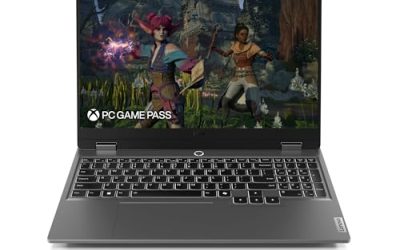
Our Short List of 3

- Best for: Players who want a balanced machine with strong cooling and a smooth screen.
- 15.6-inch full HD display with 144Hz refresh rate
- Intel Core i5-13420H processor
- NVIDIA GeForce RTX 4050 graphics
- 8GB DDR5 memory

- Best for: Long gaming sessions with a browser, chat and music open at the same time.
- 15.6-inch full HD display with 144Hz refresh rate
- AMD Ryzen 7 8845HS processor
- NVIDIA GeForce RTX 4050 graphics
- 16GB memory

- Best for: Lighter games, everyday carry and quieter fan noise in less demanding titles.
- 15.6-inch full HD display with 144Hz refresh rate
- AMD Ryzen 5 7535HS processor
- NVIDIA GeForce RTX 2050 graphics
- 16GB memory
All 4 Picks at a Glance
| Product | Specs | Action |
|---|---|---|
| Acer Nitro V 15 |
| Check price on Amazon |
| Lenovo LOQ 15 |
| Check price on Amazon |
| HP Victus 15 |
| Check price on Amazon |
 ASUS TUF Gaming A15 |
| Check price on Amazon |
Key takeaways
- Find the best cool running gaming laptops under 500 with strong airflow, dual fans and 144Hz screens. Compare four models and pick the right one for your setup.
A gaming laptop that runs hot will slow itself down when a match gets busy, so the real decision in this class is cooling design rather than raw graphics power alone. A machine with wide intake vents, two fans and a rear exhaust can hold steady frame rates through a session, while a machine with a stronger chip and a cramped chassis will throttle and stutter. The four laptops below were picked for the way they move heat, not just for the names on their spec sheets.
This guide is for players who game in a bedroom, a dorm or a shared living room and need a laptop that stays cool, stays quiet enough for others nearby and runs modern titles smoothly. It also suits students and first-time buyers who want one machine for classes, homework and games without carrying a desktop. Every laptop below was chosen from the name and specifications shown on its Amazon page, with cooling, memory and screen details checked against the listing.
Quick Picks
As an Amazon Associate we earn from qualifying purchases
| Product | Best for | Key spec from title |
|---|---|---|
| Acer Nitro V 15 | Balanced cooling and a smooth screen | RTX 4050, 15.6-inch FHD 144Hz |
| Lenovo LOQ 15 | Long sessions with 16GB of memory | Ryzen 7 8845HS, RTX 4050, 144Hz |
| HP Victus 15 | Lighter games and everyday carry | Ryzen 5 7535HS, RTX 2050, 144Hz |
| ASUS TUF Gaming A15 | Big storage and a tough chassis | Ryzen 7 7735HS, RTX 4050, 1TB SSD |
How to Choose
Airflow design matters more than fan count
Two fans only help when air has a clear path in and out of the chassis, so look at where the vents sit and where the hot air leaves. Intakes on the bottom need clearance, which is why a laptop on a flat desk can run warmer than the same machine raised on a stand. Rear or side exhausts keep heat away from your hands, while a bottom exhaust can warm the desk surface. Check whether the listing mentions dual fans, heat pipes or a raised rear edge, and plan to give the machine breathing room on every side during long sessions, since a laptop pressed against a wall cannot shed heat well.
Match the graphics card to the games you play
The graphics card sets the ceiling for frame rates, and in this class the RTX 4050 handles modern titles at 1080p far better than the older RTX 2050. If you play competitive shooters, a 4050 paired with a 144Hz screen keeps motion smooth and responsive. If your library leans toward older titles, indie games and lighter online matches, a 2050 still runs them well and leaves room for a cooler chassis. Decide which games you actually play most weeks, then pick the card that serves them without paying for power you will never use, and remember that a cooler-running card also keeps the fans quieter in a shared room.
Memory and storage set the ceiling
Memory decides how many apps can stay open beside a game, and 16GB is the comfortable amount for gaming with a browser, chat and music running at the same time. A machine with 8GB can still game, but you will feel the limit when you multitask, so treat 8GB as a starting point with an upgrade in mind. Storage matters just as much: a 512GB drive holds a handful of large titles, while a 1TB drive lets you keep a full library installed. Check the drive type too, since a solid-state drive loads games far faster than an older spinning drive, and confirm how much free space a few large titles will leave you.
Screen, keyboard and build for long sessions
A 144Hz screen makes movement look smoother in fast games and reduces the blur you notice when turning quickly, so it is worth having even in this class. Look for a full HD panel with decent brightness, since a dim screen washes out in a bright room. The keyboard should feel solid under long typing sessions, with keys that do not flex and a layout that keeps the arrow keys easy to find. Build quality counts as well: a sturdy hinge and a chassis that does not creak will survive daily carrying between rooms, classes and a friend’s house, and a screen that stays put at any angle makes long sessions more comfortable.
The 4 Best Options
Acer Nitro V 15
- Best for: Players who want a balanced machine with strong cooling and a smooth screen.
- 15.6-inch full HD display with 144Hz refresh rate
- Intel Core i5-13420H processor
- NVIDIA GeForce RTX 4050 graphics
- 8GB DDR5 memory
Players who want a balanced machine with strong cooling and a smooth screen.
8GB of memory feels tight if you keep many apps open beside a game.
The Nitro V 15 pairs a 13th-generation Intel Core i5 processor with an RTX 4050 graphics card, a combination that handles modern titles at 1080p while keeping heat under control through a dual-fan layout. Its 15.6-inch full HD screen refreshes at 144Hz, so fast movement stays smooth in shooters and racing games. The 512GB solid-state drive loads games quickly, and the chassis gives the fans room to breathe, which helps the machine hold its speed through longer matches instead of slowing down when a match gets busy. It is a sensible first pick for a player who wants smooth 1080p gaming without fuss.
Lenovo LOQ 15
- Best for: Long gaming sessions with a browser, chat and music open at the same time.
- 15.6-inch full HD display with 144Hz refresh rate
- AMD Ryzen 7 8845HS processor
- NVIDIA GeForce RTX 4050 graphics
- 16GB memory
Long gaming sessions with a browser, chat and music open at the same time.
The 512GB drive fills up fast if you install many large games at once.
The LOQ 15 is built around a Ryzen 7 8845HS processor and an RTX 4050, with 16GB of memory that keeps multitasking smooth while a game runs. Its 15.6-inch full HD screen refreshes at 144Hz, and the dual-fan cooling system is tuned to push hot air out the rear, so the palm rest stays comfortable during long sessions. The 512GB solid-state drive is roomy enough for several large titles, and the chassis feels sturdy for a machine that moves between a desk and a bag every day. Its cooling setup keeps the palm rest comfortable, which matters when a session runs for hours.
HP Victus 15
- Best for: Lighter games, everyday carry and quieter fan noise in less demanding titles.
- 15.6-inch full HD display with 144Hz refresh rate
- AMD Ryzen 5 7535HS processor
- NVIDIA GeForce RTX 2050 graphics
- 16GB memory
Lighter games, everyday carry and quieter fan noise in less demanding titles.
The RTX 2050 will struggle with demanding new titles at high settings.
The Victus 15 takes a lighter approach, pairing a Ryzen 5 7535HS processor with an RTX 2050 graphics card that suits older titles, indie games and lighter online matches. Its 15.6-inch full HD screen refreshes at 144Hz, which keeps motion smooth even though the graphics card is a step below the 4050 models. With 16GB of memory and a 512GB solid-state drive, it handles everyday work and evening games without fuss, and the cooler-running card means the fans stay quieter in lighter sessions. It suits a bedroom or a dorm where a loud machine would bother everyone nearby.
ASUS TUF Gaming A15
- Best for: Players who want a big installed library and a tough laptop for daily carrying.
- 15.6-inch full HD display with 144Hz refresh rate
- AMD Ryzen 7 7735HS processor
- NVIDIA GeForce RTX 4050 graphics with 6GB video memory
- 16GB DDR5 memory
Players who want a big installed library and a tough laptop for daily carrying.
Check the listing carefully, since some sellers bundle this model with extra accessories.
The TUF Gaming A15 combines a Ryzen 7 7735HS processor with an RTX 4050 and a roomy 1TB solid-state drive, so a large game library stays installed and ready. Its 15.6-inch full HD screen refreshes at 144Hz with wide color coverage, and the chassis is built to a military-grade durability standard, which suits a laptop that gets carried, bumped and used daily. Dual fans and a vent layout that pushes heat out the back help it stay steady through long matches, and 16GB of DDR5 memory keeps multitasking smooth. The wide color coverage also makes games and films look richer than on a plain panel.
Which One Fits Your Situation
For competitive shooters on a tight desk
Pick the Nitro V 15 or the LOQ 15, since both pair an RTX 4050 with a 144Hz screen and a dual-fan layout that holds frame rates steady. Raise the rear of the laptop slightly so the bottom intakes can pull in cool air, and keep the exhaust vents clear of walls and books. Either machine keeps motion smooth, and a slight rear lift gives the bottom intakes more air.
For open-world games after class or work
Pick the LOQ 15 or the TUF Gaming A15, since 16GB of memory keeps the game, a browser and chat running together without stutter. The TUF wins if you keep many large titles installed, thanks to its 1TB drive. Give either machine space behind it so hot air leaves freely during long evening sessions, and close heavy background apps if frame rates start to dip late in the night.
For a first gaming laptop that must stay quiet
Pick the HP Victus 15, since the RTX 2050 runs cooler in lighter titles and the fans spin up less often. It still handles older games and indie titles well, and the 144Hz screen keeps motion smooth. Keep expectations realistic for demanding new releases, and close heavy background apps before you play so the fans stay slow and the machine stays quiet.
For a laptop that doubles as a school machine
Pick the LOQ 15 or the TUF Gaming A15, since both have the memory and storage to handle classes, homework and games on one machine. The LOQ feels balanced for everyday carry, while the TUF suits buyers who want the toughest chassis. Either one works as a single laptop for study and play, so you carry one machine to class in the morning and game on it in the evening.
Common Mistakes
- Buying the strongest graphics card in the class and ignoring the cooling design that lets it run at full speed, since a hot card throttles and ends up slower than a cooler one.
- Placing the laptop flat on a bed or a soft surface, which blocks the bottom intakes and traps heat until the fans spin up and the frame rate drops.
- Choosing 8GB of memory and then running a game, a browser with many tabs and chat all at once, which leaves the machine swapping and stuttering.
- Judging a laptop only by its graphics card while ignoring the screen refresh rate and storage size, both of which shape how the machine feels every day.
- Skipping the vent layout check and then wondering why frame rates drop halfway through a match, when blocked exhausts were the cause all along.
Frequently Asked Questions
Do cool running gaming laptops in this class need a cooling pad?
No, none of these four needs one, because each has dual fans and vents that handle heat on their own. Raising the rear on a stand still helps, since it gives the bottom intakes more air. Think of a stand as a comfort upgrade, not as a repair for a machine that already overheats.
Is 8GB of memory enough for gaming in this class?
Yes, for one game at a time with little else open, and the Nitro V 15 runs well in that setup. It feels tight once you add a browser with many tabs, chat apps and music beside the game. If you multitask heavily, choose a 16GB model instead, or plan a memory upgrade if the laptop allows one.
Does a 144Hz screen matter if the graphics card is modest?
Yes, because a 144Hz screen makes motion look smoother even in lighter titles that a modest card can push past 60 frames per second. Fast camera movement, scrolling and everyday use all feel more responsive. The benefit shows most in competitive shooters and racing games, where smooth motion helps you track targets.
Can these laptops handle schoolwork as well as games?
Yes, all four handle schoolwork easily, since the processors and memory that run games also run documents, spreadsheets, video calls and research tabs. The LOQ 15 and TUF Gaming A15 suit mixed use best, thanks to 16GB of memory and roomy storage. Keep the charger nearby for long study sessions, since gaming hardware draws more power than a basic ultrabook.
FAQ
Do cool running gaming laptops in this class need a cooling pad?
Is 8GB of memory enough for gaming in this class?
Does a 144Hz screen matter if the graphics card is modest?
Can these laptops handle schoolwork as well as games?
More from Amazon
Programs that pair well with the guide above. Offers and eligibility are set by Amazon and may change.
Free shipping on eligible items, Prime Video and more. Eligible new members can start with a free trial.
Start a Prime free trialAd-free music streaming. Eligible new subscribers can start with a free trial.
Try Music Unlimited freeA Prime membership for ages 18-24 with a trial period. Eligibility is set by Amazon.
See Prime for Young AdultsAudiobooks and podcasts to listen to on the go. Eligible new members can start with a free trial.
Try Audible freeAs an Amazon Associate we earn from qualifying purchases.