Our Short List of 3
All 3 Picks at a Glance
| Product | Specs | Action |
|---|---|---|
 2. Poly Voyager 4310 UC | Check price on Amazon | |
 3. Poly Voyager 5200 UC | Check price on Amazon | |
 4. Poly Blackwire 3210 | Check price on Amazon |
Key takeaways
- The best Plantronics headsets, now sold under the Poly name, for calls, meetings and all-day computer work.
Introduction
Plantronics built its name on headsets for people who talk for a living, and that history still shapes every model in this guide. If you search for Plantronics headsets today, you will mostly find them sold under the name Poly. Plantronics merged with Polycom and the combined company took the name Poly, and Poly later became part of HP, so current listings read Poly, HP Poly, or Plantronics by Poly depending on the store. The headsets themselves carry the same Voyager and Blackwire family names that office workers have used for years.
That matters because a Plantronics headset is a different kind of product from a gaming headset or a pair of music headphones. The microphone comes first. Every pick below has a boom microphone or a multi-microphone array tuned for speech, certification for meeting platforms such as Microsoft Teams and Zoom, and a design meant to be worn through a full working day. Sound quality for music is fine on these models, but it is not the reason to buy one. Call clarity is.
What to Look for in Poly Headsets
Start with the wearing style
Poly sells the same headset technology in several wearing styles, and the style decides whether you will still be comfortable at the end of the day. A stereo headset covers both ears and gives the most isolation from room noise, which suits people who work in busy households or shared offices. A mono headset covers one ear and leaves the other free, which suits people who need to hear a doorbell, a colleague, or a child while they are on a call. An earpiece sits in one ear with nothing over your head at all, which suits people who move around constantly or dislike headbands. There is no best style in general, only the one that matches your working day.
Check the connection before anything else
A headset that cannot connect to your computer is useless, so read the connection details carefully. Wireless Poly headsets connect to a computer through a small USB Bluetooth adapter that ships in the box, and they pair with a mobile phone over Bluetooth at the same time. Wired models plug in over USB. The detail that catches people out is the USB connector: older laptops use USB-A, newer laptops use USB-C, and Poly sells the same model in USB-A and USB-C versions under different listings. The 2023 versions of the headsets below include a USB-C adapter with a USB-C to USB-A adapter in the box, which covers both kinds of laptop.
Understand UC and Teams versions
Poly sells most wireless headsets in two versions, UC and Microsoft Teams. The hardware is the same. The Teams version is certified for Microsoft Teams and usually has a dedicated Teams button, while the UC version is tuned for general use across Teams, Zoom, and other platforms. If your workplace runs on Teams all day, the Teams version is the tidier choice. If you switch between platforms, the UC version is the more flexible one.
Put the microphone first
A headset microphone has a harder job than a desk microphone because it sits close to your mouth and picks up everything around you. Poly answers this with noise-canceling microphones and a technology called Acoustic Fence, which uses more than one microphone to separate your voice from background sound. A flexible boom that you can position near your mouth helps more than any software setting, so prefer models with a boom you can adjust.
Weigh talk time against weight
Wireless headsets trade battery life for weight. A stereo wireless headset with a large battery can run for a full working day on one charge, while a small earpiece runs for a few hours and relies on its charging case to top up between calls. Think about your longest stretch of back-to-back calls and choose a headset whose talk time covers it with room to spare. Wired headsets have no battery at all, which is a genuine advantage if you never want to think about charging.
Do not pay for features you will not use
Poly headsets come with extras such as a desktop charging stand, a carry case, and management software called Poly Lens. A charging stand is worth having if the headset lives on your desk, because it keeps the headset charged and easy to find. A carry case matters if the headset travels with you. Match the extras to your routine and ignore the rest.
1. Poly Voyager 4320 UC
Check the Poly Voyager 4320 UC on Amazon
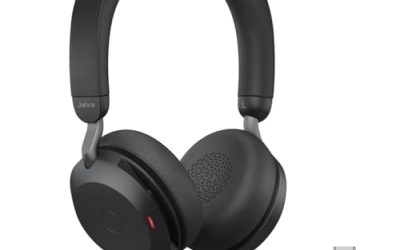
The Poly Voyager 4320 UC is the most complete wireless headset in this guide, and the natural first pick for someone who wants one headset to handle a whole working day. It is a stereo over-ear headset with a flexible boom microphone, and it ships with a desktop charging stand, so it is always charged and always in the same place when you sit down to work.
It connects to a computer through the included BT700 USB-C Bluetooth adapter, with a USB-C to USB-A adapter in the box for older laptops, and it pairs with a mobile phone over Bluetooth 5.2 at the same time. That dual connection is the feature that defines the Voyager line: a call on your phone can come through the same headset as a meeting on your computer, without swapping devices or re-pairing anything. Wireless range reaches up to 50 meters with the adapter, so you can step away from your desk during a call and stay connected.
Talk time runs up to 24 hours on a charge, which covers even a heavy day of meetings, and the headset can also run as a corded headset over USB if the battery ever runs low. The microphone is a dual-microphone design with Acoustic Fence technology, mounted on a flexible boom you can position close to your mouth. The ear cushions use memory foam, which seals out a useful amount of room sound, and the adjustable padded headband spreads the weight across long sessions. It is certified for Microsoft Teams in the Teams version and works with Zoom and other meeting platforms.
Choose the Voyager 4320 UC if you want a full-size wireless headset with a charging stand, long talk time, and a proper boom microphone. It is the pick for a home office desk where the headset lives between calls. Watch out for the variants: Poly sells this model with USB-A or USB-C adapters, with or without the charging stand, and in UC and Teams versions. The listing linked here is the UC version with the USB-C adapter and the charging stand, so confirm those details match your computer before ordering.
2. Poly Voyager 4310 UC
Check the Poly Voyager 4310 UC on Amazon
The Poly Voyager 4310 UC is the single-ear version of the headset above, and it is the pick for people who want the same wireless range and talk time while keeping one ear free. It shares the same Bluetooth 5.2 connection, the same BT700 adapter, and the same 24 hours of talk time as the 4320, but it covers one ear instead of two, which makes it lighter and keeps you aware of the room around you.
The single-ear design suits a particular kind of working day. If you need to hear a colleague, a delivery, or the sounds of your household while you are on a call, the open ear is a real advantage rather than a compromise. The headset still has a noise-canceling dual microphone with Acoustic Fence technology on a flexible boom, so callers hear your voice rather than the room, even though you can hear the room yourself. Dual LED indicators on the headset show others at a glance when you are on a call, which prevents a lot of interruptions in a shared space.
It connects to a computer through the included BT700 USB-C adapter, with a USB-C to USB-A adapter in the box, and pairs with a mobile phone over Bluetooth at the same time. Like its stereo sibling, it can run as a corded headset over USB when the battery runs low, so a dead battery never ends a call early. The adjustable padded headband and memory foam ear cushion keep it comfortable across long sessions, and at 122 grams it is noticeably lighter than a stereo headset. Choose it if you spend your day on calls but need to stay present in the room, and confirm the listing is the USB-C UC version.
3. Poly Voyager 5200 UC
Check the Poly Voyager 5200 UC on Amazon
The Poly Voyager 5200 UC is the most portable headset in this guide, and the pick for people who take calls on the move. It is a single-ear Bluetooth earpiece rather than a headband headset: it sits in one ear, weighs about 20 grams, and travels in a small charging case that fits in a pocket. There is no headband, no earcup, and nothing to take off between calls.
The earpiece connects to a computer through the included BT700 USB-A Bluetooth adapter and pairs with a mobile phone over Bluetooth at the same time. Its microphone system uses four microphones with WindSmart technology, which is designed to cut wind and background noise when you are walking outside or working near an open window. Smart sensors answer a call when you put the earpiece on, and voice alerts announce caller information, mute status, and remaining talk time, so you can manage calls without looking at a screen.
Talk time runs up to 7 hours from the earpiece itself, with up to 14 more hours from the charging case, giving up to 21 hours in total before you need a wall charger. The case also protects the earpiece in a bag, which is the detail that makes this model practical as a travel headset. It is certified for Microsoft Teams and works with Zoom and other meeting platforms. Bluetooth range reaches up to 30 meters with the adapter, shorter than the larger Voyager headsets, so this is a headset for staying near your desk or your phone rather than wandering far from them. Choose it for travel and mobile-first calls, and confirm the listing names the BT700 adapter rather than the older BT600.
4. Poly Blackwire 3210
Check the Poly Blackwire 3210 on Amazon
The Poly Blackwire 3210 is the wired pick in this guide, and the one to choose if you want the simplest possible setup. There is no battery to charge, no adapter to pair, and no wireless connection to drop: plug it into a USB port and your computer sees a standard audio device. For people whose calls are all at one desk, that simplicity is worth more than any wireless feature.
It is a single-ear wired headset with a noise-canceling boom microphone and dynamic EQ, which adjusts the sound to keep voices clear. The single-ear design leaves one ear free for the room, like the Voyager 4310, but without the weight or the charging routine of a wireless headset. The 2023 version linked here connects over USB-C, with a USB-C to USB-A adapter in the box, so it works with both newer and older laptops. It works with Microsoft Teams, Zoom, and other meeting platforms, and the inline controls sit on the cord where you can reach them without looking.
The trade-off is obvious and worth stating plainly: a wired headset ties you to your desk. You cannot walk to the kitchen mid-call, and the cord needs a little management so it does not catch on things. In exchange you get a headset that never runs out of battery, never needs a firmware update to keep working, and costs less than the wireless models in this guide. The lightweight build and metal headband are made for all-day wear at a desk, and the single-ear style keeps you reachable by the people around you.
Choose the Blackwire 3210 if you take calls at one desk, you dislike charging things, and you want the most affordable way into the Poly line. It is the pick for a fixed home office, a shared workstation, or a second headset that lives permanently at a desk. Watch out for the versions: Poly sells this model in an older USB-A-only version and in the 2023 USB-C version linked here, so confirm the listing names USB-C and the USB-C to USB-A adapter.
Comparison Summary
The four headsets in this guide cover the main ways people use a Poly headset, and the choice comes down to wearing style and connection rather than sound quality alone. The Voyager 4320 UC is the full-size wireless stereo pick, with a charging stand and the longest useful range. The Voyager 4310 UC is its single-ear twin, with the same talk time and range and one ear left free for the room. The Voyager 5200 UC is the pocketable earpiece for travel and mobile-first work, with the shortest range and the smallest battery in the earpiece itself. The Blackwire 3210 is the wired pick, with no battery and no pairing, for a fixed desk.
| Headset | Style | Connection | Talk Time | Best For |
|---|---|---|---|---|
| Poly Voyager 4320 UC | Stereo, over-ear | Bluetooth 5.2, BT700 USB-C adapter | Up to 24 hours | Full working days at a home office desk |
| Poly Voyager 4310 UC | Mono, single ear | Bluetooth 5.2, BT700 USB-C adapter | Up to 24 hours | Staying aware of the room during calls |
| Poly Voyager 5200 UC | Mono earpiece | Bluetooth, BT700 USB-A adapter | Up to 7 hours, plus 14 hours from the case | Travel and mobile-first calls |
| Poly Blackwire 3210 | Mono, single ear | Wired USB-C, USB-A adapter included | No battery | A fixed desk with no charging routine |
If you only buy one, match the wearing style to your day first and the connection second. A stereo headset is the wrong choice for someone who needs to hear the room, and a wireless headset is the wrong choice for someone who never leaves their desk. All four models here are Poly headsets through and through, with the same focus on microphone clarity and meeting-platform compatibility that made the Plantronics name.
Frequently Asked Questions
Are Plantronics and Poly the same company?
Yes. Plantronics merged with Polycom and the combined company took the name Poly, and Poly later became part of HP. Headsets that used to be sold as Plantronics are now sold as Poly or HP Poly, and the Voyager and Blackwire family names carried over unchanged. A headset labelled Plantronics by Poly is the same product line as one labelled Poly, so shop by the model name and number rather than by which brand name appears on the listing.
Should I buy the UC version or the Teams version?
Buy the Teams version if your workplace runs on Microsoft Teams all day, because it is certified for Teams and usually has a dedicated Teams button for joining calls. Buy the UC version if you switch between Teams, Zoom, and other calling apps, because it is tuned for general use across platforms. The hardware is the same in both versions, and either version works for ordinary calls on the other platforms, so the choice is about convenience rather than compatibility.
Can I use a Poly headset with both my computer and my phone?
Yes, for the wireless models in this guide. The Voyager headsets connect to a computer through the included USB Bluetooth adapter and pair with a mobile phone over Bluetooth at the same time, so calls from either device come through the same headset. The wired Blackwire 3210 connects to one device at a time over USB, so it suits a single desk computer rather than switching between devices.
Do I need the charging stand version of a Voyager headset?
Not necessarily. The charging stand keeps the headset charged and in one place on your desk, which is convenient if the headset never leaves the room. If the headset travels with you, or if you are happy plugging in a USB cable at the end of the day, the version without the stand is the same headset for less. The stand is a desk accessory, not a different headset, so choose by where the headset lives.
Conclusion
The best Plantronics headset is the Poly model that matches how you actually take calls. The Voyager 4320 UC covers full working days at a desk with a stereo design and a charging stand. The Voyager 4310 UC gives the same wireless freedom with one ear free for the room. The Voyager 5200 UC fits in a pocket and suits travel and mobile-first work. The Blackwire 3210 keeps things simple with a wired connection and no battery to manage. All four carry the same Plantronics heritage of microphones built for speech and certification for the meeting platforms people use every day, so any of them is a sound choice once the wearing style and the connection match your working day.
Disclosure: As an Amazon Associate, we earn from qualifying purchases.
FAQ
Are Plantronics and Poly the same company?
Should I buy the UC version or the Teams version?
Can I use a Poly headset with both my computer and my phone?
Do I need the charging stand version of a Voyager headset?
More from Amazon
Programs that pair well with the guide above. Offers and eligibility are set by Amazon and may change.
Free shipping on eligible items, Prime Video and more. Eligible new members can start with a free trial.
Start a Prime free trialAd-free music streaming. Eligible new subscribers can start with a free trial.
Try Music Unlimited freeA Prime membership for ages 18-24 with a trial period. Eligibility is set by Amazon.
See Prime for Young AdultsAudiobooks and podcasts to listen to on the go. Eligible new members can start with a free trial.
Try Audible freeAs an Amazon Associate we earn from qualifying purchases.