Our Top Picks
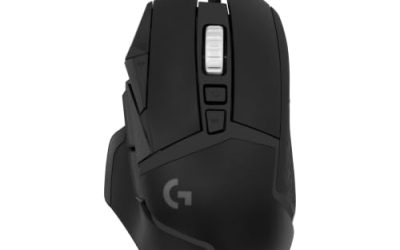
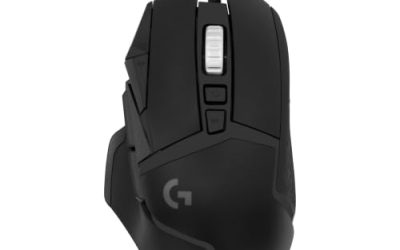
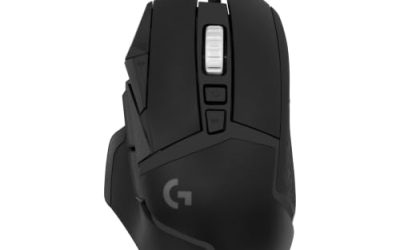
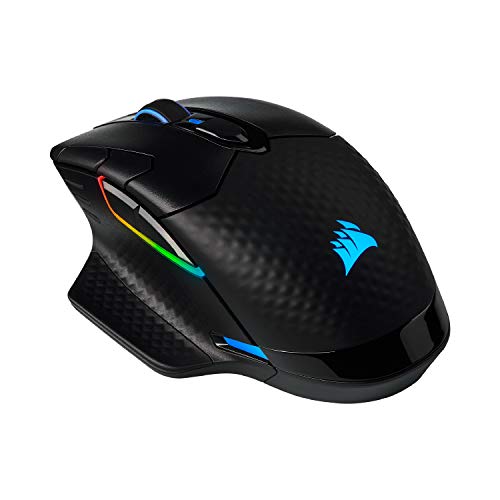 Corsair Dark CORE RGB PRO SE Wireless FPS/MOBADark Core RGB Pro SE5 x 3.5 x 1.69 inches0.3 poundsCheck on Amazon
 Razer DeathAdder Essential Ergonomic Wired Gaming Mouse5.01 x 2.86 x 1.69 inches0.3 poundsCheck on Amazon
Buying a mouse for a console is a different decision from buying one for a PC, because the console itself sets the terms. The Series X only accepts mouse input inside games that were built to allow it, and a mouse that works beautifully on a desktop can be ignored completely by the console. So the real question is not sensor speed or lighting. It is whether the manufacturer states Xbox support for that exact model, in writing, on the product listing you are about to order from.
This guide is for Series X owners who play mouse-enabled shooters, strategy ports, and MMO titles on the console, and for players who share one mouse between a console setup and a PC. Every model below earned its place because its Amazon listing names Xbox in the title or the compatibility notes. The specifications quoted in each entry come from those listings, not from review roundups or the manufacturer’s marketing pages.
Quick Picks
As an Amazon Associate we earn from qualifying purchases.
| Product | Best for | Key spec from title |
|---|---|---|
| Corsair Harpoon RGB Wireless | Couch wireless play in mouse-enabled titles | Slipstream wireless, 10,000 DPI optical sensor |
| Corsair Dark Core RGB Pro SE | Players who want pad charging and more buttons | 18,000 DPI PixArt PAW3392 sensor |
| Razer DeathAdder Essential | A simple wired mouse for occasional console use | True 6,400 DPI optical sensor |
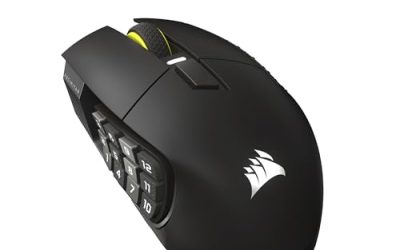
| Corsair Scimitar RGB Elite | MMO ports where a thumb grid earns its keep | 17 programmable buttons |
How to Choose
Start With the Compatibility Line, Not the Sensor
Plenty of gaming mice plug into a USB port and light up on a Series X without ever moving a cursor in a game. The console recognises the device, but the game decides whether mouse input does anything. That is why the compatibility wording on the listing matters more than any performance figure. Look for the console named outright, as Corsair does in the titles of the Harpoon RGB Wireless and Dark Core RGB Pro SE, or stated plainly in the listing notes, the way the DeathAdder Essential listing describes basic input on Xbox hardware. A mouse whose listing only promises PC and Mac support is a gamble, however good its sensor is.
Decide How You Feel About a Cable Across the Room
Console setups put distance between you and the screen, and that changes the wired-versus-wireless calculation. A wired mouse such as the DeathAdder Essential, with its 1.8 metre cable, suits a desk-style console station and never needs charging before a session. A wireless model like the Harpoon RGB Wireless, rated by its listing for up to 60 hours per charge, suits a couch, where a cable would cross the room and catch on everything. Think about where the console actually sits. The right answer for a monitor on a desk is often the wrong answer for a television across the lounge.
Count Buttons Against the Games You Really Play
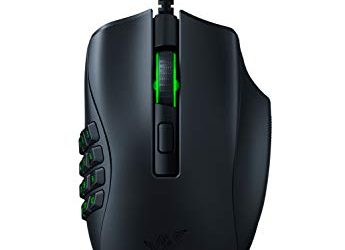
Extra buttons only help when the game exposes actions to bind. A mouse-enabled shooter may use two side buttons well and ignore the rest, while an MMO port can fill a twelve-button thumb grid without effort. The Scimitar RGB Elite carries 17 programmable buttons because its audience maps whole rotations to the thumb. The Harpoon, with six, covers the needs of most shooters and action titles. Match the mouse to the library you own today rather than the library you imagine building, and remember that on console you usually cannot remap anything the game itself does not provide.
Fit the Shape to Long Sessions, Not Short Tests
Console sessions tend to run long and relaxed, often from a sofa with the mouse on a cushion-side pad or a lap desk. Weight and shape decide whether your wrist complains in hour two. The DeathAdder Essential is a full-size ergonomic shell at 96 grams without its cable, while the Harpoon is a compact 99-gram body that smaller hands can wrap around. Neither is automatically better. What matters is that your grip stays loose at the distance and posture you actually play in, which is rarely the posture you use at a PC desk.
The 4 Best Options
Corsair Harpoon RGB Wireless

For a Series X player who wants one mouse that lives by the television and occasionally travels to a PC, the Harpoon RGB Wireless is the easiest fit in this group. Its listing title names Xbox alongside PC, Mac, and the PlayStation consoles, and its three connection modes cover both worlds: sub-1ms Slipstream wireless for play, Bluetooth for a laptop, and a USB cable when the battery runs low. At 99 grams it is light enough for a lap desk, and the 60-hour battery rating means charging is a weekly chore rather than a nightly one.
Specs
- Sensor: 10,000 DPI optical
- Buttons: 6 programmable
- Connectivity: Slipstream wireless, Bluetooth, USB wired
- Battery life: up to 60 hours
- Switches: Omron, rated for 50 million clicks
- Weight: 99 g
- Model: CH-9311011-NA
- Compatibility as listed: PC, Mac, PS5, PS4, Xbox
Best for: Wireless couch play in mouse-enabled Xbox titles, with a PC on the side.
Watch out for: The listing text describes Xbox One compatibility for mouse-enabled games, so confirm your specific Series X title accepts mouse input before ordering.
ASIN: B07KQWR72Z
Corsair Dark Core RGB Pro SE
The Dark Core RGB Pro SE is the pick for the player whose console desk is also a charging station. Its listing title names Xbox support, and the hardware leans into convenience: Qi wireless charging means the mouse tops up by sitting on a compatible pad between sessions, and Slipstream wireless keeps the connection responsive while you play. The PAW3392 sensor reaches 18,000 DPI, far beyond what console shooters ask for, and eight programmable buttons give ability-heavy games more room than the Harpoon offers. It is the heavier, more feature-dense option here, built for a fixed setup rather than a travel bag.
Specs
- Sensor: PixArt PAW3392, up to 18,000 DPI
- Buttons: 8 programmable
- Connectivity: Slipstream wireless, Bluetooth, USB wired
- Charging: Qi wireless charging
- Polling: up to 2,000 Hz hyper-polling as described on the listing
- Model: CH-9315511-NA
- Compatibility as listed: PC, Mac, PS5, PS4, Xbox
Best for: A permanent console-and-PC desk where pad charging removes cable fuss.
Watch out for: Qi charging needs a compatible charging pad, which is a separate purchase; without one you are back to the cable.
ASIN: B082LVNJ4W
Razer DeathAdder Essential
Not every console mouse needs a radio and a battery. The DeathAdder Essential is a wired, full-size ergonomic mouse whose listing states compatibility with Xbox One for basic input, an honest level of support for a simple mouse. The true 6,400 DPI optical sensor and 1000 Hz polling are modest on paper next to flagship figures, yet they cover console play comfortably, since games cap how much performance you can use. Five programmable buttons handle the usual shooter binds, and the mechanical switches are rated for 10 million clicks. For a spare setup, a child’s console station, or a first step away from a controller, this is the low-fuss route.
Specs
- Sensor: true 6,400 DPI optical
- Tracking: 220 IPS, 30 G acceleration
- Buttons: 5 Hyperesponse programmable buttons
- Switches: Razer mechanical, rated for 10 million clicks
- Polling: 1000 Hz Ultrapolling
- Dimensions: 127.0 x 73.0 x 43.0 mm
- Weight: 96 g, excluding cable
- Cable: 1.8 m
- Compatibility as listed: compatible with Xbox One for basic input
Best for: Desk-based console stations that need a dependable wired mouse.
Watch out for: The listing promises basic input rather than full feature support, so expect in-game aiming and clicking, not software profiles or lighting control on the console.
ASIN: B094PS5RZQ
Corsair Scimitar RGB Elite

An MMO port is the one console scenario where a thumb grid stops being decoration. The Scimitar RGB Elite was designed for MOBA and MMO play, with a twelve-button side panel that slides forward or backward on Corsair’s Key Slider mechanism so the grid sits where your thumb actually rests. Its listing title names Xbox among the supported platforms, and the 18,000 DPI optical sensor with 17 programmable buttons gives console MMO and strategy players the same binding depth the mouse offers on PC. Onboard profile storage means the bindings you set up travel with the mouse rather than living only in software on one machine.
Specs
- Sensor: 18,000 DPI optical
- Buttons: 17 programmable
- Side panel: 12-button Key Slider, adjustable position
- Switches: Omron, rated for 50 million clicks
- Storage: onboard profile storage
- Model: CH-9304211-AS
- Compatibility as listed: PC, Mac, PS5, PS4, Xbox
Best for: Console players of MMO and MOBA ports who bind abilities to the thumb.
Watch out for: A grid this size needs a game that lets you bind many actions; in a plain shooter most of the panel will sit unused.
ASIN: B082LRMY53
Which One Fits Your Situation
You Play Mouse-Enabled Shooters From the Sofa
Distance kills cables, so start with the Harpoon RGB Wireless. Its Slipstream connection and 60-hour battery suit a television setup where the console sits metres away, and at 99 grams it stays comfortable on a lap desk through a long evening. The Dark Core RGB Pro SE is the step up if the same spot doubles as your PC desk and you want pad charging between sessions.
You Split One Setup Between Console and PC
The Dark Core RGB Pro SE was built for a shared desk: wireless for play, Qi charging while idle, and enough buttons for both a console shooter and PC work. The Scimitar RGB Elite is the alternative when your PC time is an MMO and the console time is its port, because the same thumb grid serves both, and onboard storage keeps your bindings consistent across machines.
You Only Occasionally Want a Mouse on the Console
If a controller covers most of your gaming and the mouse comes out for one strategy title or a menu-heavy RPG, the DeathAdder Essential is the sensible spend of effort: plug it in, play, put it away. There is no battery to find flat and no pairing to redo, and its listing is honest about offering basic input, which is all occasional use requires.
Your Console Library Is Built Around an MMO
Choose the Scimitar RGB Elite and spend the saved effort on your binding layout instead. Twelve thumb buttons under an adjustable slider give a console MMO player the rotation access that two-button mice cannot, and the listing’s stated Xbox support means the hardware side is settled. Just confirm your game’s console version enables mouse input and exposes enough bindable actions to fill the panel.
Common Mistakes
- Assuming any USB mouse works in every Xbox game, when only mouse-enabled titles accept mouse input at all.
- Buying on sensor figures alone while ignoring whether the listing names Xbox support for that model.
- Choosing a wired mouse for a television setup, then fighting a short cable across the room.
- Paying for a large button grid that your actual games cannot bind actions to.
- Expecting PC configuration software features, saved profiles, and lighting control to carry over to the console unchanged.
Frequently Asked Questions
Will these mice work in every Series X game?
No. The console accepts mouse input only inside games whose developers enabled it, and that list is a subset of the catalogue. The mice in this guide are the ones whose listings state Xbox support, but the final check is always the specific game. Look for mouse or keyboard support in the game’s own description before you buy hardware for it.
Do I need a PC to set one of these mice up for console play?
For basic play, no: plug in the receiver or cable and the console handles the rest inside supported games. A PC helps when you want to adjust DPI stages, reassign buttons, or load profiles using the maker’s software first, as with the Scimitar’s onboard storage. Think of the PC as an optional setup bench, not a requirement for console use.
Does a wireless mouse add noticeable delay on a console?
The wireless models here use gaming-grade 2.4 GHz connections, Slipstream in the Corsair entries, which the listings describe as sub-1ms. At television distances and console frame rates, that link is not the weak point in the chain. A flat battery or a receiver buried behind the console will cause more trouble than the wireless standard itself.
Can I navigate the Xbox dashboard with the mouse?
Plan on keeping a controller nearby for menus and system screens. The listings for these mice promise input for games, with the DeathAdder Essential stating basic input explicitly, and dashboard behaviour is a console software matter rather than a mouse feature. Treat the mouse as a game controller alternative, not a full replacement for the pad.
FAQ
Will these mice work in every Series X game?
Do I need a PC to set one of these mice up for console play?
Does a wireless mouse add noticeable delay on a console?
Can I navigate the Xbox dashboard with the mouse?
More from Amazon
Programs that pair well with the guide above. Offers and eligibility are set by Amazon and may change.
Free shipping on eligible items, Prime Video and more. Eligible new members can start with a free trial.
Start a Prime free trialAd-free music streaming. Eligible new subscribers can start with a free trial.
Try Music Unlimited freeA Prime membership for ages 18-24 with a trial period. Eligibility is set by Amazon.
See Prime for Young AdultsAudiobooks and podcasts to listen to on the go. Eligible new members can start with a free trial.
Try Audible freeAs an Amazon Associate we earn from qualifying purchases.