Our Top Picks
Pros & cons
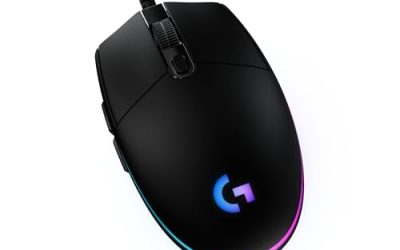
- 11 programmable buttons add extensive control customization
- Adjustable weights let you fine-tune balance and feel
- LIGHTSYNC RGB syncs lighting with other Logitech gear
- Wired connection limits cable-free desk setups
- Heavier than typical lightweight esports mice at 0.27 pounds
 Logitech G Pro X Superlight 2 Lightspeed WirelessClassic1.57 x 2.5 x 4.92 inches0.1 poundsCheck on Amazon
Pros & cons
- 95-hour battery life reduces how often you need to charge
- 60-gram weight suits fast, low-effort mouse movement
- HERO 2 sensor tracks up to 44,000 DPI with no smoothing
- POWERPLAY wireless charging pad is sold separately
- Premium features add a more complex setup than basic mice
 Razer DeathAdder V3 Pro Wireless Gaming Mouse1000 Hz5.01 x 2.65 x 1.69 inches0.1 poundsCheck on Amazon
Pros & cons
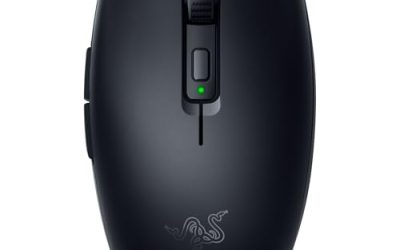
- Up to 250 hours of play on a single AA battery
- Lightweight 3.4-ounce body aids fast, precise movement
- Built-in receiver storage keeps the dongle from getting lost
- Relies on a AA battery rather than a built-in rechargeable cell
- Endurance mode trade-off needed to stretch battery life further


The Logitech G502 HERO is the strongest all-round pick for most players, with 11 programmable buttons and a sensor that reaches 25,600 DPI. Competitive shooter players should look at the 60 gram Logitech G Pro X Superlight 2 or the 63 gram Razer DeathAdder V3 Pro instead, since both trade buttons for speed and a lighter shell.
A gaming mouse is not about the highest DPI number on the box. The decision that matters is how the mouse fits your hand and your games: a heavy mouse with many buttons suits strategy and MMO sessions, while a light mouse with a clean shape suits fast shooters where every flick counts. Grip style, weight, and button layout shape your aim more than a sensor ceiling you will never reach, so the right pick begins with how you hold the mouse and what you play most.
This guide covers five mice for different players: competitive shooter fans, MMO and strategy players, laptop gamers who need wireless freedom, and first-time buyers who want one mouse that covers everything. Every pick below is a gaming mouse with a real Amazon listing, and each specification comes from that listing title or specification table, so you can match the numbers to the exact model before you buy. Weights, button counts, and battery figures are quoted exactly as the listings state them.
Quick Picks
As an Amazon Associate we earn from qualifying purchases
| Product | Best for | Key spec from title |
|---|---|---|
| Logitech G502 HERO | All-round play with many buttons | HERO 25K sensor, 25,600 DPI |
| Logitech G Pro X Superlight 2 | Competitive shooters | 60g, HERO 2 sensor up to 44,000 DPI |
| Razer DeathAdder V3 Pro | Ergonomic wireless esports play | 63g, Focus Pro 30K optical sensor |
| Logitech G305 LIGHTSPEED | Wireless play on a modest setup | 250h battery life, 12,000 DPI |
| Razer DeathAdder Essential | First gaming mouse | 6400 DPI optical sensor |
How to Choose
Match the shape to your grip
Grip decides comfort more than any specification, and it is the first thing to settle. Palm grip players rest the whole hand on the mouse and need a taller, longer shell that fills the palm, such as the DeathAdder shape. Claw grip players arch their fingers and want a medium shell with a defined hump, while fingertip players touch only the tips and do best with a short, light, symmetrical mouse. Hand size matters just as much: a large hand on a small mouse cramps the fingers, and a small hand on a long mouse cannot reach the side buttons. If you already own a mouse you like, measure its length and compare it with the listings here.
Weight is a trade-off, not a score
Lighter mice are easier to flick and stop, which is why competitive shooter mice now sit near 60 grams, but light is not better for everyone. A heavier mouse can feel steadier for slow, precise aiming and for long strategy sessions where the mouse barely moves. Adjustable weights, like the tuning system on the G502 HERO, let you add or remove mass until the mouse feels right, which is useful if you have never tried a light mouse before. Pay attention to what the listed weight includes: wireless mice are often weighed with the battery fitted, while wired mice are weighed without a cable, so two similar numbers can feel different on the desk.
Buttons should match your games
Extra buttons help only when you actually press them. Shooter players usually need two side buttons for melee and voice chat, plus a DPI switch for scoped shots, and anything more gets in the way. MMO and strategy players benefit from a larger cluster, since abilities, items, and camera controls can all live under the thumb. Check how the listing counts buttons: some counts include the scroll wheel click and the DPI button, so a mouse listed with 11 buttons may only offer six that you can rebind freely. Programmable buttons also need software to set up, so confirm the mouse works with your system before counting on custom macros.
Wired or wireless: what actually changes
The old gap between wired and wireless mice has closed for most players, since modern wireless links report at 1000 Hz or higher and the cursor feels identical in normal play. What still changes is upkeep: a wireless mouse needs charging or fresh batteries, and a wired mouse needs cable management so the cord never drags mid-flick. Battery life varies widely, from a single AA cell lasting months in the G305 to a rechargeable cell that needs a weekly charge in a high-polling esports mouse. If your desk has a free USB port close by and you hate charging, wired is simpler; if you move between machines, wireless is worth it.
The 5 Best Options
Logitech G502 HERO

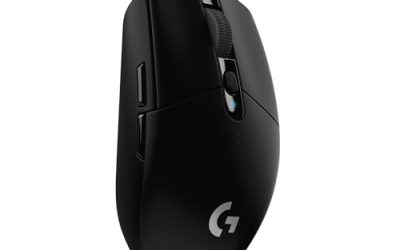
The G502 HERO is the most versatile mouse in this guide, and the one to buy when you play several genres and want a single mouse that covers them all. Its 11 programmable buttons handle abilities, push-to-talk, and DPI switching without reaching for the keyboard, and the adjustable weight system lets you tune the heft to your taste. The HERO 25K sensor reaches 25,600 DPI, far beyond what most players use, and the on-board memory keeps your settings when you plug the mouse into another machine. RGB lighting rounds out a wired mouse that has stayed popular for years.
Specs
- HERO 25K sensor, 25,600 DPI
- 11 programmable buttons
- Adjustable weights
- RGB lighting
- On-board memory
- Wired, PC / Mac
Best for: Players who want one wired mouse for shooters, strategy, and everyday use.
Watch out for: The shell is right-handed only, so left-handed players should look elsewhere; confirm it is still sold before buying.
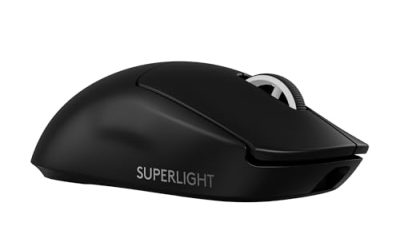
Logitech G Pro X Superlight 2
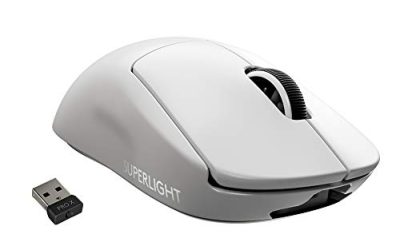
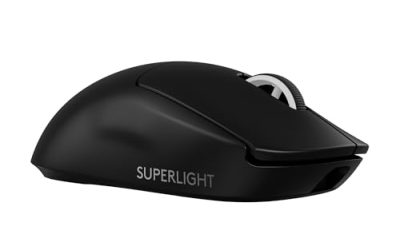
The Superlight 2 is built for players who want the mouse to disappear during a match. At 60 grams with a HERO 2 sensor that lists up to 44,000 DPI, it pairs an ultralight body with tracking headroom far beyond normal play, and the 8kHz report rate keeps cursor movement tight at high refresh rates. Five programmable buttons keep the layout simple, LIGHTSPEED wireless removes the cable without a noticeable change in feel, and USB-C charging matches most modern desks. The symmetrical shape suits claw and fingertip grips, making it a natural pick for ranked shooter players.
Specs
- 60g pro-grade wireless design
- HERO 2 sensor, up to 44,000 DPI
- 5 programmable buttons
- 8kHz report rate
- LIGHTSPEED wireless with USB-C charging
Best for: Competitive shooter players who want the lightest wireless mouse in this guide.
Watch out for: The low weight and plain shape may feel too bare for players used to heavier mice; confirm it is still sold before buying.
Razer DeathAdder V3 Pro
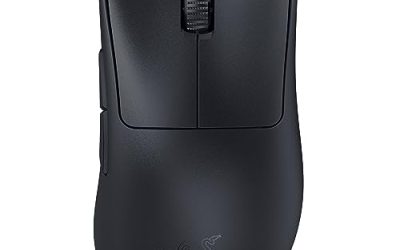
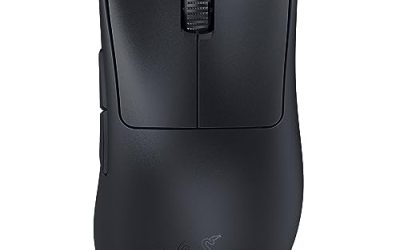
The DeathAdder V3 Pro keeps the ergonomic right-handed shape that made the DeathAdder line a fixture on desks, now in a 63 gram wireless body. Its Focus Pro 30K optical sensor covers fast flicks and slow tracking alike, while Gen-3 optical switches remove the physical contact that wears out in older click designs. HyperSpeed wireless links the mouse to the receiver with low latency, five programmable buttons cover the essentials, and the 90 hour battery means a full week of long sessions between charges. It is the pick for palm and claw players who want esports speed without giving up a full-size shell.
Specs
- 63g ultra lightweight design
- Focus Pro 30K optical sensor
- Optical switches Gen-3
- HyperSpeed wireless
- 5 programmable buttons
- 90 hr battery
Best for: Palm and claw grip players who want a light wireless mouse with an ergonomic shape.
Watch out for: The shape is right-handed only, and the 8000 Hz polling bundle is a separate listing; confirm it is still sold before buying.
Logitech G305 LIGHTSPEED
The G305 is the simplest way to go wireless without changing how you play. Its HERO 12K sensor reaches 12,000 DPI, LIGHTSPEED wireless reports at 1 millisecond so the cursor feels wired, and a single AA battery lasts up to 250 hours, which means months of normal play before a swap. At 99 grams with the battery fitted it is light enough for shooters yet solid enough for daily use, and the compact symmetrical shape suits small and medium hands. Six programmable buttons and on-board memory cover the basics, and the receiver stores inside the mouse for travel.
Specs
- HERO 12K sensor, 12,000 DPI
- LIGHTSPEED wireless, 1 ms report rate
- 250h battery life, 1 AA battery included
- 6 programmable buttons
- 99 grams
- On-board memory, PC/Mac
Best for: Laptop gamers and first-time wireless buyers who want long battery life with no charging.
Watch out for: It runs on a replaceable AA battery rather than a rechargeable cell, so keep a spare handy; confirm it is still sold before buying.
Razer DeathAdder Essential

The DeathAdder Essential is the safest first step for a first gaming mouse, and it earns that place with a shape that has stayed popular for years. Its right-handed ergonomic shell fills a medium or large palm, rubber side grips keep it steady during long sessions, and the five-button layout stays out of the way. The 6400 DPI optical sensor covers every genre comfortably, from shooters to strategy, and the dedicated DPI buttons let you switch sensitivity on the fly. If you have never owned a gaming mouse and want one purchase that simply works, this is the default pick.
Specs
- 6400 DPI optical sensor
- 5 programmable buttons
- Mechanical switches
- Rubber side grips
- Ergonomic right-handed form factor
- Classic Black
Best for: First-time buyers and palm-grip players who want the classic Razer shape without extra buttons.
Watch out for: Several listings share this model name, so check the listing matches the Classic Black wired version; confirm it is still sold before buying.
Which One Fits Your Situation
You play competitive shooters most nights
Pick the Logitech G Pro X Superlight 2. Its 60 gram body and 8kHz report rate are built for fast flicks and quick stops, and the simple five-button layout keeps nothing under your fingers that you did not ask for. If the symmetrical shape feels too plain, the Razer DeathAdder V3 Pro gives similar speed with a fuller ergonomic shell.
You want one mouse for every genre
Pick the Logitech G502 HERO. Eleven programmable buttons cover abilities in strategy games and voice chat in shooters, the weight tuning lets you set the heft once and forget it, and on-board memory carries your setup to any machine. It is heavier than the esports picks here, but that weight feels steady across long mixed sessions.
You game from a laptop or a shared desk
Pick the Logitech G305 LIGHTSPEED. The wireless receiver stores inside the mouse, a single AA battery lasts up to 250 hours, and the compact shape fits a laptop bag without a cable to coil. It is the easiest pick in this guide to carry between a desk, a couch, and a second machine.
You are buying your first gaming mouse
Pick the Razer DeathAdder Essential. The ergonomic shell is comfortable from the first session, five buttons are enough to learn without confusion, and the wired connection means no charging and no receiver to lose. It is a low-commitment way to learn what grip and weight you prefer before spending more later.
Common Mistakes
- Chasing the highest DPI figure instead of checking grip, shape, and weight, which decide comfort and aim far more than a sensor ceiling.
- Buying a mouse with many side buttons for a shooter, then never pressing them because the layout crowds the thumb.
- Ignoring hand size: a long shell strains small hands, and a short shell leaves large palms unsupported during long sessions.
- Forgetting that wireless mice need charging or batteries, and that a dead mouse mid-match is worse than a cable.
- Ordering the wrong variant of a familiar model name, since many mice share a name across wired, wireless, and bundled listings.
Frequently Asked Questions
How much DPI do I actually need?
Most players settle between 400 and 1600 DPI for shooters and up to 3200 DPI for desktop work, so a sensor that reaches 12,000 DPI already covers far more than you will use. A high ceiling matters only for very high-resolution monitors or unusual sensitivity setups. Treat DPI as headroom, not as a score, and choose the mouse by shape and weight instead.
Is wireless fast enough for competitive play?
Yes, for most players. Modern wireless gaming mice report at 1000 Hz or higher, and the cursor response feels the same as a wired mouse in normal play. The practical differences are battery upkeep and the receiver: keep the receiver close to the mouse, charge or swap batteries before long sessions, and you will not notice the lack of a cable.
How many buttons should a gaming mouse have?
Shooter players usually need five or six buttons: two main clicks, a scroll click, two side buttons, and a DPI switch. MMO and strategy players can use more, since abilities and camera controls can live under the thumb. More buttons only help when you can reach each one without shifting your grip, so count the buttons you will press, not the total on the box.
Can one gaming mouse work for work and play?
Yes, and the all-round picks in this guide do it well. A mouse with programmable buttons can carry shortcuts for spreadsheets and editing by day and game controls by night, with on-board memory keeping both setups on the mouse itself. The main compromise is shape: a very light esports mouse can feel twitchy for slow, precise office work.
FAQ
How much DPI do I actually need?
Is wireless fast enough for competitive play?
How many buttons should a gaming mouse have?
Can one gaming mouse work for work and play?
More from Amazon
Programs that pair well with the guide above. Offers and eligibility are set by Amazon and may change.
Free shipping on eligible items, Prime Video and more. Eligible new members can start with a free trial.
Start a Prime free trialAd-free music streaming. Eligible new subscribers can start with a free trial.
Try Music Unlimited freeA Prime membership for ages 18-24 with a trial period. Eligibility is set by Amazon.
See Prime for Young AdultsAudiobooks and podcasts to listen to on the go. Eligible new members can start with a free trial.
Try Audible freeAs an Amazon Associate we earn from qualifying purchases.