Key takeaways
- An LED keyboard is the easiest upgrade for a dim desk. Backlighting lets you find keys in a dark room, and it gives a plain setup some personality.
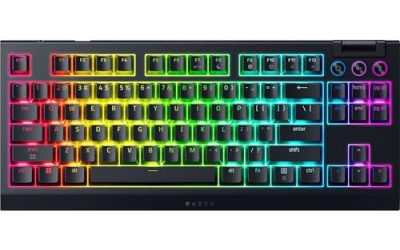
An LED keyboard is the easiest upgrade for a dim desk. Backlighting lets you find keys in a dark room, and it gives a plain setup some personality, but the term covers everything from a basic single-color membrane board to a mechanical keyboard with zoned RGB effects. The first decision is not which lights you want; it is whether you want mechanical switches, a quiet membrane typing feel or a wireless board that clears the cable from the desk.
This guide is for gamers, students and home-office users who want a backlit keyboard at an accessible tier, plus a couple of wireless combos for people who care about clutter. It compares eight models by switch type, lighting control, connectivity and extras such as a wrist rest or phone holder. Heading into 2026, even budget boards often advertise anti-ghosting and multimedia keys, so the differences lie in build quality, noise and lighting software.
Quick Picks
Our top picks
 Redragon K521 Upgrade Rainbow LED Gaming Keyboard
- 【Dreamy Rainbow Gaming Keyboard】K521 Gaming Keyboard Adopts a…
- 【One Touch Opens & Visual Feast】The K521 Red…
- 【Mechanical Feeling & Fast Tapping】The PC Keyboard Keys…
 TECKNET Wired Gaming Keyboard
- 【Ergonomic Design, Enhanced Typing Experience】Improve your typing experience…
- 【15-Zone Rainbow Backlit Keyboard】Customize your PC gaming keyboard…
- 【Whisper Quiet Design】Experience near-silent operation with our whisper-quiet…




 SteelSeries Apex 3 Gaming Keyboard
- Ip32 water resistant
- 10-zone RGB illumination
- Whisper quiet gaming switches
As an Amazon Associate we earn from qualifying purchases at no extra cost to you.
| Product | Best for | Key spec from the title |
|---|---|---|
| Redragon K521 | Budget rainbow lighting | 104 keys, wired, anti-ghosting, multimedia keys |
| TECKNET wired keyboard | Quiet, metal-topped typing | 15-zone RGB, whisper quiet, IP32 water resistance |
| Soueto wireless keyboard | Wireless with phone stand | 2.4G rechargeable, 7-color RGB, phone holder |
| K1 keyboard and mouse combo | Bundle on a budget | 104 keys, RGB LED backlit, white |
| YSCP typewriter keyboard | Retro mechanical feel | Blue switch, round keycaps, 104 keys, RGB |
| GEODMAER 104-key | Spill-conscious basic gaming | Spill-resistant membrane, anti-ghosting, multimedia keys |
| Wireless keyboard and mouse combo | Quiet cable-free desk | 2.4GHz, rechargeable, light-up letters, sleep mode |
| SteelSeries Apex 3 | Quiet gaming with a wrist rest | 10-zone RGB, IP32, magnetic wrist rest |
How to Choose
Switch type decides the typing feel
True mechanical switches use individual springs and give crisp feedback, with blue switches adding an audible click that some find fun and others find loud in a shared room. Membrane keyboards, including those sold as mechanical feeling, use a rubber layer that is quieter and softer but less precise. If you share a space or work in the evening, a quiet membrane or a whisper-quiet switch is a thoughtful pick. For fast typing and gaming, look for anti-ghosting so multiple simultaneous key presses register.
Lighting zones, effects and control
Single-color or rainbow backlighting is simple and often adjusts with a function key. Zoned RGB, such as 10 or 15 zones, lets you set different colors across the keyboard, while per-key lighting is rarer at this tier. Check whether effects are controlled by hotkeys or by software, since software can add lock-in. Light-up letters improve visibility but do not make a keyboard better to type on. Brightness and effect speed controls are worth having if you game in a dark room.
Wired or wireless, and the extras
Wired keyboards are plug-in simple and never need charging, which suits a gaming desk. Wireless models with a 2.4GHz dongle and a rechargeable battery clean up the desk and suit couches and living-room PCs. Backlighting drains batteries faster, so check how often you will need to charge. Extras like a phone holder, a wrist rest or a spill-resistant design add practical value more than another lighting mode does.
Where budget boards cut corners
Low-cost keyboards often use thin plastic, flimsy stabilizers on larger keys and keycaps whose legends wear off. Water-resistance ratings like IP32 mean light spill protection rather than a dunk. Ignore inflated claims about durability, and check that the layout is full-size with a number pad if you need one. A 104-key layout is standard; tenkeyless boards save space but drop the numeric keypad.
The 8 Best Options
Redragon K521
A budget-friendly wired board with colorful backlighting. The title lists rainbow LED lighting, 104 keys, a mechanical-feeling typing action, multimedia keys, one-touch backlight control and anti-ghosting. It suits students and first-time gaming keyboard buyers, and the multimedia keys help with music and volume without opening an app. The board is a straightforward way to try backlit gaming gear before committing to a more expensive mechanical model.
- One-touch backlight control makes lighting adjustments simple.
- Full 104-key layout includes a number pad.
- Trade-off: mechanical feeling means a membrane design rather than true mechanical switches.
Skip it if you want real mechanical switches or a compact layout.
TECKNET wired gaming keyboard
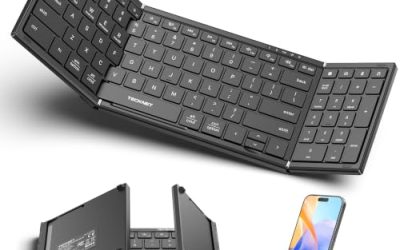
A wired keyboard with a metal panel look and quiet operation. The title lists 15-zone RGB illumination, a whisper-quiet design and IP32 water resistance. It suits gamers and office users who share rooms, and the zone lighting gives more color control than a basic backlight does. The metal-panel design also gives the top surface a firmer, more premium look than plain plastic boards, which helps it blend into a clean, minimalist desk.
- 15 lighting zones offer more color variety than a single backlight.
- Whisper-quiet design suits shared and late-night spaces.
- Trade-off: IP32 only covers light drips, not heavy spills.
Skip it if you want loud, clicky mechanical feedback.
Soueto wireless keyboard
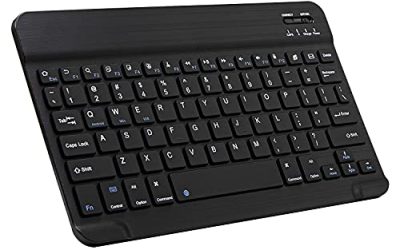
A wireless option for people who move between a PC, a Mac and a phone. The title cites 2.4G rechargeable connection, 7-color RGB backlight and a built-in phone holder, in black. It is aimed at couch setups, small desks and anyone who likes to prop a phone beside the keyboard while chatting, watching or following a guide on screen. The 2.4G connection is generally steadier than Bluetooth for typing.
- Phone holder adds desk convenience.
- Rechargeable 2.4G wireless cuts down on cables.
- Trade-off: backlighting can shorten battery life between charges.
Skip it if you want zoned RGB or true mechanical switches.
K1 keyboard and mouse combo
A bundle for buyers who need a keyboard and mouse in one purchase. The title lists an RGB LED backlit keyboard with 104 keys and a white finish, intended for PC and laptop use. It suits dorm rooms, secondary computers and gifts where a matching set matters more than premium feel. Since the bundle includes a mouse, it also solves the problem of buying separate parts that clash in color or style.
- A matching keyboard and mouse cut the need to shop for both.
- White finish suits light desk setups.
- Trade-off: the title offers no switch or build details to compare.
Skip it if you want a premium keyboard on its own.
YSCP typewriter-style keyboard
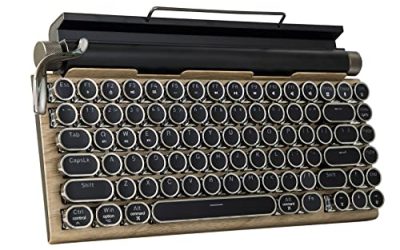
A retro mechanical board with round keycaps and blue switches. The title lists RGB backlighting, a wired connection, 104 keys and a white color option. It suits typists who enjoy audible feedback and a vintage look on the desk. Writers, coders and keyboard hobbyists who like a typewriter feel will enjoy the look, and the backlight keeps it usable in a dim room.
- Blue switches give tactile, clicky feedback.
- Round retro keycaps stand apart from standard gaming boards.
- Trade-off: blue switches are loud, which affects shared rooms.
Skip it if you share a space or prefer a quiet keyboard.
GEODMAER 104-key keyboard
A basic full-size gaming keyboard with practical safeguards. The title cites LED backlighting, a wired connection, multimedia keys, anti-ghosting and a spill-resistant membrane design. It is a sensible secondary keyboard or a first board for a younger gamer, where a juice or soda spill is a realistic risk. The spill-resistant design will not guarantee survival, but it improves the odds.
- Spill-resistant design adds a measure of protection.
- Multimedia keys and anti-ghosting cover everyday gaming needs.
- Trade-off: it uses a membrane design, so the feel is softer than mechanical.
Skip it if you want mechanical switches or wireless freedom.
Wireless keyboard and mouse combo
A rechargeable wireless set with light-up letters. The title lists RGB backlighting, a full-size layout, soft typing, sleep mode and a quiet 2.4GHz connection. It is meant for home offices and living-room setups where noise and cables are the main complaints. Sleep mode helps the battery last, and the light-up letters make it easy to type in a darkened room without looking at the keys.
- Quiet typing suits shared spaces and late work.
- Sleep mode saves battery when the set sits idle.
- Trade-off: the title gives no gaming-specific details such as anti-ghosting.
Skip it if you play fast competitive games.
SteelSeries Apex 3
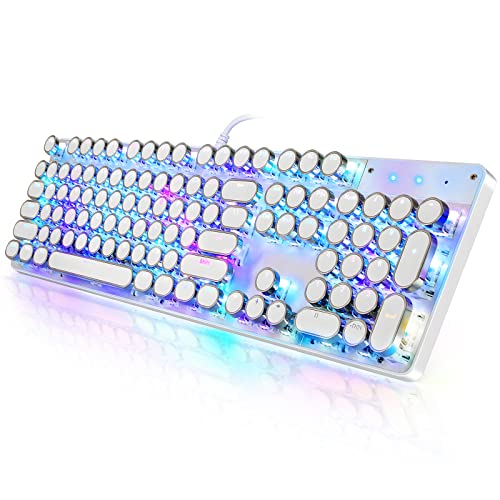
A wired gaming keyboard from a well-known brand. The title cites 10-zone RGB, IP32 water resistance, a magnetic wrist rest and whisper-quiet gaming switches. It suits players who want a comfortable, quiet board with a recognized name and who spend hours at the keyboard, since the wrist rest takes pressure off the forearms and the quiet switches keep the room calm.
- Magnetic wrist rest improves comfort during long sessions.
- 10-zone RGB and whisper-quiet switches suit shared rooms.
- Trade-off: it is a wired, full-size board that takes desk space.
Skip it if you want a compact or wireless keyboard.
Which One Fits Your Situation
You game late at night
The SteelSeries Apex 3 and TECKNET keep noise down with quiet switches and zoned lighting. Neither will wake a sleeping household, and both let you dim or recolor the lighting so the glow does not disturb anyone else in the room.
You love the retro look
The YSCP typewriter-style board delivers clicky blue switches and round keycaps. It is a conversation piece on the desk and a satisfying tool for long typing sessions, provided nobody nearby minds the sound.
You want a cable-free desk
The Soueto keyboard and the wireless combo both cut cables and recharge over USB. They suit a couch, a streaming PC or a small desk where a cable would otherwise snag, and the combo also brings a matching mouse.
You are buying for a student on a budget
The Redragon K521 or the K1 combo give lighting and a full layout without heavy spending. The GEODMAER is another sensible option when spill protection matters because the keyboard will live near drinks.
Common Mistakes
- Assuming mechanical feeling means real mechanical switches.
- Choosing blue switches for a shared room.
- Ignoring battery life on a wireless backlit keyboard.
- Paying for lighting features instead of build quality.
- Buying a full-size layout for a tiny desk, where the number pad pushes the mouse too far to the right.
Related guides
- Gaming Headsets For Competitive Fps Directional Audio
- Threadripper Vs Xeon Vs Core I9 For Workstations
- Compact Mini Itx Gaming Pcs For Small Desks
Frequently Asked Questions
Are LED keyboards worse for typing?
No. Backlighting only affects visibility, while typing feel depends on the switch or membrane design. If anything, a well-lit board makes it easier to touch type in the evening because you can see the legends clearly.
What is anti-ghosting?
It lets a keyboard register multiple simultaneous key presses, which helps in games where you hold movement keys while tapping abilities. Many budget boards advertise it, but check whether the listing says how many keys are covered.
Do backlights drain wireless keyboards?
Yes. Lower brightness or switch effects off to extend the battery between charges. Pulsing and rainbow modes use more power than a steady single color.
What does IP32 mean?
It indicates protection against light dripping water, not a full spill. Wipe up liquids quickly and unplug the keyboard if a drink gets inside.