Our Top Picks
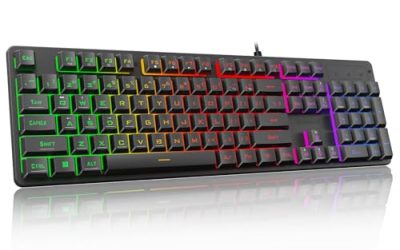
 SteelSeries Apex 3 TKL RGB Gaming KeyboardApex 3 TKL5.9 x 14.3 x 1.57 inches1.4 poundsCheck on Amazon
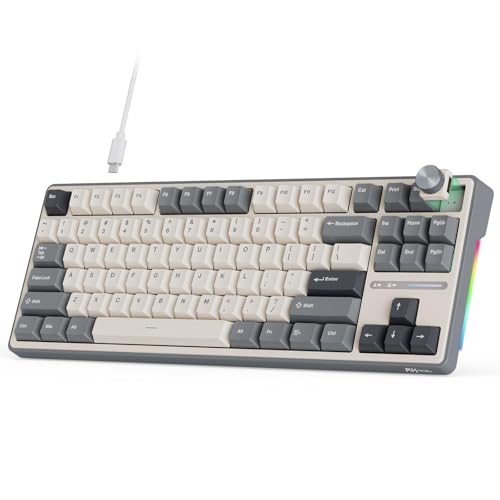 RK ROYAL KLUDGE R87 Pro Wired Mechanical KeyboardCherry Profile14.37 x 5.47 x 1.57 inches3.6 poundsCheck on Amazon


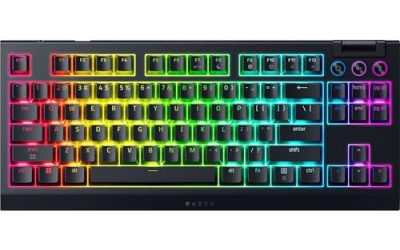
The SteelSeries Apex Pro TKL Gen 3 is the best TKL gaming keyboard in this group for players who want performance: it uses adjustable magnetic Hall effect switches, an OLED smart display and a wired USB-C connection. A TKL, or tenkeyless, board is a full keyboard without the number pad, which usually frees up three to four inches of desk space for mouse movement. If you would rather have a customizable mechanical board, the RK ROYAL KLUDGE R87 Pro is the stronger value pick, while the Apex 3 TKL is the quiet, water-resistant choice.
Quick List
- SteelSeries Apex Pro TKL Gen 3 – best for adjustable-actuation competitive play
- RK ROYAL KLUDGE R87 Pro – best for a hot-swappable, QMK/VIA-programmable mechanical board
- SteelSeries Apex 3 TKL (black) – best for a quiet, spill-resistant everyday board
- SteelSeries Apex 3 TKL (white) – best for a light desk setup with the same Apex 3 design
- SteelSeries Apex 3 TKL RGB (alternate listing) – best as a second option for the same Apex 3 TKL
- Redragon K552 – best for a simple mechanical board with red switches
Which One Is Right for You?
| If you… | Choose |
|---|---|
| want a hot-swappable board you can reprogram | RK ROYAL KLUDGE R87 Pro |
| play fast shooters and want adjustable actuation | SteelSeries Apex Pro TKL Gen 3 |
| want a quiet board that tolerates splashes | SteelSeries Apex 3 TKL (black) |
| prefer a white setup | SteelSeries Apex 3 TKL (white) |
| see the black or white option out of stock | SteelSeries Apex 3 TKL RGB (alternate listing) |
| just want a classic mechanical TKL with linear switches | Redragon K552 |
The three Apex 3 listings are essentially the same board in different listings and colors, so treat them as one choice rather than three different models. The real decisions are between the Hall effect Apex Pro, the programmable RK R87 Pro, the quiet Apex 3 and the classic Redragon K552. Decide first whether you want a mechanical feel, because the Apex 3 uses quiet membrane-style switches rather than traditional mechanical ones.
All 6 Picks in Detail
1. SteelSeries Apex 3 TKL (Black) – Best Quiet Everyday Board
As an Amazon Associate we earn from qualifying purchases at no extra cost to you.

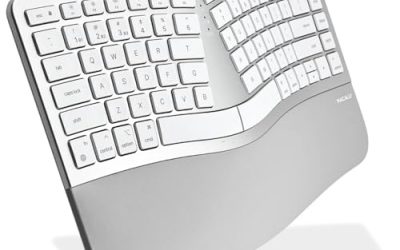
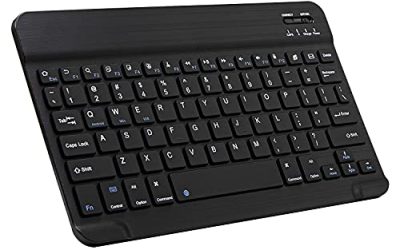
The Apex 3 TKL is a compact, quiet gaming keyboard. SteelSeries describes it with Whisper-Quiet switches, eight-zone RGB lighting, an IP32 water and dust resistance rating, a volume roller and media keys. Sources describe the switches as membrane-based rather than mechanical, even though some retailer pages use mechanical wording, so set your expectations for a soft, quiet feel.
It suits a player who shares a room, plays late at night, or worries about spills. The tenkeyless layout leaves plenty of room for the mouse, and the zone lighting is simpler than per-key RGB. This listing is the black version; the other two Apex 3 listings are the same design.
- Tenkeyless layout, no number pad
- Whisper-Quiet switches, membrane style per outside sources
- Eight-zone RGB lighting
- IP32 water and dust resistance per the maker
- Wired connection; volume roller and media keys
Pros
- Quiet typing and a splash-resistant design
- Simple, durable build with a volume roller
Cons
- Not a traditional mechanical feel
- Zone lighting rather than per-key RGB
It is the quiet counterpart to the Redragon K552, which is the louder, more mechanical alternative. If you want a keyboard that stays out of the way during calls, streaming or late-night sessions, the muted keystrokes are the main reason to choose it. Its IP32 rating covers light drips and dust, so it handles an occasional splash better than an unprotected board, but it is not a reason to be careless with a full cup. The roller above the arrow cluster gives quick volume control without a function-key combination.
2. SteelSeries Apex 3 TKL (White) – Best for Light-Colored Setups

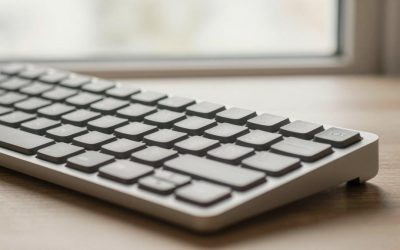
This listing is the white version of the Apex 3 TKL. The listing name states a white tenkeyless gaming keyboard, and the design should match the black model in layout, switch type and build. It suits a desk with white or light-colored accessories and a player who wants the same quiet board in a different finish.
Because the listing name is short, it does not state lighting, resistance rating or cable details. Based on the maker’s description of the Apex 3 TKL family, expect RGB zones and splash resistance, but confirm those on the product page before buying.
- Tenkeyless layout in white, per the listing
- Switch type: Whisper-Quiet family per the maker; confirm on listing
- Lighting: RGB zones expected; confirm on listing
- Water resistance rating: confirm on listing
- Wired connection
Pros
- Same quiet design in a lighter finish
- Compact layout with room for the mouse
Cons
- Listing name gives fewer specs than the black version
- White finishes show dirt more easily
Choose it over the black Apex 3 only for the color, because the two are otherwise the same. White boards pair well with light desk mats and white mice, and the RGB zones, when present, tend to look softer through lighter plastic. If you want a spec sheet you can verify at a glance, the third Apex 3 listing spells out the details more fully than this one does.
3. SteelSeries Apex Pro TKL Gen 3 – Best for Competitive Play

The Apex Pro TKL Gen 3 is the premium board in the list. SteelSeries describes OmniPoint 3.0 magnetic Hall effect switches with adjustable actuation from 0.1 to 4.0 mm, Rapid Trigger, an OLED smart display, per-key RGB, double-shot PBT keycaps and an aluminum top plate. It is available in wired and wireless versions, and this listing is the wired black model.
It suits competitive players who want to tune each key and who are comfortable using the maker’s software. The OLED display lets you change settings and see profile information without leaving a game.
- Tenkeyless layout
- OmniPoint 3.0 Hall effect switches, adjustable 0.1 to 4.0 mm per the maker
- Rapid Trigger and Rapid Tap per the maker
- OLED smart display
- Wired USB-C; double-shot PBT keycaps per the maker
Pros
- Fully adjustable actuation and Rapid Trigger
- Premium materials and an on-board display
Cons
- Switch-swap support is not stated in the listing; confirm on the product page
- Depends on the maker’s software for most of its tuning
It is the most capable board here, while the RK R87 Pro offers more physical customization. The onboard display and QuickSet-style presets let you load game-specific settings, which is helpful if you switch between titles with different needs. Learn the Rapid Trigger setting before an important match rather than changing it mid-game, and remember that some tournaments limit assists, so read the event rules first.
4. Redragon K552 – Best Classic Mechanical TKL

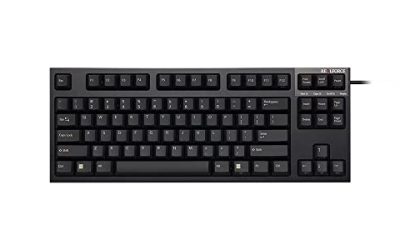
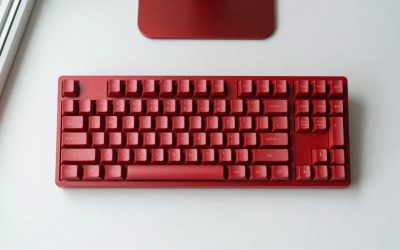
The K552 is a long-running mechanical tenkeyless keyboard with red switches. Redragon lists an 87-key layout, Outemu linear red switches, anti-ghosting, a gold-plated USB connector and multiple lighting effects. The stock switches are linear and light, which many gamers like for quick repeated taps.
It suits a player who wants a simple, no-software mechanical board. Sources disagree on whether the switches can be swapped: the original board appears to have soldered switches, while some listings and newer revisions claim hot-swap support, so confirm the exact model before buying. The listing also uses the phrase LED gaming keyboard, which usually means simple lighting rather than per-key RGB.
- 87-key tenkeyless layout per the maker
- Red linear switches per the listing
- Wired USB connection
- Anti-ghosting and multimedia keys per the maker
- Hot-swap support: disputed, confirm on listing
Pros
- Straightforward mechanical feel with no software needed
- Familiar, widely used design
Cons
- Basic extras and an older design
- Switch-swap support depends on the revision
It is louder than the Apex 3 and less customizable than the RK R87 Pro. It remains a sensible first mechanical keyboard for someone upgrading from a basic membrane board, because the layout is familiar and the stock switches are easy to get used to. If you intend to modify the board later, check carefully which revision you receive, since the older design has soldered switches.
5. SteelSeries Apex 3 TKL RGB (Alternate Listing) – Second Option for the Same Board

This listing is a second entry for the Apex 3 TKL, with a longer title that spells out the tenkeyless compact form factor, eight-zone RGB illumination and IP32 water and dust resistance. The color is not clear from the visible name, so check the product page. It is the same design as the first listing, and the choice between them usually comes down to which color or seller is in stock.
It suits anyone who wants the quiet Apex 3 and finds the other listings unavailable. Do not buy more than one of these listings expecting different keyboards, because the underlying board is the same.
- Tenkeyless compact form factor, per the listing
- Eight-zone RGB illumination
- IP32 water and dust resistance
- Whisper-Quiet switch family; membrane style per outside sources
- Color: confirm on listing
Pros
- Spec details are clearly stated in the listing name
- Quiet, durable, splash-resistant body
Cons
- Duplicate of the first Apex 3 listing
- Same membrane-style feel and zone lighting
It is functionally identical to the black and white Apex 3 listings above, so pick whichever shows the color you want. If the first two listings are available, they are equally good, and this one simply gives you a third route to the same hardware. When several listings point to the same keyboard, compare the cable, the color and the stated lighting before you decide, and avoid paying attention to differences in the title wording alone.
6. RK ROYAL KLUDGE R87 Pro – Best Customizable Mechanical Board

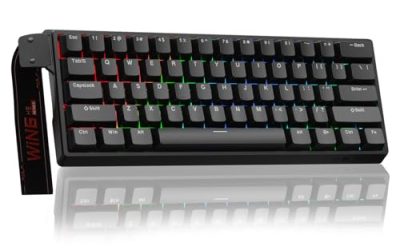
The R87 Pro is a wired tenkeyless mechanical keyboard with a knob and QMK/VIA support. The listing mentions a wired TKL layout, a knob and QMK/VIA programmability. The maker describes a gasket-style mount, hot-swappable sockets, south-facing RGB and a metal knob, and retailers list around 87 to 88 keys.
It suits a player who wants to remap keys, build macros and change switches. The stock switch depends on the version, with a linear option commonly offered, so confirm the switch type on the listing. Because it uses open-source firmware, you can change layers and key behavior to suit your games.
- Tenkeyless layout, about 87 to 88 keys
- Wired USB-C connection
- QMK/VIA programmable firmware
- Hot-swappable switches per the maker
- Knob for volume and other functions
Pros
- Deep customization through QMK/VIA
- Hot-swappable sockets and a knob
Cons
- No Hall effect or analog features
- Stock switch varies by version
It is the best pick if customization matters more than raw speed, and the Apex Pro is the choice for tunable actuation. The knob is useful for volume and can be remapped, which is handy if you stream and want one control for audio. Start with the stock layout, then use VIA to move keys or add layers only when you have a specific need, because small experiments are easy to undo through the software.
Specs Compared
| Keyboard | Layout | Switch type | Connectivity | Lighting | Extras |
|---|---|---|---|---|---|
| SteelSeries Apex 3 TKL (black) | Tenkeyless | Whisper-Quiet, membrane style per outside sources | Wired | 8-zone RGB | IP32 rating, volume roller |
| SteelSeries Apex 3 TKL (white) | Tenkeyless | Confirm on listing | Wired | Confirm on listing | Confirm on listing |
| SteelSeries Apex Pro TKL Gen 3 | Tenkeyless | OmniPoint 3.0 Hall effect | Wired USB-C | Per-key RGB per maker | OLED display |
| Redragon K552 | Tenkeyless, 87 keys | Red linear | Wired | LED backlight | Hot-swap disputed |
| SteelSeries Apex 3 TKL RGB | Tenkeyless | Whisper-Quiet, membrane style per outside sources | Wired | 8-zone RGB | IP32 rating |
| RK ROYAL KLUDGE R87 Pro | Tenkeyless, about 87 to 88 keys | Mechanical; confirm switch on listing | Wired USB-C | RGB | Knob, QMK/VIA, hot-swap |
How We Chose These
We assembled this list from the keyboards in the current catalog and compared the listing names with manufacturer descriptions. The criteria were layout, switch technology, connectivity, lighting, durability features such as water resistance, and software or programming support. Three listings turned out to be versions of one SteelSeries board, and the original K552 has disputed hot-swap claims, so we mark those spots and tell you to confirm. We did not run our own typing or latency trials, and everything here comes from stated specifications. The order of the picks reflects who each keyboard suits, not a single ranking score.
What to Look For
What a TKL layout is
A tenkeyless, or TKL, keyboard has the main typing block, the function row, the navigation cluster and the arrow keys, but no number pad. That gives it around 87 keys on a standard layout. A full-size board is typically about 17 inches wide, while a TKL is roughly 14 inches, so you gain about three inches of space on the mouse side. For gaming this matters because it lets you swing the mouse without hitting the keyboard. Compared with 75% and 60% boards, the TKL keeps the standard spacing and a separate arrow cluster, which is more comfortable for typing.
Switch types: membrane, mechanical and Hall effect
Membrane-style switches, like those in the Apex 3, are quiet and soft but less crisp. Mechanical switches, as in the K552 and R87 Pro, use metal contacts and come in linear, tactile and clicky varieties. Hall effect switches use magnets and sensors, so you can adjust the actuation point and use Rapid Trigger. Linear switches are popular for games because they press smoothly. If you share a space, pick a quiet membrane or a lubricated linear switch.
Customization: hot-swap and firmware
Hot-swappable sockets let you change switches without soldering. QMK and VIA are open firmware tools that let you remap keys, set layers and save macros directly on the keyboard. This is useful if you want to move an action to a different key without installing a program. If you do not need this, a plain board with simple drivers is easier to live with.
Durability, cable and extras
Look for features that match your habits. A water-resistance rating helps if you drink at your desk, but IP32 only covers light drips, not spills. A detachable cable is easier to replace. Media keys or a knob save time. Check whether the keycaps are PBT, which resists shine, or ABS. A metal top plate adds weight and stability.
Layout details: bottom row, arrows and function keys
Not all TKL boards share an identical bottom row. Some use a standard layout that accepts most aftermarket keycap sets, while others have shorter keys or unusual shapes. If you plan to replace the keycaps, look for a standard ANSI layout with common Shift and spacebar sizes. Also check that the function row works the way you want: some boards put media controls on the F-keys, others use a dedicated knob or roller.
Finally, think about cable routing. A detachable cable gives you the option to run it left or right, while a fixed cable limits your desk layout.
Polling, ghosting and rollover
Anti-ghosting and N-key rollover make sure several simultaneous key presses register, which matters when you hold movement keys and tap abilities together. Most modern gaming boards handle this, and the K552 lists full anti-ghosting. USB polling at 1000Hz, which reports every millisecond, is the common standard and is enough for nearly all players. Prefer a board with stable software and clear specifications over one that only advertises a very high number.
A worked example
If you mainly play competitive shooters and want every advantage, the Apex Pro TKL Gen 3 lets you set a short actuation point and enable Rapid Trigger for movement keys. If you mostly play single-player games and type often, the R87 Pro gives a more satisfying typing feel and lets you tune the layout. If you play late at night, the Apex 3 is the quietest option.
Questions
Is a TKL keyboard good for gaming?
Yes. The missing number pad gives your mouse more room and puts your hands in a more natural position. Most games do not use the number pad, so you rarely miss it.
What is the difference between TKL and 75%?
A TKL keeps standard key spacing and a separate navigation block and arrows. A 75% compresses those keys together and is a bit smaller, so it is more compact but can feel more crowded.
Is the SteelSeries Apex 3 TKL a mechanical keyboard?
Outside sources describe its Whisper-Quiet switches as membrane-style rather than traditional mechanical, even though some listings say mechanical. If a true mechanical feel matters, choose the Redragon K552 or the RK R87 Pro.
Are the three Apex 3 TKL listings different keyboards?
They appear to be the same design in different listings and colors. Check the color and lighting details on each product page, but do not expect meaningful performance differences.
What is a Hall effect keyboard?
It uses magnets and sensors instead of contact switches, letting you set how far a key must travel to register and how it resets. The Apex Pro TKL Gen 3 is the Hall effect option here.
Can I replace the switches on these keyboards?
The RK R87 Pro is described as hot-swappable. For the SteelSeries boards the listings do not say, so check the maker’s page, and the K552 depends on the revision.
Update History
- October 14, 2026 – Initial publication; product set drawn from current catalog listings.
- Check the product page for current specifications and availability before buying.
Sources
- Manufacturer product and specification pages for SteelSeries, Redragon and RK ROYAL KLUDGE
- Retailer listing titles and specification fields