Key takeaways
- Writers spend more hours on a keyboard than most gamers do, and what they want from it is different: a satisfying, consistent keystroke.
Writers spend more hours on a keyboard than most gamers do, and what they want from it is different: a satisfying, consistent keystroke, a layout that does not make the wrists work, and a look that makes the desk feel like a place to write. That is why typewriter-style keyboards, with their round keycaps and clicky blue switches, keep showing up when people search for the best writer keyboards. They are built around a feeling of striking a key, and for many novelists and bloggers, that tactile feedback keeps the words coming.
This guide is for people who write for hours, from freelance journalists to students drafting essays. The eight picks lean on the retro, round-keycap look, with a mix of full-size and compact layouts, wired and wireless connections, and one large-print model for easier reading. Many carry gaming labels or RGB lighting, which writers can ignore or switch off. Here is what to weigh in 2026: switch noise, layout size, wrist support, and whether the keyboard connects the way your writing setup needs.
Quick Picks
Our top picks





As an Amazon Associate we earn from qualifying purchases at no extra cost to you.
| Product | Best for | Key spec from the title |
|---|---|---|
| Adventurers Retro Typewriter Keyboard | Writing across devices | 83 keys, Bluetooth 5.0, blue switches |
| YSCP Typewriter Keyboard, R-White | Full-size retro desk | 104 keys, blue switches, round keycaps |
| AULA F2088 Typewriter Keyboard | Wrist-supported long drafts | 104 keys, blue switches, removable wrist rest |
| Retro Wireless Keyboard and Mouse Combo | Tidy wireless desk | 2.4GHz, round keycaps, mouse included |
| RK ROYAL KLUDGE S108 | Full layout with wrist rest | 108 keys, detachable wrist rest, RGB |
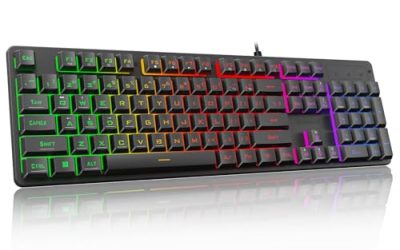
| QUASIO Large Print Keyboard | Easier-to-read keys | Oversized letters, 7-color backlight, quiet |
| Camiysn Retro Punk Keyboard | Decorative desks | 104 keys, blue switch, RGB |
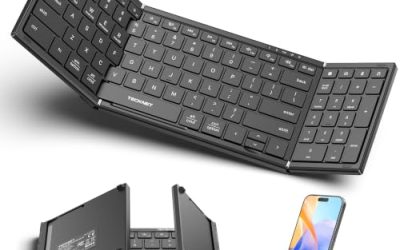
| AULA S99 Wireless Keyboard | Quiet, multi-device | 99 keys, tri-mode, membrane |
How to Choose
Switch type and noise
Blue switches, listed on most of these keyboards, are tactile and clicky, which many writers love for the audible confirmation of each keystroke. They are also loud. If you write in a shared house, a library, or on calls, noise matters. The membrane AULA S99 and the keyboard marketed as quiet, the QUASIO, offer a softer sound at the cost of the clicky feel.
Layout size
Full-size layouts with 104 or 108 keys include a number pad, which helps if you work with figures, citations, or page numbers. The 99-key AULA S99 also has a number pad in a slightly condensed layout. The 83-key Adventurers board drops the number pad, giving you desk space and a more natural mouse position. Pick the size that matches how you actually work, not just what looks impressive. A smaller board also lets the mouse sit closer, which keeps the shoulder relaxed during long editing sessions.
Wrist support and typing comfort
For long sessions, a detachable wrist rest, listed on the AULA F2088 and the RK Royal Kludge S108, supports the wrists and reduces strain. Round keycaps look retro, and some people find them easier to feel under the fingertips. Look for a keyboard that sits at a modest angle and has keys that are easy to find by touch. If your wrists hurt after an hour, no switch type will fix it, so pair any keyboard with a desk and chair height that keep your forearms level.
Connection, backlight, and where budget keyboards cut corners
Wired boards avoid battery and pairing worries. Bluetooth 5.0 on the Adventurers and the tri-mode connection on the AULA S99 let you switch among a laptop, a tablet, and a phone. Backlighting helps late-night writing, and the QUASIO adds large print for readability. Budget typewriter-style boards sometimes cut corners on keycap quality, stabilizers for long keys, and legends that wear off.
The 8 Best Options
Adventurers Retro Typewriter Keyboard
This compact, 83-key board has a Bluetooth 5.0 connection, a 14-effect LED backlight, and blue switches, and lists compatibility with iOS, Android, Windows, and Linux. It suits a writer who moves between a laptop, tablet, and phone and wants a retro look. For someone drafting on a tablet at a café and finishing on a laptop at home, a board that pairs quickly with several devices can be the difference between writing and fiddling with cables.
- Bluetooth and broad compatibility make cross-device writing easy.
- A compact 83-key layout saves desk space.
- Trade-off: no number pad, and blue switches are loud.
Skip it if you need a full numeric keypad or work in a quiet space, since blue switches announce every keystroke to the whole room.
YSCP Typewriter Keyboard, R-White
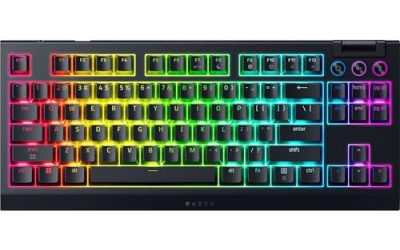
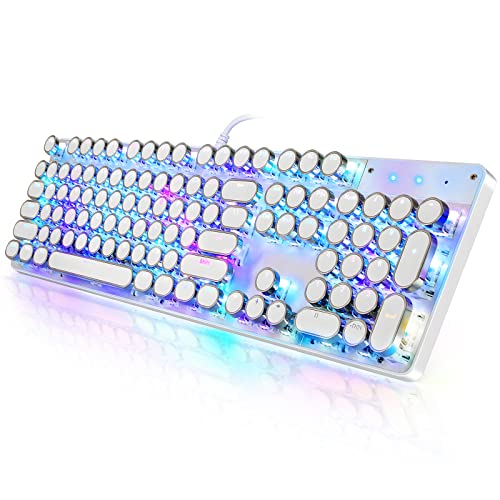
YSCP is a wired, 104-key mechanical keyboard with blue switches, RGB backlighting, and retro round keycaps in an R-White colorway. It suits a writer who wants a full-size board with a classic look and does not need wireless. A full-size board suits long documents with tables, footnotes, or figures that call for the number pad.
- A full 104-key layout includes a number pad.
- Round keycaps and blue switches deliver the typewriter feel.
- Trade-off: wired only, and the title does not mention a wrist rest.
Skip it if you want wireless connectivity or built-in wrist support, since the visible title leaves a rest out.
AULA F2088 Typewriter Keyboard
The F2088 pairs 104 keys, blue switches, rainbow LED lighting, and a removable wrist rest with a retro typewriter style, wired to the computer. It suits a writer who works long sessions and wants wrist support included. The removable rest means you can detach it if the angle does not suit you, which is useful for people who change posture across a day of writing.
- A removable wrist rest supports longer sessions.
- A full 104-key layout with blue switches suits typists who like tactile feedback.
- Trade-off: a wired, full-size board takes up desk space and is noisy.
Skip it if you want a compact, wireless board or a quiet one, because blue switches can be hard to live with in shared rooms.
Retro Wireless Keyboard and Mouse Combo
A wireless combo with a retro typewriter-style keyboard, round keycaps, a 2.4GHz dropout-free connection, and a matching mouse for desktop PCs. It suits someone who wants a tidy, cable-free desk and a coordinated look. It is a convenient pick for a home office where the keyboard and mouse should match without more shopping.
- A single 2.4GHz receiver connects both keyboard and mouse.
- The matching mouse removes one more purchase.
- Trade-off: the visible title does not list the switch type or key count.
Skip it if you want a mechanical feel confirmed or a specific layout size, because the visible title does not state either.
RK ROYAL KLUDGE S108
The S108 is a wired, 108-key retro mechanical keyboard with RGB backlighting and sidelight, round keycaps, and a detachable wrist rest. It suits a writer who wants a full layout plus wrist support from a keyboard brand. The extra keys can serve as shortcuts for editing tasks, though a writer may never touch the lighting effects.
- 108 keys cover a full layout with extras.
- A detachable wrist rest and sidelight add comfort and looks.
- Trade-off: the title lists gaming features that a writer will not use.
Skip it if you prefer a compact board or no extra lighting, as the title leads with RGB and sidelight features.
QUASIO Large Print Keyboard
QUASIO offers oversized print letters, a wired USB connection, 7-color backlighting, and quiet typing in a typewriter-style design. It suits writers with weaker eyesight or anyone who works in dim light and wants clearer legends. Anyone who squints at small printed keys late at night will find oversized characters easier to read, and the backlight helps in the same way.
- Large print makes the keys easier to read.
- Quiet operation suits shared spaces.
- Trade-off: the title does not mention mechanical switches, so the tactile click is likely softer than on the blue-switch boards.
Skip it if you want a clicky mechanical feel or wireless connectivity, as this one is wired USB only.
Camiysn Retro Punk Keyboard
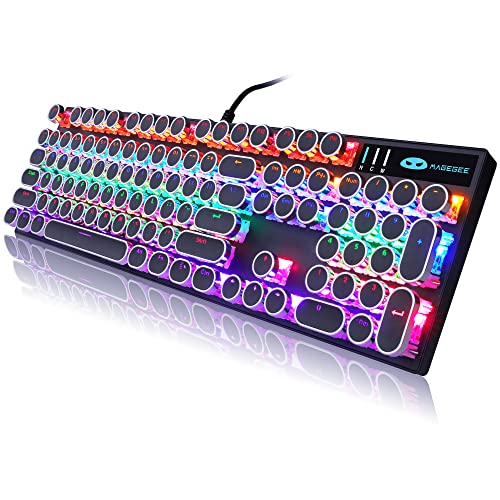
Camiysn is a black, retro-punk typewriter-style keyboard with RGB backlighting, 104 keys, blue switches, and round keycaps, wired. It suits a writer who wants a decorative, characterful desk. It is aimed at buyers who see the keyboard as part of the room’s style, not only as a tool.
- A full 104-key layout with a number pad.
- Round keycaps and blue switches suit a classic typing feel.
- Trade-off: a gaming-oriented look and wired connection limit its flexibility.
Skip it if you want wireless or a quiet keyboard, and the retro-punk styling is not to everyone’s taste.
AULA S99 Wireless Keyboard
The S99 is the odd one: a green, creamy-colored wireless keyboard with tri-mode Bluetooth, 2.4GHz, and USB-C connection, a membrane design, a number pad, 99 keys, and RGB backlighting. It suits writers who want quiet typing and flexible connections. Because it has a number pad but not the retro round caps, it works for writers who care about quiet and convenience more than appearance.
- Tri-mode connection supports multiple devices.
- A membrane design typically means softer, quieter typing.
- Trade-off: it is not typewriter-style with round keycaps, so it lacks that retro feel.
Skip it if you want a clicky mechanical or retro typewriter experience, since the title describes a gaming membrane keyboard.
Which One Fits Your Situation
You write on a laptop, tablet, and phone
The Adventurers Retro Typewriter Keyboard and the AULA S99 Wireless Keyboard both support wireless connection options.
You write for hours at a desk
The AULA F2088 and the RK ROYAL KLUDGE S108 include detachable wrist rests.
You share a room while you write
The QUASIO Large Print Keyboard is marketed as quiet, and the AULA S99 has a membrane design.
You want a retro, clicky desk
The YSCP Typewriter Keyboard and the Camiysn Retro Punk Keyboard both pair blue switches with round keycaps.
Common Mistakes
- Choosing a clicky blue-switch keyboard for a shared or quiet space.
- Buying a full-size board when you never use the number pad.
- Skipping a wrist rest, then noticing strain after long drafts.
- Expecting round keycaps to be easier to type on without trying them.
- Judging a gaming-labeled keyboard by its lighting instead of its typing feel.
Related guides
- Gaming Headsets For Competitive Fps Directional Audio
- Compact Mini Itx Gaming Pcs For Small Desks
- Threadripper Vs Xeon Vs Core I9 For Workstations
Frequently Asked Questions
Are typewriter-style keyboards good for writing?
Many writers enjoy them for the tactile, clicky feel and the look. They can be loud, and round keycaps take some adjustment.
Do I need a mechanical keyboard to write well?
No. A well-built membrane keyboard can be comfortable too. Choose what feels good over hours of typing, and if you can, try the keys in a store before committing to a style you have never used.
Is a number pad useful for writers?
It is helpful for figures, research data, and page numbers. If you rarely use it, a compact board gives you more desk space.
Are blue switches too loud?
They are clicky and audible, which is part of the appeal. If others share your space, a quiet or membrane keyboard may be more considerate.