Our Short List of 3

- Best for: Hybrid workers who present objects or notes during calls.
- Full HD 1080p resolution at 30 frames per second, with 720p at 60 frames per second
- Adjustable field of view up to 90 degrees, with 90, 78 and 65 degree options
- Auto light correction and auto-framing
- Show Mode for presenting objects on the desk

- Best for: Headset-free callers in shared or echo-prone rooms.
- 2K video capture resolution
- Adjustable field of view, up to 95 degrees
- Stereo microphones with AI noise canceling
- Low-light correction

- Best for: Client-facing presenters who want 4K detail and USB-C.
- Ultra HD 4K video resolution
- 1080p at 60 frames per second option
- AI-enhanced image quality
- Noise reducing microphones
All 4 Picks at a Glance
| Product | Specs | Action |
|---|---|---|
| Logitech Brio 500 |
| Check price on Amazon |
| Anker PowerConf C200 |
| Check price on Amazon |
| Logitech MX Brio |
| Check price on Amazon |
 NexiGo N60 |
| Check price on Amazon |
Our Top Picks
Choosing an office webcam is really a decision about how you sound and look in the meetings that fill your calendar, not about chasing the highest resolution number on a box. A camera that frames one person cleanly at a desk, handles a bright window behind you and picks up your voice without a headset will serve you better than a streaming camera built for a studio corner.
This guide is for hybrid workers on back-to-back calls, managers who present to clients, and small teams equipping a shared desk or huddle space. Every pick below was chosen from the name and specifications on its Amazon product page, and the focus stays on meeting use rather than broadcasting or content creation.
Quick Picks
As an Amazon Associate we earn from qualifying purchases.
| Product | Best for | Key spec from title |
|---|---|---|
| Logitech Brio 500 | Hybrid workers who present often | Full HD webcam with auto light correction and Show Mode |
| Anker PowerConf C200 | Callers who skip the headset | 2K webcam with AI-noise canceling microphones |
| Logitech MX Brio | Client-facing calls in 4K detail | Ultra HD 4K webcam with noise reducing microphones |
| NexiGo N60 | A simple second desk or spare room | 1080P webcam with microphone and privacy cover |
How to Choose
Match the field of view to your desk
Field of view decides how much of the room appears behind you, and office desks rarely need the widest setting. A narrower view around sixty-five degrees keeps the frame on your face and shoulders, which suits one-to-one calls and tidy backgrounds. A wider view near ninety degrees helps when two people share one camera in a small meeting space. Several cameras here let you switch between preset angles in software, so check the listing for adjustable field of view if your desk sometimes hosts a colleague and sometimes hosts only you.
Put microphone quality ahead of resolution
Most meeting platforms compress your video, but your voice arrives much closer to how the microphone captured it. Dual microphones with noise reduction help when a keyboard, a fan or an open-plan office competes with your speech. If you present without a headset, look for stereo microphones and noise canceling in the product title, because those features decide whether people ask you to repeat yourself. A single built-in microphone can still work in a quiet home office, yet it leaves less margin when the room gets busy during a long call.
Check light correction before buying a lamp
Office lighting is often the real problem: a window to one side, a ceiling panel overhead, or a dim corner desk late in the day. Auto light correction in the camera adjusts exposure without you opening settings before every call, and it matters more in practice than a jump from 1080p to 2K for most meetings. If your desk faces changing daylight, prioritise a model that names light correction in its title. A separate desk lamp can help any camera, but a camera that copes on its own is the simpler fix.
Confirm the connector and privacy cover
A webcam that needs an adapter on your laptop is a small daily friction, so check whether the cable is USB-C or USB-A and whether an adapter is included. Privacy also deserves a physical answer in an office: a built-in shutter or included cover ends any doubt about whether the lens is blocked between calls. Mounting matters too. Most desk monitors accept a clip mount, while a thin laptop lid or a tripod thread suits other setups, so confirm the mount style on the listing before you order.
The 4 Best Options
Logitech Brio 500
- Best for: Hybrid workers who present objects or notes during calls.
- Full HD 1080p resolution at 30 frames per second, with 720p at 60 frames per second
- Adjustable field of view up to 90 degrees, with 90, 78 and 65 degree options
- Auto light correction and auto-framing
- Show Mode for presenting objects on the desk
Hybrid workers who present objects or notes during calls.
The top resolution is Full HD, so choose a 4K model below if your platform and screen size genuinely need the extra detail.
The Brio 500 suits hybrid workers whose day mixes solo calls, team stand-ups and the occasional presentation where something on the desk needs to be shown. Its auto-framing keeps a single speaker centred, and Show Mode is aimed at tilting the camera down toward papers or a product sample without moving the monitor. For an office desk that doubles as a presenting space, that combination covers more of the working week than a fixed camera does, and the built-in privacy cover closes the lens at the end of the day.
Anker PowerConf C200
- Best for: Headset-free callers in shared or echo-prone rooms.
- 2K video capture resolution
- Adjustable field of view, up to 95 degrees
- Stereo microphones with AI noise canceling
- Low-light correction
Headset-free callers in shared or echo-prone rooms.
Field of view changes are made through the companion software, so check that the app supports your operating system before relying on that feature.
The C200 is the pick for people who take calls without a headset and need their voice to carry the meeting. Its stereo microphones use AI noise canceling, which is the feature that matters in a kitchen-adjacent home office or a shared workspace with hard floors. The adjustable field of view lets you tighten the frame for a solo call or widen it when a colleague joins, and low-light correction helps on early or late calls. The built-in privacy cover is integrated into the body, so it cannot be lost in a desk drawer.
Logitech MX Brio
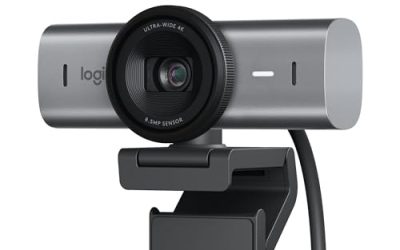
- Best for: Client-facing presenters who want 4K detail and USB-C.
- Ultra HD 4K video resolution
- 1080p at 60 frames per second option
- AI-enhanced image quality
- Noise reducing microphones
Client-facing presenters who want 4K detail and USB-C.
Most meeting platforms cap outgoing video well below 4K, so the benefit shows mainly in recordings, cropping and large previews rather than everyday calls.
The MX Brio is for roles where the call itself is the product: client pitches, recorded briefings and interviews where a larger preview window makes extra detail visible. Its Ultra HD 4K capture and AI-enhanced image quality give presenters headroom to crop or present on bigger screens, while noise reducing microphones keep speech clear without extra equipment. Show Mode again supports desk presenting, and the privacy protector gives a physical close for the lens. It connects over USB-C, which suits current office laptops with fewer legacy ports.
NexiGo N60
- Best for: Spare desks and small shared spaces needing simple 1080p.
- 1080p video capture at 30 frames per second
- 110 degree viewing angle
- Built-in noise-canceling microphone
- Privacy cover included
Spare desks and small shared spaces needing simple 1080p.
Fixed focus means very close objects and distant whiteboards will not sharpen the way an autofocus camera would handle them.
The N60 covers the straightforward office brief: a dependable 1080p camera for a spare desk, a second workstation or a meeting room screen that simply needs a better view than a laptop lid provides. It is plug and play over USB, includes a privacy cover in the box and carries a built-in noise-canceling microphone for ordinary calls. The wide lens suits a small shared space where two people sit side by side. There is no autofocus to hunt during a call, because the lens uses fixed focus set for typical desk distances.
Which One Fits Your Situation
You present to clients every week
Choose the Logitech MX Brio. Client calls reward the extra detail when your video is pinned large, and its noise reducing microphones and Show Mode cover both the pitch and the desk demonstration that follows it. The USB-C connection also matches the current laptops most client-facing staff carry between office and home.
You share a room and skip the headset
Choose the Anker PowerConf C200. Its stereo microphones with AI noise canceling are the strongest answer here to background clatter, and the adjustable field of view lets you narrow the frame so the shared room stays mostly out of shot during a one-to-one call.
You move between home and office desks
Choose the Logitech Brio 500. Auto-framing and auto light correction adapt to two different rooms without manual setup, the privacy cover travels with the camera, and Show Mode handles the moments when a home desk becomes a presenting surface for paperwork or samples.
You are equipping a spare or shared desk
Choose the NexiGo N60. Plug and play setup, an included privacy cover and a wide viewing angle make it easy to leave in place for whoever sits down next, and 1080p is the resolution meeting platforms actually deliver for standard calls.
Common Mistakes
- Buying 4K for meetings that platforms deliver at 1080p or lower, then neglecting microphone quality.
- Choosing the widest field of view for a solo desk, which puts more of a messy room on screen.
- Ignoring the connector, then relying on a loose adapter that disconnects when the monitor moves.
- Leaving the lens uncovered between calls instead of using a built-in shutter or included cover.
- Placing the camera far below eye level on a laptop base, which gives every caller an unflattering angle.
Frequently Asked Questions
Is 1080p enough for office meetings?
For most people, yes. Mainstream meeting platforms deliver standard calls at or below 1080p, so a good Full HD camera with sensible light correction looks professional on a typical call. Higher resolutions help mainly with recordings, cropping and very large pinned previews, which is why this guide treats microphone quality and framing as equally important for everyday office use.
Do I need a headset with an office webcam?
Not always. A webcam with dual or stereo noise reducing microphones can carry a call in a reasonably quiet room, and it keeps a shared desk simpler. A headset still helps in a loud open-plan office. If you plan to skip the headset, choose a model whose listing names noise canceling microphones, like the Anker PowerConf C200 above.
What field of view suits a home office desk?
A view between roughly sixty-five and seventy-eight degrees suits a solo desk, keeping the frame on you rather than the room. Wider settings near ninety degrees or more suit two people sharing one camera. Adjustable models are useful when your desk changes roles, because you can narrow the frame for one-to-one calls and widen it for paired sessions.
Will these webcams work with Teams and Zoom?
The Logitech models in this guide name Microsoft Teams, Zoom and Google Meet in their listings, and the other picks connect as standard USB cameras that meeting apps recognise as a video source. Always confirm your exact operating system version on the product page, especially if your employer locks down drivers or companion software on managed laptops.
FAQ
Is 1080p enough for office meetings?
Do I need a headset with an office webcam?
What field of view suits a home office desk?
Will these webcams work with Teams and Zoom?
More from Amazon
Programs that pair well with the guide above. Offers and eligibility are set by Amazon and may change.
Free shipping on eligible items, Prime Video and more. Eligible new members can start with a free trial.
Start a Prime free trialAd-free music streaming. Eligible new subscribers can start with a free trial.
Try Music Unlimited freeA Prime membership for ages 18-24 with a trial period. Eligibility is set by Amazon.
See Prime for Young AdultsAudiobooks and podcasts to listen to on the go. Eligible new members can start with a free trial.
Try Audible freeAs an Amazon Associate we earn from qualifying purchases.