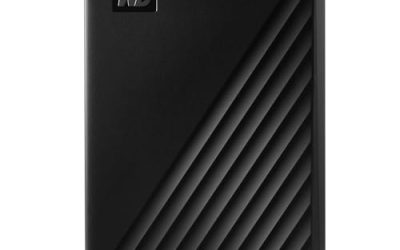
Our Short List of 3

- Best for: One high-capacity backup shared by a Mac and a PC.
- 5TB capacity, mechanical hard disk
- Works with USB-C and USB-A connections
- Listed for Windows PC, Mac, Chromebook, gaming consoles and mobile devices
- Backup software included

- Best for: Simple drag-and-drop sharing between home computers.
- 2TB capacity, mechanical hard disk
- USB 3.0 interface with included 18-inch cable
- Designed to work with Windows or Mac computers
- Plug and play, no software required for setup

- Best for: Fast daily transfers of large projects between Mac and PC.
- 2TB capacity, external solid state drive
- Speeds up to 1,050MB/s
- USB 3.2 Gen 2 interface
- Model number MU-PC2T0T/AM
All 4 Picks at a Glance
| Product | Specs | Action |
|---|---|---|
| WD My Passport 5TB (USB-C model) |
| Check price on Amazon |
| Seagate Portable 2TB |
| Check price on Amazon |
| Samsung T7 Portable SSD 2TB |
| Check price on Amazon |
 SanDisk Extreme Portable SSD 1TB |
| Check price on Amazon |
Key takeaways
- External drives that work across Mac and PC households, with verified capacity, interface and formatting notes taken from each Amazon product listing.
The real decision behind a drive for both Mac and PC is not raw capacity. It is whether one drive can move between a Windows desktop and a Mac laptop without reformatting dramas, lost cables or a file system that one machine can read but not write to. Households and small studios that split work across both platforms feel that friction every single week.
This guide is for mixed households, freelancers who deliver files to clients on the other platform, and anyone keeping one shared backup for two different computers. Picks were chosen from the names and specifications on their Amazon product pages, favouring listings that state Mac and PC compatibility in the title itself.
Quick Picks
As an Amazon Associate we earn from qualifying purchases.
| Product | Best for | Key spec from title |
|---|---|---|
| WD My Passport 5TB (USB-C model) | One shared backup for both platforms | Works with USB-C and USB-A, Windows PC, Mac and Chromebook |
| Seagate Portable 2TB | Drag-and-drop sharing between home computers | USB 3.0 for PC, Mac, PlayStation and Xbox |
| Samsung T7 Portable SSD 2TB | Fast transfers between a Mac and a PC | Speeds up to 1,050MB/s, USB 3.2 Gen 2 |
| SanDisk Extreme Portable SSD 1TB | A rugged drive carried between desks | Up to 1050MB/s, USB-C, USB 3.2 Gen 2, IP65 resistance |
How to Choose
Decide the file system before the brand
A drive formatted only for one platform creates the classic mixed-household problem: the Mac can see files it cannot change, or the PC asks to format a drive full of work. Drives that arrive formatted for shared use, or that you format once as exFAT, move cleanly between macOS and Windows for everyday files. Time Machine and some Windows backup tools want their own format, so decide whether this drive is a shared shuttle or a dedicated backup before ordering, because that single choice shapes everything else.
Match the connector to both computers
Compatibility is physical as well as digital. A newer Mac laptop may offer only USB-C ports, while a family PC tower often has USB-A on the front panel. Listings that include both cable types, or a drive that works with USB-C and USB-A as the WD title states, save you from a drawer of adapters. Check the included cable in the box contents on the listing, not just the port on the drive, because a short USB-C-only cable can strand an older desktop.
Choose spinning disk for bulk, SSD for shuttling
Mechanical portable drives give the largest capacities for photo libraries, game installs and full-system backups, and they suit a drive that lives on a desk. Portable SSDs are smaller, shrug off knocks in a bag and transfer large folders far faster, which matters when you shuttle video projects between a Mac editing laptop and a PC at home. Neither type is universally better. Match the medium to the journey: desk-bound bulk points to a hard drive, daily carrying points to an SSD.
Check the backup and security software honestly
Several listings bundle backup software, password protection or hardware encryption, and those extras only help if they support both of your operating systems. WD, for example, notes that its software download and account registration may be required, and some features differ by platform. Read the compatibility line on the product page rather than the headline. If the drive will hold client work or family photos, hardware encryption is worth having, but only when you can unlock it from whichever computer you happen to be using.
The 4 Best Options
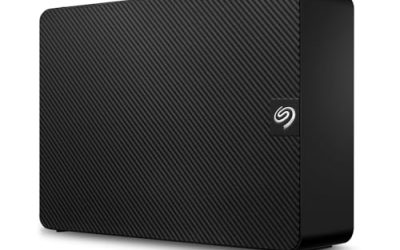
WD My Passport 5TB (USB-C model)
- Best for: One high-capacity backup shared by a Mac and a PC.
- 5TB capacity, mechanical hard disk
- Works with USB-C and USB-A connections
- Listed for Windows PC, Mac, Chromebook, gaming consoles and mobile devices
- Backup software included
One high-capacity backup shared by a Mac and a PC.
The listing notes software download and registration may be required, and some WD software features vary by operating system, so confirm the Mac feature set on the page.
This My Passport variant is the natural shared-household pick because its title states the brief directly: it works with USB-C and USB-A, Windows PC, Mac, Chromebook, gaming consoles and mobile devices. The 5TB capacity holds a full photo library and still leaves room for a second computer backup, while password protection with built-in 256-bit AES encryption guards a drive that travels between homes or offices. Backup software is included for scheduled copies, which suits a family that will not remember manual drag-and-drop routines every week.
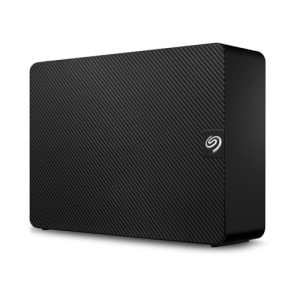
Seagate Portable 2TB
- Best for: Simple drag-and-drop sharing between home computers.
- 2TB capacity, mechanical hard disk
- USB 3.0 interface with included 18-inch cable
- Designed to work with Windows or Mac computers
- Plug and play, no software required for setup
Simple drag-and-drop sharing between home computers.
Amazon’s own specification table lists an inconsistent form factor for this model, so rely on the title and model number STGX2000400 when checking the exact variant.
The Seagate Portable is the simplest answer for a household that just wants to drag files between a Windows machine and a Mac without installing anything. Its listing says it is designed to work with Windows or Mac computers, connects for automatic recognition with no software required, and includes an 18-inch USB 3.0 cable in the box. At 2TB it suits documents, photos and a working set of projects rather than an entire media archive. The one-year Rescue Service named in the title adds a recovery safety net for a drive holding family files.
Samsung T7 Portable SSD 2TB
- Best for: Fast daily transfers of large projects between Mac and PC.
- 2TB capacity, external solid state drive
- Speeds up to 1,050MB/s
- USB 3.2 Gen 2 interface
- Model number MU-PC2T0T/AM
Fast daily transfers of large projects between Mac and PC.
You only reach the quoted speeds on a USB 3.2 Gen 2 port; older USB ports on either computer will run the drive more slowly.
The T7 is for people who move large folders between platforms daily and feel every minute of a spinning disk. Its listing quotes speeds up to 1,050MB/s over USB 3.2 Gen 2, which turns a video project hand-off between a Mac laptop and a Windows desktop into a short wait instead of a coffee break. At 2TB it holds an active project library rather than a lifetime archive. Because it is an SSD with no moving parts, it also tolerates the bag-between-desks routine that defines cross-platform freelance work.
SanDisk Extreme Portable SSD 1TB
- Best for: A rugged shuttle drive carried between workplaces.
- 1TB capacity, external solid state drive
- Up to 1050MB/s read and up to 1000MB/s write speeds
- USB-C, USB 3.2 Gen 2 interface
- IP65 water and dust resistance named in the title
A rugged shuttle drive carried between workplaces.
The listing family includes several generations and colours of this drive, so confirm the model number SDSSDE61-1T00-G25 on the page before ordering.
The Extreme Portable suits a drive that leaves the building: site visits, location shoots and hot-desking where a bag gets knocked around. The listing pairs up to 1050MB/s read and 1000MB/s write speeds with IP65 water and dust resistance in the title, drop protection in the description and a carabiner loop for securing the drive. At 1TB it is a working drive rather than an archive, ideal for carrying the current project between a Mac in the studio and a PC at home while the bulk backup stays on a desk.
Which One Fits Your Situation
One backup drive for the whole household
Choose the WD My Passport 5TB USB-C model. Its capacity covers two computers, its title confirms both USB connection types and both platforms, and the included backup software plus password protection suit a drive that everyone in the house plugs in but nobody wants to administer by hand.
You deliver files to clients on the other platform
Choose the Samsung T7 2TB. Client hand-offs are usually large and time-sensitive, and the quoted transfer speeds over USB 3.2 Gen 2 keep a Mac-to-PC delivery quick. Its 2TB size holds several active projects, so one drive can serve a full week of mixed-platform work.
You just want documents and photos on both machines
Choose the Seagate Portable 2TB. No software is required, the cable is in the box, and the listing states Windows and Mac support outright. For letters, spreadsheets and family photos, that simplicity beats speed figures you will never notice on small files.
Your drive travels in a bag every day
Choose the SanDisk Extreme Portable SSD 1TB. The resistance rating in its title, the drop protection in its description and the carabiner loop all point the same way: this is the pick built for commuting between a Mac workplace and a PC at home.
Common Mistakes
- Formatting a shared drive for one platform only, then discovering the other computer cannot write to it.
- Assuming the cable in the box fits both computers, when one machine needs USB-A and the other only has USB-C.
- Buying SSD speed for an archive drive that sits on a desk, where capacity would have served better.
- Trusting bundled backup software without checking that it supports both of your operating systems.
- Keeping the only copy of family photos on a portable drive that travels in a bag.
Frequently Asked Questions
Can one external drive really work on both Mac and PC?
Yes, provided the file system suits both. Drives formatted as exFAT are read and written by modern macOS and Windows, which is why shared drives use it. Some listings state Mac and PC support in the title, as the Seagate and WD picks here do. Dedicated backup tools such as Time Machine still want a drive formatted for that job alone.
Should a shared drive be an SSD or a hard drive?
Choose by journey, not fashion. A desk-bound household backup benefits from the larger capacities of a mechanical drive like the 5TB My Passport. A drive carried daily between workplaces benefits from an SSD, which has no moving parts and transfers large folders faster. Many mixed households end up with one of each, used for different jobs.
Why is my drive slower on one computer than the other?
The port is usually the reason. A drive rated for USB 3.2 Gen 2 speeds only reaches them on a matching port; an older USB port on a family PC will cap the same drive much lower. Check the port generation on both machines before blaming the drive, and use the cable supplied in the box where the listing includes one.
Do I need to reformat a new drive before sharing it?
Check the listing and the drive’s first connection prompt. Some drives arrive ready for shared use, while others arrive formatted for one platform or ask you to run setup software. If you reformat, copy everything off first, because formatting erases the drive. Pick the format based on whether the drive is a shared shuttle or a single-platform backup.
FAQ
Can one external drive really work on both Mac and PC?
Should a shared drive be an SSD or a hard drive?
Why is my drive slower on one computer than the other?
Do I need to reformat a new drive before sharing it?
More from Amazon
Programs that pair well with the guide above. Offers and eligibility are set by Amazon and may change.
Free shipping on eligible items, Prime Video and more. Eligible new members can start with a free trial.
Start a Prime free trialAd-free music streaming. Eligible new subscribers can start with a free trial.
Try Music Unlimited freeA Prime membership for ages 18-24 with a trial period. Eligibility is set by Amazon.
See Prime for Young AdultsAudiobooks and podcasts to listen to on the go. Eligible new members can start with a free trial.
Try Audible freeAs an Amazon Associate we earn from qualifying purchases.