Our Short List of 3

- Best for: The largest single portable backup in this guide.
- 5TB capacity, portable mechanical hard drive
- USB 3.1 and USB 3.0 compatible per the title
- Backup software with defence against ransomware per the title
- Password protection with 256-bit AES hardware encryption

- Best for: A simple two-terabyte backup and storage drive.
- 2TB capacity, mechanical hard disk
- USB 3.0 interface, 18-inch cable included
- Designed to work with Windows or Mac computers
- Read speed 120 megabytes per second per the listing

- Best for: Two fast terabytes for games and active projects.
- 2TB capacity, external solid state drive
- Speeds up to 1,050MB/s per the title
- USB 3.2 Gen 2 interface
- Model number MU-PC2T0T/AM
All 4 Picks at a Glance
| Product | Specs | Action |
|---|---|---|
| WD My Passport 5TB |
| Check price on Amazon |
| Seagate Portable 2TB |
| Check price on Amazon |
| Samsung T7 Portable SSD 2TB |
| Check price on Amazon |
 SanDisk Extreme Portable SSD 1TB |
| Check price on Amazon |
Our Top Picks
Shopping by the terabyte sounds simple until the listings blur together: a 1TB drive and a 5TB drive sit in the same search results, one is a spinning disk and the next is an SSD, and the right choice depends entirely on what those terabytes have to hold. The real decision is how much room your files need over the next few years, and how often the drive will move.
This guide is for people sizing a first backup drive, gamers clearing space for a growing library, and photographers whose folders expand every month. Every pick is a terabyte-class external drive chosen from the name and specifications on its Amazon product page, spanning 1TB to 5TB so the capacity steps are easy to compare.
Quick Picks
As an Amazon Associate we earn from qualifying purchases.
| Product | Best for | Key spec from title |
|---|---|---|
| WD My Passport 5TB | The largest single portable backup | 5TB portable external hard drive, USB 3.1/USB 3.0 compatible |
| Seagate Portable 2TB | An everyday two-terabyte workhorse | 2TB external hard drive HDD, USB 3.0 |
| Samsung T7 Portable SSD 2TB | Two terabytes that transfer fast | 2TB external solid state drive, speeds up to 1,050MB/s |
| SanDisk Extreme Portable SSD 1TB | One rugged terabyte for travel | 1TB Extreme Portable SSD, up to 1050MB/s, USB-C |
How to Choose
Size the terabytes to the next few years
A backup drive should hold your computer’s data with room to grow, because a drive that is full in a year was the wrong size today. As a working rule from the capacities in this guide, 1TB suits documents and a modest photo collection, 2TB suits most home computers and game libraries, and 5TB suits full media archives and several machines. Add up your current folders, then double the figure if you shoot video or keep game installs, because those two habits consume terabytes faster than any other.
Understand what a terabyte holds in practice
Manufacturers count a terabyte as 1,000,000,000,000 bytes, a note the SanDisk listing states in its own description, while computers report capacity in binary units, so a new drive always appears slightly smaller than the box figure. That gap is normal and not missing space. What matters is the usable pattern: a terabyte holds a large photo library or a handful of modern game installs, and video projects can consume a terabyte in a single busy month, which is why creators size up sooner than other buyers.
Pick spinning disk for capacity, SSD for speed
At terabyte sizes the two technologies split cleanly. Mechanical drives deliver the most terabytes in one portable box, as the 5TB My Passport shows, and suit backups that run while you do something else. SSDs such as the T7 and the SanDisk Extreme transfer at speeds their listings quote around 1,050MB/s, which transforms copying a full terabyte from an overnight job into a short task. If the drive mostly sits and stores, capacity wins; if it constantly loads projects, speed wins.
Check the interface before the capacity
A large drive on a slow port is a bottleneck you feel every time it fills or empties. USB 3.0, USB 3.1 and USB 3.2 Gen 2 listings promise very different transfer ceilings, and the computer’s port must match the drive’s interface to reach them. The cable in the box matters as well: the Seagate listing includes an 18-inch USB 3.0 cable, while USB-C drives suit newer laptops directly. Confirm the interface line on the product page and the ports on your own machine before choosing a capacity step.
The 4 Best Options
WD My Passport 5TB
- Best for: The largest single portable backup in this guide.
- 5TB capacity, portable mechanical hard drive
- USB 3.1 and USB 3.0 compatible per the title
- Backup software with defence against ransomware per the title
- Password protection with 256-bit AES hardware encryption
The largest single portable backup in this guide.
The listing states the drive requires reformatting for some operating systems, so read the compatibility line for your machine before the first backup.
The 5TB My Passport is the capacity anchor of this guide: one portable mechanical drive that can hold a household’s photos, videos, music and documents, as its product description puts it, with room left for a second computer. It includes backup software with password protection and 256-bit AES hardware encryption per the listing, which suits an archive that holds everything. At 7.4 ounces it remains a portable drive rather than a desk fixture, and the listing confirms it is not a discontinued model. This is the terabyte step to choose when running out of room is the fear.
Seagate Portable 2TB
- Best for: A simple two-terabyte backup and storage drive.
- 2TB capacity, mechanical hard disk
- USB 3.0 interface, 18-inch cable included
- Designed to work with Windows or Mac computers
- Read speed 120 megabytes per second per the listing
A simple two-terabyte backup and storage drive.
Amazon’s specification table lists an inconsistent form factor for this model, so verify the model number STGX2000400 rather than the table when checking your order.
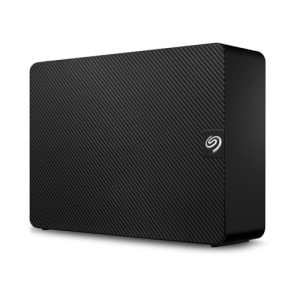
The Seagate Portable is the everyday two-terabyte answer: a mechanical drive designed, in its listing’s words, to work with Windows or Mac computers, set up by automatic recognition with no software required, and supplied with an 18-inch USB 3.0 cable. Two terabytes is the sweet spot for one home computer’s backup plus a game or photo library, and the title names a 1-Year Rescue Service for recovery support. Its listing quotes a read speed of 120 megabytes per second, a realistic figure for a drive of this type and a useful honesty check against vaguer listings.
Samsung T7 Portable SSD 2TB
- Best for: Two fast terabytes for games and active projects.
- 2TB capacity, external solid state drive
- Speeds up to 1,050MB/s per the title
- USB 3.2 Gen 2 interface
- Model number MU-PC2T0T/AM
Two fast terabytes for games and active projects.
The quoted speed needs a USB 3.2 Gen 2 port on your computer; on an older port the drive works, but large copies take noticeably longer.
The T7 gives you two terabytes at SSD pace. Its listing quotes speeds up to 1,050MB/s over USB 3.2 Gen 2 and positions the drive for gaming, students and professionals, which matches its real job: a fast working library that loads game installs and project files without the wait of a spinning disk. Because there are no moving parts, it also suits a bag-carried life better than the mechanical picks here. Choose it when the same two terabytes will be read and written daily rather than written once and shelved as an archive.
SanDisk Extreme Portable SSD 1TB
- Best for: One rugged, fast terabyte carried daily.
- 1TB capacity, external solid state drive
- Up to 1050MB/s read and up to 1000MB/s write speeds
- USB-C, USB 3.2 Gen 2 interface
- IP65 water and dust resistance named in the title
One rugged, fast terabyte carried daily.
This drive family spans several generations with similar names, so match the model number SDSSDE61-1T00-G25 on the listing to the one you intended.
The Extreme Portable is the one-terabyte pick for people whose drive travels. The listing pairs up to 1050MB/s read and 1000MB/s write speeds with IP65 water and dust resistance in its title, drop protection in its description and a carabiner loop for securing the drive to a bag. One terabyte is the right size for a current project, a travel photo library or a laptop backup that leaves the house. The listing also notes updated firmware, a detail worth confirming on arrival so the drive starts life on its current release.
Which One Fits Your Situation
You are backing up a household of computers
Choose the WD My Passport 5TB. Five terabytes in one portable drive covers several machines and years of photos, and the bundled backup software with password protection suits an archive that everyone depends on but nobody wants to manage manually every week.
You need one honest drive for a single computer
Choose the Seagate Portable 2TB. Two terabytes matches a typical home machine with room to spare, setup needs no software, and the included cable and Rescue Service named in the title make it the lowest-friction option in this guide for a first backup drive.
Your terabytes are games and active projects
Choose the Samsung T7 2TB. Game installs and project folders are read constantly, so the quoted USB 3.2 Gen 2 speeds change daily use, not just backup night. Two terabytes holds a working library while keeping the drive small enough to move between machines.
Your drive lives in a bag, not on a desk
Choose the SanDisk Extreme Portable SSD 1TB. The resistance rating in its title, the drop protection in its description and the carabiner loop all serve the same travelling job, and one fast terabyte is enough for the current project rather than the whole archive.
Common Mistakes
- Buying 1TB for a video habit that consumes a terabyte in a single busy month.
- Comparing the box capacity with the smaller figure a computer reports, and assuming space is missing.
- Choosing a mechanical drive for daily project work, then blaming the computer for slow loads.
- Ignoring the port generation, so a fast SSD spends its life on a slow USB connection.
- Treating one portable drive as a complete backup plan when it is the only copy of the files.
Frequently Asked Questions
How many terabytes do I actually need?
Count your current data, then add growth. Documents and photos for one person often fit in 1TB, a typical home computer with games suits 2TB, and a household archive or video library points to 5TB. When a listing spans several capacities, buying one step above today’s total is usually cheaper than replacing a full drive next year.
Why does my new drive show less space than the box says?
Manufacturers count a terabyte as 1,000,000,000,000 bytes, a definition stated in the SanDisk listing in this guide, while operating systems count in binary units and report a smaller number. The drive holds the same bytes either way. File system overhead takes a little more, so the reported figure is the honest working capacity to plan around.
Is an SSD worth it at terabyte sizes?
For a drive you read and write daily, yes: the SSD listings here quote speeds around 1,050MB/s, far beyond a portable hard drive, and there are no moving parts to damage in transit. For a backup that runs unattended, a mechanical drive gives more terabytes for the same role, which is why this guide includes both types.
Can a terabyte drive work on both Mac and PC?
Yes, with the right format. The Seagate listing in this guide states its drive is designed to work with Windows or Mac computers, and a drive formatted as exFAT can be written by both platforms. Backup tools tied to one system, such as Time Machine, need a dedicated format, so decide whether the drive is shared or single-purpose first.
FAQ
How many terabytes do I actually need?
Why does my new drive show less space than the box says?
Is an SSD worth it at terabyte sizes?
Can a terabyte drive work on both Mac and PC?
More from Amazon
Programs that pair well with the guide above. Offers and eligibility are set by Amazon and may change.
Free shipping on eligible items, Prime Video and more. Eligible new members can start with a free trial.
Start a Prime free trialAd-free music streaming. Eligible new subscribers can start with a free trial.
Try Music Unlimited freeA Prime membership for ages 18-24 with a trial period. Eligibility is set by Amazon.
See Prime for Young AdultsAudiobooks and podcasts to listen to on the go. Eligible new members can start with a free trial.
Try Audible freeAs an Amazon Associate we earn from qualifying purchases.