Our Short List of 3

All 5 Picks at a Glance
| Product | Specs | Action |
|---|---|---|
 Seagate Portable 1TB: The Simple Drag-and-Drop Default | Check price on Amazon | |
 WD Elements Portable 1TB: The No-Extras Baseline, Done Properly | Check price on Amazon | |
| Toshiba Canvio Advance 1TB: Backup and Password Software in a Slim Case | Check price on Amazon | |
 ADATA HD710 Pro 1TB: The Rugged Pick for Drives That Travel Rough | Check price on Amazon | |
 Seagate Expansion Portable 1TB: Preformatted exFAT for Mixed Households | Check price on Amazon |
Our Top Picks
As an Amazon Associate we earn from qualifying purchases.
One terabyte is the most honest size in external storage. It is large enough to hold a full backup of a typical laptop, a working photo library, or a shelf of older games that do not need to live on a fast internal drive, and small enough that the buyer is not paying for empty space that may sit unused for years. It is also the size where the market is most crowded: dozens of listings promise the same capacity, and the real differences hide in formatting, bundled services, enclosure design and the small print of the model number.
This guide holds a strict line on what counts. Every pick is a portable mechanical hard drive, a spinning-disk drive in a bus-powered 2.5-inch enclosure, and every pick is the 1TB variant of its line. That second point deserves emphasis, because most hard drive listings group several capacities under one page, and the headline photograph or the first capacity button is not always the size being discussed. Here, the capacity is the whole point of the search, so each pick below names its exact 1TB model, and the buying advice returns to that variant check more than once. Solid-state drives are deliberately left out: a buyer who types hard drive into a search box is usually shopping for mechanical storage and its lower cost per terabyte of room, and mixing SSDs into the list would change the comparison entirely.
The five picks divide by what they add around the same basic mechanism. Two Seagate drives cover the simple end in different ways, one preformatted for cross-platform use and one built around drag-and-drop simplicity. The WD pick is the no-extras baseline done properly. The Toshiba pick adds downloadable backup and password software. The ADATA pick wraps the disk in serious physical protection for buyers whose drive travels rough. None of them is fast in the way an SSD is fast; what they offer is a terabyte of dependable room that plugs into almost anything.
How to Choose a 1TB Hard Drive
Confirm the 1TB variant before anything else
The most common buying mistake in this category is not choosing the wrong brand; it is ordering the wrong capacity from the right listing. Manufacturers sell the same enclosure in sizes from 1TB up to 5TB, and marketplace pages group those variants together, sometimes defaulting to a larger size in the photographs and a smaller one in the capacity selector, or the reverse. Before comparing any two drives, open the capacity selector on the listing and confirm that 1TB is the selected variant, then check that the model number on the page matches the 1TB model number given in this guide for that pick. The model number is the ground truth: it does not change with page layout, promotions or which photograph happens to be shown first.
What 1TB actually holds
A terabyte on the box becomes somewhat less usable space after formatting, because drives are labelled in decimal capacity while operating systems report in binary units. In practical terms, a 1TB portable drive comfortably holds a full system backup image for a typical laptop with room left over, or a large photo library, or a rotating collection of game installs played occasionally rather than daily. It is not the right size for a growing 4K video archive or for backing up several large machines to one destination; buyers in that position should be reading a guide to larger drives instead.
Mechanical speed, stated plainly
Portable hard drives move data at the rate their platters sustain, which for large sequential copies is broadly similar across every pick in this guide, whatever the interface label says. The USB 3.0 and USB 3.2 Gen 1 connections on these drives are rated well above what a 2.5-inch mechanical mechanism can deliver, so the connector generation is not a meaningful way to choose between them. Small-file work, game loading and application launches are where mechanical drives feel slow next to solid-state storage, and no enclosure changes that. Keep the operating system and the games in active rotation on faster storage, and let the hard drive do the job it is good at: bulk room and backup room.
Formatting decides the first evening
A drive formatted exFAT can be read and written by Windows and Mac computers as delivered, which is why the Seagate Expansion pick below is the easiest recommendation for a mixed household. A drive formatted NTFS for Windows, as the Toshiba pick is, needs reformatting before a Mac can write to it, and reformatting erases the drive, so the decision belongs before the first backup rather than after a library has been copied across. Console use adds its own formatting step, handled by the console itself. None of this is difficult, but all of it is easier when it is planned: check the listing’s formatting line against the computers and consoles the drive will actually meet.
Backup software, passwords and recovery services
The extras bundled with portable drives fall into three groups, and the picks below spread across all of them. Downloadable backup software, offered with the Toshiba pick, turns copying into a schedule instead of a resolution. Password protection software guards the contents of a drive that travels, which matters because a portable drive is, by design, the easiest storage device in a house to lose. Data recovery services, bundled in different terms with the two Seagate picks, are the last resort when a drive fails holding the only copy of something important. None of these extras replaces a second copy of irreplaceable files on a separate device. They make the first copy easier to maintain and somewhat safer, and that is the honest extent of their value.
Enclosure, cable and power
Every pick here is bus-powered, with no mains adapter to pack or lose. The differences are physical. Slim enclosures, like the Seagate and WD picks, disappear into a laptop sleeve. The rugged ADATA enclosure is thicker and heavier by design, trading slimness for sealed ports and shock protection, and its cable wraps around the enclosure so it cannot be left behind. For a drive that travels daily, these details are close to the whole decision.
Seagate Portable 1TB: The Simple Drag-and-Drop Default
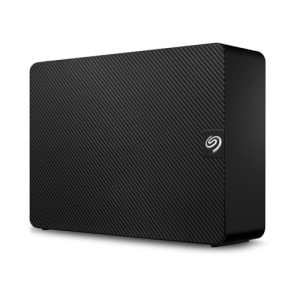
The Seagate Portable is the closest thing this category has to a default answer, and its 1TB model, STGX1000400, is the pick for buyers who want a drive that works the moment it is plugged in. There is no software to install and no setup routine: the computer recognises the drive automatically, files are copied by dragging them across, and the included short USB 3.0 cable is the entire kit. The listing names compatibility with Windows and Mac computers and with PlayStation and Xbox consoles, which makes it a natural shared drive for a household where one device has to serve several machines.
Two details lift it above a generic portable. The first is the bundled one-year Rescue data recovery service named in the listing, a manufacturer recovery plan that gives the drive a safety net most simple portables do not include at this level of the market. The second is the sheer maturity of the line: this is a long-running, high-volume model, and its behaviour, good and bad, is thoroughly documented in owner reports rather than being an unknown quantity. The enclosure is a plain, compact black case that suits that role; it is a tool, styled like one.
The compromises are the ones its simplicity creates. The listing notes that reformatting may be required for Mac use, so a buyer whose main machine is a Mac should plan that step before the first copy, or choose the exFAT-formatted Expansion pick below instead. There is no password protection feature to guard a lost drive, and no backup software to automate copying; both jobs fall to whatever the operating system provides. For a buyer who wants the least possible friction between opening the box and having a working terabyte, those are acceptable trades, and they are exactly the trades this pick is built on.
WD Elements Portable 1TB: The No-Extras Baseline, Done Properly
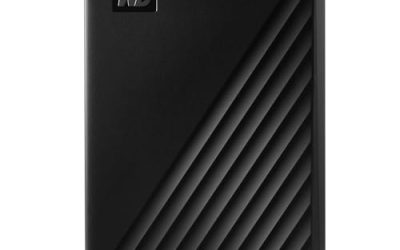
The WD Elements Portable takes the opposite approach to added features: it has essentially none, and that restraint is its appeal. The 1TB model, WDBUZG0010BBK-WESN, is a slim black portable drive with USB 3.0 connectivity, plug-and-play readiness for Windows PCs, and compatibility with Mac computers after the reformatting WD documents for its drives. There is no bundled backup suite, no encryption layer and no account or application standing between the owner and the storage. For buyers who already have a backup routine they trust, or who manage several drives and want each one to behave identically, that plainness is a feature rather than an omission.
The Elements line has been WD’s straightforward portable range for years, and the 1TB version sits at the traditional entry point of that range: the size a buyer chooses for a single laptop backup, a media library that travels between a computer and a television, or a game archive for a console. The enclosure is slim and light, the drive is bus-powered, and the whole package is designed to be unremarkable in daily use, which for backup storage is high praise. A drive that is only noticed when it is needed is doing its job.
The limits follow from the same design. Anyone who wants automated backups will rely on the tools built into their operating system, and anyone who wants a lost drive’s contents protected should look at the Toshiba pick below. Because this model has been sold for a long time under closely related listings, the variant check matters doubly: confirm the listing is the 1TB WDBUZG0010BBK-WESN model, not a neighbouring capacity in the same enclosure.
Toshiba Canvio Advance 1TB: Backup and Password Software in a Slim Case
The Canvio Advance is Toshiba’s step-up portable line, and the 1TB version considered here, model HDTCA10XG3AA in green, adds the two pieces of software that the WD pick leaves out. Toshiba offers downloadable Storage Backup software for automatic backups and Storage Security software for password protection, both for Windows PCs, which together cover the two jobs portable drive owners most often say they intend to set up and then postpone. The enclosure itself is a compact, easy-to-hold case with a textured finish, in a range of colours of which green is the variant tied to this pick; the drive measures roughly 109 by 78 by 14 millimetres and is bus-powered over USB 3.0.
That combination makes the Advance the natural pick for a Windows user who wants one drive to be both the backup destination and a reasonably guarded place for personal files. The password software addresses the realistic risk for a portable drive, which is not a sophisticated attack but a bag left on a train. The backup software addresses the other realistic risk, which is a backup that only happens when it is remembered. Toshiba lists a two-year limited warranty for the Canvio Advance line in its product material, and the drive is formatted NTFS for Windows as delivered.
The boundaries are clear and worth stating. The backup and security software is for Windows PCs, so Mac owners get a plain portable drive and a reformatting step rather than the feature set that justifies this pick. The colour range means the variant check matters here in a second way: the Advance is sold in black, white, red and green, each colour and capacity pairing carrying its own listing, so a buyer who wants a different colour should confirm they are still looking at the 1TB capacity and not a neighbouring size in the preferred finish. Within its Windows-centred brief, though, the Advance is the most complete single-drive answer in this guide.
ADATA HD710 Pro 1TB: The Rugged Pick for Drives That Travel Rough
The HD710 Pro is built for the buyer whose portable drive does not live in a padded laptop compartment. The 1TB black model, AHD710P-1TU31-CBK, wraps its mechanical disk in a triple-layered enclosure of anti-shock silicone, a shock-absorbing buffer and a hard inner shell, and ADATA rates the assembly beyond IP68 for dust and water protection, describing testing at two metres of water for sixty minutes with the port cover closed, plus military-grade shock testing covering falls from 1.5 metres. Shock sensors pause drive activity when a fall is detected, and the USB cable wraps into a groove around the enclosure, so the cable travels with the drive instead of being left in a drawer.
That protection is aimed at real working patterns: site work, field photography, a drive that lives in a vehicle or a tool bag, or a student drive that shares a backpack with everything else its owner carries. The interface is USB 3.2 Gen 1, compatible with Windows, Mac and Linux systems according to ADATA’s material, with a file reformat noted for Mac use. At 1TB, this is the size for a working set of files that needs to survive the journey rather than an archive that must hold everything, and the three-year warranty term listed in retailer specifications for the line reflects its tougher brief.
The costs are size, weight and price of construction. At about 133 by 99 by 22 millimetres and roughly 270 grams in this capacity, the HD710 Pro is noticeably bulkier than the slim picks above, and a buyer whose drive will sit on a desk is carrying that bulk for protection that will never be called on. The water protection also depends on the port cover being fully closed, a detail worth building into habit. For genuinely rough travel, though, this is the only pick in the guide designed around the way portable drives actually die, which is being dropped, not wearing out.
Seagate Expansion Portable 1TB: Preformatted exFAT for Mixed Households
The second Seagate in this guide earns its place on a formatting decision. The Expansion Portable 1TB, model STKM1000400, is preformatted exFAT, so Windows and Mac computers can both read and write to it as delivered, with no reformatting step and no erased first backup. For a household or small studio where one drive is passed between a Windows gaming PC and a Mac laptop, that single specification removes the most common first-evening frustration in this category, and it is the clearest reason to choose this pick over its sibling above.
Around that formatting choice sits a slim, simple portable: a black enclosure about 115 by 80 by 13 millimetres, bus-powered over a USB 3.0 connection with the cable included, and Seagate’s Rescue data recovery services bundled with the drive, with the listing material for this model describing a longer bundled Rescue term than the Portable pick carries. Seagate’s own current product listings continue to carry the Expansion portable drive at exactly this 1TB capacity and model number, which makes the variant easy to verify against the model code before buying.
Set against the Seagate Portable, the trade is focus. The Portable is the simpler drag-and-drop story with the wider console compatibility named in its listing; the Expansion is the cross-platform story, with exFAT as delivered and its Rescue bundle. Neither offers password protection or backup software, so buyers who need those should be looking at the Toshiba. What the Expansion offers is the fewest possible steps between two different computers and one shared terabyte, and for mixed-platform homes that is the whole requirement.
Which 1TB Hard Drive Fits Which Buyer
Read together, the five picks separate cleanly. The buyer who wants a drive that simply works should take the Seagate Portable, with its automatic recognition, console compatibility and bundled recovery service. The buyer who already has a backup routine and wants storage with nothing in the way should take the WD Elements Portable. The Windows buyer who wants the drive itself to handle backups and passwords should take the Toshiba Canvio Advance. The buyer whose drive travels in rough conditions should take the ADATA HD710 Pro and accept its bulk as the price of survival. The buyer moving one drive between Windows and Mac machines should take the Seagate Expansion Portable and its exFAT formatting.
Three final checks apply to whichever pick is chosen. Confirm the capacity selector shows 1TB and that the model number matches the one named in this guide, because every one of these enclosures is also sold in larger sizes. Confirm the formatting matches the machines the drive will meet, or plan the reformat before the first file is copied. And keep the oldest rule in storage in the routine: a single copy of anything important is a hope rather than a backup, and a second copy on separate storage is what turns a terabyte of room into actual protection.
Disclosure
Disclosure: This article contains affiliate links. If you buy through those links, a commission may be earned at no additional cost to you. Product information was taken from the listings and manufacturer details available at the time of writing, and specifications should be confirmed on the live listing before purchase.
More from Amazon
Programs that pair well with the guide above. Offers and eligibility are set by Amazon and may change.
Free shipping on eligible items, Prime Video and more. Eligible new members can start with a free trial.
Start a Prime free trialAd-free music streaming. Eligible new subscribers can start with a free trial.
Try Music Unlimited freeA Prime membership for ages 18-24 with a trial period. Eligibility is set by Amazon.
See Prime for Young AdultsAudiobooks and podcasts to listen to on the go. Eligible new members can start with a free trial.
Try Audible freeAs an Amazon Associate we earn from qualifying purchases.