Our Top Picks
 iBUYPOWER Element Gaming PC Desktop Computer AMD Ryzen20 x 9.1 x 17.4 Inches36 poundsCheck on Amazon
 iBUYPOWER Slate Gaming PC Desktop Computer AMD Ryzen19.5 x 8.7 x 19.5 inches36 poundsCheck on Amazon
The best place to buy a gaming PC is the channel whose return window, warranty route and parts transparency match the way you plan to use the machine, and for most first-time buyers that means a named brand or a large retailer rather than an anonymous marketplace listing. Price is only one of four things to compare. The others are how clearly the listing names the CPU, graphics card, memory, storage and power supply, how easy it is to send the machine back if it arrives faulty, and whether support for the whole system sits with one company. The nine listings below are real examples of what the Amazon marketplace offers today, and a few of them are not computers at all.
Top picks at a glance
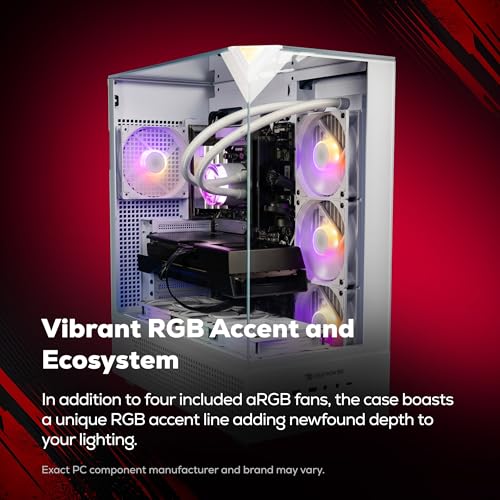
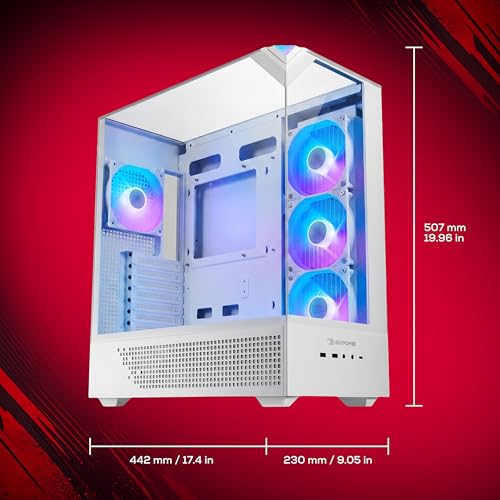
iBUYPOWER Element Gaming PC Desktop Computer AMD Ryzen 9 7900X CPU, NVIDIA GeForce RTX 5070 12GB GPU, 32GB DDR5 RAM, 1TB NVMe SSD, Windows 11 Home, Gamer Keyboard and Mouse - EWA9N5702





As an Amazon Associate we earn from qualifying purchases. Product prices and availability are accurate as of the date/time indicated.

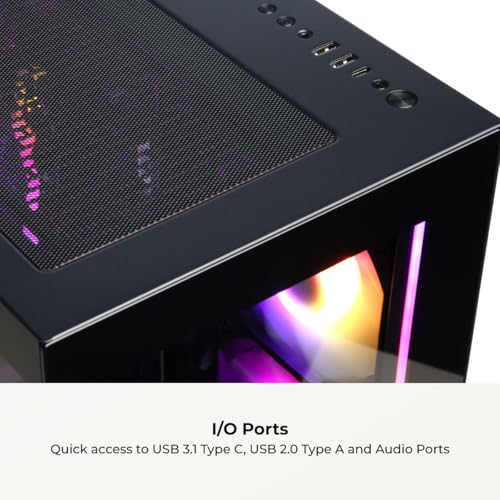
CyberPowerPC Gaming PC, AMD Ryzen 7 8700F, GeForce RTX 5060 Ti 8GB | Gamer Master, 16GB DDR5, 1TB PCIe 4.0 SSD, WiFi Ready & Windows 11 Home (GMA2900A3)




As an Amazon Associate we earn from qualifying purchases. Product prices and availability are accurate as of the date/time indicated.

CyberPowerPC Gaming PC, Intel Core i9-14900KF, GeForce RTX 5070 12GB | Gamer Xtreme VR, 32GB DDR5, 2TB PCIe 4.0 SSD, WiFi Ready & Windows 11 Home (GXiVR8080A39)


As an Amazon Associate we earn from qualifying purchases. Product prices and availability are accurate as of the date/time indicated.

iBUYPOWER Element SE Gaming PC Desktop Computer AMD Ryzen 5 8400F CPU, NVIDIA GeForce RTX 3050 6GB GPU, 16GB DDR5 RAM, 1TB NVMe SSD, Windows 11 Home, Gamer Keyboard and Mouse - ESA5N3501


As an Amazon Associate we earn from qualifying purchases. Product prices and availability are accurate as of the date/time indicated.
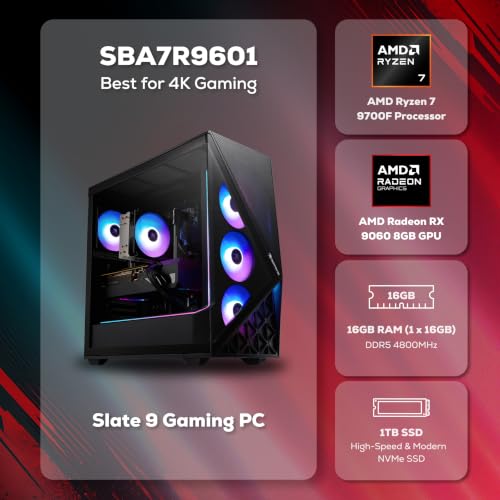
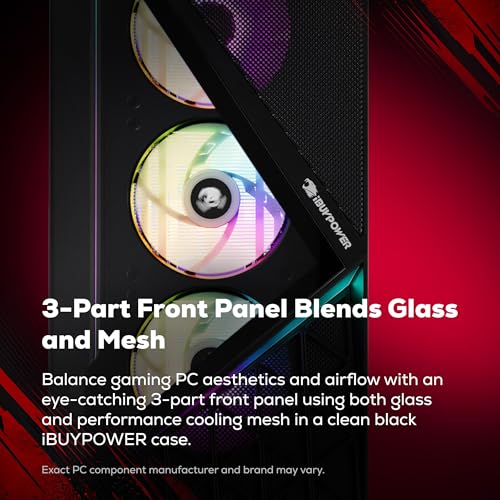
iBUYPOWER Slate Gaming PC Desktop Computer AMD Ryzen 7 9700F CPU, AMD Radeon RX 9060 8GB GPU, 16GB DDR5 RAM, 1TB NVMe SSD, Windows 11 Home, Gamer Keyboard and Mouse - SBA7R9601



As an Amazon Associate we earn from qualifying purchases. Product prices and availability are accurate as of the date/time indicated.

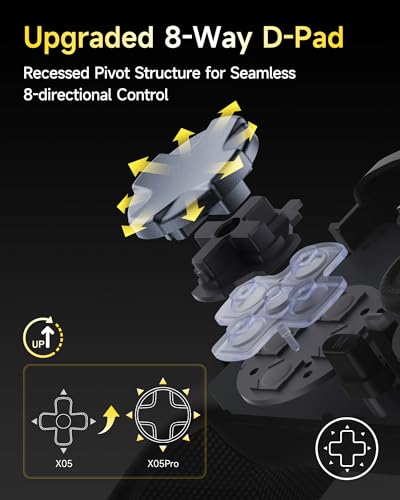
EasySMX X05Pro Wireless Gaming Controller for PC, Switch, Android/iOS | Hall Effect Joysticks, Ultra-Quiet Buttons, 2-Stage Triggers, 1000Hz Polling, Programmable, Black


As an Amazon Associate we earn from qualifying purchases. Product prices and availability are accurate as of the date/time indicated.

Razer BlackShark V2 X Gaming Headset for PC, 3.5mm Audio Jack, White | 50mm Drivers, Cardioid Mic, Memory Foam Cushion, Lightweight- Comfortable, Noise Isolating Earcups, For Mac, PS4, PS5, Switch



As an Amazon Associate we earn from qualifying purchases. Product prices and availability are accurate as of the date/time indicated.

GameSir G7 Pro 8K PC Wireless Gaming Controller,Gen 2 TMR Sticks,Windows | Hall Effect Triggers, 4 Programmable Buttons, Charging Dock, Esports Controller for FPS & Competitive Gaming-Royal2 Edition



As an Amazon Associate we earn from qualifying purchases. Product prices and availability are accurate as of the date/time indicated.
| Listing | Key point from the title | Class | Price tier | Best for |
|---|---|---|---|---|
| iBUYPOWER Element (EWA9N5702) | Ryzen 9 7900X, RTX 5070 12GB, 32GB DDR5, 1TB NVMe | Prebuilt PC | Premium | 1440p and heavy multitasking |
| CyberPowerPC Gamer Xtreme VR | Core i9-14900KF, RTX 5070 12GB, 32GB DDR5, 2TB SSD | Prebuilt PC | Premium | High refresh rates, VR, storage |
| CyberPowerPC Gamer Master | Ryzen 7 8700F, RTX 5060 Ti 8GB, 16GB DDR5 | Prebuilt PC | Mid-range | 1080p to 1440p play |
| iBUYPOWER Slate (SBA7R9601) | Ryzen 7 9700F, Radeon RX 9060 8GB, 16GB DDR5 | Prebuilt PC | Mid-range | 1080p to 1440p on AMD |
| iBUYPOWER Element SE (ESA5N3501) | Ryzen 5 8400F, RTX 3050 6GB, 16GB DDR5 | Prebuilt PC | Mid-range | Esports and 1080p |
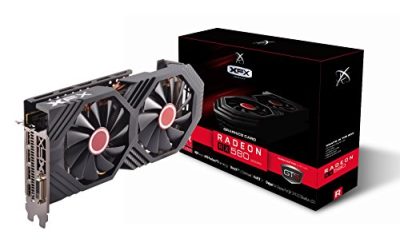
| STGAubron Gaming PC | Core i7, RX 580 8G, 16GB RAM, 1TB SSD | Budget PC | Budget | Casual gaming, tight budgets |
| GameSir G7 Pro 8K | TMR sticks, Hall effect triggers, charging dock | Controller | Mid-range | Competitive controller play |
| Razer BlackShark V2 X | 50mm drivers, 3.5mm jack, cardioid mic | Headset | Budget | Wired audio add-on |
| EasySMX X05Pro | Hall effect sticks, 2-stage triggers, 1000Hz polling | Controller | Budget | Wireless play on PC or Switch |
Three of the nine listings, the two controllers and the headset, are accessories rather than computers. They are covered below as add-ons, not as purchase options for a complete rig.
Why the channel matters as much as the machine
Gaming PCs are sold through brand websites, marketplaces, big electronics retailers, boutique builders, local shops and parts-based DIY. Over the last few years the biggest change has been the spread of prebuilt systems with current GPUs at accessible entry points, which makes the channel decision the main differentiator. Two prebuilts with the same CPU and graphics card can differ widely in motherboard quality, cooling and power supply, and the seller is the one who picks those parts.
Another shift is the growing number of titles that list exact SKU codes, such as the model numbers in parentheses in the table above. That is a good sign, because a code lets you look up the manufacturer’s page. Where a title omits a model number, you are relying on the seller’s description alone. Return and warranty rules vary by seller and region and change over time, so confirm them on the page.
How these were picked
This guide uses the nine Amazon listing titles in the set, published specifications, manufacturer documentation and buyer reviews. Nobody on the team used or measured these units. Spec claims in titles are seller statements, and ambiguous ones are flagged in each entry. Prices appear as relative tiers only, so look at the live listing for numbers.
The listings, one by one
iBUYPOWER Element Gaming PC (EWA9N5702)
This prebuilt pairs an AMD Ryzen 9 7900X with an RTX 5070 12GB, 32GB of DDR5 and a 1TB NVMe drive, and ships with Windows 11 Home plus a gamer keyboard and mouse. The 32GB of memory stands out in this set: it is the amount that stays comfortable when a game, a browser, voice chat and a streaming app are open together. The Ryzen 9 is more processor than most current games ask for, which is useful if the same machine also handles video work or large projects.
What the title leaves out matters more than what it includes: the motherboard model, the power supply brand and the cooler type are not named, so ask or check the manufacturer’s page before treating the spec as complete. It is the second most expensive listing here by tier.
- Pros: 32GB DDR5 and a modern 12GB graphics card; keyboard and mouse included.
- Pros: A model code that can be checked against the maker’s documentation.
- Cons: 1TB of storage fills quickly with current game sizes.
- Cons: Power supply and cooling are unnamed in the title.
Question to ask: which power supply brand and wattage ships with this model?
CyberPowerPC Gamer Xtreme VR (GXiVR8080A39)
The Gamer Xtreme VR lists a Core i9-14900KF, an RTX 5070 12GB, 32GB of DDR5 and a 2TB PCIe 4.0 SSD, with Wi-Fi ready and Windows 11 Home. The 2TB drive is the largest storage figure among the computers here, which spares you an early upgrade. The “KF” suffix means the processor has no integrated graphics, so the dedicated card is the only display path; if you ever remove it for service, you will need a replacement to see a picture.
The processor is a high-power model, and cooling matters for sustained loads. The title does not name the cooler or power supply, so look for those details on the product page. Buyers who want VR should check the headset’s own requirements.
- Pros: 2TB SSD and 32GB of memory; high-end processor.
- Pros: Wi-Fi ready for placement away from a router.
- Cons: The processor is power hungry, and cooling is unspecified.
- Cons: No integrated video output because of the KF part.
Question to ask: what cooler and PSU are used, and is a spare slot available for storage?
CyberPowerPC Gamer Master (GMA2900A3)
The Gamer Master combines a Ryzen 7 8700F with a GeForce RTX 5060 Ti 8GB, 16GB of DDR5 and a 1TB PCIe 4.0 SSD. The title states 8GB for the graphics card, which is worth noticing because the same card name is also sold in other memory sizes; the 8GB figure limits texture-heavy games at higher resolutions, so match the listing to your target display. The “F” processor has no integrated graphics, like the i9 above.
It lands in the middle of the set, and it is the machine that makes sense for someone who wants current-generation hardware without paying for a flagship. 16GB of memory is adequate for gaming but leaves less room for heavy multitasking than the 32GB systems.
- Pros: Modern graphics card at a mid-range tier; PCIe 4.0 storage.
- Pros: Wi-Fi ready.
- Cons: 8GB of video memory and 16GB of system RAM may feel tight on newer titles.
- Cons: Cooler, PSU and motherboard are not named.
Question to ask: is a second RAM slot free for an easy upgrade to 32GB?
iBUYPOWER Slate Gaming PC (SBA7R9601)
The Slate pairs a Ryzen 7 9700F with an AMD Radeon RX 9060 8GB, 16GB of DDR5 and a 1TB NVMe drive, with a keyboard and mouse in the box. The graphics wording is ambiguous: the title says “RX 9060 8GB” and does not use an XT suffix, so confirm the exact model on the product page, since similarly named cards can differ in performance. The all-AMD combination is attractive for buyers who prefer that platform.
Like the other 16GB machines, it suits 1080p and 1440p play and light multitasking. The processor has no integrated graphics because of the “F” designation, so the card is the only video path.
- Pros: All-AMD platform; keyboard and mouse included; mid-range tier.
- Pros: SKU code is listed in the title.
- Cons: Graphics model name is ambiguous in the title.
- Cons: 8GB of video memory and 16GB of RAM limit headroom.
Question to ask: is the card an RX 9060 or an RX 9060 XT?
iBUYPOWER Element SE Gaming PC (ESA5N3501)
The Element SE uses a Ryzen 5 8400F, an RTX 3050 6GB, 16GB of DDR5 and a 1TB NVMe SSD, with Windows 11 Home and a keyboard and mouse. The RTX 3050 is the oldest graphics generation in this set, and its 6GB of memory is the smallest. It is a capable 1080p esports and older-title card, but a buyer paying the listed tier should compare it against the newer mid-range models, which cost not far above it.
It fits first-time buyers who play lighter games and want a branded machine with a clear SKU. Anyone planning to play new, demanding releases at high settings should look higher in the list.
- Pros: Lower entry point among branded prebuilts; DDR5 platform.
- Pros: Bundled keyboard and mouse.
- Cons: Older GPU generation with 6GB of memory.
- Cons: Value shrinks if a newer card is only slightly more.
Question to ask: what is the price gap to the RTX 5060 Ti model?
STGAubron Gaming PC Desktop (Core i7, RX 580)
This budget tower lists a “Core I7” (the generation is not stated, only “up to 3.9GHz”), an RX 580 8G, 16GB of RAM and a 1TB SSD, plus ARGB fans, Wi-Fi, Bluetooth 5.0 and Windows 11 Home. The RX 580 is a much older graphics architecture than the cards in the branded systems, and the vague processor makes it hard to judge. The title also leans on a broad pitch: streaming, video editing, home and school.
It is the lowest tier here and the least transparent: no power supply, motherboard or model code appears in the title. If you consider it, treat the return policy as the most important feature and read the buyer reviews for build quality and support.
- Pros: Lowest cost in the set; 1TB SSD and 16GB of RAM.
- Pros: Wi-Fi and Bluetooth built in.
- Cons: Old GPU architecture and unspecified processor generation.
- Cons: No clear brand support or model code in the title.
Question to ask: what is the exact i7 model, and who services the warranty?
GameSir G7 Pro 8K Wireless Controller
This is an accessory, not a PC. The title lists Gen 2 TMR sticks, Hall effect triggers, four programmable buttons, a charging dock and Windows support, aimed at competitive FPS play. The “8K” in the name almost certainly refers to polling rate, but the title does not say so, so confirm on the listing. Both TMR and Hall effect sensing are marketed as resisting stick drift, which is a common worry with older analog sticks.
As an add-on it makes sense for players who prefer a controller on PC and want a charging dock. It does nothing for the choice of where to buy a computer, and shoppers should not mistake it for a bundle with one.
- Pros: Drift-resistant sensing is claimed; dock included.
- Pros: Programmable back buttons.
- Cons: Not a computer; “8K” is unexplained in the title.
- Cons: Mid-range accessory cost.
Question to ask: what polling rate does the manual state, and over which connection?
Razer BlackShark V2 X Gaming Headset
Also an accessory. The title describes a wired headset with 50mm drivers, a cardioid microphone, memory foam cushions and a 3.5mm connection that works on PC, Mac, PS4, PS5 and Switch. A 3.5mm headset plugs into most computers directly, which keeps a new build simple, though front-panel jacks and splitter cables can add confusion, so check the motherboard or case manual if the microphone is silent.
It is a sensible low-cost audio pairing for a new PC. Lightweight construction is stated in the title; comfort is subjective and varies by head shape, so use buyer reviews as a guide.
- Pros: Simple wired connection; works across several platforms.
- Pros: Budget tier.
- Cons: Not a PC; no surround or software features are mentioned.
- Cons: A single jack may need an adapter on some cases.
Question to ask: does your computer have a combined headset jack or separate ports?
EasySMX X05Pro Wireless Controller
The last accessory is a wireless controller for PC, Switch, Android and iOS, with Hall effect joysticks, ultra-quiet buttons, two-stage triggers, a stated 1000Hz polling rate and programmable inputs. The multi-platform pitch makes it flexible for someone who also plays on a handheld or phone, and the lowest price tier in the accessory group makes it an easy add-on. Support for each platform can depend on the connection mode, so read the listing before assuming that every device pairs the same way.
It has nothing to do with the question of where to buy a PC, which is why it appears here as a footnote rather than a recommendation.
- Pros: Low cost; Hall effect sticks and programmable controls.
- Pros: Works across several device types.
- Cons: Not a PC listing at all.
- Cons: Multi-platform claims may need mode switching.
Question to ask: which connection mode does each of your devices need?
How to choose where to buy
Compare the channels
| Channel | Typical strength | Typical weakness | Check first |
|---|---|---|---|
| Brand website | Wide configuration choice, direct support | Shipping and build time vary | Warranty length and process |
| Marketplace listing | Fast delivery, easy comparison | Several sellers, uneven detail | Who sells and ships the unit |
| Large electronics retailer | In-store returns, quick pickup | Limited customization | Return window and restocking terms |
| Boutique builder | Part transparency, cable work | Higher cost, longer wait | Part list and support hours |
| Local shop or DIY | Personal service or full control | Time and effort | Who handles failures |
Weigh what you value: a scoring example
This is a worked illustration with assumed weights, not market data. Suppose you give return policy 30 points, parts transparency 25, support 20, upfront price 15 and delivery speed 10. Score each channel from 1 to 5 on each factor, multiply and add. A brand site that you rate 4 on returns, 4 on transparency, 5 on support, 3 on price and 3 on delivery earns 4×30 + 4×25 + 5×20 + 3×15 + 3×10 = 395 out of 500. A marketplace listing rated 5, 2, 3, 5 and 5 scores 5×30 + 2×25 + 3×20 + 5×15 + 5×10 = 385. Close totals mean the choice turns on which weights match your situation.
| Factor | Weight | Brand site score | Marketplace score |
|---|---|---|---|
| Return policy | 30 | 4 | 5 |
| Parts transparency | 25 | 4 | 2 |
| Support | 20 | 5 | 3 |
| Upfront price | 15 | 3 | 5 |
| Delivery speed | 10 | 3 | 5 |
| Weighted total (of 500) | 100 | 395 | 385 |
Listing red flags and fixes
| Red flag in a listing | What to do |
|---|---|
| No model number | Search the brand’s site or skip |
| Power supply and motherboard unnamed | Ask the seller in writing |
| Vague processor (“Core i7”) | Request the exact model |
| Ambiguous GPU name | Confirm suffixes such as XT or Ti |
| Accessories mixed in the results | Filter to complete systems |
Mistakes buyers make
- Comparing only the CPU and graphics card and ignoring the power supply, which is the part most likely to cause trouble later.
- Assuming a marketplace “ships from Amazon” label means the same support as the maker’s own warranty.
- Choosing a 6GB or 8GB graphics card for a monitor and games that want more video memory.
- Forgetting that “F” and “KF” processors have no integrated graphics, so the card must be installed to get a picture.
- Skipping the return window and the unboxing check, which should be done while the machine can still be returned.
Verdict by use case
For a balanced machine from a recognizable brand, the CyberPowerPC Gamer Master or the iBUYPOWER Slate fit the middle of the market, provided you confirm the details flagged above. The two RTX 5070 systems suit buyers who want more memory and storage and will pay for it. The Element SE is the cautious entry. The STGAubron is the one to read most carefully before buying. For the channel itself, choose a seller whose policy you have read and whose parts list is complete. More on this topic: iBUYPOWER gaming PCs at a big retailer, RTX 5070 versus RTX 5060 Ti prebuilts and prebuilt gaming PCs under 2000.
Frequently asked questions
Is it safer to buy a prebuilt gaming PC from a big retailer or a brand?
Neither is automatically safer. What matters is the written return window, who handles warranty claims, and whether the seller on the page is the brand itself or a third party. Retailers often make returns easier, while brand storefronts may offer more configuration choice and direct support. Read the policy for the exact listing before paying, and keep the order confirmation and serial numbers in one place.
Are third-party marketplace sellers a problem for gaming PCs?
They can be, because a marketplace page may show several sellers for similar models. Check who ships and sells the unit, whether the warranty is honored through the manufacturer, and whether the model number in the title matches the box. Listings with vague titles, missing model numbers or unnamed power supplies deserve extra caution, since you cannot verify parts from the page alone.
Should I build my own PC instead of buying one?
Building can give better parts for the money and full control over quality, but it takes time, tools and a willingness to troubleshoot. A prebuilt gives you one warranty contact and a machine that works on arrival if it is well made. If the price gap is small and you value your time, a reputable prebuilt is a reasonable choice for a first gaming PC.
What should I check in a prebuilt gaming PC listing before buying?
Look for the exact CPU and GPU model, memory capacity and type, storage size and interface, power supply brand and wattage, and the motherboard chipset. A listing that names the processor and graphics card but hides the power supply and motherboard leaves the most important durability parts unknown. Ask the seller or check the manual for missing details.
Is a controller or headset a good add-on when buying a gaming PC?
They can be, since a PC bought without peripherals needs input and audio anyway. The two controllers and the headset in this set are accessories, not computers, so treat them as optional extras and compare them separately. Many prebuilts already include a keyboard and mouse, which is worth confirming in the title and the box contents.
How long should the return window be for a gaming PC?
There is no universal number, so read the exact policy. A window of two to four weeks is common for electronics in general, but computers can carry restocking fees or stricter conditions. Use the first days to run your games, check temperatures and fan noise, and confirm all ports work, so a faulty machine goes back while it is still easy to return.