
Our Top Picks
 KICKPI K2B 2GB DDR 16GB eMMC Allwinner H6182G and 16G3.16 x 2.2 x 0.75 inches0.1 PoundsCheck on Amazon


If you want one kit that covers the most ground with the fewest surprises, the SANOOV Raspberry Pi 5 4GB Kit is the best single board computer kit for most people: a 4GB Raspberry Pi 5 board, an active cooler and an ABS case in one box, which is exactly the combination a beginner needs to get a working desktop, a Home Assistant node or a Python learning machine running without shopping for parts. The Vilros Raspberry Pi 5 Starter Kit MAX is the best premium pick if you want the 8GB board, a 128GB preloaded microSD card and a full accessory set so that the first boot happens the day the box arrives. The ACEBOTT ESP32 Development Board Max V1.0 is the best budget entry point if your project is sensors, relays and Wi-Fi telemetry rather than a desktop. Between those three, the real decision comes down to three things: how much RAM your workload needs, how many accessories the kit bundles, and whether you want a Linux computer or a microcontroller.
Top 3 Picks
Best overall: SANOOV Raspberry Pi 5 4GB Kit. The 4GB Raspberry Pi 5 is the sweet spot for general learning, light server work and GPIO projects, and this kit pairs it with the two accessories that matter most in daily use — an active cooler to keep the SoC away from its thermal limits and a case that stops stray wires from shorting the board. It is the lowest-friction way to start.
Best premium: Vilros Raspberry Pi 5 Starter Kit MAX. This bundles the 8GB Raspberry Pi 5 board with a 128GB preloaded microSD card, a case and a power supply, which means the storage and power questions are already answered. The 8GB model is the one to choose if you plan to run containers, compile software or keep a dozen browser tabs open on the desktop.
Best budget: ACEBOTT ESP32 Development Board Max V1.0. For roughly the price of a takeaway meal you get a dual-core Wi-Fi and Bluetooth microcontroller with USB-C, Arduino and MicroPython support, and enough GPIO to build real sensor projects. It cannot run a desktop, but for a weather station, a plant monitor or a home-automation endpoint it is the cheapest credible route into embedded work.
Quick Comparison
| Product | Best for | Key specs | Price tier |
|---|---|---|---|
| SANOOV Raspberry Pi 5 4GB Kit | All-round beginner and hobbyist builds | Raspberry Pi 5, 4GB LPDDR4X, quad-core Cortex-A76, active cooler, ABS case, 40-pin GPIO | Mid-range |
| Vilros Raspberry Pi 5 Starter Kit MAX | Turnkey first setup with no extra shopping | Raspberry Pi 5, 8GB LPDDR4X, 128GB preloaded microSD, case, power supply, accessory set | Premium |
| R∞RasTech Raspberry Pi 5 4GB Kit | Tinkerers who want tools in the box | Raspberry Pi 5, 4GB LPDDR4X, case, active cooler, screwdriver included | Mid-range |
| KICKPI K2B | Cheap always-on network and media nodes | Allwinner H618 quad-core Cortex-A53, 2GB DDR, 16GB eMMC, Mali-G31 MP2, Gigabit Ethernet, HDMI | Budget |
| LINXEE AgentBox P1 | Non-coders who want an AI agent appliance | All-in-one agent device, pre-installed agent software, ready-to-use setup, appliance form factor | Premium |
| RasTech Raspberry Pi 5 8GB Kit (Vemico) | Memory-hungry work on a mid-range budget | Raspberry Pi 5, 8GB LPDDR4X, 64GB microSD, active cooler, 27W GaN 5.1V/5A USB-C supply | Mid-range |
| UNIHIKER M10 | Screen-on Python learning and IoT dashboards | Quad-core Arm CPU, 16GB flash, 2.8″ 240×320 touchscreen, Wi-Fi/Bluetooth, built-in sensors, pre-installed environment | Budget |
| ACEBOTT ESP32 Max V1.0 | Low-cost microcontroller and sensor projects | ESP32 dual-core, Wi-Fi + Bluetooth, USB-C, Arduino and MicroPython compatible, 3.3V GPIO | Budget |
Read that table as a workload map rather than a ranking. The four Raspberry Pi 5 kits differ mainly in RAM, storage and what is in the box; the KICKPI K2B trades raw speed for eMMC storage and a lower price; the UNIHIKER M10 and ESP32 Max are not desktop computers at all and should be judged on their own terms.
How We Chose
Selection started from the published specifications and the bundle contents, not from a bench session. Each entry had to be a genuine single board computer kit — a board plus at least one meaningful accessory, or a board with an on-board screen or radio that makes it usable on its own — rather than a bare board or a bag of passive components. From there, four criteria did most of the work.
Specification class. RAM, storage type, CPU family, networking and video output were compared within categories. A 2GB DDR board with 16GB of eMMC is not competing with an 8GB LPDDR4X board, so they are judged against their own tier.
Category fit. Linux SBCs, microcontroller dev boards and appliance-style devices solve different problems. Mixing them in a single ranking would be misleading, so the article separates them and says plainly when a product cannot do a job.
Use case clarity. A kit earns a place if there is a clear reader situation it serves — first boot, always-on server, screen-based learning, or cheap sensor work.
Upgrade path. Access to the 40-pin GPIO header, standard USB and HDMI ports, removable storage and documented operating system support matter more over two years of ownership than a small specification advantage at purchase. A kit that traps you with a proprietary accessory is a worse buy than a slightly slower one that accepts standard parts.
No product here was tested, benchmarked or owned by the author. Where a number appears, it comes from published specifications or standard category behaviour, and it is labelled as such.
1. SANOOV Raspberry Pi 5 4GB Kit – Best for All-Round Beginner Builds
As an Amazon Associate we earn from qualifying purchases at no extra cost to you.

This is the kit to buy when you know you want a Raspberry Pi 5 but you do not yet know what you will build with it. The SANOOV bundle pairs the 4GB Raspberry Pi 5 board with an active cooler and an ABS case — the two accessories that make the difference between a board that throttles under sustained load and one that quietly does its job on a desk for months.
Who it suits
First-time SBC owners, students working through a Python or Linux course, people building a Home Assistant hub, a Pi-hole DNS filter, a print server or a small file share. It also suits anyone who wants a cheap Linux desktop for browsing, documents and SSH work. The 4GB model is the right compromise for that mix: enough memory for a desktop session plus a couple of services, without paying for headroom you will not use.
Key specifications
- Board: Raspberry Pi 5, 4GB LPDDR4X-4267 RAM
- CPU: Broadcom BCM2712, quad-core Arm Cortex-A76 at 2.4 GHz
- GPU: VideoCore VII, dual 4Kp60 micro-HDMI output
- USB: 2 × USB 3.0, 2 × USB 2.0
- Networking: Gigabit Ethernet, dual-band 802.11ac Wi-Fi, Bluetooth 5.0
- Expansion: 40-pin GPIO header, PCIe 2.0 x1 FPC connector, RTC with battery header
- Power input: USB-C, designed for 5V/5A (27W) with USB PD
- Included: Active cooler, ABS case
Strengths
The active cooler is the headline accessory. A Raspberry Pi 5 under sustained CPU load will reach its soft thermal limit of around 80°C and then its hard limit near 85°C, at which point clock speeds drop. A passive heatsink alone can hold light workloads, but anything that pegs all four cores — compiling, transcoding, running a database — benefits from moving air. Bundling the cooler removes a decision most beginners do not know they need to make.
The ABS case is a practical rather than cosmetic addition. A bare board on a desk is one dropped screwdriver away from a short, and the Pi 5’s PCIe connector and GPIO header are exposed. ABS also keeps the Wi-Fi antenna area clear in most designs, unlike metal enclosures that can attenuate the on-board radio if they are not cut out properly.
The 4GB configuration deserves a defence. For a headless server, 2GB is often enough and 4GB is comfortable. For a desktop with a browser, 4GB is the point at which the experience stops feeling like a compromise. The step to 8GB helps with containers, virtual machines, large compiles and heavy browser use, but for a first board the extra memory is usually idle.
Pros
- Board, active cooling and enclosure in a single purchase
- 4GB is the value sweet spot for desktop plus light server work
- Full Raspberry Pi 5 I/O: dual 4K HDMI, USB 3.0, Gigabit Ethernet, PCIe
- Enormous software ecosystem — Raspberry Pi OS, Ubuntu, media-centre and home-automation images
- Standard 40-pin header accepts the entire HAT ecosystem
Cons
- Check the listing carefully for a power supply and microSD card — some bundles omit them, and a Pi 5 without a 5V/5A supply limits USB peripherals to roughly 600mA total
- 4GB is a ceiling if you later move into container-heavy or virtualisation workloads
- microSD-only boot unless you add an NVMe HAT and drive yourself
- ABS case offers little passive cooling on its own — the fan is doing the work
How it compares
The nearest alternative is the R∞RasTech Raspberry Pi 5 4GB Kit, which offers the same board and RAM with a case, active cooler and a screwdriver in the box. If you already own a small screwdriver set, the SANOOV bundle is the cleaner choice; if you own nothing, the R∞RasTech kit saves you a trip. Against the RasTech 8GB kit, the SANOOV is the budget-conscious pick: same platform, half the memory, lower tier. Choose the 8GB only if you know why you need it.
2. Vilros Raspberry Pi 5 Starter Kit MAX – Best for a Turnkey First Setup

The Starter Kit MAX is the “open the box and boot” option. It centres on the 8GB Raspberry Pi 5 board and adds a 128GB microSD card with the operating system preloaded, a case and a power supply, so the two most common first-day blockers — no boot media and no adequate PSU — are already solved.
Who it suits
Readers who value their time over the last few percent of cost. It suits parents buying a first computer for a teenager, teachers equipping a classroom, and adults who want a working Linux machine this weekend rather than a parts list to research. It also suits anyone whose projects are memory-hungry: container hosts, CI runners, local development environments, retro-gaming setups with large ROM libraries, and desktop use with many browser tabs.
Key specifications
- Board: Raspberry Pi 5, 8GB LPDDR4X RAM
- CPU: Broadcom BCM2712, quad-core Arm Cortex-A76 at 2.4 GHz
- Storage: 128GB microSD card, preloaded with an operating system
- Video: Dual micro-HDMI, up to 4Kp60 per output
- Networking: Gigabit Ethernet, dual-band Wi-Fi, Bluetooth 5.0
- Power: Official-spec USB-C supply included (5V/5A class, 27W)
- Included: Case, cooling solution, cables and accessory set
- Expansion: 40-pin GPIO, PCIe 2.0 x1 FPC connector
Strengths
The preloaded card is the single biggest time-saver in the bundle. Flashing an image is not difficult, but it requires a second computer, a card reader and a download, and it is where many first projects stall. A preloaded card means the first boot happens within minutes of unboxing.
The 128GB card is generous for the class. Raspberry Pi OS with a desktop environment occupies a small fraction of that, leaving well over 100GB for project data, media libraries, Docker images or datasets. If you are building a media server or a photo backup node, that capacity matters more than a faster CPU.
The 8GB board is the one to pick if your workload involves memory pressure rather than raw compute. Compiling large projects, running multiple containers, hosting a small database and keeping a desktop session alive at the same time will all benefit. The Cortex-A76 cores and the platform’s I/O are identical across the Pi 5 range, so RAM is genuinely the differentiator here.
Power deserves a mention because it is the most misunderstood part of the Raspberry Pi 5. The board is designed for a 5V/5A supply. With a weaker 5V/3A charger, the Pi 5 restricts current to USB peripherals to around 600mA in total, which is not enough for an external SSD plus a keyboard. A kit that ships the correct supply removes a whole class of confusing symptoms — random disconnects, boot loops under load, “low voltage” warnings in the system log.
Pros
- Everything needed for a first boot arrives together, including preloaded storage
- 8GB of RAM gives real headroom for containers and desktop multitasking
- Large 128GB card suits media and data-heavy projects
- Correct-spec power supply avoids under-voltage behaviour
- Strong resale and hand-me-down value — the 8GB Pi 5 stays useful for years
Cons
- Premium tier: you pay for convenience, and the bundle costs more than buying parts separately
- microSD remains the boot device; sustained random writes are slower and less durable than NVMe or eMMC
- Preloaded images can be older than the current release — check for updates on first boot
- Many buyers will never use the full 128GB
How it compares
The direct rival is the RasTech Raspberry Pi 5 8GB Kit from Vemico, which also pairs an 8GB board with an active cooler and a 27W GaN 5.1V/5A supply, but with a 64GB card and at a mid-range tier. If 64GB is enough for your project — and for most coding, automation and learning work it is — the RasTech kit delivers the same board and the same power headroom for less. The Vilros MAX justifies its premium through the larger card, the preloaded image and the broader accessory set. Choose Vilros if the first hour matters more than the price; choose RasTech if you are comfortable flashing your own card.
3. R∞RasTech Raspberry Pi 5 Kit 4GB – Best for Tinkerers Who Want Tools Included

This kit is a close sibling of the SANOOV bundle and competes on the same ground: a 4GB Raspberry Pi 5, an active cooler and a case. What separates it is the screwdriver in the box — a small detail that says a lot about the intended buyer. This is the kit for someone who plans to open the case again next week to add a HAT.
Who it suits
Hobbyists who iterate. If you expect to fit and remove a GPIO HAT, swap a fan, mount the board in a custom enclosure or add a camera module, having the right tool on hand from day one removes friction. It also suits buyers who are assembling a first kit for a young person and want everything required for assembly included, and anyone who prefers a single purchase over three.
Key specifications
- Board: Raspberry Pi 5, 4GB LPDDR4X RAM
- CPU: Broadcom BCM2712, quad-core Arm Cortex-A76 at 2.4 GHz
- Video: Dual micro-HDMI, up to 4Kp60
- USB: 2 × USB 3.0, 2 × USB 2.0
- Networking: Gigabit Ethernet, dual-band Wi-Fi, Bluetooth 5.0
- Included: Pi 5 case, active cooler, screwdriver
- Expansion: 40-pin GPIO, PCIe 2.0 x1 FPC connector, RTC header
Strengths
The active cooler plus case combination is the same formula that makes the SANOOV bundle effective, and it addresses the Raspberry Pi 5’s most predictable weakness. The board’s four Cortex-A76 cores can draw enough power to heat the package quickly under sustained load, and the platform’s thermal management is designed to protect itself by reducing clocks. Active cooling keeps you on the right side of that curve.
The screwdriver is not a gimmick for this category. Raspberry Pi cases typically use small Phillips screws, and the PCIe FPC connector on the Pi 5 uses a fragile latch that rewards careful, correct-tool assembly. Having the tool in the box reduces the chance that a build is finished with a kitchen knife and a stripped screw head.
The 4GB board remains the pragmatic choice for the majority of projects. Running Raspberry Pi OS headless for automation, network services or a learning environment is comfortable at 4GB. Even a desktop session with a browser works if you keep the tab count sane. Where 4GB starts to bite is virtualisation, large container stacks and heavy development tooling — none of which are typical first projects.
Pros
- Assembly tool included, so the build can start immediately
- Active cooling and enclosure cover the two essentials
- Identical compute platform to every other Raspberry Pi 5 kit here
- 4GB keeps the price in the mid-range tier without obvious compromise
- Full 40-pin GPIO access for HAT expansion
Cons
- Verify the listing for a power supply and microSD card — the visible bundle emphasises case, cooler and tool
- No memory advantage over the cheaper-tier 4GB alternatives
- Bundled tools are rarely premium quality; they are adequate, not excellent
- Still microSD-first unless you add NVMe storage yourself
How it compares
Against the SANOOV Raspberry Pi 5 4GB Kit, the difference is the tool and the exact case design rather than the computing experience. Both give you the same board, the same RAM and the same cooling approach. If you already own precision screwdrivers, the SANOOV bundle is marginally the simpler buy; if your toolbox is a single adjustable spanner, the R∞RasTech kit is the better first purchase. Against the 8GB kits from Vilros and Vemico, this is the value play — you give up memory, not capability.
4. KICKPI K2B – Best for Cheap Always-On Network and Media Tasks

The KICKPI K2B takes a different route to the same destination. Instead of a Raspberry Pi board with microSD storage, it uses an Allwinner H618 SoC with 2GB of DDR memory and 16GB of eMMC flash, plus Gigabit Ethernet and HDMI output. For tasks that run 24/7 and do not need a desktop, that combination is quietly excellent value.
Who it suits
Readers who want a small, silent, always-on node: a DNS filter, a VPN endpoint, a lightweight web server, a network monitor, a print server, a home-automation bridge or a signage player. It also suits anyone who needs reliable storage without buying a high-endurance microSD card, because eMMC is soldered to the board and behaves more like a small SSD than a removable card.
Key specifications
- SoC: Allwinner H618, quad-core Arm Cortex-A53
- GPU: Mali-G31 MP2
- Memory: 2GB DDR
- Storage: 16GB eMMC on board
- Networking: Gigabit Ethernet
- Video: HDMI output with hardware video decode support
- Class: Linux-capable SBC in a small form factor
Strengths
The eMMC storage is the strongest argument for this board. A microSD card’s weakness is random small-block writes, which is exactly the access pattern of databases, logs and container runtimes. Cards wear out and can corrupt on power loss. eMMC is more robust in both respects, and it frees the card slot entirely. For an always-on device, that is worth more than a faster CPU.
The Cortex-A53 cores are a generation behind the Cortex-A76 in the Raspberry Pi 5 and run at lower clocks, so single-threaded performance is clearly lower. In practice that matters little for a DNS resolver, a small web service or a media playback box, where the work is mostly I/O and idle. It matters a lot if you expect a responsive desktop, and this board should not be bought for that.
Gigabit Ethernet plus HDMI makes the K2B a credible media endpoint. The H618 family supports hardware decoding of common 4K video formats, which means playback can be smooth without stressing the CPU — the sort of task where a low-power board with the right decoder outperforms a faster board doing everything in software.
The 2GB of memory sets the ceiling. It is enough for a single-purpose appliance and comfortable for a headless Linux service or two. It is not enough for a browser-heavy desktop, a container stack with several images, or a database with a large working set.
Pros
- 16GB eMMC storage included — no card to buy, wear out or corrupt
- Gigabit Ethernet for real network throughput
- Budget tier pricing for an always-on capable board
- Low power draw suits 24/7 operation
- Hardware video decode makes it a reasonable media player
Cons
- 2GB of RAM limits it to single-purpose workloads
- Cortex-A53 cores are far slower than the Raspberry Pi 5’s A76 cores
- Smaller, less uniform software ecosystem than Raspberry Pi OS — check image availability for your chosen distro before buying
- 16GB of storage is fixed; you cannot simply swap in a bigger card
- Not suitable as a general-purpose desktop
How it compares
Against the Raspberry Pi 5 kits in this list, the KICKPI K2B is a specialist. It loses decisively on CPU performance, memory and ecosystem support, and it cannot run a comfortable desktop. It wins on storage durability and price. If your project is “a small Linux box that runs one job forever and never needs a monitor”, the K2B is the more sensible purchase. If your project might grow into a desktop, a development machine or anything involving containers, spend the extra on a Raspberry Pi 5 kit. Compared with the UNIHIKER M10, the K2B has more network throughput but no screen and a weaker software story for beginners.
5. LINXEE AgentBox P1 – Best for Non-Coders Who Want an AI Agent Appliance

The AgentBox P1 is not a kit in the traditional sense. It is an all-in-one device with agent software pre-installed and a setup process measured in minutes rather than evenings. If your goal is to use an AI agent rather than to build the computer that runs it, this is the category to look at.
Who it suits
Readers who want the outcome without the build: someone who has read about local AI agents, automation assistants and always-on helpers, and who would rather not spend a weekend installing a Linux distribution, configuring Python environments, resolving dependency conflicts and wiring up a service. It also suits small teams that want a dedicated device for agent workflows rather than tying up a laptop.
Key specifications
- Form factor: All-in-one agent device, appliance-style enclosure
- Software: Agent software pre-installed and configured for immediate use
- Setup: Ready-to-use within minutes of power-on, per the listing
- Positioning: Presented as an alternative to building your own agent host from a general-purpose SBC
- Configuration detail: The listing does not publish a full CPU, RAM and storage breakdown — treat it as an appliance rather than a specification-led purchase
Strengths
The core value here is time and certainty. A general-purpose single board computer is a blank canvas: you supply the operating system, the runtime, the dependencies, the service configuration and the updates. An appliance ships with those decisions already made. For a reader whose interest is the agent’s behaviour rather than the host’s configuration, that is a genuine advantage and worth paying for.
An appliance also tends to be more stable in day-to-day use. When one vendor controls both the hardware and the software image, the combination is validated together, and updates arrive as a package rather than as a set of instructions you have to interpret. That reduces the chance of the classic hobbyist failure mode: a working system broken by an update that changed a dependency.
Finally, a dedicated device removes the “it is running on my laptop” problem. An always-on agent needs an always-on host. Using a laptop means the agent stops when the lid closes. A small appliance can sit on a shelf, draw a few watts and stay available.
Pros
- Pre-installed software and a short setup path
- Appliance form factor suits always-on operation
- Removes the need for Linux, Python and dependency troubleshooting
- A dedicated host does not compete with your main computer for resources
Cons
- Premium tier pricing for hardware that is not specified in detail
- Less flexible than a general-purpose SBC — you are limited to the vendor’s software vision
- No published specification breakdown makes value comparison difficult
- Little or no general-purpose computing value if you later want a desktop, a media centre or GPIO projects
- Depends on continued vendor software support
How it compares
Against the Raspberry Pi 5 kits, the trade is control for convenience. A Pi 5 8GB kit from Vilros or Vemico can host agent software, run other services alongside it, and later be repurposed as a desktop, a media server or a GPIO controller — but you will spend an evening or two on setup. The AgentBox P1 will not run your media library or accept a HAT, but it will be useful on day one. If you enjoy configuration and want one machine to do many things, buy the Pi. If you want the agent and nothing else, buy the appliance.
6. RasTech Raspberry Pi 5 8GB Kit 64GB Edition – Best for Headroom-Hungry Power Users

This Vemico-branded kit combines the 8GB Raspberry Pi 5 with a 64GB card, an active cooler and a 27W GaN 5.1V/5A USB-C power supply. It is the mid-range route to 8GB of memory, and the power supply specification is the detail that makes it work properly.
Who it suits
Developers, self-hosters and anyone whose projects are limited by memory rather than CPU. Container hosts running several services, small databases, CI-style build machines, local development environments, and desktops with heavy browser use all benefit. It also suits buyers who understand the Raspberry Pi 5’s power requirements and want a supply that meets them without shopping separately.
Key specifications
- Board: Raspberry Pi 5, 8GB LPDDR4X RAM
- CPU: Broadcom BCM2712, quad-core Arm Cortex-A76 at 2.4 GHz
- Storage: 64GB microSD card
- Cooling: Active cooler
- Power: 27W GaN USB-C supply, 5.1V/5A
- Video: Dual micro-HDMI, up to 4Kp60
- Networking: Gigabit Ethernet, dual-band Wi-Fi, Bluetooth 5.0
- Expansion: 40-pin GPIO, PCIe 2.0 x1 FPC connector
Strengths
The power supply is the standout inclusion. A 27W GaN supply at 5.1V/5A meets the Raspberry Pi 5’s design requirement, which means the board will not restrict current to its USB ports. That matters more than it sounds. The Pi 5’s USB current budget with an inadequate supply can drop to around 600mA total across all four ports, which is not enough for an external SSD, a powered hub’s worth of peripherals, or even a demanding keyboard and mouse combination. A correct supply removes an entire category of intermittent faults that beginners usually misdiagnose as software problems.
GaN supplies are also smaller and run cooler than equivalent silicon designs, which is a small but real benefit for a device that may live on a shelf or behind a monitor.
The 8GB of memory is the second pillar. Where 4GB comfortably runs a desktop session or a headless service, 8GB lets you run several containers alongside a desktop, keep a development environment resident and hold large datasets in memory. It does not make the CPU faster, but it prevents the swap thrashing that makes a 4GB machine feel broken when it is simply out of memory.
The active cooler keeps the package within its thermal budget under sustained load, and 64GB of storage is a sensible middle ground — enough for an operating system, project data and a modest media collection, without paying for capacity that will sit empty.
Pros
- 8GB of RAM at a mid-range tier rather than a premium one
- Correct-spec 27W GaN power supply included
- Active cooler handles sustained loads
- Full Raspberry Pi 5 I/O including PCIe for NVMe expansion
- 64GB is a practical default capacity
Cons
- No preloaded operating system — you supply the flashing step
- 64GB is half the capacity of the premium Vilros bundle
- microSD remains the boot medium unless you add NVMe hardware
- Case quality and included extras vary between sellers of this bundle
How it compares
This is the direct competitor to the Vilros Raspberry Pi 5 Starter Kit MAX, and the comparison is unusually clean: both give you an 8GB Pi 5, an active cooler and a correct-spec power supply. Vilros adds a 128GB preloaded card and a fuller accessory set at a premium tier; Vemico’s RasTech kit gives you a 64GB card and a GaN supply at mid-range. If your project involves large media files or you value not flashing a card, Vilros is worth the premium. If you are comfortable writing an image and 64GB is sufficient, this kit delivers the same computing experience for less. Against the 4GB kits, the step up in memory is the only meaningful difference — and for container work, it is the difference that matters.
7. UNIHIKER M10 – Best for Screen-On Python Learning and IoT Dashboards

The UNIHIKER M10 from DFRobot takes a fundamentally different approach: it puts a 2.8-inch touchscreen, a Linux environment and a pre-installed Python toolchain on one board, so it works standalone without a monitor, keyboard or mouse. For learning and for building small interactive devices, that integration is worth more than raw performance.
Who it suits
Python learners who want to see their code do something physical immediately. IoT builders who need a small local display showing sensor readings, status or controls. Educators who want a single self-contained device per student rather than a monitor, keyboard and cable for each. Makers building panel-mounted interfaces, dashboards or standalone gadgets.
Key specifications
- CPU: Quad-core Arm processor (Cortex-A35 class)
- Memory: 512 MB class RAM — modest, and intended for lightweight Python workloads
- Storage: 16GB of on-board flash
- Display: 2.8-inch touchscreen, 240×320 resolution
- Wireless: Wi-Fi and Bluetooth
- Sensors: Built-in light sensor, accelerometer and gyroscope, plus a microphone
- Software: Pre-installed Linux and Python environment, ready to run code on first boot
- Expansion: Edge connector with GPIO, analogue and I2C interfaces
Strengths
The integrated screen changes the workflow. On a Raspberry Pi, the standard loop is: write code on the board or over SSH, then look at a monitor or a terminal to see the result. On the UNIHIKER, the board is the display. That shortens the feedback loop dramatically for beginners, and it makes the device self-contained — you can develop on it on a train or in a classroom with no peripherals at all.
The pre-installed Python environment removes the most tedious part of embedded work. DFRobot’s tooling is built around Python, with libraries for the on-board sensors, the screen and common external modules. For a learner, that means the first program is a few lines rather than an afternoon of driver installation.
The built-in sensors are genuinely useful rather than decorative. An accelerometer and gyroscope support motion projects, the light sensor supports automatic brightness or environment logging, and the microphone enables basic audio-triggered projects. Most competing boards at this tier require you to buy and wire those separately.
It is worth being precise about the screen’s bandwidth needs, because this is where small displays get misunderstood. A 240×320 panel at 60Hz with 16-bit colour requires roughly 240 × 320 × 2 bytes × 60 = 9.2 MB/s of raw pixel throughput, and about 13.8 MB/s at 24-bit colour. That is trivial for the board’s display controller but significant for a naive Python loop that redraws the whole screen every frame. The practical lesson: update only the regions of the screen that change, and use the provided drawing primitives rather than pushing pixels from Python.
Pros
- Built-in 2.8-inch touchscreen makes it usable with no external peripherals
- Pre-installed Python environment lowers the barrier for beginners
- On-board sensors, microphone and LED reduce the parts list
- 16GB of flash storage is generous at this price tier
- Compact and quiet — good for classroom and desktop gadgets
Cons
- 512 MB class RAM and a Cortex-A35 class CPU rule out desktop use and heavy workloads
- Not a Raspberry Pi replacement — no dual 4K HDMI, no Gigabit Ethernet, no full HAT ecosystem
- 240×320 resolution limits how much information a dashboard can show
- Smaller community and library ecosystem than Raspberry Pi or Arduino
How it compares
Against the Raspberry Pi 5 kits, the UNIHIKER M10 is not competing on compute — it is competing on immediacy. A Pi 5 kit will run circles around it in CPU and memory terms, and it can drive a large monitor, run containers and serve a household. But it needs a screen, a keyboard and a power supply before it does anything, and it costs more. If your project is “a small screen that shows my sensor data and responds to touch”, the UNIHIKER is the more direct answer and the better value. Against the ACEBOTT ESP32 Max, the UNIHIKER has a real operating system and a screen, while the ESP32 is cheaper, lower power and better suited to battery-operated sensor nodes.
8. ACEBOTT ESP32 Development Board Max V1.0 – Best for Low-Cost Microcontroller Projects

The ESP32 Max V1.0 is the cheapest way into this list and the most different from everything else in it. It is a microcontroller development board, not a computer: it runs one program at a time, boots in well under a second, and draws a fraction of the power of any Linux SBC here. For the right project, that is exactly what you want.
Who it suits
Sensor and control projects: temperature and humidity logging, plant watering, door and motion sensing, relay control, LED lighting, small displays, and Wi-Fi telemetry. It also suits anyone learning Arduino or MicroPython who wants to understand hardware at the register-and-pin level rather than through a Linux operating system. Battery-powered projects suit it particularly well because it can sleep at microamp currents between readings.
Key specifications
- SoC: ESP32, dual-core Xtensa LX6 class, up to 240 MHz
- Memory: Around 520 KB of on-chip SRAM plus a few MB of flash storage
- Wireless: 2.4 GHz Wi-Fi and Bluetooth (Classic and BLE)
- Connector: USB-C for power and programming
- Logic level: 3.3V GPIO
- Toolchains: Arduino IDE and MicroPython compatible
- Form factor: Single board with broken-out GPIO pins for breadboard use
Strengths
Instant-on behaviour is the defining advantage. A Linux SBC takes tens of seconds to boot and draws watts while idle; an ESP32 wakes from deep sleep in milliseconds and can run for months on a battery. If your sensor only needs to read a value and publish it every five minutes, the microcontroller is not a compromise — it is the correct engineering choice.
Deterministic timing is the second advantage. Because there is no operating system scheduling tasks in the background, an ESP32 can toggle a pin with microsecond-level consistency. That matters for driving addressable LED strips, reading rotary encoders, generating PWM signals and handling interrupt-driven inputs. A Raspberry Pi can do these things, but it does them less reliably under load.
It is worth running the numbers on a typical telemetry project to see how little bandwidth is involved. A sensor payload of 200 bytes sent every 60 seconds is 200 × 60 × 24 / 1024 ≈ 281 KB per day, or roughly 8.4 MB per month. Even with protocol overhead, that is a rounding error against any Wi-Fi link. The constraint in an ESP32 project is almost never network bandwidth; it is power budget, memory and pin count.
The 3.3V logic level is a detail that trips up beginners. Many classic sensors and relay modules expect 5V signals. Feeding 5V into an ESP32 GPIO pin can damage it. Use a level shifter or a 3.3V-tolerant module, and power 5V peripherals from the board’s 5V pin rather than from a GPIO.
Pros
- Lowest cost entry point in this list by a wide margin
- Built-in Wi-Fi and Bluetooth with no extra module
- USB-C programming, and both Arduino and MicroPython toolchains are well documented
- Extremely low power consumption suits battery projects
- Boots instantly and behaves deterministically for real-time control
Cons
- Cannot run Linux, a desktop or a general-purpose server
- Very limited RAM and flash compared with any SBC here
- 3.3V logic requires care with 5V sensors and modules
- No display, storage or networking beyond Wi-Fi
- Project complexity scales quickly — larger applications need an SBC or a companion computer
How it compares
Against the UNIHIKER M10, the ESP32 is cheaper, lower power and better at real-time control, but it has no screen, no Linux and no Python-on-device development environment of comparable richness. If your project needs a visible interface, the UNIHIKER wins. If it needs to sit in a garden for six months on a battery, the ESP32 wins. Against the Raspberry Pi 5 kits, the comparison is not really fair in either direction: the Pi is a general-purpose computer that can do a hundred things, and the ESP32 is a specialist that does a handful of things extremely well for almost no money. Many makers end up owning both — a Pi as the hub and one or more ESP32 boards as the remote sensors.
How to Choose
The temptation with single board computer kits is to compare the boards. In practice, the decision is usually settled by four questions: what the workload needs, how much memory it needs, how the device will be powered and cooled, and how much of the setup you want to do yourself.
Start with the workload, not the board
Write down what the device will actually do for the first three months. If the answer is “run a desktop, browse the web, write Python”, you need a Linux SBC with at least 4GB of RAM and a display output. If the answer is “read a sensor and publish a value over Wi-Fi”, you need a microcontroller and a Raspberry Pi would be overkill. If the answer is “sit in a cupboard and answer DNS queries forever”, you need low power, reliable storage and no display — which points at a board with eMMC rather than a microSD card.
The most common mistake is buying for an imagined future project. A 4GB board that is fully used today beats an 8GB board that sits idle waiting for a workload that never arrives.
Memory: what each tier actually unlocks
Memory is the clearest dividing line in this list, and it is worth being concrete about it.
- 512 MB class (UNIHIKER M10): Single-purpose Python scripts, small displays, sensor aggregation. Comfortable if you never open a browser or a container.
- 2GB (KICKPI K2B): One or two headless services, a lightweight web server, media playback. Not a desktop.
- 4GB (SANOOV, R∞RasTech): A desktop session with a browser, plus one or two background services. The practical floor for general use.
- 8GB (Vilros, Vemico RasTech): Several containers, a development environment, a small database and a desktop at the same time. The point at which memory stops being the limiting factor for hobby-scale work.
Note that the ESP32 sits outside this scale entirely — its ~520 KB of SRAM is not comparable to gigabytes of system RAM, because it runs a single bare-metal program rather than an operating system with processes.
Storage: microSD, eMMC or NVMe
Storage is the most underrated specification in this category, because it is the component most likely to fail first. MicroSD cards are optimised for sequential reads and writes, which is what cameras do. An operating system does the opposite: constant small random reads and writes to logs, databases and configuration files. That access pattern wears cards out and produces the classic “my Pi corrupted its card” failure.
There are three practical options:
- microSD (all four Raspberry Pi 5 kits, plus anything you add): Cheap, removable and universally supported. Choose an A2-rated card with high endurance if the device will run 24/7. Budget for replacing it every year or two under heavy write load.
- eMMC (KICKPI K2B, 16GB): Soldered, faster in random access and far more resilient to power loss. The trade is that you cannot expand it.
- NVMe over PCIe (Raspberry Pi 5 with an add-on HAT): The fastest and most durable option. The Pi 5 exposes a single-lane PCIe 2.0 interface, which has a raw signalling rate of 5 GT/s but uses 8b/10b encoding, giving a theoretical ceiling of about 500 MB/s and a practical ceiling closer to 400–450 MB/s once protocol overhead is accounted for. That is roughly four to eight times the real-world throughput of a good microSD card, and it removes the wear problem entirely.
If your project writes data continuously — logging, a database, a media server — plan for NVMe or eMMC from the start rather than replacing a card later.
Power: run the calculation before you buy an accessory
The Raspberry Pi 5 has the most demanding power requirements of any board here, and getting it wrong produces symptoms that look like software bugs. The board is specified for a 5V/5A supply, which is 25W. Compare that with the older Raspberry Pi 4’s 5V/3A (15W) requirement.
| Scenario | Typical board draw | Supply needed | USB peripheral budget |
|---|---|---|---|
| Pi 5 idle, headless, Wi-Fi only | ~3W | 5V/3A (15W) works | Limited |
| Pi 5 under sustained CPU load | ~8–12W | 5V/5A
Affiliate disclosure. As an Amazon Associate we earn from qualifying purchases at no extra cost to you. Prices accurate as of the date shown. Best Single Board Computer Kits for Projects &…Check price on Amazon

Best Place to Buy a Gaming PC: Channels, Listings and ChecklistWhere to buy a gaming PC: compare retail channels, 6 prebuilt listings with RTX 5070, 5060 Ti and RX 9060 specs, plus a scoring table and return checklist. 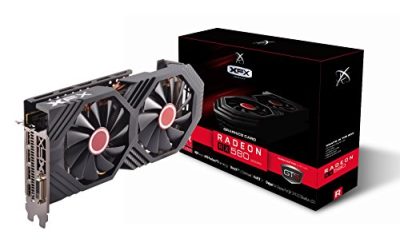
6 Best Graphics Cards for VR (October 2026)A headset asks more of a graphics card than a monitor does. The card has to draw two slightly different views every frame. 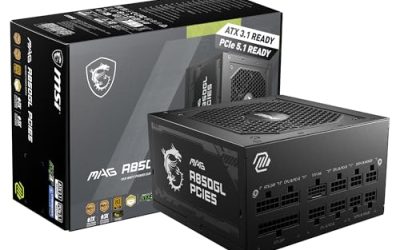
6 Best ATX 3.0 Power Supplies (October 2026)A power supply is the one component in a gaming PC that nobody brags about and everybody regrets skimping on. 
8 Best Quiet CPU Coolers (October 2026)Nobody shops for a quiet cooler because they love silence in the abstract. They shop because a whine climbs out of the case every time a browser tab. 
7 Best Graphics Cards for 3D Rendering (October 2026)Rendering punishes a graphics card in a different way from gaming. A game can drop its texture quality when memory runs short; a render simply fails. 
7 Best Fish Tank PC Cases (October 2026)A fish tank PC case is built around a single idea: remove the corner pillar and let glass wrap the front and side so the inside of the machine reads. 
Corsair Vengeance DDR5 Review (2026)Choosing the right DDR5 memory for a modern gaming rig has become... 
ARCTIC Liquid Freezer III Review (2026)Finding the right AIO liquid cooler for a high-end gaming CPU has... 
How to Cool Your Gaming PC (2026 Guide)Modern gaming PCs generate serious heat, and managing that thermal output has... 
DDR5 vs DDR4 RAM: Does It Matter in 2026?Choosing between DDR4 and DDR5 RAM is one of the most common... |