Our Short List of 3
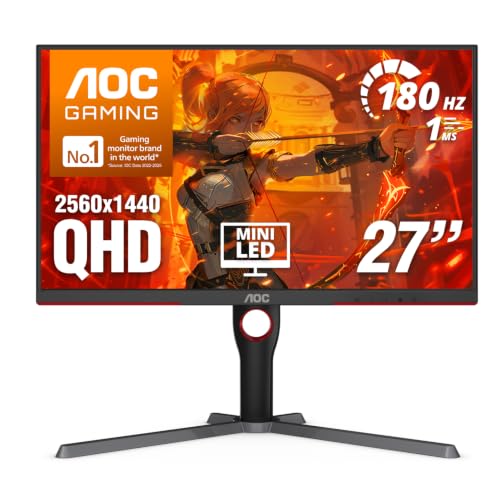
- Panel: 27-inch Fast VA, Mini LED backlight
- Resolution: 2560 x 1440 (QHD)
- Refresh rate: 180Hz
- Response time: 1ms GtG

- Panel: 27-inch SS IPS
- Resolution: 2560 x 1440 (QHD)
- Refresh rate: 165Hz
- Response time: 0.5ms (MPRT)

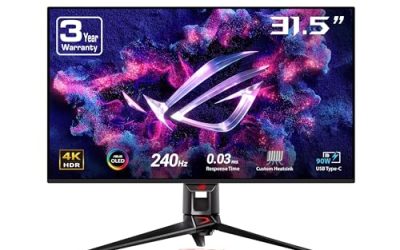
- Panel: 26.5-inch OLED
- Resolution: 2560 x 1440 (QHD)
- Refresh rate: 240Hz
- Response time: 0.03ms GtG
All 3 Picks at a Glance
| Product | Specs | Action |
|---|---|---|
| 1. AOC Q27G3XMN — Mini LED Panel on a 100 x 100 Pattern |
| Check price on Amazon |
| 2. Gigabyte M27Q — Lightweight KVM Panel for Dual-Arm Desks |
| Check price on Amazon |
| 3. LG UltraGear 27GS95QE-B — 240Hz OLED That Floats Well |
| Check price on Amazon |
Our Top Picks
A monitor arm or wall mount only works when the panel behind it was built for one. Every gaming monitor in this guide publishes a VESA mounting pattern in its maker specifications, either 75 x 75 mm or 100 x 100 mm, and every pick also publishes a weight without the stand, which is the figure an arm or wall bracket actually has to carry. That combination matters more than the badge on the box: a screen can advertise fast refresh rates and sharp resolution all day, but if the mounting holes are missing, hidden behind a decorative cover that fights the plate, or spaced for a pattern your arm does not support, the setup stalls before it starts.
All five monitors below are 27-inch QHD gaming panels, a size that suits single-arm desks, dual-screen battlestations and wall-mounted racing or flight rigs. They span VA Mini LED, IPS, Nano IPS, Quantum Dot IPS and OLED panel types, with refresh rates from 165Hz to 240Hz, so the mounting decision never forces a compromise on gaming performance. Each entry lists the exact VESA pattern and the stand-free weight from the maker’s own published data, because those two numbers decide which arms, poles and wall brackets pair safely with the panel.
Disclosure: As an Amazon Associate, we earn from qualifying purchases made through links on this page, at no extra cost to you.
What to Check Before You Mount a Gaming Monitor
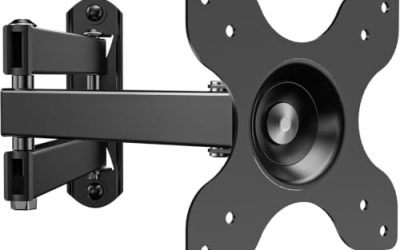
The pattern comes first. VESA sizes describe the distance between the four mounting holes on the back of the panel. A 100 x 100 mm pattern is the most common on 27-inch gaming monitors, while some slimmer models use 75 x 75 mm. Many arms ship with plates drilled for both patterns, but fixed wall brackets often support only one, so match the bracket to the figure in the spec sheet rather than assuming they are interchangeable.
Weight without the stand is the load figure. Arms and wall mounts are rated for the panel alone, because the factory stand stays in the box once the screen is mounted. Makers publish this number separately from the with-stand weight, and the gap can be large: the panels below run from 3.5 kg to 5.43 kg without stands, even though several weigh far more once the stock base is attached. Pick an arm whose rated range covers the stand-free figure with room to spare, and remember that a gas-spring arm also has a minimum load, so a very light panel on a heavy-duty arm can drift upward instead of holding position.
Check the back panel layout. On some monitors the VESA holes sit in a shallow recess, and a flat mounting plate can foul the surrounding plastic before the screws seat. Others place the holes on a raised boss that works with any standard plate. Cable exits matter too: ports that face straight back need more wall clearance than downward-facing ports, and a tight wall mount can leave no room for a thick DisplayPort plug. Finally, confirm the screw length the maker specifies, since screws that run too long can damage internal boards, while screws that are too short may not engage enough thread.
Plan the arm around the gaming setup. A single arm frees the desk area under the screen for a keyboard tray, stream deck or speakers, and lets the panel float at exact eye level. Dual-arm poles suit a main gaming screen paired with a chat or map display. For wall mounting behind a sim rig, fixed low-profile brackets work well because the viewing angle rarely changes once the seat is set. In every case, route the power and display cables with enough slack for the full tilt and swivel range before tightening anything down.
1. AOC Q27G3XMN — Mini LED Panel on a 100 x 100 Pattern
- Panel: 27-inch Fast VA, Mini LED backlight
- Resolution: 2560 x 1440 (QHD)
- Refresh rate: 180Hz
- Response time: 1ms GtG
The AOC Q27G3XMN pairs a 27-inch Fast VA panel with a Mini LED backlight and a 100 x 100 mm mounting interface, making it a strong fit for arms in bright rooms where deep contrast matters. AOC publishes the stand-free weight at 5.43 kg, the heaviest panel in this guide, so it belongs on an arm rated comfortably above that figure. The panel runs at 2560 x 1440 with a 180Hz refresh rate and 1ms GtG response, carries VESA DisplayHDR 1000 certification, and supports Adaptive Sync for tear-free play. The slim 71.8 mm depth without the stand keeps the screen close to a wall on a fixed bracket, and the stand that ships in the box offers height adjustment and pivot if the panel ever comes off the arm.
See the AOC Q27G3XMN on Amazon
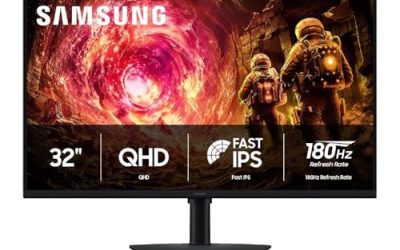
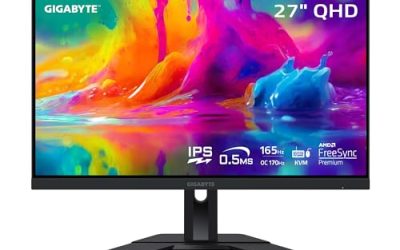
2. Gigabyte M27Q — Lightweight KVM Panel for Dual-Arm Desks
- Panel: 27-inch SS IPS
- Resolution: 2560 x 1440 (QHD)
- Refresh rate: 165Hz
- Response time: 0.5ms (MPRT)
Gigabyte publishes the M27Q at 3.5 kg without its stand, the lightest figure in this guide, which makes it an easy load for dual-arm poles where two panels share one clamp. The 100 x 100 mm pattern matches the majority of arms and wall brackets, and the cabinet is only 42.22 mm deep without the stand, so the screen sits nearly flat against a wall. The 27-inch SS IPS panel runs 2560 x 1440 at 165Hz with a 0.5ms MPRT response, 92% DCI-P3 coverage and FreeSync Premium. A built-in KVM switch and USB-C input add desk value beyond gaming, letting one mounted screen serve a gaming PC and a laptop with a single keyboard and mouse set. Two HDMI 2.0 ports, DisplayPort 1.2 and a USB 3.0 hub round out the connections.
See the Gigabyte M27Q on Amazon
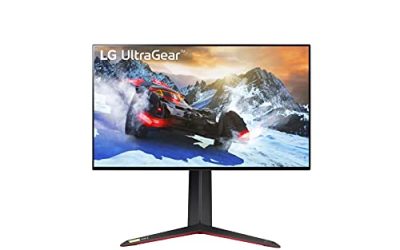
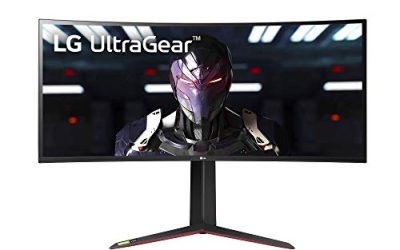
3. LG UltraGear 27GS95QE-B — 240Hz OLED That Floats Well
- Panel: 26.5-inch OLED
- Resolution: 2560 x 1440 (QHD)
- Refresh rate: 240Hz
- Response time: 0.03ms GtG
OLED panels carry no backlight unit, and the 27GS95QE-B shows the benefit on the scale: LG publishes 11.1 lbs (5.05 kg) without the stand for a 26.5-inch panel that is only 45.3 mm deep. The 100 x 100 mm wall mount size follows LG’s usual pattern, and the slim cabinet hugs a wall bracket closely for a clean mounted look. The panel itself is a 2560 x 1440 OLED running at 240Hz with a 0.03ms GtG response time, VESA DisplayHDR True Black 400 certification and 98.5% DCI-P3 coverage. It is both NVIDIA G-SYNC Compatible and AMD FreeSync Premium Pro certified, and it connects through two HDMI 2.1 ports and one DisplayPort 1.4 input, with a USB hub and a 4-pole headphone output that carries microphone audio for headsets.
See the LG UltraGear 27GS95QE-B on Amazon
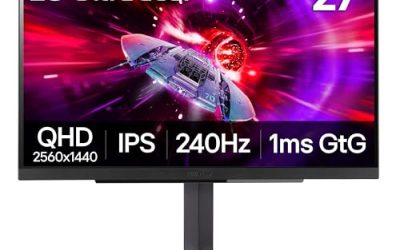
4. LG UltraGear 27GP850-B — Nano IPS With a 4.2 kg Bare Panel
The 27GP850-B is the second LG in this guide, and its published figures suit mid-range arms well: a 100 x 100 mm wall mount size and a stand-free weight of 9.3 lbs (4.2 kg). The 27-inch Nano IPS panel delivers 2560 x 1440 at 165Hz, overclockable to 180Hz, with a 1ms GtG response time, 98% DCI-P3 coverage and VESA DisplayHDR 400. It carries NVIDIA G-SYNC Compatible and AMD FreeSync Premium support, so the mounted screen stays smooth with either graphics card family. Connections cover two HDMI ports, one DisplayPort input and a USB 3.0 hub. The factory stand adjusts for tilt, height and pivot, which keeps the panel useful on a desk between arm setups, and the three-side borderless design keeps multi-monitor seams narrow when two units share a dual-arm pole.
Specs
- Panel: 27-inch Nano IPS
- Resolution: 2560 x 1440 (QHD)
- Refresh rate: 165Hz (180Hz overclock)
- Response time: 1ms GtG
- HDR: VESA DisplayHDR 400
- Color gamut: 98% DCI-P3
- Adaptive sync: NVIDIA G-SYNC Compatible, AMD FreeSync Premium
- Ports: 2x HDMI, 1x DisplayPort, USB 3.0 hub, headphone out
- VESA mount: 100 x 100 mm
- Weight without stand: 9.3 lbs (4.2 kg)
- Dimensions without stand: 614.2 x 364.8 x 51.7 mm
See the LG UltraGear 27GP850-B on Amazon
5. MSI MAG 274QRF QD E2 — The 75 x 75 mm Outlier
The MSI MAG 274QRF QD E2 is the one panel here that breaks from the 100 x 100 norm: MSI’s datasheet specifies a 75 x 75 mm VESA mounting pattern, and MSI includes four VESA screws in the box. At 3.95 kg without the stand it is also one of the lightest picks, so it suits lighter arms and spring-balanced mounts that heavier panels would overwhelm. Buyers with a 100 x 100-only bracket need an adapter plate, which is a small extra step worth knowing before the panel arrives. The 27-inch Rapid IPS Quantum Dot panel runs 2560 x 1440 at 180Hz with a 1ms GtG response, VESA DisplayHDR 400 and 98% DCI-P3 coverage. Connectivity is generous for a mounted screen: two HDMI 2.0b ports, DisplayPort 1.4a, and USB-C with DisplayPort alt mode and 65W power delivery, plus a USB hub and headphone output.
Specs
- Panel: 27-inch Rapid IPS with Quantum Dot
- Resolution: 2560 x 1440 (QHD)
- Refresh rate: 180Hz
- Response time: 1ms GtG
- HDR: VESA DisplayHDR 400
- Color gamut: 98% DCI-P3, 150% sRGB
- Adaptive sync: Adaptive-Sync
- Ports: 2x HDMI 2.0b, 1x DisplayPort 1.4a, 1x USB-C (DP alt mode, 65W PD), USB hub, headphone out
- VESA mount: 75 x 75 mm (VESA screws included)
- Weight without stand: 3.95 kg
- Dimensions without stand: 613.5 x 69.8 x 362.5 mm
See the MSI MAG 274QRF QD E2 on Amazon
Pairing These Panels With Arms and Brackets
Four of the five panels share the 100 x 100 mm pattern, so a single arm standard covers most of this guide, while the MSI needs either a 75 x 75 plate or an adapter. For gas-spring arms, match the bare-panel weight to the middle of the arm’s rated range rather than the edge: the M27Q at 3.5 kg and the MSI at 3.95 kg sit happily on lighter arms, the two LG panels at 4.2 kg and 5.05 kg suit mid-range arms, and the AOC at 5.43 kg deserves a heavier-duty mount with a firm tilt joint, since Mini LED cabinets concentrate mass in the backlight housing. Wall brackets ask less of the hardware because nothing moves after installation, but leave a hand’s width of clearance behind the panel for cable bends, especially on the AOC and the OLED LG, whose ports sit close to the mounting plane. Whatever the mount, tighten the four screws evenly in a cross pattern and check the tilt tension again after a day of use, because a fresh joint often settles under load.
Frequently Asked Questions
What VESA pattern do most 27-inch gaming monitors use?
Most 27-inch gaming monitors, including four of the five panels in this guide, use a 100 x 100 mm pattern. Some slimmer models, such as the MSI MAG 274QRF QD E2 here, use 75 x 75 mm instead. The pattern is printed in the maker’s spec sheet, and matching it to the arm or bracket plate is the first check before any purchase.
Which weight figure should I match to a monitor arm’s capacity?
Use the weight without the stand, because the factory stand is removed before mounting and the arm carries the panel alone. Makers publish this figure separately, and it can be several kilograms lower than the with-stand number. Choose an arm whose rated range covers the stand-free weight with margin on both ends, since gas-spring arms also misbehave when a panel is far lighter than the arm’s minimum load.
Can a 75 x 75 mm monitor fit an arm drilled for 100 x 100 mm?
Yes, with an adapter plate that bridges the two patterns, or with an arm whose plate is drilled for both sizes, which many are. The adapter adds a small amount of depth between the panel and the arm, so check wall clearance on fixed brackets. Fitting a 100 x 100 mm panel to a 75 x 75-only plate works the same way in reverse.
Do these monitors include the screws needed for mounting?
It varies by maker. MSI lists four VESA screws in the MAG 274QRF QD E2 box contents, while other brands expect the screws to come with the arm or bracket, as most mounts include a hardware pack with several lengths. If neither source provides them, the pattern uses standard M4 screws, and the maker’s manual states the correct length for the panel.
FAQ
What VESA pattern do most 27-inch gaming monitors use?
Which weight figure should I match to a monitor arm’s capacity?
Can a 75 x 75 mm monitor fit an arm drilled for 100 x 100 mm?
Do these monitors include the screws needed for mounting?
More from Amazon
Programs that pair well with the guide above. Offers and eligibility are set by Amazon and may change.
Free shipping on eligible items, Prime Video and more. Eligible new members can start with a free trial.
Start a Prime free trialAd-free music streaming. Eligible new subscribers can start with a free trial.
Try Music Unlimited freeA Prime membership for ages 18-24 with a trial period. Eligibility is set by Amazon.
See Prime for Young AdultsAudiobooks and podcasts to listen to on the go. Eligible new members can start with a free trial.
Try Audible freeAs an Amazon Associate we earn from qualifying purchases.