Our Short List of 3
All 4 Picks at a Glance
| Product | Specs | Action |
|---|---|---|
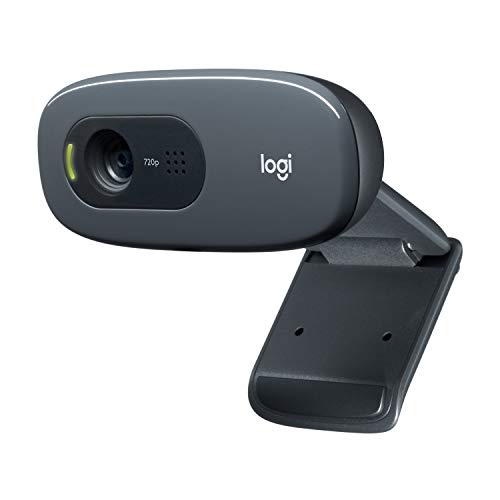 Logitech C270 HD Webcam | Check price on Amazon | |
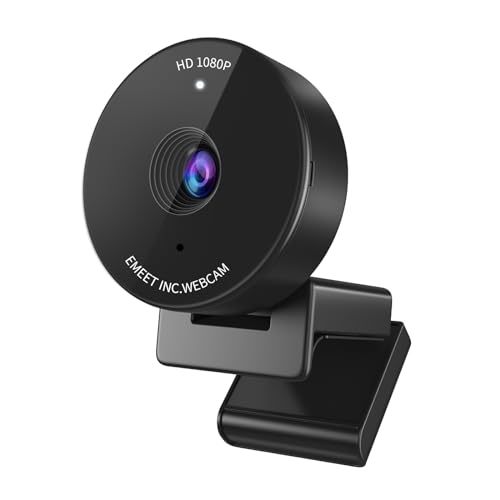 EMEET C950 1080P Webcam | Check price on Amazon | |
 NexiGo N60 1080P Webcam | Check price on Amazon | |
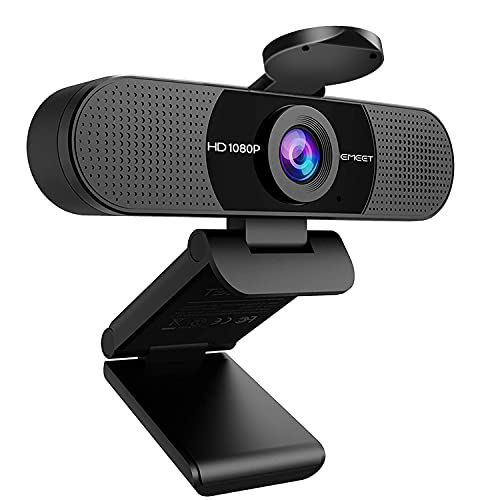 EMEET C960 1080P Webcam | Check price on Amazon |
Our Top Picks
- Logitech C270 720p Webcam Plug-and-Play Wide Screen Video1 Pack6 x 4 x 8 inches0.16 poundsCheck on Amazon
This guide reads the keyword as a budget tier. Every pick here is a webcam from the lowest-cost end of the webcam shelf, chosen for people who want a clear image on calls, classes and streams without a big outlay.
A laptop camera can leave you looking soft, dim and off-center on every call. An entry-level webcam fixes that with a larger lens, a better sensor and a mic that sits close to your voice. No pick here records in 4K, none has a built-in light, and none has autofocus. Those features live in higher tiers, and this guide does not pretend otherwise. What the picks do give you is a solid image, a working mic and a simple setup, which is what most calls actually need.
What to Look For
Resolution and frame rate set the baseline. Four of the five cameras here shoot in Full HD at 1080p, and the fifth shoots in HD video. The HD pick still looks clean on a laptop screen and in a small call window, where the lower resolution is hard to notice. Thirty frames per second suits calls, classes and talking-head video.
Focus decides whether your face stays sharp as you move. All five cameras here use fixed focus, which stays sharp across a set range and never hunts for focus in dim light. Autofocus would track you as you lean in and back, but no camera at this tier in this guide has it, so do not expect the lens to follow you if you stand up mid-call.
Field of view decides how much of the room the camera sees. A narrow view near 58 degrees keeps the frame on one face and hides the room behind you. A view near 70 degrees covers one person with a little space around them. The widest pick here also lets you narrow the view through software, so you can tighten the frame when you want less of the room in shot.
Sound matters as much as the image. Every camera here has a built-in mic, so you can join a call with nothing else plugged in. Dual mics with noise reduction handle a noisy room better than a single mic, because they can cut background hum and keyboard clatter.
Logitech C270 HD Webcam
Logitech C270 HD Webcam
The Logitech C270 HD Webcam is the long-running default for calls at the lowest-cost end of the shelf, and it is the only pick in this guide that shoots in HD video rather than Full HD. The listing names HD video at 30 frames per second, a 55-degree diagonal field of view, fixed focus, and a built-in noise-reducing mic. The camera plugs in over USB-A, clips onto a monitor or a laptop screen, and works with Windows, macOS and ChromeOS. The model number on the listing is 960-000694, and the listing names compatibility with Zoom, Skype, FaceTime, Google Meet and Microsoft Teams, along with the Nintendo Switch 2 GameChat mode.
RightLight 2 is the feature that sets the C270 apart from other cameras at this level. The listing names RightLight 2 auto light correction, which adjusts the image when the room light changes, so your face stays visible when a cloud passes over the window or when the only light is a desk lamp. The fixed focus stays sharp across the normal desk range, and the 55-degree view keeps the frame tight on one face, which hides the room behind you without any extra effort. The mic is a single built-in noise-reducing unit, and the listing names a pickup range of about five feet, which is enough for one person at a desk.
The C270 is the pick to choose when you want the simplest camera that works, and when you mostly take one-to-one calls on a laptop screen. The limits are plain: the image is a step below the Full HD of the other four picks, so on a large monitor the picture looks softer, and the listing names no privacy cover, so plan around that with a stick-on lens cover if you want the lens covered between calls. Confirm the model number 960-000694 on the listing, because Logitech sells several similar-looking cameras under close names, and the C270 is the HD one in this guide.
EMEET C950 1080P Webcam
EMEET C950 1080P Webcam
The EMEET C950 is the smallest camera in this guide, a compact Full HD webcam built for one person and one screen. The listing names 1080p video at 30 frames per second, a 70-degree field of view, fixed focus, a single noise-canceling mic, auto low-light correction, and a physical privacy cover that slides over the lens. The model number on the listing is C950, and the maker part code is E3103.
The 70-degree view is the key figure on this camera. It covers one person with a little space around them, which suits a desk where you sit alone in front of the screen. The physical privacy cover is built into the camera body, so it cannot fall off or get lost in a drawer, and it slides closed with a finger when the call ends. The single mic carries noise-canceling on the listing, which helps with a fan or a busy room, though a single mic cannot separate voices the way two mics can. The auto low-light correction lifts the image when the room is dim, which matters on a desk that sits away from a window.
The C950 is the pick to choose when you want the smallest Full HD camera that still covers the basics, and when you take calls alone at a desk. The limits are plain: the single mic is the weakest sound setup in this guide, so a noisy room will show through more than on the dual-mic picks, and the 70-degree view will not fit two people side by side. Two codes circulate for this model, and the listing to confirm is the US one, B0CP6BTQKR; a separate code appears on the Canada listing, so confirm the exact code on the listing before you buy.
NexiGo N60 1080P Webcam
NexiGo N60 1080P Webcam
The NexiGo N60 is the wide-angle pick in this guide, a Full HD webcam with the broadest view of the five. The listing names 1080p video at 30 frames per second, a 110-degree field of view that can be narrowed through software, dual noise-canceling microphones, a privacy cover, and USB plug-and-play. The model number on the listing is N60.
The 110-degree view is the figure that decides who should buy this camera. It fits two or three people in one frame, or one person with a whiteboard behind them, which the narrower picks cannot do. The software control lets you narrow the view when you want less of the room in shot, so the wide lens is not a fixed cost: you can tighten the frame for a one-to-one call and open it up for a group. The dual mics with noise canceling handle a room with more than one voice better than a single mic, because they can pick up sound from a wider area while cutting background hum.
The wide view has a cost that the listing does not hide and this guide states plainly: a wide lens bends straight lines near the edges of the frame, so a door frame or a shelf at the edge of the picture will look curved. That bend is normal for a lens this wide, and it is the trade for fitting more people in the frame. The maker publishes firmware updates for this model, and the listing and maker page name an audio lag fix among them, so check the maker page for the latest firmware after you buy and apply it if your camera needs it.
The N60 is the pick to choose when more than one person sits in front of the camera, or when you want a wide view with software control at the lowest-cost end of the shelf. The limits are plain: the wide lens bends lines at the edges, the image is softer at the corners than at the center, and the camera is the largest of the five here, so it looks bulky on a thin laptop lid. Confirm the model number N60 on the listing, because NexiGo sells several webcams with close names and different fields of view.
EMEET C960 1080P Webcam
EMEET C960 1080P Webcam
The EMEET C960 is the dual-mic all-rounder in this guide, a Full HD webcam with two noise-reduction microphones and a 90-degree view. The listing names 1080p video at 30 frames per second, a 90-degree field of view, fixed focus, two built-in omnidirectional noise-reduction microphones, a privacy cover, and USB plug-and-play with both a USB-A connection and an A-to-C adapter in the box. The model number on the listing is C960.
The 90-degree view sits in the middle of this guide: wide enough for two people side by side, narrow enough that the room behind you does not dominate the frame. The two mics are the strongest sound setup in this guide, because they can pick up a voice from a wider area while cutting background noise, which helps when two people share one camera or when the room has a fan running. The EMEETLINK software on the maker page lets you adjust brightness, contrast and white balance, so the image can be tuned to the room rather than left at the factory settings.
The fixed focus range is named on the listing as about a foot to about ten feet, which covers a desk and a small room, and objects closer than that range go soft. The privacy cover is removable rather than built into the body, so keep it with the camera or it can go missing in a drawer. The listing names no face sign-in support, so do not buy this camera for a setup that needs face sign-in.
The C960 is the pick to choose when sound matters as much as image, and when you want software control over the picture at the lowest-cost end of the shelf. The limits are plain: the fixed focus will not track you if you stand up mid-call, the removable privacy cover can go missing, and the camera shares a maker and a name with several close models, so confirm the exact code B07M6Y7355 on the listing. A newer version of the C960 exists under a separate listing with its own code, and this guide uses the original, so do not confuse the two when you buy.
Logitech Brio 100 Full HD Webcam
Logitech Brio 100 Full HD Webcam
The Logitech Brio 100 is the big-name pick in this guide, a Full HD webcam from Logitech with a built-in shutter and auto-light balance. The listing names 1080p video at 30 frames per second, fixed focus, a 58-degree field of view, RightLight auto-light balance, a built-in mic, and an integrated slide privacy shutter that closes over the lens. The model number on the listing is 960-001580, and the color on the listing is Graphite, with Rose and Off-White sold under separate listings.
The integrated shutter is the feature that sets the Brio 100 apart in this guide. It slides closed over the lens with a finger, and it is part of the camera body, so it cannot fall off or get lost. The RightLight auto-light balance adjusts the image when the room light changes, which helps when the only light is a desk lamp or a window behind you. The single built-in mic handles one person at a desk, and the listing names no noise reduction figure, so a noisy room will show through more than on the dual-mic picks.
The Brio 100 is the pick to choose when you want a big-name camera with a built-in shutter and auto-light balance, and when you take calls alone at a desk. The limits are plain: the single mic is the weakest sound setup in this guide alongside the C950, the 58-degree view will not fit two people side by side, and the listing names no noise reduction for the mic, so check the sound on your first call before an important meeting. The availability evidence for this camera is the thinnest in this guide, so confirm a live buying option on the listing before you buy, and confirm the exact model number 960-001580 and the color, because Graphite, Rose and Off-White sell under separate listings.
Comparison Table
| Webcam | Video | Field of view | Focus | Mic | Privacy |
|---|---|---|---|---|---|
| Logitech C270 HD | HD video, 30 fps | 55 degrees | Fixed | Single noise-reducing mic | None named on listing |
| EMEET C950 | 1080p, 30 fps | 70 degrees | Fixed | Single noise-canceling mic | Physical privacy cover |
| NexiGo N60 | 1080p, 30 fps | 110 degrees, adjustable in software | Fixed | Dual noise-canceling mics | Privacy cover |
| EMEET C960 | 1080p, 30 fps | 90 degrees | Fixed | Dual noise-reduction mics | Removable privacy cover |
| Logitech Brio 100 | 1080p, 30 fps | 58 degrees | Fixed | Built-in mic | Integrated slide shutter |
Frequently Asked Questions
Can a webcam at this tier look good on calls?
Yes, with the right room setup. Four of the five cameras here shoot in Full HD at 1080p, which looks sharp on a laptop screen and in a normal call window, and the fifth shoots in HD video, which still looks clean in a small window. The bigger factors are light and framing: face the light, keep the window in front of you rather than behind you, and sit inside the sharp range of the fixed focus. A camera with light correction helps when the room is dim, and a camera with a built-in mic is enough for most calls. None of the five here records in 4K, and none has autofocus or a built-in light, so do not expect those features at this tier. What you get is a clear image, a working mic and a simple setup, which covers most calls.
Do I need a separate mic with one of these webcams?
For most calls, no. Every camera here has a built-in mic, so you can join a call with nothing else plugged in. The dual-mic picks, the NexiGo N60 and the EMEET C960, handle a noisy room better than the single-mic picks, because two mics can cut background hum and keyboard clatter while picking up your voice. For recorded video, a separate mic still sounds better than any built-in one, because a mic close to your mouth captures more detail and less room echo.
What should I do if my room is dim?
Face the light first, then pick a camera with light correction. A small lamp in front of you helps any camera more than any software trick, and a window in front of you beats a window behind you, which turns your face into a dark shape. The Logitech C270 and the Logitech Brio 100 both name RightLight light correction on their listings, and the EMEET C950 and the EMEET C960 both name low-light correction or low-light boost. The NexiGo N60 names no light correction figure on its listing, so it needs a better-lit room than the others.
How to Choose
Pick by how many people sit in front of the camera, how noisy the room is, and whether you want a built-in shutter. For one person who wants a big-name camera with a built-in shutter, the Logitech Brio 100 is the pick, with the note that its availability evidence is the thinnest in this guide, so confirm a live buying option on the listing before you buy. For two people sharing one camera, the EMEET C960 is the all-rounder, with two mics and a 90-degree view, and the NexiGo N60 is the pick when the group is larger or when you want software control over the field of view.
Check the listing before you buy, every time. Confirm the exact model number on the listing, because every maker here sells close models under close names, and the wrong model can mean a different field of view, a different mic setup, or no privacy cover at all. Confirm that the listing names a new-unit buying option, because renewed and used units circulate under separate listings and this guide only covers new units. The five cameras here all plug in over USB and work with the main calling apps, so the choice comes down to view, sound and privacy, not compatibility.
Disclosure: As an Amazon Associate, we may earn a commission from qualifying purchases made through links in this article, at no additional cost to you.
FAQ
Can a webcam at this tier look good on calls?
Do I need a separate mic with one of these webcams?
What should I do if my room is dim?
More from Amazon
Programs that pair well with the guide above. Offers and eligibility are set by Amazon and may change.
Free shipping on eligible items, Prime Video and more. Eligible new members can start with a free trial.
Start a Prime free trialAd-free music streaming. Eligible new subscribers can start with a free trial.
Try Music Unlimited freeA Prime membership for ages 18-24 with a trial period. Eligibility is set by Amazon.
See Prime for Young AdultsAudiobooks and podcasts to listen to on the go. Eligible new members can start with a free trial.
Try Audible freeAs an Amazon Associate we earn from qualifying purchases.