Key takeaways
- Three truly wireless webcams with built-in batteries and Wi-Fi, compared for cable-free meetings, with key specs taken from their Amazon product pages.
The real decision is not which camera has the sharpest sensor. It is how the camera connects. A standard webcam chains you to a short USB cable and one fixed spot, while a truly wireless webcam runs on its own battery and sends video over Wi-Fi, so it can sit on a tripod across the room, face a whiteboard, or follow a presenter. The trade is complexity: these cameras reach your meeting app through companion software and streaming protocols instead of appearing as a simple plug-and-play device.


This roundup serves three kinds of buyers: presenters and teachers who move while they talk, small teams turning a spare room into a meeting space, and streamers who spend half the week in video calls. Every model below is a genuinely wireless camera with a built-in battery and Wi-Fi, chosen from the names and specifications on its Amazon product page, and each one feeds meeting software through its maker app, a network feed, or a wired fallback.
Quick Picks
As an Amazon Associate we earn from qualifying purchases.
| Product | Best for | Key spec from title |
|---|---|---|
| OBSBOT Tail Air | Presenters who move around | 4K with AI tracking PTZ |
| Logitech Mevo Start | Simple app-run meetings | 1080p HD with app control |
| NearStream VM33 Gen 2 | Larger rooms and distant speakers | 2K with 40X zoom |
How to Choose
How the Camera Reaches Your Meeting App
Almost no wireless camera shows up inside Zoom or Teams the way a USB webcam does. Most send their picture to a companion app on a phone or computer, and from there into the meeting as a virtual camera, an NDI feed, or a direct stream. Before buying, trace that path for the platform you use every day. Check whether the maker app runs on your operating system, whether your company laptop allows the extra software, and whether a USB-C cable mode exists as a fallback for days when the wireless route misbehaves.
Battery Life Versus Meeting Length
The battery is what buys the placement freedom, so match its stated runtime to your longest back-to-back stretch of calls. A camera rated for six hours covers a normal workday of meetings with gaps, but a full day of teaching or a long workshop can drain it. Look for whether the camera can charge while it runs, how it behaves when the battery fades mid-call, and whether a power bank or a nearby outlet can keep it alive. Treat headline battery figures as best-case numbers and plan a charging habit between sessions.
Framing: Fixed Lens, Tracking PTZ, or Long Zoom
Decide how the shot should be framed before comparing sensors. A wide fixed lens suits one person seated near the camera and never needs adjustment. An AI tracking PTZ camera physically turns to follow a presenter, which suits classrooms, demonstrations, and anyone who paces. A long zoom lens reaches across a bigger room from a shelf or tripod at the back, keeping faces large without moving the camera closer. Picking the wrong framing style is hard to fix later, because no setting can add movement or reach the hardware lacks.
Microphones and Room Audio
Once the camera leaves the desk, the microphone problem changes. A mic array that sounds fine at arm’s length has to work from across the room, where voices compete with echo, air conditioning, and chair noise. Note how many microphones each camera carries, whether it accepts an external microphone, and whether a wireless or detachable mic is part of the package. In a larger room, an external mic placed near the speakers often matters more than another step of video resolution, so weigh the audio path as heavily as the lens.
The 3 Best Options
OBSBOT Tail Air
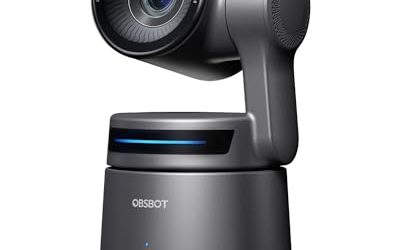
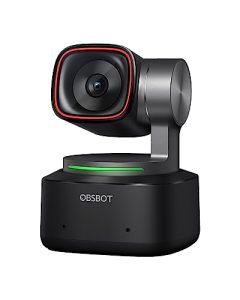
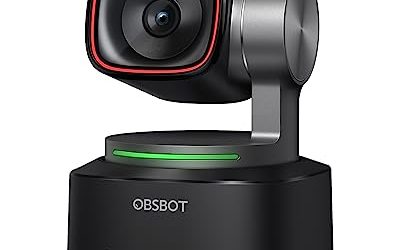
The Tail Air is a 4K PTZ camera that pans, tilts, and zooms to keep a moving presenter in frame, using AI tracking that the listing says can follow humans, animals, and objects. It connects four ways, over Wi-Fi, Micro HDMI, USB-C, and Ethernet with an adapter, and it speaks the streaming protocols NDI, RTMP, and RTSP alongside UVC, so it can feed meeting software through a network feed or a direct connection. A built-in battery removes the power cable from the equation, gesture control and the companion app handle framing, and a 3.5mm input accepts an external microphone when the room outgrows the two built-in MEMS microphones.
Specs
- Video resolution: 4K
- Camera movement: PTZ with AI tracking
- Connectivity: Wi-Fi, Micro HDMI, USB-C, Ethernet with adapter
- Streaming protocols: NDI, RTMP, RTSP, VISCA, UVC, OSC
- Microphones: two built-in MEMS microphones; 3.5mm TRS mic and line input
- Battery: built-in Lithium Polymer battery, included
- Color: Black
- Model number: Tail Air
Best for: presenters, teachers, and worship or training speakers who move while they talk.
Watch out for: the listing notes that the NDI license key requires a separate purchase, and availability looked thin when checked, so confirm the exact configuration before ordering.
Logitech Mevo Start
The Mevo Start takes the opposite approach: a small fixed-lens camera built entirely around an app. It streams 1080p video over Wi-Fi or LTE, runs for up to six hours on its internal battery, and pairs with the Mevo app for framing, switching, and streaming controls. Up to three cameras can work together as a multi-cam setup, which suits panel discussions and small events. Its three internal MEMS microphones use spatial processing for voice pickup, and the wide fixed lens covers a seated speaker or a pair of people without any setup beyond choosing a spot and opening the app.
Specs
- Video capture resolution: 1080p
- Lens: f/2.8, 3.6mm EFL, 83.7-degree diagonal field of view, fixed focus
- Encoding: HEVC or H.264; MP4 capture format
- Microphones: internal array of 3 MEMS microphones with spatial processing
- Battery average life: 6 hours; 1 Lithium Ion battery, included
- Wireless: 802.11ac Wi-Fi; streams via Wi-Fi or LTE
- Image stabilization: digital
- Mounting: built-in thread for a mic or tripod stand
- Dimensions: 8.7 x 3.4 x 7.5 cm
Best for: solo professionals and small teams who want an app-run camera they can place anywhere in the room.
Watch out for: there is no zoom and the focus is fixed, so it suits one or two people near the camera rather than a long boardroom table.
NearStream VM33 Gen 2
The VM33 Gen 2 is built for distance. Its listing leads with 2K video and a 40X zoom, aimed at rooms where the camera sits at the back and the speakers sit far away, and it supports multi-camera setups through its app for larger spaces. An array of eight noise-canceling microphones handles voice pickup, with an input for an external microphone when the room needs one closer to the talkers. The internal battery is rated for six hours, and the camera streams over RTMP and NDI, so it can join a meeting workflow through its app or a network feed.
Specs
- Video resolution: 2K
- Zoom: 40X, per the listing name
- Microphones: 8-MEMS noise-canceling microphone array; external mic input
- Battery life: 6 hours
- Protocols: RTMP and NDI
- Control: app control; multi-camera support
- Model number: VM33-US
- Color: Black or Silver
Best for: larger meeting rooms, classrooms, and houses of worship where the camera cannot sit near the speakers.
Watch out for: the seller is the NearStream Official Store rather than Amazon itself, although orders ship from Amazon, and the headline zoom figure blends optical and digital reach.
Which One Fits Your Situation
You Present Standing Up or Teach at a Whiteboard
Choose the OBSBOT Tail Air. Its motorized PTZ head and AI tracking keep you framed while you walk between a desk, a board, and a demonstration table, and the 4K sensor leaves room to crop the shot tighter in your meeting app. The battery and Wi-Fi link mean the tripod can stand wherever the view is best rather than wherever a cable reaches.
You Want One Camera You Can Move Between Rooms
Choose the Logitech Mevo Start. It is the simplest of the three to run: open the app, place the camera, and join the call. Six hours of battery covers a day of moving between a home office, a huddle room, and a borrowed desk, and the multi-cam option lets you add a second angle later without replacing the first camera.
Your Meetings Happen in a Bigger Room
Choose the NearStream VM33 Gen 2. The long zoom keeps faces readable from the back of a classroom, training room, or sanctuary, and the eight-microphone array is designed for voices that are nowhere near the camera. Add an external microphone near the speakers if the room echoes, and let the app switch between this camera and closer angles.
You Stream and Sit in Calls on the Same Gear
Any of the three can cover both jobs, because all of them stream over standard protocols as well as feeding meeting software. The Tail Air gives the most polished single-camera show for a presenter, the Mevo Start is the quickest to relocate between a desk call and a streamed event, and the VM33 Gen 2 covers the wide room when the audience is both in the seats and online.
Common Mistakes
- Assuming wireless means the camera appears in Zoom or Teams like a USB webcam, when most models reach the app through companion software, a virtual camera, or an NDI feed.
- Placing the camera in the corner with the weakest Wi-Fi signal, then blaming the camera for a soft or stuttering picture.
- Comparing resolution first and forgetting that voices from across the room need a microphone plan, not just a sharper lens.
- Starting a long teaching day or workshop on a partial charge, with no outlet, power bank, or charging cable within reach.
- Buying a long-zoom or tracking camera for a tiny desk setup where a simple wide lens would frame the shot with no moving parts.
Frequently Asked Questions
Can a wireless webcam work with Zoom and Microsoft Teams?
Yes, but usually through an extra step. These cameras send video to a companion app, which presents the feed as a virtual camera the meeting app can select, or they stream over NDI into production software that feeds the call. Some also keep a USB-C camera mode as a wired fallback for strict company laptops.
How long do the batteries last across a day of meetings?
The Mevo Start and the VM33 Gen 2 both state six-hour battery life in their listings, and the Tail Air runs on a built-in rechargeable battery. That covers a typical day of separated calls, but back-to-back teaching or all-day workshops call for charging between sessions or keeping a cable and power bank nearby.
Is 1080p enough, or should a meeting camera be 4K?
For a head-and-shoulders shot of one or two people, 1080p looks clean on every major meeting platform, and platforms compress the feed anyway. A 4K camera earns its place when you frame a wide room and crop in, or when one camera must cover both a presenter and a board without losing readable detail.
Does Wi-Fi quality really change the picture that much?
It does. A wireless camera is only as steady as the network carrying it, so a weak signal or a crowded band shows up as softness, delay, or dropped frames. Keep the camera within a strong signal of the router, prefer the faster band where the listing supports it, and use a wired Ethernet option when the room allows one.
FAQ
Can a wireless webcam work with Zoom and Microsoft Teams?
How long do the batteries last across a day of meetings?
Is 1080p enough, or should a meeting camera be 4K?
Does Wi-Fi quality really change the picture that much?
More from Amazon
Programs that pair well with the guide above. Offers and eligibility are set by Amazon and may change.
Free shipping on eligible items, Prime Video and more. Eligible new members can start with a free trial.
Start a Prime free trialAd-free music streaming. Eligible new subscribers can start with a free trial.
Try Music Unlimited freeA Prime membership for ages 18-24 with a trial period. Eligibility is set by Amazon.
See Prime for Young AdultsAudiobooks and podcasts to listen to on the go. Eligible new members can start with a free trial.
Try Audible freeAs an Amazon Associate we earn from qualifying purchases.