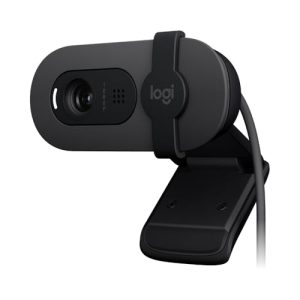
Our Short List of 3
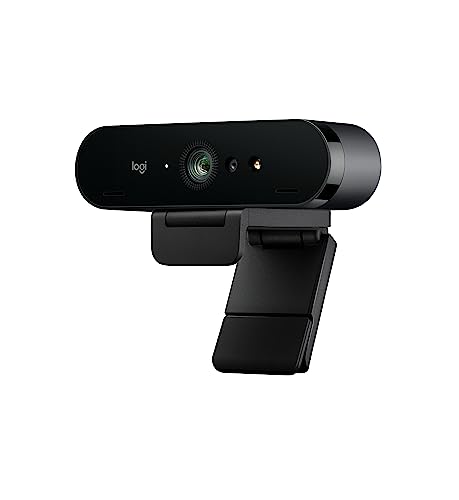
- Resolution: 4K (4096 x 2160) at 30 fps; 1080p at up to 60 fps; 720p at up to 90 fps
- Field of view: 65°, 78° or 90° (adjustable)
- Focus: autofocus
- Light correction: RightLight 3 with HDR, as published

- Resolution: 1080p (1920 x 1080) at 30 fps; 720p at 30 fps
- Field of view: 78°
- Focus: autofocus
- Light correction: HD auto light correction, as published

- Resolution: 2K (2560 x 1440) at 30 fps; 1080p, 720p and 360p modes
- Field of view: 65°, 78° or 95° (adjustable)
- Focus: autofocus
- Light correction: low-light correction, as published
All 5 Picks at a Glance
| Product | Specs | Action |
|---|---|---|
| 1. Logitech Brio 4K |
| Check price on Amazon |
| 2. Logitech C920s HD Pro |
| Check price on Amazon |
| 3. Anker PowerConf C200 |
| Check price on Amazon |
 4. NexiGo N60 |
| Check price on Amazon |
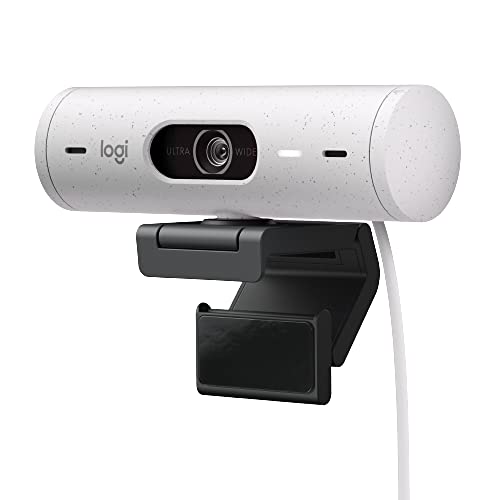 5. Logitech Brio 500 |
| Check price on Amazon |
Our Top Picks
PnP, in webcam terms, simply means plug and play: a USB camera that a computer recognises the moment it is connected, with no driver disc, no download hunt and no restart before the first call. Every camera in this guide works that way because each one follows the USB Video Class standard, usually shortened to UVC, which Windows, macOS, ChromeOS and Linux all support natively. Plug the cable in, open Zoom, Teams, Meet or OBS, select the camera, and the picture appears.
That simplicity is the whole brief here. The five webcams below are mainstream models for video calls, remote work, lessons and live streaming, and each one is compared on the figures its maker publishes: maximum resolution and frame rate, field of view, focus type, microphone arrangement and connection. Optional companion software exists for several of them and adds framing or settings control, but none of it is required for the camera to work — the plug-and-play path is complete on its own, which is exactly what makes these models easy to hand to family members, students and colleagues who just need a camera that works.
Disclosure: As an Amazon Associate, we earn from qualifying purchases made through links on this page, at no extra cost to you.
What Plug and Play Really Means
The UVC standard does the work. A UVC webcam describes itself to the operating system in a standard format, so the computer loads a built-in class driver rather than a model-specific one. That is why the same camera can move between a Windows desktop, a MacBook and a Chromebook without any setup beyond plugging it in. It is also why these cameras keep working across operating system updates that break older, driver-dependent hardware.
Connection type still matters. Two of the cameras below use USB-A plugs and three use USB-C. A USB-C camera on an older laptop may need a simple adapter, and a USB-A camera on a slim modern laptop may need the same in reverse. Adapters do not affect the plug-and-play behaviour, but checking the ports on the target machine first saves a second purchase. Cable length is published for most models and decides whether the camera can sit on a separate monitor rather than a laptop lid.
Resolution is a ceiling, not a promise. A 4K webcam sends a 4K picture to local recording software, but most calling platforms scale outgoing video down to 720p or 1080p depending on the plan and connection. The practical differences that show on calls are light handling, focus behaviour and field of view, which is why the sections below give those figures as much room as the headline resolution.
Microphones and shutters are built in. Every model here carries at least one built-in microphone, and four of the five include a physical privacy shutter or cover. A shutter that closes over the lens is the simplest privacy feature a webcam can offer, and it needs no software at all.
1. Logitech Brio 4K
- Resolution: 4K (4096 x 2160) at 30 fps; 1080p at up to 60 fps; 720p at up to 90 fps
- Field of view: 65°, 78° or 90° (adjustable)
- Focus: autofocus
- Light correction: RightLight 3 with HDR, as published
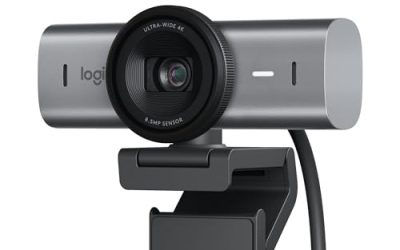
The Brio 4K is Logitech’s long-running flagship for people who want the highest ceiling a plug-and-play camera offers. It records 4K at 30 frames per second, 1080p at up to 60 frames per second and 720p at up to 90 frames per second, so the same camera covers recorded presentations at full detail and smoother motion for streaming at the lower settings. Its field of view adjusts between 65, 78 and 90 degrees, which covers a tight head-and-shoulders frame, a standard desk shot and a wider two-person view from one mount.
Logitech publishes RightLight 3 with HDR for backlit rooms, autofocus, a 5x digital zoom and dual omni-directional microphones. The camera also supports Windows Hello face sign-in on Windows machines, which turns the plug-and-play camera into the machine’s sign-in method as well. The connection is USB, and the published system support spans Windows, macOS and ChromeOS. For a single camera that has to handle boardroom calls, recorded demos and streaming without any driver work, this is the most complete specification in the group.
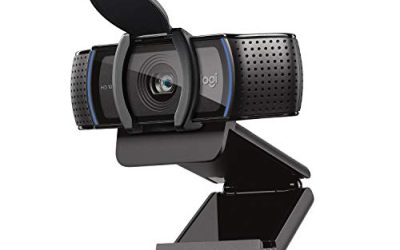
2. Logitech C920s HD Pro
- Resolution: 1080p (1920 x 1080) at 30 fps; 720p at 30 fps
- Field of view: 78°
- Focus: autofocus
- Light correction: HD auto light correction, as published
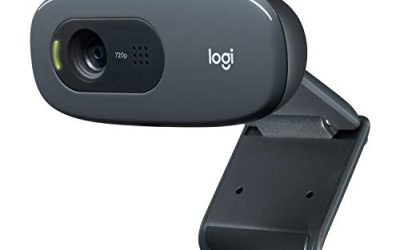
The C920s is the camera that defined the plug-and-play category for a decade, and its specification still matches what most calls actually use. It records Full HD 1080p at 30 frames per second with a 78-degree field of view, autofocus and a five-element glass lens, and it carries dual stereo microphones for call audio. Logitech publishes HD light correction that adjusts exposure automatically as room light changes through the day.
The detail that separates the C920s from the original C920 is the detachable privacy shutter that clips over the lens, giving a physical cover without reaching for tape or a sticky note. The connection is USB-A, the mount clips to a monitor or laptop lid and folds flat for travel, and a tripod thread is built into the base. Anyone equipping a home office, a classroom or a row of hot desks with one dependable camera model will find this the easiest specification to standardise on.
3. Anker PowerConf C200
- Resolution: 2K (2560 x 1440) at 30 fps; 1080p, 720p and 360p modes
- Field of view: 65°, 78° or 95° (adjustable)
- Focus: autofocus
- Light correction: low-light correction, as published
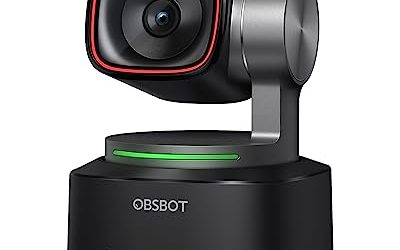
The PowerConf C200 sits between the 1080p cameras and the 4K flagship: its sensor records 2K video at 2560 x 1440 and 30 frames per second, with 1080p, 720p and 360p modes below that. Anker publishes an adjustable field of view with 65, 78 and 95-degree options, so the frame can be tightened for a solo call or widened for a small group around one desk, and autofocus keeps the subject sharp as they move.
Audio is a headline feature here. The camera carries dual stereo microphones with AI noise cancelling, published by Anker as a way to reduce background sound on calls, and low-light correction is published for dim rooms. A privacy cover is built into the body and slides over the lens. The connection is USB-C, and Anker lists support for Windows and macOS along with the common calling platforms. For callers who record locally as well as meet online, the 2K ceiling gives cropping room that 1080p cameras cannot offer while staying fully driver-free.
4. NexiGo N60
- Resolution: 1080p (1920 x 1080) at 30 fps
- Field of view: 110°, adjustable in the maker’s software
- Focus: fixed, as published
- Microphones: built-in microphone
The N60 is the wide-angle pick of the group. Its published field of view is 110 degrees, far wider than the other cameras here, which makes it the natural choice for a small meeting room, a classroom corner or a family call where several people share one screen. It records 1080p at 30 frames per second, carries a built-in microphone and connects over USB-A with the same driver-free behaviour as every other model in this guide.
NexiGo publishes software control of the field of view and zoom, which lets the wide native frame be narrowed digitally when only one person is on the call; the software is optional, and the camera works in calling apps the moment it is plugged in. A privacy cover is included in the box and slides over the lens between calls. The mount is a standard monitor clip with a tripod thread underneath. Buyers who need width first and everything else second will not find a broader published view in this set.
5. Logitech Brio 500
- Resolution: 1080p (1920 x 1080) at 30 fps; 720p at 60 fps
- Field of view: 90°, 78° or 65° (adjustable)
- Sensor: 4 MP, as published
- Focus: autofocus
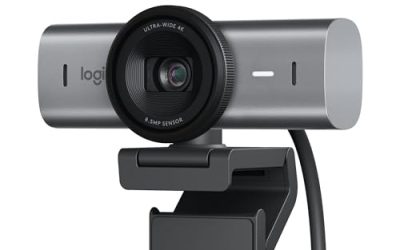
The Brio 500 is Logitech’s current meetings design, built around features that help a single speaker stay framed and lit without any setup work. It records 1080p at 30 frames per second and 720p at 60 frames per second from a 4MP sensor, with an adjustable field of view of 90, 78 or 65 degrees and autofocus. RightLight 4 light correction is published for evening out exposure in mixed lighting, and RightSight auto-framing keeps the speaker centred as they shift in their chair.
Show Mode is the distinctive extra: the camera tilts down on its magnetic mount to show a document, sketch or product on the desk, then returns to face view. Dual noise-reducing microphones are built in, and a privacy shutter rotates closed over the lens. The connection is USB-C. Note that the listing linked here is the Off White finish; the model is also sold in other finishes under their own listings, so check the finish selector on the page if colour matters. For hybrid workers who present objects as often as faces, this is the most meeting-aware specification in the group.
How to Choose Between Them
Start with the machine, not the camera. Count the free ports on the computer the webcam will live with. USB-C models suit recent laptops directly; USB-A models suit desktops and older laptops. An adapter solves either mismatch, but the neatest setup uses the native plug.
Match resolution to the job. Calls on the major platforms run at 1080p or below for most accounts, so the C920s, N60 and Brio 500 already cover meeting use completely. The C200’s 2K and the Brio 4K’s 4K earn their place when local recording, cropping or large-screen playback is part of the routine.
Use field of view for framing. A 65-to-78-degree view flatters a single speaker and hides the room. A 90-degree view fits two people, and the N60’s 110 degrees covers a small group. Adjustable models give both ends of that range in one camera.
Treat software as a bonus. Logi Tune, AnkerWork and NexiGo’s control software add framing, zoom and settings adjustments for several cameras here, and streamers may enjoy them. None of it is required: the plug-and-play promise of this guide is that every camera works fully in calls and in OBS the moment it is connected, on a fresh machine with nothing installed.
Frequently Asked Questions
Do plug-and-play webcams need drivers installed?
No. All five cameras follow the USB Video Class standard, so Windows, macOS, ChromeOS and Linux recognise them with built-in system support. Connect the cable, choose the camera inside the calling or recording app, and it works. Optional maker software adds settings and framing features but is never required for basic use.
Will these webcams work with Zoom, Teams and Google Meet?
Yes. Because the operating system presents a UVC camera as a standard video device, every major calling platform can select it, and the makers publish compatibility with those platforms for each model here. The same applies to OBS and other recording software used for streaming and lessons.
Is a 4K webcam worth choosing over 1080p for calls?
For calls alone, usually not: platforms scale outgoing video down, so a good 1080p camera with sound light correction looks much the same on the receiving end. The 4K and 2K models earn their place for local recording, digital cropping and future-proofing, where the extra pixels are fully used.
Can a USB-C webcam be used on a computer with only USB-A ports?
Yes, with a simple USB-A to USB-C adapter, and the reverse also works for USB-A cameras on USB-C-only laptops. The camera still behaves as a plug-and-play device through the adapter. Check the published cable length as well, since adapter plus cable decides how far the camera can sit from the machine.
More from Amazon
Programs that pair well with the guide above. Offers and eligibility are set by Amazon and may change.
Free shipping on eligible items, Prime Video and more. Eligible new members can start with a free trial.
Start a Prime free trialAd-free music streaming. Eligible new subscribers can start with a free trial.
Try Music Unlimited freeA Prime membership for ages 18-24 with a trial period. Eligibility is set by Amazon.
See Prime for Young AdultsAudiobooks and podcasts to listen to on the go. Eligible new members can start with a free trial.
Try Audible freeAs an Amazon Associate we earn from qualifying purchases.