Our Short List of 3

- Best for: Sharp 4K video on a large monitor.
- 4K at 30 fps and 1080p at 60 fps
- 8.5MP Sony sensor
- Dual noise-reducing microphones
- Show Mode for desk objects

- Best for: Smooth 1080p60 video for streaming.
- Uncompressed 1080p at 60 fps
- Sony sensor for indoor light
- Fixed-focus glass lens, f/2.4, 24 mm
- Advanced light correction

- Best for: Dim rooms where light is limited.
- 2K at 30 fps, 1080p at 30 fps and 720p at 30 fps
- 5MP CMOS sensor
- Field of view of 65, 78 or 95 degrees
- Dual microphones with AI noise cancellation
All 4 Picks at a Glance
| Product | Specs | Action |
|---|---|---|
| Logitech MX Brio Ultra HD 4K Webcam |
| Check price on Amazon |
| Elgato Facecam |
| Check price on Amazon |
| Anker PowerConf C200 2K Webcam |
| Check price on Amazon |
 Logitech C922x Pro Stream Webcam |
| Check price on Amazon |
Our Top Picks
Many people keep a webcam on the desk while they follow public streams from wildlife reserves, city squares, coastal piers and mountain trails. A good camera makes video calls clearer, keeps your own picture steady while a stream plays beside it, and records short clips without fuss. Resolution, focus, low-light handling and field of view decide how natural the picture looks in a normal room.
This guide covers five webcams for home desks, family rooms and small offices. Each one suits a different kind of viewer, from a casual watcher who wants a simple plug-in camera to a keen streamer who wants smooth 1080p or 4K video. We read the Amazon listings for names and specs, then matched each camera to the room, lighting and use where it fits well.
Quick Picks
As an Amazon Associate we earn from qualifying purchases
| Product | Best for | Key spec from title |
|---|---|---|
| Logitech C920s HD Pro Webcam | Everyday desk use | 1080p at 30 fps |
| Logitech MX Brio Ultra HD 4K Webcam | Sharp 4K video | 4K at 30 fps |
| Elgato Facecam | Smooth 1080p60 video | 1080p at 60 fps |
| Anker PowerConf C200 2K Webcam | Dim rooms | 2K at 30 fps |
| Logitech C922x Pro Stream Webcam | Live streaming | 1080p at 30 fps |
How to Choose
Match resolution to your screen and connection
Resolution shapes how much detail a webcam can send, and it should suit the screen where you watch public streams. A 1080p camera gives a clean picture for most calls and recordings, while a 2K camera adds finer detail around faces and objects near the lens. A 4K camera suits a large monitor and a viewer who wants very crisp edges, yet it also needs a stronger connection and a computer that can handle the extra data. Pick the level that matches your daily use, not the highest number on the box.
Check low-light handling before you buy
Rooms change through the day, and a webcam that copes with soft evening light will serve you far better than one that only shines under a bright lamp. Look for light correction in the listing, plus a wide aperture or a sensor that is described for indoor use. A camera with good low-light handling keeps faces visible when curtains are drawn and lamps are low. If your desk sits away from a window, give this point more weight than raw resolution.
Think about field of view and focus
Field of view decides how much of the room the camera takes in, and focus decides whether the picture stays sharp when you lean in or move back. A narrow view suits one person at a desk, while a wider view suits a small group sharing one camera. Autofocus helps when you shift position often, while fixed focus suits a viewer who sits in one place. Check the listed angles, then picture your desk, your chair and the wall behind you.
Weigh microphones, mounting and privacy
A webcam is more than a lens, so check the microphones, the mount and the privacy cover before you settle on one model. Dual microphones pick up voices more clearly than a single microphone, and noise reduction helps when a fan or a street hums nearby. A clip mount should grip a monitor firmly, while a tripod thread adds freedom for a side angle. A built-in shutter or sliding cover gives peace of mind when the camera is not in use.
The 5 Best Options
Logitech C920s HD Pro Webcam
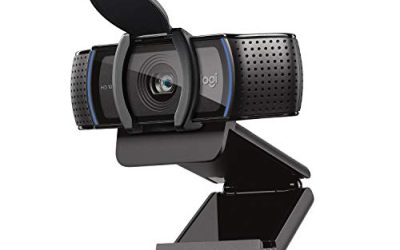
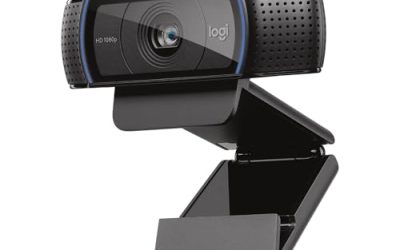
The Logitech C920s HD Pro Webcam is a steady pick for a desk where public wildlife, city and nature streams run through the day. Its picture stays clean in normal room light, its autofocus follows small movements without hunting, and its privacy shutter slides over the lens when the day is done. The camera clips to a monitor in seconds, and its familiar shape suits a home office, a family room or a shared desk.
Specs
- 1080p at 30 fps and 720p at 30 fps
- Five-element glass lens with autofocus
- 78-degree field of view
- Dual stereo microphones
- RightLight 2 light correction
- Privacy shutter
- 5-foot cable
Best for: Everyday desk use with clear 1080p video.
Watch out for: It tops out at 1080p, so it cannot match a 4K camera for fine detail.
ASIN: B07K95B1R3
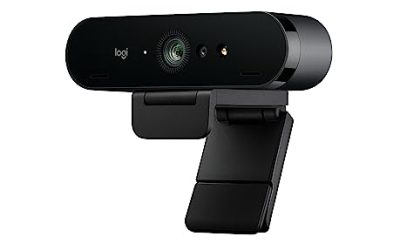
Logitech MX Brio Ultra HD 4K Webcam
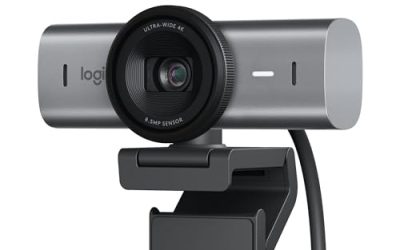
- Best for: Sharp 4K video on a large monitor.
- 4K at 30 fps and 1080p at 60 fps
- 8.5MP Sony sensor
- Dual noise-reducing microphones
- Show Mode for desk objects
Sharp 4K video on a large monitor.
It needs a stronger computer and connection than a 1080p camera.
The Logitech MX Brio Ultra HD 4K Webcam suits a viewer who wants the sharpest picture in this guide. Its 4K sensor brings out fine detail in hair, fabric and small objects, while its 1080p at 60 fps mode gives smooth motion for live video. Show Mode lets you tilt the camera down toward a desk object, which helps when you want to share a map, a book or a craft item during a call.
Elgato Facecam
- Best for: Smooth 1080p60 video for streaming.
- Uncompressed 1080p at 60 fps
- Sony sensor for indoor light
- Fixed-focus glass lens, f/2.4, 24 mm
- Advanced light correction
Smooth 1080p60 video for streaming.
Fixed focus means you must sit inside its focus range for a sharp picture.
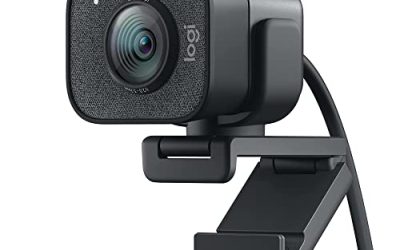
The Elgato Facecam suits a keen streamer who wants smooth, uncompressed 1080p video at 60 frames per second. Its fixed-focus glass lens keeps the picture steady once you sit in its focus range, and its Sony sensor handles indoor light with less grain than many rivals. Advanced light correction and DSLR-style controls give you room to shape the picture, while the detachable USB-C cable makes the camera easy to move between desks.
Anker PowerConf C200 2K Webcam
- Best for: Dim rooms where light is limited.
- 2K at 30 fps, 1080p at 30 fps and 720p at 30 fps
- 5MP CMOS sensor
- Field of view of 65, 78 or 95 degrees
- Dual microphones with AI noise cancellation
Dim rooms where light is limited.
It tops out at 30 fps, so fast motion looks less smooth than 60 fps video.
The Anker PowerConf C200 2K Webcam suits a dim room where other cameras lose detail and add grain. Its 2K sensor gives a crisper picture than 1080p, while low-light correction lifts shadows without washing out faces. You can set the field of view to 65, 78 or 95 degrees in software, so one camera can frame a single viewer or a small group. Dual microphones with AI noise cancellation keep voices clear when the room is noisy.
Logitech C922x Pro Stream Webcam
- Best for: Live streaming with a choice of detail or motion.
- 1080p at 30 fps and 720p at 60 fps
- Full HD glass lens with autofocus
- 78-degree field of view
- Dual omnidirectional microphones
Live streaming with a choice of detail or motion.
It has no privacy shutter, so cover the lens when it is not in use.
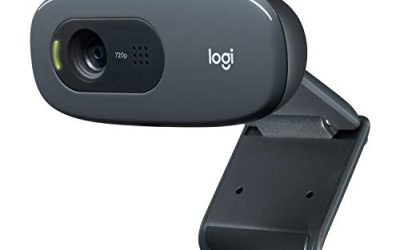
The Logitech C922x Pro Stream Webcam suits a viewer who streams often and wants a camera built for that job. It records 1080p at 30 fps or 720p at 60 fps, so you can choose detail or smoother motion. Its glass lens and autofocus keep the picture sharp, while dual omnidirectional microphones pick up sound from around the desk. A tripod in the box adds a second mounting choice beyond a monitor clip.
Which One Fits Your Situation
You watch streams in a bright family room
A bright family room suits the Logitech C920s, which gives a clean 1080p picture without complex settings. Its autofocus copes when different family members sit in front of it, and its privacy shutter closes the lens at the end of the day. The camera clips to a monitor and works with common call apps, so it fits a shared desk with little setup.
You want the sharpest picture on a large monitor
A large monitor rewards the Logitech MX Brio, whose 4K sensor shows fine detail that a 1080p camera can miss. Its 1080p at 60 fps mode also gives smooth motion when you join a live call. Show Mode helps when you want to point the camera at an object on the desk, and the twist-ring shutter gives a simple way to close the lens.
Your desk sits in a dim corner
A dim corner suits the Anker PowerConf C200, which is built for low light and gives a crisper 2K picture than a 1080p camera. Its adjustable field of view lets you frame one viewer or a small group, and its dual microphones use AI noise cancellation to keep voices clear. The integrated privacy cover slides over the lens between calls.
You stream often and want smooth motion
Frequent streaming suits the Elgato Facecam, which sends uncompressed 1080p video at 60 frames per second. Its Sony sensor handles indoor light well, and its fixed-focus lens keeps the picture steady once you sit in range. If you prefer a camera with autofocus and a tripod in the box, the Logitech C922x is a strong second choice for the same desk.
Common Mistakes
- Buying a 4K camera for a weak connection that cannot carry the extra data smoothly.
- Placing the camera below eye level, which gives an unflattering angle and a cluttered view.
- Ignoring field of view, then finding the camera takes in too much or too little of the room.
- Forgetting a privacy cover, then leaving the lens open when the camera is not in use.
- Choosing a camera for its headline resolution alone, without checking low-light handling and microphones.
Frequently Asked Questions
Can a webcam improve how I enjoy public streams?
A webcam does not change the stream itself, yet it improves the rest of the setup. It gives you a clear picture for video calls while a wildlife, city or nature stream plays beside the call window. It also lets you record short clips and join group chats without a grainy laptop camera. Good focus and low-light handling make those calls feel natural.
Is 1080p enough for watching streams at home?
Yes, 1080p is enough for most home desks, because it gives a clean picture on a normal monitor and needs less data than 2K or 4K. A 2K camera adds finer detail, and a 4K camera suits a large monitor where small details matter. Match resolution to your screen size, your connection and how often you record.
Do I need a microphone in my webcam?
A built-in microphone helps when you join calls or record short clips, because it keeps your setup simple. Dual microphones pick up voices more clearly, and noise cancellation helps in a busy room. If you already own a separate microphone, the webcam microphone matters less, and you can focus on picture quality alone.
How do I keep my webcam private when it is not in use?
Use the built-in shutter or sliding cover when your camera has one, and close the call app when you finish. A camera with a twist-ring shutter or a slide-over cover makes this habit easy. If your camera has no cover, place a small lens cap over it or point it toward a wall between uses.
FAQ
Can a webcam improve how I enjoy public streams?
Is 1080p enough for watching streams at home?
Do I need a microphone in my webcam?
How do I keep my webcam private when it is not in use?
More from Amazon
Programs that pair well with the guide above. Offers and eligibility are set by Amazon and may change.
Free shipping on eligible items, Prime Video and more. Eligible new members can start with a free trial.
Start a Prime free trialAd-free music streaming. Eligible new subscribers can start with a free trial.
Try Music Unlimited freeA Prime membership for ages 18-24 with a trial period. Eligibility is set by Amazon.
See Prime for Young AdultsAudiobooks and podcasts to listen to on the go. Eligible new members can start with a free trial.
Try Audible freeAs an Amazon Associate we earn from qualifying purchases.