Our Short List of 3

- Best for: Everyday streaming, lessons, and calls where a shutter and steady autofocus matter.
- Full HD 1080p video at 30fps
- Autofocus with HD light correction
- Dual stereo microphones for clear audio
- Privacy shutter built into the housing

- Best for: Daily meetings, online classes, and family calls on a small desk.
- Full HD 1080p video
- Auto-light balance for dim rooms
- Built-in microphone
- Integrated privacy shutter

- Best for: Compact desks and dim rooms where a sharper image and a wider framing choice help.
- 2K video resolution
- Autofocus
- Field of view adjustable to 65, 78, or 95 degrees in software
- Dual microphones with AI noise canceling
All 5 Picks at a Glance
| Product | Specs | Action |
|---|---|---|
| Logitech C920S HD Pro Webcam |
| Check price on Amazon |
| Logitech Brio 100 Full HD 1080p Webcam |
| Check price on Amazon |
| Anker PowerConf C200 2K Webcam |
| Check price on Amazon |
 Elgato Facecam MK.2 |
| Check price on Amazon |
 Razer Kiyo Pro Ultra 4K Webcam |
| Check price on Amazon |
Our Top Picks
A webcam shapes how every call, lesson, and live broadcast looks, so the choice matters more than the small box on top of a monitor suggests. Sharp focus, steady color, and clear sound decide whether a viewer stays with a stream or drifts away, and a weak camera can undo careful lighting and a good microphone. Resolution alone does not settle the question, because frame rate, field of view, low-light handling, and privacy controls all change the result in a real room.
This guide covers five webcams that suit different desks and different goals, from a simple plug-and-play model for daily meetings to a 4K camera built for creators who record as well as broadcast. Streamers get smooth motion and wide framing, remote workers get dependable audio and a shutter for privacy, and creators get manual control over the image. Each pick below comes from its Amazon listing, with the features that listing states.
Quick Picks
As an Amazon Associate we earn from qualifying purchases
| Product | Best for | Key spec from title |
|---|---|---|
| Logitech C920S HD Pro Webcam | Everyday streaming with a privacy shutter | Full HD 1080p at 30fps |
| Logitech Brio 100 Full HD 1080p Webcam | Simple meetings and classes | Full HD 1080p with auto-light balance |
| Anker PowerConf C200 2K Webcam | Compact desks and dim rooms | 2K video with low-light correction |
| Elgato Facecam MK.2 | Smooth 1080p60 streaming | Uncompressed 1080p60 video with HDR |
| Razer Kiyo Pro Ultra 4K Webcam | Detailed 4K creator video | 4K video with a large sensor |
How to Choose
Match Resolution to Your Audience
Resolution sets the ceiling for detail, yet the audience and the connection decide how much of that ceiling ever reaches a viewer. A 1080p camera looks clean on most calls and streams, while a 2K or 4K camera keeps faces sharp in recordings and close crops. Higher resolution also demands more light and more bandwidth, so a bright room and a solid connection help it shine. Choose the sharpest image your desk and your internet can support without making the picture noisy or uneven.
Weigh Frame Rate Against Smoothness
Frame rate changes how motion reads on screen, and the difference shows up the moment a hand moves or a head turns. A camera at 30 frames per second suits calm conversation, while 60 frames per second keeps gestures and gameplay reactions fluid during a live broadcast. Smooth motion matters most for creators who move around, demonstrate objects, or play games on camera. If your streams stay mostly still, a steady 30 frames per second will look composed and natural.
Check the Field of View
Field of view decides how much of a room appears beside a face, and the wrong width can crowd a shot or leave it empty. A narrow view near 58 degrees keeps attention on one person and hides a messy desk, while a wider view near 90 degrees fits two people or a whiteboard behind a presenter. Some cameras let software change the angle, which helps when a desk moves or a second person joins. Measure the space behind the chair before choosing a wide lens.
Look at Light, Sound, and Privacy
A webcam must cope with the light a room actually has, not the light a studio promises. Auto light correction lifts a dim face, HDR balances a bright window, and a larger sensor gathers more detail after sunset. Built-in microphones should pick up a voice without catching every keyboard click, and dual microphones help here. A physical shutter or a sliding cover adds peace of mind when the camera sits idle, so check for one before buying a camera for daily use.
The 5 Best Options
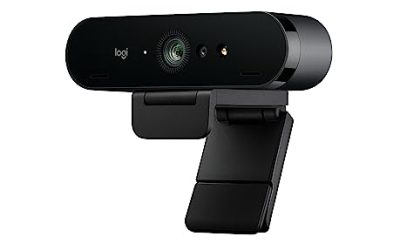
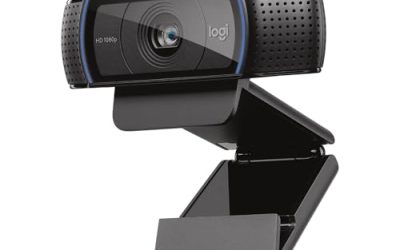
Logitech C920S HD Pro Webcam
- Best for: Everyday streaming, lessons, and calls where a shutter and steady autofocus matter.
- Full HD 1080p video at 30fps
- Autofocus with HD light correction
- Dual stereo microphones for clear audio
- Privacy shutter built into the housing
Everyday streaming, lessons, and calls where a shutter and steady autofocus matter.
The 1080p ceiling and 30fps limit suit calm scenes better than fast movement.
The Logitech C920S HD Pro Webcam earns its place as a dependable all-rounder for people who want clear video without learning camera settings. Its autofocus keeps a face sharp when leaning toward the monitor or sitting back in a chair, and its light correction evens out a room that mixes window light with a desk lamp. Dual microphones capture a natural voice for calls, lessons, and casual broadcasts, while the privacy shutter slides closed when the day ends. Setup stays simple through a USB connection, and the familiar Logitech software adds framing and background tools for streamers who want a little more control.
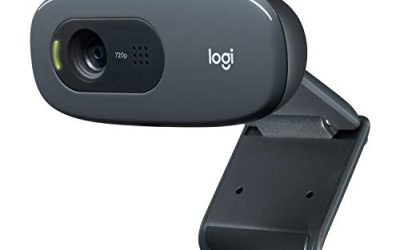
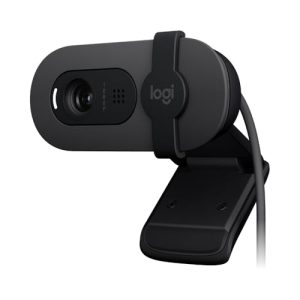
Logitech Brio 100 Full HD 1080p Webcam
- Best for: Daily meetings, online classes, and family calls on a small desk.
- Full HD 1080p video
- Auto-light balance for dim rooms
- Built-in microphone
- Integrated privacy shutter
Daily meetings, online classes, and family calls on a small desk.
The fixed focus and modest feature set leave less room to fine-tune the image.
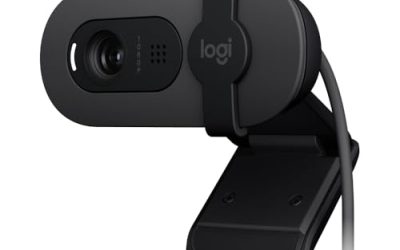
The Logitech Brio 100 Full HD 1080p Webcam suits a desk where simplicity wins, because it delivers a clean picture with almost no setup. Auto-light balance brightens a face in a dim corner, and the built-in microphone keeps calls intelligible without a separate mic on the desk. A sliding privacy shutter covers the lens between meetings, and the compact oval body sits neatly on a monitor or a laptop lid. It works with the meeting apps most offices and schools already use, so a call can begin moments after plugging in the USB-A cable.
Anker PowerConf C200 2K Webcam
- Best for: Compact desks and dim rooms where a sharper image and a wider framing choice help.
- 2K video resolution
- Autofocus
- Field of view adjustable to 65, 78, or 95 degrees in software
- Dual microphones with AI noise canceling
Compact desks and dim rooms where a sharper image and a wider framing choice help.
Changing the field of view needs the AnkerWork software, and the frame rate tops out at 30fps.
The Anker PowerConf C200 2K Webcam brings sharper detail than a 1080p camera while staying small enough for a crowded desk. Its 2K resolution keeps a face defined in close framing, and low-light correction helps when a room relies on a single lamp after dark. Dual microphones with AI noise canceling focus on a voice and soften background hum, which suits shared rooms and open offices. Software changes the field of view between three angles, so the same camera can frame one person tightly or include more of the desk. A built-in privacy cover slides over the lens when the camera is not in use.
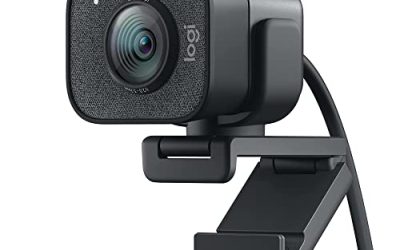
Elgato Facecam MK.2
- Best for: Live streaming and recording where smooth 1080p60 video and manual image control matter.
- Uncompressed 1080p60 video
- HDR enabled
- Sony sensor optimized for indoor use
- PTZ control through Camera Hub software
Live streaming and recording where smooth 1080p60 video and manual image control matter.
The camera has no built-in microphone, so a separate mic belongs on the desk.
The Elgato Facecam MK.2 targets streamers who want fluid motion and a polished image without moving to a mirrorless camera. Uncompressed 1080p60 video keeps gestures smooth and edges clean, while HDR balances bright windows and shaded faces in the same shot. A Sony sensor tuned for indoor light helps in a room lit by lamps, and the Camera Hub software gives DSLR-style control over exposure, white balance, and zoom. Pan, tilt, and zoom controls reframe the shot without touching the camera, and the easy-slide privacy shutter covers the lens between streams.
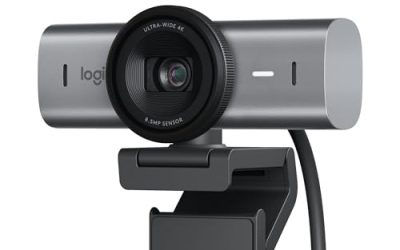
Razer Kiyo Pro Ultra 4K Webcam
- Best for: Creators who want detailed 4K video, soft background blur, and strong low-light performance.
- 4K video at 30fps and 1080p at 60fps
- 1/1.2-inch sensor with a 2.9 micrometer pixel size
- Custom f/1.7 aperture lens
- HDR support
Creators who want detailed 4K video, soft background blur, and strong low-light performance.
The large body takes more desk space, and the full feature set needs Razer Synapse software.
The Razer Kiyo Pro Ultra 4K Webcam aims at creators who record polished video as well as broadcast live, and its large sensor gives it a clear edge in dim rooms. The 1/1.2-inch sensor gathers more light than the small sensors in most webcams, which keeps skin tones natural and backgrounds softly blurred without software tricks. Face-tracking autofocus follows a presenter who stands, gestures, or leans toward a whiteboard, while HDR keeps bright and dark areas in balance. A built-in microphone and a built-in shutter cover sound and privacy in one body, and Razer Synapse unlocks deeper control over the image.
Which One Fits Your Situation
You Stream Games or Chat Live Every Day
A camera that holds focus and keeps motion smooth matters most when a broadcast runs for hours. The Elgato Facecam MK.2 delivers 1080p60 video with manual control, while the Logitech C920S covers longer sessions with steady autofocus and a shutter for breaks. Pick the Elgato when fluid motion and image tuning come first, and pick the Logitech when simplicity and a lower profile suit the desk better.
You Work From Home and Join Calls All Day
Calls reward a camera that looks good in ordinary light and sounds clear without extra gear. The Logitech Brio 100 keeps the setup simple with a built-in mic and a shutter, while the Anker PowerConf C200 adds sharper 2K detail and noise-canceling microphones for shared rooms. Either one sits neatly on a monitor and joins a meeting in moments.
You Record Videos as Well as Stream
Recording rewards detail, depth, and control over the image after the file is saved. The Razer Kiyo Pro Ultra leads here with 4K video, a large sensor, and face-tracking autofocus that follows a presenter around a room. Its built-in shutter and microphone keep the desk tidy, while the software unlocks the finer adjustments that polished recordings need.
Your Desk Is Small or Your Room Is Dim
A compact camera with low-light help suits a tight desk and a room that relies on one lamp. The Anker PowerConf C200 fits a crowded monitor, corrects dim light, and changes its field of view to match the space. The Logitech Brio 100 also works well here, with auto-light balance and a small body that leaves room for a notebook and a mug.
Common Mistakes
- Buying a 4K camera for a dim room without adding a lamp, then blaming the sensor for a noisy image.
- Choosing a wide field of view for a solo call and letting a messy room steal attention from the speaker.
- Ignoring the microphone and discovering mid-call that the camera picks up every keyboard click.
- Mounting the camera below eye level, which creates an unflattering angle and a distracting background.
- Leaving the privacy shutter open between calls instead of covering the lens when the camera is idle.
Frequently Asked Questions
Is 1080p enough for streaming in November 2026?
Yes, 1080p remains enough for most streams and calls, because most viewers watch on laptops and phones where a clean 1080p image looks sharp. A higher resolution helps recordings and close crops, but lighting, focus, and a stable connection matter more than extra pixels on a live broadcast.
Do I need a separate microphone with these webcams?
Most of the cameras here include a built-in microphone that suits calls and casual streams, with dual microphones on several models for clearer voice pickup. The Elgato Facecam MK.2 has no built-in microphone, so it needs a separate mic. A dedicated microphone still improves sound for serious recording.
What field of view should I choose for a solo stream?
A view near 78 degrees suits most solo streamers, because it frames the head and shoulders without showing too much of the room. A narrower view near 58 degrees hides more background, while a wider view near 90 degrees fits a second person or a demonstration. Software-adjustable models let the angle change with the scene.
Can I use one of these webcams for video calls and streaming?
Yes, every camera in this guide works for both calls and streaming, and most connect over USB with no extra hardware. Meeting apps and broadcast software recognize them as standard cameras, so switching between a call and a live broadcast takes only a change of app.
FAQ
Is 1080p enough for streaming in November 2026?
Do I need a separate microphone with these webcams?
What field of view should I choose for a solo stream?
Can I use one of these webcams for video calls and streaming?
More from Amazon
Programs that pair well with the guide above. Offers and eligibility are set by Amazon and may change.
Free shipping on eligible items, Prime Video and more. Eligible new members can start with a free trial.
Start a Prime free trialAd-free music streaming. Eligible new subscribers can start with a free trial.
Try Music Unlimited freeA Prime membership for ages 18-24 with a trial period. Eligibility is set by Amazon.
See Prime for Young AdultsAudiobooks and podcasts to listen to on the go. Eligible new members can start with a free trial.
Try Audible freeAs an Amazon Associate we earn from qualifying purchases.