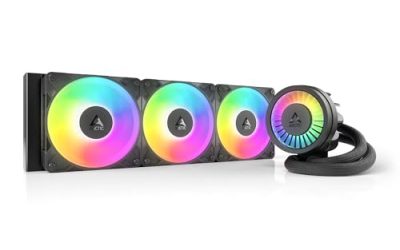
Key takeaways
- Always hold the blades still before applying compressed air.
- Blow from the clean side toward the dusty side to push debris out, not in.
- Keep the air nozzle a few inches back to avoid over-spinning delicate bearings.
Dust is the silent killer of PC performance. It coats fan blades, clogs radiator fins, and blankets heatsinks, and over six months to a year it can raise your component temperatures by 10°C or more—enough to push a CPU or GPU into throttling and spin your fans to jet-engine volume. Cleaning your fans and dust filters is a 20-minute maintenance job that restores lost performance for free. In 2026, with cases packing six or more fans and fine mesh filters, regular cleaning is essential upkeep, not an optional chore.
This guide covers the right way to clean without damaging bearings or blowing debris deeper into components, plus how dust filters cut your cleaning frequency dramatically. Do this every two to three months and your rig stays cool, quiet, and healthy for years. All you need is compressed air, a soft cloth, and a little care around the fan bearings.
Our top picks
 ThreeBulls 12 Pcs 120mm PVC Black PC
- 100% brand new and high quality Suitable for.
- For the home computer chassis fan dust, speaker…
- Help to keep your PC and PC components…
 IMSurQltyPrise 120mm Computer Fan Filter Grills
- Brand New PC Case Fan Vent Filter Finger…
- Black Color
- Compatible with: Most of Standard 120mm Fan /…
 MoKo 400x300mm DIY PC Case Dust Mesh
- 400 x 300mm DIY Filter: This DIY PC…
- 8 x 400mm Magnetic Strips: Come with 8…
- Dustproof and Ventilation: 1mm hole not only prevent…
| Product | Key specs | |
|---|---|---|
| ThreeBulls 12 Pcs 120mm PVC Black PC | 100% brand new and high quality Suitable for. For the home computer chassis fan dust, speaker… Help to keep your PC and PC components… | Check price |
| IMSurQltyPrise 120mm Computer Fan Filter Grills | Brand New PC Case Fan Vent Filter Finger… Black Color Compatible with: Most of Standard 120mm Fan /… | Check price |
| MoKo 400x300mm DIY PC Case Dust Mesh | 400 x 300mm DIY Filter: This DIY PC… 8 x 400mm Magnetic Strips: Come with 8… Dustproof and Ventilation: 1mm hole not only prevent… | Check price |
 Dust Filter PC 120mm for Computer Cooler/PSU/Routers Dust Filter PC 120mm for Computer Cooler/PSU/Routers | 【DELIVERY LIS】YIMATEECO Provides: 2 x 120*120mm PC Dust… 【PRODUCT DESIGN】Weak magnetic design, Easy to install and… 【CHOICE OF PETS FAMILIES】The ultra-small aperture as low… | Check price |
 MoKo 400x300mm DIY PC Case Dust Mesh MoKo 400x300mm DIY PC Case Dust Mesh | 400x300mm DIY Filter: This DIY PC case dust… 16 x 400mm Magnetic Strips: Come with 16… Dustproof and Ventilation: 1mm hole not only prevent… | Check price |
| ThreeBulls 12 Pcs 140mm PVC Black PC | 100% brand new and high quality Suitable for. For the home computer chassis fan dust, speaker… Help to keep your PC and PC components… | Check price |
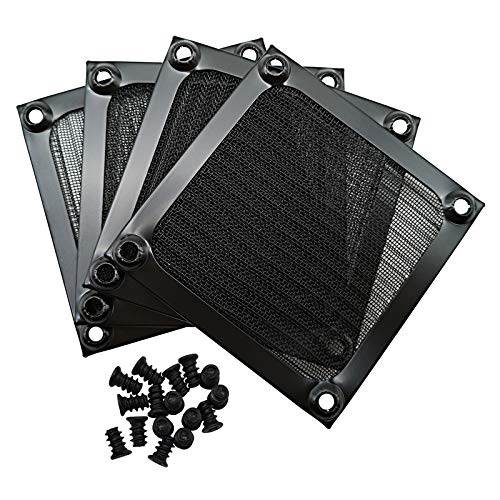 IMSurQltyPrise 80mm Computer Fan Filter Grills IMSurQltyPrise 80mm Computer Fan Filter Grills | Brand New PC Case Fan Vent Filter Finger… Black Color Compatible with: Most of Standard 80mm Fan /… | Check price |
 Adyoney 4 Pcs 120mm Black Square Plastic Adyoney 4 Pcs 120mm Black Square Plastic | 【Packaging & Size】: Our 4 Pcs Black Cooling… 【Unique Design】: These fan filters feature a unique… 【High-Quality Materials】: Made from durable plastic materials, these… | Check price |
As an Amazon Associate we earn from qualifying purchases at no extra cost to you.
⚡ Save on Your Next PC — Amazon Prime
Prime members get fast free shipping on the systems above, plus early access to Prime Day & Black Friday PC deals. New members get a 30-day free trial.
Watch: How to Clean Your PC Fans and Filters — Video Review
Power Down and Prep Safely
Shut down, switch off the power supply, and unplug the wall cable. Press the power button once to discharge residual current. Move the PC to a well-ventilated area or outdoors—you do not want to redistribute dust into the room you sit in. Ground yourself by touching the metal case before reaching inside. Have compressed air (canned or an electric duster), a microfiber cloth, and cotton swabs ready.
Clean the Fans the Right Way
The critical rule: hold each fan blade still while you blow it with compressed air. Spinning a fan with an air blast forces it to act as a generator and can send a voltage spike back that damages the bearing or the header. Pinch the hub or wedge a finger against a blade, then blast dust off the blades and out of the frame. Wipe stubborn grime off the blades with a lightly dampened microfiber cloth and let them dry fully before powering on.
- Always hold the blades still before applying compressed air.
- Blow from the clean side toward the dusty side to push debris out, not in.
- Keep the air nozzle a few inches back to avoid over-spinning delicate bearings.
Do Not Forget the Dust Filters
Removable dust filters are your first line of defense and the fastest thing to clean. Most cases have a magnetic or snap-in filter at the front intake, bottom (under the PSU), and top. Pop them out, rinse washable mesh filters under water, and let them dry completely before reinstalling. Adding filters where your case lacks them—magnetic mesh filters like the MoKo DIY PC dust mesh or ThreeBulls 120mm PVC filters—drastically cuts how often you need to open the case, since they trap dust at the intake before it reaches your components.
Address Heatsinks and Radiators
Dust packs into the fins of CPU air coolers and AIO radiators, and this is where the worst temperature gains hide. Blow compressed air straight through the fin stack from the fan side to eject the trapped dust. For a heavily clogged radiator, remove the fans first for direct access. A clean fin stack can recover several degrees of cooling headroom that a dusty one silently stole.
Reassemble and Verify
Reinstall filters once fully dry, reconnect any fans you unplugged, and close the case. Power on and confirm every fan spins—a fan that stays still may have been knocked loose or its header disturbed. Check your temperatures under load and compare to before; a good clean typically drops load temps several degrees and noticeably quiets the system because the fans no longer need to spin as fast.
Tips
- Clean every 2-3 months, more often if you have pets or a carpeted room.
- Never use a household vacuum inside the case—it generates static that can harm components.
- Positive case pressure (more intake than exhaust) forces air through filters and reduces dust buildup.
- Label or photo fan orientation before removing any so you reinstall airflow direction correctly.
Frequently Asked Questions
How often should I clean my PC fans?
Every two to three months for most setups, and more frequently if you have pets, smoke, or a carpeted room. Dust filters need the most frequent attention since they clog first. A quick filter rinse monthly plus a deeper clean quarterly keeps temperatures and noise in check year-round.
Can I spin fans with compressed air to clean them faster?
No—always hold the blades still. A fan spun by an air blast acts as a small generator and can send a damaging voltage spike back into the bearing or motherboard header. Pinch the hub or block a blade with your finger, then apply the air. This protects both the fan and the header.
Do dust filters really make a difference?
Yes, significantly. Filters trap dust at the intake before it reaches your fans, heatsinks, and radiator, so components stay cleaner far longer. Adding magnetic mesh filters where your case lacks them can cut your internal cleaning frequency in half, and washable filters rinse clean in seconds.
Is canned air or an electric duster better?
An electric duster is more economical and powerful for regular use since it never runs out, while canned air is convenient and portable. Both work well. If using canned air, keep it upright to avoid spraying cold liquid propellant onto components, and hold the nozzle a few inches back.
Conclusion
Cleaning your fans and filters is the easiest performance recovery in PC gaming: 20 minutes with compressed air restores temperatures and silences noise that crept up over months. Hold the blades still, push dust outward, rinse your filters, and clear the radiator fins. Add filters where your case needs them, keep a quarterly schedule, and your rig runs cool and quiet for its entire life.