Key takeaways
- Use 90%+ isopropyl alcohol and a lint-free wipe to remove old paste.
- Do not overtighten the cooler—even pressure across the mount matters more than force.
- For AMD AM5 chips, a contact frame can flatten the IHS and improve contact.
A hot CPU throttles, and a throttling CPU costs you frames—especially in CPU-bound games like strategy titles, simulators, and competitive shooters at high frame rates. Modern processors are designed to run warm, boosting until they hit around 90-95°C, but sitting near that ceiling means the chip is constantly pulling back its clocks. Getting your CPU into the 60s and 70s under load unlocks its full sustained boost and quiets your fans at the same time. In 2026, with high-core-count chips packed into tight cases, temperature management is a core skill.
This guide moves from the free fixes anyone can do in ten minutes to the hardware upgrades that make the biggest difference. You do not need a custom water loop to run cool—most overheating traces to a bad mount, dried paste, poor airflow, or an aggressive power setting, all of which are fixable without spending much.
Our top picks
 Replacement Cooling Fan with 5 Blades for
- [PRECISE FIT FOR XBOX SERIES S] This internal…
- [ENHANCED COOLING PERFORMANCE] The powerful internal fan significantly…
- [USER-FRIENDLY INSTALLATION] With its compact and lightweight design,…
 AM5 CPU Thermal Pad AM5 Thermal Pastes
- Crafted from metal, this thermal pad boasts excellent…
- Perfect for use in high load situations such…
- Suitable for enthusiasts and professional builders look to…
 Thermalright Assassin X 120R Digital Black CPU
- [Good Combination Of Heat Dissipation] The CPU cooler…
- [Product Specifications] Model: Assassin X 120 R Digital…
- [Digital Screen Top Cover] while maintaining heat dissipation…
| Product | Key specs | |
|---|---|---|
| Replacement Cooling Fan with 5 Blades for | [PRECISE FIT FOR XBOX SERIES S] This internal… [ENHANCED COOLING PERFORMANCE] The powerful internal fan significantly… [USER-FRIENDLY INSTALLATION] With its compact and lightweight design,… | Check price |
| AM5 CPU Thermal Pad AM5 Thermal Pastes | Crafted from metal, this thermal pad boasts excellent… Perfect for use in high load situations such… Suitable for enthusiasts and professional builders look to… | Check price |
| Thermalright Assassin X 120R Digital Black CPU | [Good Combination Of Heat Dissipation] The CPU cooler… [Product Specifications] Model: Assassin X 120 R Digital… [Digital Screen Top Cover] while maintaining heat dissipation… | Check price |
 of 100 Copper Sheet Heat Dissipation Thermal of 100 Copper Sheet Heat Dissipation Thermal | Check price | |
 LGA 1700 Contact Frame Anti-Bending for 12th-14th LGA 1700 Contact Frame Anti-Bending for 12th-14th | Designed for LGA 1700 socket motherboards, including Z790,… Reduces CPU temperatures by correcting the socket bending… Simple mounting process requires basic tools and provides… | Check price |
 Comidox 2PCS DC 12V 4 Wire PWM Comidox 2PCS DC 12V 4 Wire PWM | Supports all internal 12V 5A fans, synchronous rectified… Multiple fans can be used in parallel (total… It can be turned on with the three-wire… | Check price |
 Jungle Leopard KF200 Mini CPU Cooler|CPU Temperature Jungle Leopard KF200 Mini CPU Cooler|CPU Temperature | Digital display screen: The KF200 CPU Cooler carries… High-efficiency heat dissipation design: Two high-purity copper heat… Quiet and low-noise operation: Fan speed of 2200RPM±10%,… | Check price |
 DC 12V PWM PC CPU Fan Temperature DC 12V PWM PC CPU Fan Temperature | Support all within 12V 5A fans, synchronous rectifier… Circuit load capacity: maximum current per output 5A,… When the temperature lower than the accelerated temperature,… | Check price |
As an Amazon Associate we earn from qualifying purchases at no extra cost to you.
⚡ Save on Your Next PC — Amazon Prime
Prime members get fast free shipping on the systems above, plus early access to Prime Day & Black Friday PC deals. New members get a 30-day free trial.
Watch: How to Lower CPU Temperatures — Video Review
Start With Airflow and Case Setup
Before touching the CPU cooler, fix the air moving through your case. You want positive pressure—slightly more intake than exhaust—with a clear path from front intake to rear/top exhaust. Cables blocking the front fans, a dust-clogged filter, or a case crammed against a wall all trap heat around the CPU. Confirm your CPU cooler fan blows toward the rear exhaust, not against another fan.
Reapply Thermal Paste
Thermal paste dries out over 2-4 years and loses conductivity, and factory-applied paste is often mediocre. Reapplying a quality compound like Noctua NT-H1 or Thermal Grizzly Kryonaut can drop load temperatures 5-10°C on an old build. Clean the old paste off with isopropyl alcohol, apply a pea-sized dot in the center, and let the cooler’s pressure spread it. A high-conductivity paste plus a clean mount is the single best value temperature fix.
- Use 90%+ isopropyl alcohol and a lint-free wipe to remove old paste.
- Do not overtighten the cooler—even pressure across the mount matters more than force.
- For AMD AM5 chips, a contact frame can flatten the IHS and improve contact.
Upgrade the Cooler If Needed
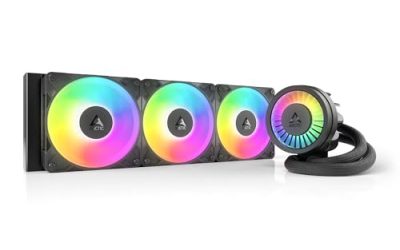
If your chip runs hot even with fresh paste and good airflow, the cooler itself may be undersized. A capable dual-tower air cooler or a 240/360mm AIO transforms temperatures on high-wattage chips. Options like the Thermalright Assassin X 120R Digital or a larger 240mm liquid cooler handle modern high-core CPUs comfortably. A boxed stock cooler is fine for locked mid-range chips but is quickly overwhelmed by anything that boosts hard.
Tune Power Limits in BIOS
The highest 5% of a CPU’s performance often costs 30% more power and a big jump in heat. In BIOS you can set a modest power limit (PPT on AMD, PL1/PL2 on Intel) or enable an efficiency curve that keeps clocks nearly identical while slashing peak temperatures. Undervolting the CPU—applying a negative voltage offset—is the enthusiast move: same clocks, lower voltage, meaningfully cooler and quieter. Test stability with a stress tool before trusting it.
Improve Contact and Pads
On AM5 platforms especially, the stock socket can bow the CPU slightly, hurting cooler contact. A quality thermal pad kit or contact frame improves heat transfer from the die to the cooler. Small details like this add up—a well-mounted cooler with fresh paste on a flattened IHS is what separates a chip that sits at 70°C from one that flirts with throttling.
Tips
- Monitor with a tool like HWiNFO and watch the package temperature under a sustained load, not idle.
- Clean dust filters every 2-3 months—a clogged intake raises every temperature in the case.
- A negative voltage offset often lowers temps more than any fan tweak.
- Re-seat the cooler if one core reads much hotter than the others—that signals uneven contact.
Frequently Asked Questions
What is a safe CPU temperature for gaming?
Under gaming load, staying in the 60-80°C range is healthy for modern CPUs. They are rated to run safely up to around 90-100°C and will throttle to protect themselves, but consistently sitting near that ceiling means you are leaving performance on the table. Cooler is quieter and holds boost clocks longer.
How often should I replace thermal paste?
Every 2-4 years for most builds, or sooner if you notice temperatures creeping up over time. Paste dries and loses conductivity gradually. If you are already inside the case for an upgrade and the paste is a few years old, reapplying fresh compound is cheap insurance.
Is liquid cooling necessary to keep a CPU cool?
No. A good dual-tower air cooler matches many 240mm liquid coolers and handles all but the highest-wattage chips. Liquid cooling helps for extreme overclocks, very hot high-core CPUs, or when you want to move heat straight to the top exhaust in a compact case. For most gamers, quality air cooling is enough.
Does undervolting lower CPU temperatures?
Yes, often significantly. Applying a negative voltage offset lets the chip hit the same clocks at lower voltage, which cuts heat and fan noise with little or no performance loss. It is one of the most effective temperature fixes, though you must stress-test for stability before relying on it.
Conclusion
Lowering CPU temperatures is a stack of small wins: clean airflow, fresh high-quality paste, an adequately sized cooler, and a sensible power or voltage tune. Start with the free fixes, measure under real load, and only upgrade hardware once the basics are handled. A CPU running in the low 70s stays out of throttle, holds its boost, and keeps your build whisper-quiet.