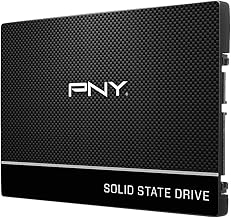
Choosing between an M.2 and a SATA SSD is one of the most common storage dilemmas PC builders and upgraders face. The confusion is understandable: both form factors promise blistering load times compared to traditional spinning hard drives, yet they differ significantly in interface, speed, physical design, and price. Gametime loads, asset streaming, and overall system responsiveness all hinge on picking the right drive for your specific motherboard and workload, and buying the wrong one can mean a drive that won’t fit, won’t reach its advertised speeds, or simply won’t post at all.
Our top picks
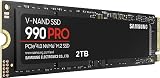
 Samsung SSD 990 PRO 2TB
- Consider this a cheat code
- Gen4 steps up with faster transfer speeds and…
- The speed you need for any occasion
| Product | Key specs | |
|---|---|---|
| Samsung SSD 990 PRO 2TB | Consider this a cheat code Gen4 steps up with faster transfer speeds and… The speed you need for any occasion | Check price |
 Silicon Power 512GB A55 M.2 SSD SATA Silicon Power 512GB A55 M.2 SSD SATA | Check price | |
 KingSpec 2TB M.2 SATA III 2280 SSD KingSpec 2TB M.2 SATA III 2280 SSD | Check price | |
 Ediloca EN206 128GB 3D NAND TLC M.2 Ediloca EN206 128GB 3D NAND TLC M.2 | Check price | |
 Samsung SSD 870 EVO SATA III 2.5” Samsung SSD 870 EVO SATA III 2.5” | The latest 870 EVO has indisputable performance, reliability… Enjoy professional level SSD performance with 870 EVO,… Meet the demands of every task from everyday… | Check price |
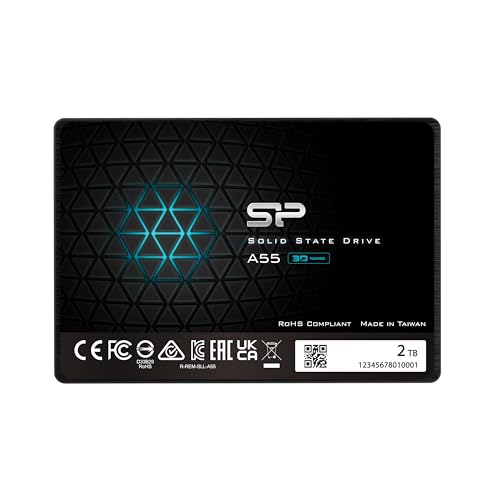 Silicon Power 2TB SSD 3D NAND A55 Silicon Power 2TB SSD 3D NAND A55 | 3D NAND flash are applied to deliver high… Remarkable transfer speeds that enable faster bootup and… 7mm slim design suitable for Ultrabooks and Ultra-slim… | Check price |
 KingSpec 2TB M.2 2242 SATA III SSD KingSpec 2TB M.2 2242 SATA III SSD | Check price | |
 Silicon Power 2TB NVMe M.2 PCIe Gen3x4 Silicon Power 2TB NVMe M.2 PCIe Gen3x4 | PCIe Gen 3x4 interface with read speeds up… TBW=1200 The warranty terms on all of its SSDs… | Check price |
As an Amazon Associate we earn from qualifying purchases at no extra cost to you.
This guide breaks down the M.2 versus SATA landscape to help you make an informed decision. We compare top-tier NVMe powerhouses, budget-friendly SATA M.2 options, and reliable 2.5-inch SATA drives so you can match the right storage technology to your gaming rig, workstation, or everyday PC. Whether you need max bandwidth for direct GPU storage access or a simple capacity bump for an older laptop, we have the right recommendation below.
🛒 Best Price Today on Amazon
Prime members get fast, free shipping on everything above, plus member-only deals. New members get a 30-day free trial — cancel anytime.
Watch: M.2 vs SATA SSD: Which to Choose in 2026? — Video Review
How to Choose an M.2 vs SATA SSD
- Interface Compatibility: Check your motherboard or laptop manual for M.2 slot support. Some slots accept NVMe (PCIe), some accept SATA only, and some support both — buying a PCIe NVMe drive for a SATA-only M.2 slot simply won’t work.
- Speed Requirements: If you primarily game or run standard applications, SATA speeds around 550 MB/s are often sufficient. If you edit large video files, compile code, or run data-heavy workloads, NVMe drives exceeding 7,000 MB/s deliver a tangible productivity boost.
- Form Factor Clarity: Remember that M.2 refers to the physical stick shape, not the data interface. You can get an M.2 drive that uses SATA III and maxes out at 550 MB/s, meaning it is an M.2 drive but not an NVMe one. Know what you are actually buying.
- Capacity and Budget: Determine your minimum acceptable capacity before comparing prices per gigabyte. A 2TB NVMe drive offers excellent value for enthusiasts, while budget-conscious users upgrading older machines can find substantial value in higher-capacity SATA SSDs.
- Endurance and Lifespan: Look at the TBW (terabytes written) rating and NAND type. Drives using TLC NAND with DRAM caches generally offer better sustained write performance and longevity than cheaper QLC or DRAM-less alternatives under heavy load.
The Best M.2 vs SATA SSDs Reviewed
Samsung SSD 990 PRO 2TB
Delivering sequential read speeds up to 7,450 MB/s over PCIe 4.0, this is the top choice for gamers and creators who want uncompromising performance. It features excellent sustained write speeds, a robust DRAM cache, and outstanding power efficiency, making it the ideal flagship NVMe drive for any high-end build.
Samsung SSD 870 EVO 2TB
This 2.5-inch SATA III drive is the gold standard for older laptops and desktops lacking M.2 slots. With read speeds up to 560 MB/s, a mature controller design, and reliable endurance ratings, it provides a hassle-free capacity upgrade for everyday computing and older gaming rigs.
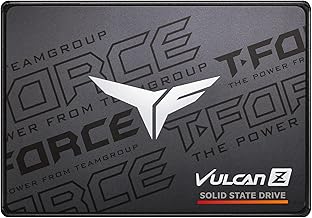
Silicon Power 2TB A55 2.5″
Offering massive storage at a highly competitive price, this 2.5-inch SATA III drive utilizes SLC caching to boost performance for everyday tasks. It is an outstanding budget option for mass game library storage or secondary drive installations where absolute peak speed is not the primary concern.
Silicon Power 512GB A55 M.2
This is a SATA III M.2 2280 drive, meaning it offers standard SATA speeds up to 550 MB/s in a compact gumstick form factor. It is an excellent drop-in upgrade for ultrabooks or older motherboards that support the SATA M.2 interface but not faster NVMe protocols.
KingSpec 2TB M.2 SATA III
Featuring a B+M key design for maximum slot compatibility, this drive clearly targets users who need affordable bulk storage in the M.2 form factor. Its 550 MB/s ceiling makes it functionally identical to a 2.5-inch SATA SSD but without the extra cables, perfect for neat cable management in compact cases.
Frequently Asked Questions
Is an M.2 SSD always faster than a SATA SSD?
No. M.2 is just the physical shape of the drive. An M.2 SATA III SSD will have the same speed limitations as a 2.5-inch SATA SSD, maxing out around 550 MB/s. Only M.2 NVMe SSDs, which use the PCIe interface, offer the multi-gigabyte speeds typically associated with high-end storage.
Can I put an NVMe SSD in any M.2 slot?
Not necessarily. The motherboard or laptop must specifically support the NVMe protocol over that specific M.2 slot. Always verify interface support in your hardware manual, as forcing an NVMe drive into a SATA-only M.2 slot will result in the drive not being recognized by the system.
Do I need an NVMe SSD for PC gaming?
For most current games, a SATA SSD provides perfectly adequate load times. However, newer titles optimized for Microsoft DirectStorage benefit directly from the massive bandwidth of PCIe 4.0 NVMe drives, which can dramatically reduce texture streaming stutter and overall load times.
Are 2.5-inch SATA SSDs still worth buying?
Yes, absolutely. They are the best upgrade path for older laptops and desktops manufactured before M.2 slots became standard. They also remain highly cost-effective for building out secondary game storage libraries where installing new titles does not require flagship-tier load speeds.
Final Thoughts
For most builders, the choice between M.2 and SATA ultimately comes down to what your specific motherboard supports and what your budget allows. If you have a modern PCIe 4.0 platform and want the absolute best load times available, the Samsung 990 PRO 2TB is the undisputed performance champion. If you are upgrading an older machine or simply need bulk storage on a budget, the Samsung 870 EVO 2TB and the Silicon Power 2TB A55 2.5-inch offer reliable, proven performance at an accessible price point.