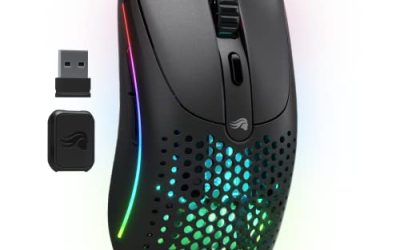
Our Top Picks
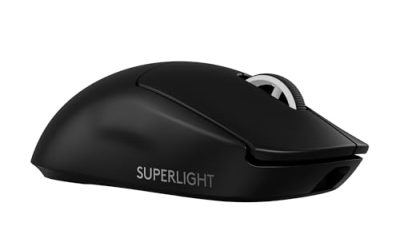
 Logitech G Pro X Superlight 2 Lightspeed WirelessClassic1.57 x 2.5 x 4.92 inches0.1 poundsCheck on Amazon
Pros & cons
- 95-hour battery life reduces how often you need to charge
- 60-gram weight suits fast, low-effort mouse movement
- HERO 2 sensor tracks up to 44,000 DPI with no smoothing
- POWERPLAY wireless charging pad is sold separately
- Premium features add a more complex setup than basic mice
Pros & cons
- 11 programmable buttons add extensive control customization
- Adjustable weights let you fine-tune balance and feel
- LIGHTSYNC RGB syncs lighting with other Logitech gear
- Wired connection limits cable-free desk setups
- Heavier than typical lightweight esports mice at 0.27 pounds
 Logitech G502 LIGHTSPEED Wireless Gaming MouseWireless5.19 x 2.95 x 1.57 inches0.81 poundsCheck on Amazon
Pros & cons
- Up to 250 hours of play on a single AA battery
- Lightweight 3.4-ounce body aids fast, precise movement
- Built-in receiver storage keeps the dongle from getting lost
- Relies on a AA battery rather than a built-in rechargeable cell
- Endurance mode trade-off needed to stretch battery life further


Disclosure: As an Amazon Associate, we may earn from qualifying purchases made through links on this page, at no additional cost to you.
Logitech G builds the deepest gaming mouse catalogue of any single brand, which makes choosing harder than it first looks. The line runs from a 60 gram esports flagship with an 8 kHz report rate to a button-packed wired classic with adjustable weights, and every model shares the same G HUB software, the same HERO sensor family and the same LIGHTSPEED wireless platform on the wireless models. The right pick depends on how you play: competitive FPS players usually want the lightest shell and the fastest sensor, MOBA and MMO players want extra programmable buttons, and anyone who plays several genres often lands somewhere in the middle.
This guide compares four current Logitech G mice using the specifications published on their Amazon product pages: sensor model and DPI range, weight, button count, battery life and connection type. Every pick below is a genuine Logitech G gaming mouse, and the sections after the product notes explain how sensor generation, weight and shape should drive the decision, how to set the mouse up in G HUB, and the mistakes that most often leave a good mouse feeling wrong.
Quick Picks
| Product | ASIN | Best For |
|---|---|---|
| Logitech G PRO X Superlight 2 | B09NBWL8J5 | Competitive FPS and esports play |
| Logitech G502 HERO | B07GBZ4Q68 | Buttons, macros and wired reliability |
| Logitech G502 Lightspeed | B07L4BM851 | Wireless freedom with a full button layout |
| Logitech G305 Lightspeed | B07CMS5Q6P | Portable wireless play on a single AA battery |
Logitech G PRO X Superlight 2 (ASIN: B09NBWL8J5)
The PRO X Superlight 2 is the flagship of the Logitech G mouse line and the model built with professional players. It weighs 60 grams, uses the HERO 2 sensor with tracking up to 44,000 DPI, 888 IPS and 88 G of acceleration, and reports over LIGHTSPEED wireless at up to 8 kHz with the included receiver configuration. The shell is a low-profile symmetrical shape with five programmable buttons, zero-additive PTFE feet and LIGHTFORCE hybrid optical-mechanical switches, which pair the speed of optical actuation with a mechanical click feel.
Battery life is rated at up to 95 hours, charging is over USB-C, and the mouse supports the POWERPLAY wireless charging system. In G HUB you can set independent X and Y DPI values, adjust the report rate and store settings to onboard memory. For players whose games reward fast flicks and precise stopping power, this is the most complete sensor and wireless package Logitech G sells.
Highlights
- HERO 2 sensor rated to 44,000 DPI with 888 IPS tracking
- 60 gram shell with up to 8 kHz wireless report rate
- Up to 95 hours of battery life with USB-C charging
- LIGHTFORCE hybrid switches and zero-additive PTFE feet
Considerations
- Five buttons is a lean layout for MMO and MOBA players
- Symmetrical shape suits fingertip and claw grips better than a full palm rest
- The 8 kHz report rate shortens battery life compared with 1 kHz
Best for: competitive FPS players who want the lightest, fastest Logitech G mouse.
Logitech G502 HERO (ASIN: B07GBZ4Q68)

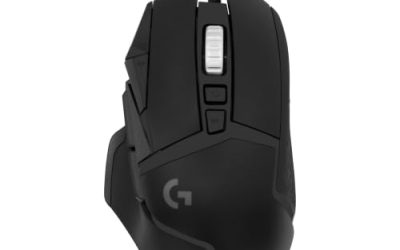
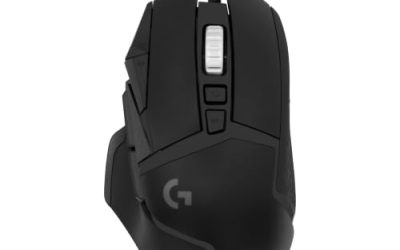
The G502 HERO is the wired member of the long-running G502 family and the button-heavy counterpoint to the Superlight line. Its HERO 25K sensor tracks from 100 to 25,600 DPI with zero smoothing, filtering or acceleration, and the mouse carries 11 programmable buttons, including a dual-mode hyper-fast scroll wheel with a tilt function and a dedicated DPI shift button that drops sensitivity while you hold it. Onboard memory stores up to five ready-to-play profiles.
At 121 grams before tuning, the G502 HERO is a substantial mouse, and five included 3.6 gram weights let you adjust both total weight and balance point. The primary buttons use a metal spring tensioning system for a crisp click, LIGHTSYNC RGB lighting syncs with other Logitech G gear through G HUB, and the right-handed ergonomic shell with rubber side grips is shaped for palm and relaxed claw grips. Because it is wired, there is no battery to manage and no receiver to lose.
Highlights
- HERO 25K sensor with 25,600 DPI and 1:1 tracking
- 11 programmable buttons plus a dual-mode scroll wheel
- Adjustable weight system with five 3.6 gram weights
- Onboard memory for up to five profiles
Considerations
- Heavier than the esports-focused models in this guide
- Wired cable adds drag unless you pair it with a mouse bungee
- Right-handed shape only
Best for: players who bind a lot of commands and prefer a heavier, feature-dense mouse.
Logitech G502 Lightspeed (ASIN: B07L4BM851)
The G502 Lightspeed takes the G502 layout wireless. It uses the same HERO 25K sensor and the same 11 programmable buttons as the wired HERO model, but connects over LIGHTSPEED wireless with a 1 ms report rate. The internal frame was redesigned to keep the mouse responsive despite the extra hardware, and the tunable weight system grows to six weights — two 4 gram and four 2 gram pieces — so balance can be adjusted in finer steps.
Battery life is rated at up to 60 hours with default lighting, and the mouse is POWERPLAY compatible, so it can charge continuously on a compatible charging mat while you play. LIGHTSYNC RGB, onboard profile storage and the dual-mode hyper-fast scroll wheel all carry over from the wired version. For players who like everything about the G502 shape and button count but want to cut the cable, this is the direct upgrade path inside the Logitech G range.
Highlights
- LIGHTSPEED wireless with a 1 ms report rate
- HERO 25K sensor and 11 programmable buttons
- Up to 60 hours of battery life, POWERPLAY compatible
- Six-piece tunable weight system
Considerations
- Heavier than the Superlight models even before weights are added
- Battery life drops with maximum RGB brightness
- Right-handed ergonomic shape will not suit every grip
Best for: G502 fans who want the same layout without a cable.
Logitech G305 Lightspeed (ASIN: B07CMS5Q6P)
The G305 Lightspeed is the compact, travel-friendly member of the family. It pairs the HERO sensor — 200 to 12,000 DPI with 400 IPS tracking — with LIGHTSPEED wireless at a 1 ms report rate, and it runs on a single AA battery for up to 250 hours in Performance mode. Switching to Endurance mode in the software stretches that figure much further by relaxing the report rate, which is useful for a laptop bag mouse that doubles for work.
The shell weighs 99 grams including the battery, has six programmable buttons, onboard memory for one profile and a storage compartment inside the body for the USB receiver. The shape is a safe, symmetrical design that works for claw and fingertip grips and for smaller hands that find the G502 too large. There is no RGB lighting, which is part of how the battery figure gets so high, and the primary buttons use mechanical switches with metal spring tensioning.
Highlights
- Up to 250 hours on a single AA battery
- LIGHTSPEED wireless with a 1 ms report rate
- Lightweight 99 gram shell with receiver storage inside
- Six programmable buttons and onboard memory
Considerations
- HERO sensor tops out at 12,000 DPI, below the 25K and HERO 2 models
- No RGB lighting and no rechargeable battery
- Smaller shell may feel cramped for large hands in a palm grip
Best for: players who want wireless Logitech G performance in a compact, long-running mouse.
How to Choose
Start with genre and grip, not with the DPI number. FPS players who aim with the wrist or forearm generally prefer a lighter mouse with a symmetrical shell, because stopping a fast flick is easier when the mouse carries less momentum. Players in MOBA, MMO and strategy games get more from buttons: a mouse with 11 programmable inputs can hold item actives, push-to-talk and macro sequences that a five-button mouse has to leave on the keyboard.
Next, decide on the connection. LIGHTSPEED wireless on current Logitech G models reports at 1 ms or faster, so the old latency argument for wired mice is mostly settled; the real differences are weight, battery management and whether you want a cable on the desk at all. Wired models such as the G502 HERO are lighter on maintenance and never need charging, while wireless models free up your aim in wide, low-sensitivity sweeps.
Finally, match the sensor generation to your expectations. HERO 2 in the Superlight 2 adds a higher report rate ceiling and finer tracking; HERO 25K in the G502 models is still a flawless-class sensor with zero smoothing; the original HERO in the G305 trades peak numbers for exceptional power efficiency. All three track without acceleration or filtering, so shape and weight will change your aim more than the sensor badge will.
Key Specifications Explained
DPI, also called CPI, is how many counts the sensor reports per inch of movement. Higher maximum DPI does not mean better aim; it means a wider adjustment range. Most players settle between 400 and 3,200 DPI and then tune in-game sensitivity, so a 12,000 DPI ceiling is already far beyond what the setting will use. IPS measures the fastest speed the sensor can track before it loses the surface, and figures above 400 IPS exceed what a human arm can produce in play.
Report rate, measured in hertz, is how often the mouse updates the PC. The long-standing standard is 1,000 Hz, or one update every millisecond. The Superlight 2 can report at up to 8,000 Hz, which smooths the cursor path on high-refresh monitors at the cost of battery life. Weight matters in grams you can feel: the gap between the 60 gram Superlight 2 and the 121 gram G502 HERO is the single biggest handling difference in this guide.
Switch type affects click feel and durability. LIGHTFORCE hybrid switches actuate with light, which removes the debounce delay of a purely mechanical contact, while the mechanical switches in the G502 and G305 models are rated for tens of millions of clicks and have a more traditional tactile break.
Setup and Settings Tips
Install Logitech G HUB before your first session and update the mouse firmware, then set one DPI level you actually play at instead of cycling through five. A single, consistent sensitivity builds muscle memory faster. Store that profile to onboard memory so your settings travel to another PC without the software running.
Set the report rate to 1,000 Hz for everyday play. Raise it on the Superlight 2 only if your monitor refresh rate and your game can show the difference, and expect shorter battery life when you do. For wireless models, plug the receiver into the included extension adapter and keep it within about half a metre of the mouse, away from USB 3.0 hubs and wireless routers that can add interference.
On the G502 models, tune the weights in small steps. Add one weight, play a full session, then decide; changing the whole set at once makes it hard to tell what improved. Finally, match your mouse to a pad with a consistent weave, and clean the PTFE feet with a dry cloth when glide starts to feel uneven.
Common Mistakes to Avoid
The most common mistake is buying by maximum DPI. A 44,000 DPI sensor is not more accurate at the 800 DPI you will actually use than a well-implemented 12,000 DPI sensor; shape, weight and switch feel matter more at real settings. The second mistake is choosing a shell that fights your grip. A large ergonomic mouse forced into a fingertip grip, or a small mouse under a full palm grip, will cause fatigue that no setting can fix.
Wireless buyers often place the receiver in a rear PC port under the desk, then blame the mouse for stutter that is really signal obstruction. Keep line of sight short. G502 owners sometimes load every weight on day one and conclude the mouse is sluggish, when the stock balance was closer to what they needed. And many players enable angle snapping or acceleration in software out of habit; for gaming, leave tracking raw and 1:1.
FAQ
Which Logitech G mouse is best for FPS games?
The G PRO X Superlight 2 is the FPS pick in this guide: 60 grams, the HERO 2 sensor, up to 8 kHz reporting and a symmetrical shell built for claw and fingertip grips. Players who prefer an ergonomic right-handed shape can look at the G502 Lightspeed, accepting the extra weight for its shape and buttons.
Is LIGHTSPEED wireless fast enough for competitive play?
Yes. LIGHTSPEED reports at 1 ms on models such as the G305 and G502 Lightspeed, matching a wired connection, and the Superlight 2 raises the ceiling to 8 kHz. Keep the receiver close to the mouse and on the extension adapter for the cleanest signal.
What DPI should I set on a Logitech G mouse?
Most players perform best somewhere between 400 and 1,600 DPI, paired with in-game sensitivity to reach a comfortable turn distance. Set one level in G HUB, store it onboard, and adjust in small steps rather than switching DPI mid-match.
Does the G502 HERO work on Mac as well as PC?
The G502 HERO is listed for PC and Mac, and basic pointing and clicking work on both. G HUB is available for macOS for button programming and lighting, though some game-specific integrations are Windows-only.
How long do the batteries last on Logitech G wireless mice?
It depends on the model and settings. The G305 runs up to 250 hours on one AA battery in Performance mode, the G502 Lightspeed up to 60 hours per charge, and the Superlight 2 up to 95 hours per charge at standard report rates. RGB lighting and 8 kHz reporting shorten those figures.
Final Verdict
For pure performance, the G PRO X Superlight 2 is the best Logitech gaming mouse in this guide: the lightest shell, the newest sensor and the fastest wireless reporting the brand offers. For buttons and control depth, the G502 HERO remains the wired benchmark, and the G502 Lightspeed is its natural wireless twin. The G305 Lightspeed rounds out the line as the compact, long-battery option that travels well. Pick by grip and genre first, and any of the four will track flawlessly; the differences that matter are in your hand, not on the spec sheet.
FAQ
Which Logitech G mouse is best for FPS games?
Is LIGHTSPEED wireless fast enough for competitive play?
What DPI should I set on a Logitech G mouse?
Does the G502 HERO work on Mac as well as PC?
How long do the batteries last on Logitech G wireless mice?
More from Amazon
Programs that pair well with the guide above. Offers and eligibility are set by Amazon and may change.
Free shipping on eligible items, Prime Video and more. Eligible new members can start with a free trial.
Start a Prime free trialAd-free music streaming. Eligible new subscribers can start with a free trial.
Try Music Unlimited freeA Prime membership for ages 18-24 with a trial period. Eligibility is set by Amazon.
See Prime for Young AdultsAudiobooks and podcasts to listen to on the go. Eligible new members can start with a free trial.
Try Audible freeAs an Amazon Associate we earn from qualifying purchases.