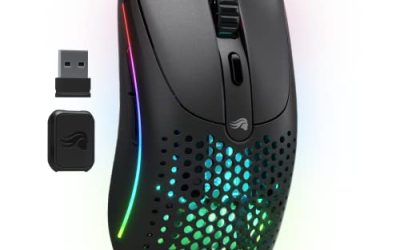
Our Top Picks
 Logitech G Pro X Superlight 2 Lightspeed WirelessClassic1.57 x 2.5 x 4.92 inches0.1 poundsCheck on Amazon
Pros & cons
- 95-hour battery life reduces how often you need to charge
- 60-gram weight suits fast, low-effort mouse movement
- HERO 2 sensor tracks up to 44,000 DPI with no smoothing
- POWERPLAY wireless charging pad is sold separately
- Premium features add a more complex setup than basic mice
 Razer DeathAdder V3 Pro Wireless Gaming Mouse1000 Hz5.01 x 2.65 x 1.69 inches0.1 poundsCheck on Amazon


Overwatch is a game of small margins. A flick onto a Tracer blinking across your screen, a tracking duel against a Soldier: 76, a sleep dart on a diving Genji — each one comes down to how cleanly your hand movement turns into cursor movement. In a hero shooter where fights are decided in fractions of a second, a heavy mouse with a mushy sensor puts you behind before the round even begins.
The good news is that the current generation of competitive wireless mice is excellent across the board. Light shells, clean optical sensors, and wireless links that report movement thousands of times per second are now the norm. The differences between the best options come down to shape, weight, grip style, and button count — not whether the sensor can keep up.
This guide covers five gaming mice that fit Overwatch well, explains what actually matters when choosing one, and matches each mouse to the kind of player it suits best.
Key takeaways
- Overwatch rewards light mice. Anything under about 65 grams makes flick shots and fast 180-degree turns noticeably easier, and every mouse on this list clears that bar except one heavier multi-button option for players who want extra controls.
- Sensor quality matters more than maximum DPI. All five mice here track cleanly at the sensitivity settings competitive players use, so shape and grip comfort should decide.
- Wireless is the right call for Overwatch. Modern 2.4 GHz wireless links report movement fast enough that cable drag is a bigger drawback than any latency a wireless link adds.
- A high polling rate helps, but it is not the whole story. An 8,000 Hz mode makes motion smoother on high refresh rate monitors, yet a mouse that fits your hand beats a bigger spec sheet that cramps your grip.
- Button count is a trade-off. Five buttons cover everything Overwatch needs for most players, while extra side buttons suit players who bind abilities, melee, or voice chat.
Quick Picks
- Best overall for Overwatch: Logitech G Pro X Superlight 2 — 60 grams, HERO 2 sensor, up to 8,000 Hz polling, and a safe symmetrical shape for most grip styles.
- Best ultralight symmetrical mouse: Razer Viper V3 Pro — 55 grams in white, Focus Pro 35K sensor, and true 8,000 Hz wireless polling in a shape built for claw and fingertip grips.
- Best ergonomic mouse: Razer DeathAdder V3 Pro — 63 grams, a sculpted right-handed shell, and a Focus Pro 30K sensor for palm grip players who want comfort in long sessions.
- Best mouse with extra buttons: Logitech G502 X Lightspeed — HERO 25K sensor, 13 buttons, an infinite scroll toggle, and up to 140 hours of battery life.
- Best long battery life: Razer Viper V3 HyperSpeed — 82 grams, a Focus Pro 30K sensor, and up to 280 hours of battery life on a single AA battery.
How to Choose
Weight comes first
Weight is the most noticeable difference between gaming mice in Overwatch. A lighter mouse changes direction faster, stops faster, and tires your wrist less over a long session of ranked matches. Most competitive players land somewhere between 50 and 65 grams, and the mice on this list sit in that range apart from the G502 X, which trades lightness for buttons.
Shape beats specs
A mouse can have a flawless sensor and still be wrong for you if its shape fights your hand. There are three common grip styles, and each one pairs better with certain shells:
- Palm grip: Your whole hand rests on the mouse. Longer, taller shells such as the DeathAdder V3 Pro support the palm and reduce wrist strain.
- Claw grip: Your palm sits high while your fingertips arch down onto the buttons. Shorter, symmetrical mice such as the Viper V3 Pro and the Superlight 2 leave room for the arched finger position.
- Fingertip grip: Only your fingertips touch the mouse. Small, light, symmetrical shells give you the most control.
Hand size matters as much as grip style. Players with large hands often find small symmetrical mice cramped, while players with small hands can find long ergonomic mice hard to lift. When in doubt, the symmetrical mice on this list are the safer blind buy.
Sensor and polling rate
Every mouse here uses a modern optical sensor that tracks accurately at the sensitivity settings Overwatch players use. The headline DPI number — 25,000 to 44,000 — is mostly marketing, since almost no one plays at those levels. What matters is clean tracking at low to medium sensitivity with no acceleration, no angle snapping, and no spin-outs during fast flicks.
Polling rate is more meaningful. It measures how often the mouse reports its position to your PC each second. A 1,000 Hz rate is enough for most players. An 8,000 Hz mode reports eight times as often, which makes motion smoother on high refresh rate monitors. The trade-off is battery life: high polling modes drain a rechargeable battery much faster, so many players run 8,000 Hz only in competitive matches.
Buttons and scroll wheel
Overwatch needs fewer mouse buttons than an MMO, but extra buttons help. Five buttons — left click, right click, scroll click, and two thumb buttons — cover primary fire, secondary fire, melee, and one ability bind for most heroes. The G502 X adds many more for players who bind abilities, push-to-talk, or weapon switching to the mouse. The scroll wheel matters too: a free-spinning wheel helps with heroes such as Lucio and Mercy, and the G502 X has a dedicated toggle for it.
The 5 Best Options
1. Logitech G Pro X Superlight 2
Logitech G Pro X Superlight 2 on Amazon
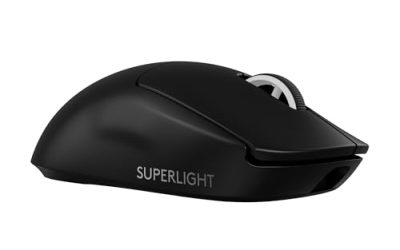
The Superlight 2 is the default recommendation for Overwatch for a simple reason: it does everything well and nothing badly. At 60 grams it is light enough for fast flicks without feeling hollow, and its symmetrical shape suits palm, claw, and fingertip grips in medium to large hands. The HERO 2 sensor tracks cleanly up to 44,000 DPI with a maximum speed of 888 IPS, and LIGHTSPEED wireless supports polling up to 8,000 Hz for smooth motion on high refresh rate monitors.
Battery life runs up to 95 hours on a charge, and the mouse recharges over USB-C. It has five buttons, LIGHTFORCE hybrid switches that combine the feel of a mechanical click with the speed of an optical switch, and zero-additive PTFE feet that glide smoothly across cloth mousepads.
What to know: its side buttons sit on the left, so left-handed players should look elsewhere. The 8,000 Hz polling mode shortens battery life noticeably, so most players will use it in matches and switch to 1,000 Hz elsewhere. This is the mouse to pick if you want one safe answer that works for almost any hero and any grip.
2. Razer Viper V3 Pro
The Viper V3 Pro is the lightest flagship mouse on this list at 54 grams in black and 55 grams in white, and that lightness shows up immediately in fast flick shots and rapid target switching — the exact movements hitscan heroes such as Cassidy, Ashe, and Widowmaker demand. Its symmetrical shell is slightly smaller than the Superlight 2, which makes it a strong match for claw and fingertip grips and for players with small to medium hands.
Inside is the Focus Pro 35K Optical Sensor Gen-2, which tracks at up to 35,000 DPI with a maximum speed of 750 IPS and acceleration up to 70 G, and it tracks cleanly on a wide range of surfaces including glass. Razer HyperSpeed wireless pairs with the included HyperPolling dongle for a true polling rate of up to 8,000 Hz, and Gen-3 optical switches are built for a 90-million-click lifespan. Battery life runs up to 95 hours at a 1,000 Hz polling rate, and the mouse carries eight programmable buttons.
What to know: its smaller shell can feel cramped for large hands using a palm grip. This is the mouse to pick if you play hitscan, use a claw or fingertip grip, and want the lightest mouse on this list.
3. Razer DeathAdder V3 Pro
Razer DeathAdder V3 Pro on Amazon
The DeathAdder V3 Pro is the ergonomic pick. Its sculpted right-handed shell fills the palm and supports long sessions, which matters in Overwatch where a ranked night can run for hours and wrist fatigue slowly erodes aim. At 63 grams in black it is still light for an ergonomic mouse.
The Focus Pro 30K optical sensor tracks cleanly on a wide range of surfaces including glass, and Razer HyperSpeed wireless keeps the connection fast and stable. Battery life runs up to 90 hours at a 1,000 Hz polling rate, and the mouse has five programmable buttons with Gen-3 optical switches. It can reach up to 8,000 Hz with the HyperPolling Wireless Dongle, which is sold separately.
What to know: the ergonomic shape is right-handed only, so left-handed players should skip it. The HyperPolling dongle costs extra if you want the highest polling mode. This is the mouse to pick if you use a palm grip, play long sessions, and value comfort as much as raw lightness.
4. Logitech G502 X Lightspeed

Logitech G502 X Lightspeed on Amazon
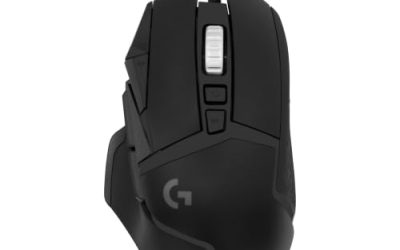
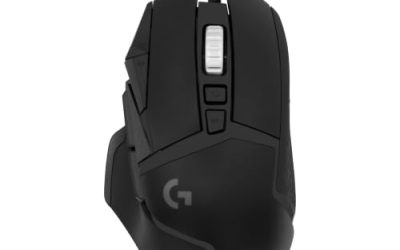
The G502 X Lightspeed is the pick for players who want their mouse to do more. It carries 13 buttons, including a dual-mode scroll wheel with an infinite scroll toggle, a DPI shift button, and thumb buttons that can hold ability binds, melee, or push-to-talk. That makes it a natural fit for support and tank players who juggle many inputs.
Under the shell is the HERO 25K sensor, which tracks accurately up to 25,600 DPI, and LIGHTFORCE hybrid optical-mechanical switches that give a crisp click. LIGHTSPEED wireless keeps the connection responsive, battery life runs up to 140 hours, and the mouse supports POWERPLAY wireless charging and recharges over USB-C.
What to know: this is the heaviest mouse on the list, and its weight is the trade-off for the extra buttons. Players who main hitscan and chase the fastest possible flicks will prefer a lighter mouse. The shape is right-handed and fairly large, so small hands may find it bulky. This is the mouse to pick if you bind a lot to your mouse and want the most controls on this list.
5. Razer Viper V3 HyperSpeed
Razer Viper V3 HyperSpeed on Amazon
The Viper V3 HyperSpeed is the endurance pick. It runs on a single AA battery and lasts up to 280 hours, which means weeks of play without thinking about charging — and when the battery finally runs down, a fresh AA swaps in within seconds. At 82 grams it is heavier than the other mice here, but the weight sits in a balanced shell, and the symmetrical shape suits claw and fingertip grips.
The Focus Pro 30K optical sensor tracks at up to 30,000 DPI, and Razer HyperSpeed wireless keeps the connection fast. Gen-2 mechanical switches give a firm, consistent click, and the mouse carries eight programmable controls.
What to know: the AA battery adds weight compared with the rechargeable flagships. This is the mouse to pick if you hate charging, play long sessions away from a cable, and want a dependable wireless mouse that simply keeps going.
Which One Fits Your Situation
- You play hitscan (Cassidy, Ashe, Widowmaker, Soldier: 76): Go with the Razer Viper V3 Pro or the Logitech G Pro X Superlight 2. Both are light and fast, built around the flick shots and precise tracking hitscan demands.
- You play support or tank and bind a lot to the mouse: The Logitech G502 X Lightspeed gives you the most buttons, including an infinite scroll toggle that suits heroes such as Lucio and Mercy.
- You use a palm grip or play for hours at a time: The Razer DeathAdder V3 Pro has the most comfortable ergonomic shell on this list and still weighs only 63 grams.
- You want the lightest mouse possible: The Razer Viper V3 Pro at 54 to 55 grams is the lightest option here, with the Superlight 2 close behind at 60 grams.
- You never want to think about charging: The Razer Viper V3 HyperSpeed runs up to 280 hours on a single AA battery.
- You have small hands or use a fingertip grip: The Razer Viper V3 Pro has the smallest shell here and suits fingertip and claw grips best.
- You have large hands or use a palm grip: The Razer DeathAdder V3 Pro and the Logitech G502 X Lightspeed have the longest, most supportive shells.
- You want one safe answer: The Logitech G Pro X Superlight 2 fits the widest range of hands, grips, and heroes.
Common Mistakes
- Chasing the highest DPI number. A 44,000 DPI sensor does not make you aim better than a 25,000 DPI sensor. Pick your sensitivity by feel at a DPI between 400 and 1,600, then leave it alone for a few weeks so your muscle memory can settle.
- Copying a pro player’s exact sensitivity. Pro settings are tuned to their hand, their mousepad, and thousands of hours of practice. Use them as a guide, then adjust until a full sweep across your pad turns you about 360 degrees.
- Ignoring your mousepad. A worn or dirty pad adds friction that no mouse can fix. A large cloth pad that gives you room for wide sweeps matters as much as the mouse itself.
- Buying for looks instead of shape. RGB lighting and a striking shell do not help your aim. A plain mouse that fits your hand will always beat a flashy one that cramps your fingers.
FAQ
What is the best gaming mouse for Overwatch?
For most players, the Logitech G Pro X Superlight 2 is the best all-round choice: 60 grams, a clean-tracking HERO 2 sensor, up to 8,000 Hz polling, and a shape that fits palm, claw, and fingertip grips. Hitscan players who want the lightest option should take the Razer Viper V3 Pro at 54 to 55 grams, while palm grip players will be more comfortable with the Razer DeathAdder V3 Pro.
Do I need a wireless mouse for Overwatch?
Wireless is the better choice for most players. Modern 2.4 GHz wireless links from Logitech and Razer are fast and stable, and going wireless removes cable drag, which interferes with flick shots. Every mouse on this list also works wired over USB-C, so you can plug in to charge without stopping play.
How light should a gaming mouse be for Overwatch?
Most competitive players prefer a mouse between about 50 and 65 grams. Lighter mice change direction faster and tire your wrist less during long sessions. The Viper V3 Pro at 54 to 55 grams, the Superlight 2 at 60 grams, and the DeathAdder V3 Pro at 63 grams all sit in that range. The G502 X and the Viper V3 HyperSpeed are heavier because they trade lightness for extra buttons and battery life.
What DPI should I use in Overwatch?
There is no single right DPI. Most players use between 400 and 1,600 DPI with an in-game sensitivity that gives roughly 25 to 50 centimeters of mouse movement for a full 360-degree turn. Set your DPI to 800, adjust the in-game sensitivity until a sweep across your pad turns you about 360 degrees, then keep it fixed for several weeks.
Is an 8,000 Hz polling rate worth it?
It helps on a high refresh rate monitor, where motion looks smoother and input latency drops slightly. It also drains a rechargeable battery much faster. For most players it is a nice bonus rather than a must-have, and a mouse that fits your hand at 1,000 Hz beats a poor-fitting mouse at 8,000 Hz.
Does Overwatch benefit from extra mouse buttons?
It depends on your hero pool. Most heroes play well with five buttons, but extra buttons help if you bind abilities, melee, or push-to-talk to the mouse. Support and tank players tend to benefit most, while hitscan players usually prefer fewer buttons and less weight.
Final Thoughts
There is no single best gaming mouse for Overwatch — there is a best mouse for your hand, your grip, and your hero pool. The Superlight 2 is the safest all-round pick, the Viper V3 Pro is the sharpest tool for hitscan players, the DeathAdder V3 Pro is the comfort pick for palm grip players, the G502 X Lightspeed is the control hub for players who bind everything to the mouse, and the Viper V3 HyperSpeed is the endurance pick.
Whichever one you choose, give it time. Set a sensible sensitivity, keep it fixed for a few weeks, and let your muscle memory build around one shape. The mouse will not make you a better player on its own — but the right one removes friction between your hand and your aim.
As an Amazon Associate, we earn from qualifying purchases.
FAQ
What is the best gaming mouse for Overwatch?
Do I need a wireless mouse for Overwatch?
How light should a gaming mouse be for Overwatch?
What DPI should I use in Overwatch?
Is an 8,000 Hz polling rate worth it?
Does Overwatch benefit from extra mouse buttons?
More from Amazon
Programs that pair well with the guide above. Offers and eligibility are set by Amazon and may change.
Free shipping on eligible items, Prime Video and more. Eligible new members can start with a free trial.
Start a Prime free trialAd-free music streaming. Eligible new subscribers can start with a free trial.
Try Music Unlimited freeA Prime membership for ages 18-24 with a trial period. Eligibility is set by Amazon.
See Prime for Young AdultsAudiobooks and podcasts to listen to on the go. Eligible new members can start with a free trial.
Try Audible freeAs an Amazon Associate we earn from qualifying purchases.