Our Top Picks
Pros & cons
- 11 programmable buttons add extensive control customization
- Adjustable weights let you fine-tune balance and feel
- LIGHTSYNC RGB syncs lighting with other Logitech gear
- Wired connection limits cable-free desk setups
- Heavier than typical lightweight esports mice at 0.27 pounds
 Razer Basilisk V3 Customizable RGB Wired Ergonomic GamingMouse2.96 x 5.12 x 1.67 inches0.2 poundsCheck on Amazon

A mouse with programmable buttons changes how a game feels in the hand, because the choice is no longer between a clean shape and enough controls. Many players start with a standard six-button mouse, then discover that abilities, consumables, push-to-talk, weapon swaps and building commands all compete for the same few keys. Moving those actions to the thumb keeps the left hand on movement keys and shortens the distance between deciding and acting. Extra buttons add weight, width and learning time, and a crowded side panel can cause misclicks.
This guide suits MMO and MOBA players who juggle long ability bars, survival and crafting players who need quick access to tools and consumables, and streamers or creators who want macros for chat, mute and scene changes close at hand. Picks come from names and specifications on the Amazon product page, including button counts, sensor details, weight, connectivity and software features, so each option can be compared on what the listing actually states.
Quick Picks
As an Amazon Associate we earn from qualifying purchases
| Product | Best for | Key spec from title |
|---|---|---|
| Logitech G502 HERO | Palm-grip players who want eleven buttons and tunable weight | HERO 25K Sensor, 25,600 DPI, 11 Buttons |
| Logitech G600 MMO | MMO players who want a full twelve-button thumb grid | 20 Programmable Buttons, RGB Backlit |
| Razer Naga V2 Pro | Players who want swappable side plates for different genres | 19+1 Programmable Buttons, Focus Pro 30K Sensor |
| Corsair Scimitar RGB Elite | MOBA and MMO players who want a sliding twelve-button panel | 18,000 DPI, 17 Programmable Buttons |
| Razer Basilisk V3 | Right-handed players who want eleven buttons in a familiar shape | 26K DPI Optical Sensor, 11 Programmable Buttons |
How to Choose
Count the buttons you will actually use
Button totals look impressive on a listing, yet only the buttons a thumb can reach without shifting grip matter during play. A twelve-button grid suits MMO rotations with many abilities, while eleven well-spaced buttons suit shooters, survival games and strategy titles where a smaller set of commands repeats often. Before choosing, list the actions you press most in a session, then match that list to the layout. A mouse with fewer buttons in comfortable positions often beats a crowded panel that forces the thumb to stretch, hesitate or hit the wrong key at the worst moment.
Check the shape against your grip and hand size
Programmable mice tend to be wider and heavier than plain esports mice, because side panels, extra switches and larger shells take space. Palm-grip players usually welcome that width, since the hand rests across the whole body, while claw and fingertip players may find a broad shell slows small adjustments. Hand size matters as well, because a thumb grid designed for large hands can sit too far forward for smaller hands. Compare length, width and weight from the listing, and favour a shape that matches the grip used for most of the session rather than the grip used for a few minutes.
Look at the sensor and the cable or wireless link
Extra buttons lose their value when tracking feels inconsistent, so the sensor still deserves attention. Listings state a maximum DPI figure, and a higher ceiling gives more room to tune sensitivity, although most players settle far below the maximum. Polling and connection type matter more in practice, because a wired link removes charging and pairing from the routine, while a wireless link removes cable drag and needs a battery plan. Check whether the listing mentions onboard memory as well, since stored profiles keep binds available when the mouse moves to another computer without its software.
Understand the software before you buy
Programmable buttons only work as well as the software behind them, so read what the listing says about profiles, macros and lighting control. Some programs allow layered profiles that switch per game, while others keep one active profile at a time and need manual switching. Macro recording, DPI stages, lighting zones and onboard storage all live in that software, and the learning curve varies between brands. Players who share a computer, switch between games often, or want the same binds on a laptop should favour mice with onboard memory and clear per-game profile support.
The 5 Best Options
Logitech G502 HERO

Logitech built the G502 HERO around a right-handed ergonomic shell that suits palm and relaxed claw grips, and its eleven programmable buttons cover abilities, items, push-to-talk and weapon switching without crowding the thumb. A dual-mode scroll wheel adds tilt inputs for cycling, while five removable tuning weights let the balance shift toward the palm or toward the front. The HERO 25K sensor tracks across a wide sensitivity range, and onboard memory stores profiles for use on another machine. This mouse fits players who want a proven button-heavy shape for mixed genres rather than a specialist MMO grid.
Specs
- Sensor: HERO 25K optical sensor, up to 25,600 DPI
- Buttons: 11 programmable buttons
- Scroll wheel: Dual-mode hyper-fast scroll wheel with tilt
- Weight: 121 grams, plus five removable 3.6-gram tuning weights
- Connectivity: Wired, braided USB cable
- Memory: On-board memory for profiles
Best for: Palm-grip players who play mixed genres and want eleven buttons plus tunable weight.
Watch out for: Check the listing for the wired HERO model and confirm the seller, since similar G502 names cover wireless and newer variants.
Logitech G600 MMO

Logitech designed the G600 MMO for players who run long ability bars, and its twelve-button thumb grid puts a full rotation within reach of one digit. Eight more programmable controls sit across the top and sides, bringing the total to twenty, while a G-Shift button doubles the function of other buttons when held. RGB backlighting marks the thumb grid so each row stays visible in a dark room, and the sculpted right-handed shell supports the palm during long sessions. This mouse fits MMO players who would rather learn one thumb panel than stretch across the keyboard for every ability.
Specs
- Buttons: 20 programmable buttons, including a 12-button thumb grid
- Lighting: RGB backlit thumb panel
- Feature: G-Shift button for a second function layer
- Connectivity: Wired USB
- Shape: Sculpted right-handed ergonomic design
- Software: Logitech G HUB support for profiles and macros
Best for: MMO players who want a full twelve-button thumb grid for long ability rotations.
Watch out for: Confirm the listing is the new G600 MMO rather than a renewed listing, and check the thumb grid spacing against hand size before committing.
Razer Naga V2 Pro

Razer built the Naga V2 Pro around choice, because three swappable side plates change the thumb layout between two, seven and twelve buttons. That flexibility suits players who move between MMOs, MOBAs and shooters without buying a separate mouse for each genre, and the total reaches twenty-two programmable controls with the twelve-button plate fitted. A HyperScroll Pro wheel switches between tactile and free-spin modes, while the Focus Pro 30K sensor and optical switches aim for consistent tracking and clicks. Wireless, Bluetooth and wired modes cover desk and travel use, and onboard profiles keep binds ready away from the main computer.
Specs
- Buttons: 19+1 programmable buttons, up to 22 with the 12-button plate
- Side plates: Three swappable plates with 2, 7 and 12 buttons
- Sensor: Focus Pro 30K optical sensor
- Scroll wheel: HyperScroll Pro wheel
- Battery: Up to 300 hours of battery life in the listing
- Connectivity: HyperSpeed wireless, Bluetooth and wired
Best for: Players who switch genres and want one mouse that changes its thumb layout to match.
Watch out for: Check which side plate is fitted in the listing photos and confirm the wireless receiver is included in the box.
Corsair Scimitar RGB Elite

Corsair aimed the Scimitar RGB Elite at MOBA and MMO players who want a thumb grid that actually fits their hand, so the twelve-button side panel slides forward and back by eight millimetres. Seventeen programmable buttons cover abilities, items and macros, while the 18,000 DPI optical sensor handles fast cursor movement across large monitors. Onboard profile storage keeps binds and lighting available on another computer, and iCUE software controls macros, DPI stages and RGB effects. This mouse fits players who tried a fixed thumb grid before and found the buttons sat just out of comfortable reach.
Specs
- Buttons: 17 programmable buttons, including a 12-button side panel
- Side panel: Key Slider control moves the thumb panel by 8mm
- Sensor: 18,000 DPI optical sensor
- Lighting: Dynamic RGB backlighting
- Memory: On-board profile storage
- Connectivity: Wired USB, iCUE compatible
Best for: MOBA and MMO players who want a sliding thumb panel that adjusts to hand size.
Watch out for: Confirm the listing is the wired RGB Elite model, since a wireless Scimitar Elite carries a different name and sensor.
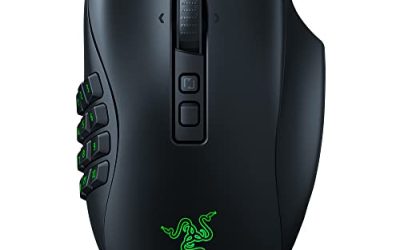
Razer Basilisk V3
Razer shaped the Basilisk V3 for right-handed players who want extra controls without adopting a full MMO grid, and its eleven programmable buttons include a multi-function trigger near the thumb. That trigger suits push-to-talk, ping or a frequent ability, while two side buttons and a tilt wheel cover the rest of the regular commands. The Focus Plus 26K sensor tracks across a wide sensitivity range, and Chroma RGB lighting covers the scroll wheel, logo and underglow. A wired USB connection keeps the setup simple, and onboard memory stores profiles. This mouse fits shooter and survival players who want a familiar ergonomic shape with more binds than a basic mouse.
Specs
- Buttons: 11 programmable buttons, including a multi-function trigger
- Sensor: Focus Plus 26K DPI optical sensor
- Scroll wheel: HyperScroll tilt wheel
- Lighting: Chroma RGB lighting
- Connectivity: Wired USB
- Memory: On-board memory for profiles
Best for: Right-handed shooter and survival players who want eleven buttons in a familiar ergonomic shape.
Watch out for: Check the listing for the wired Basilisk V3, since wireless Basilisk models share the name and look similar in photos.
Which One Fits Your Situation
You play MMOs with long ability bars
Choose the Logitech G600 MMO, because its twelve-button thumb grid keeps a full rotation under one thumb and the G-Shift layer adds a second set of functions without moving the left hand. The Corsair Scimitar RGB Elite works as the alternative when the fixed grid feels too far forward, since its sliding panel adjusts to hand size. Avoid the lighter esports shapes here, because they lack the button count a long rotation demands.
You switch between MMOs, MOBAs and shooters
Choose the Razer Naga V2 Pro, because its swappable side plates change the thumb layout for each genre instead of forcing one layout to serve every game. Fit the twelve-button plate for MMO nights, the seven-button plate for MOBAs, and the two-button plate for shooters. That flexibility matters more than a slightly lower weight, since the right button count changes how each genre plays.
You want a button-heavy mouse for mixed genres
Choose the Logitech G502 HERO, because eleven well-spaced buttons, a tilt scroll wheel and tunable weight cover shooters, survival games and strategy titles without a specialist grid. The Razer Basilisk V3 suits the same brief when a slightly different ergonomic shape feels better, since it also gives eleven buttons and a multi-function trigger. Either pick keeps the learning curve short.
You tried a thumb grid and found it uncomfortable
Choose the Corsair Scimitar RGB Elite, because its Key Slider moves the twelve-button panel forward and back until the thumb rests naturally. Measure hand size against the listing dimensions first, then test each slider position during a normal session rather than a quick unboxing. A grid that sits in the wrong place causes misclicks, while one that fits becomes second nature within a few sessions.
Common Mistakes
- Choosing the highest button count without checking whether the thumb can reach every button comfortably.
- Buying a wireless model by mistake when the listing title matches a wired model with the same name.
- Ignoring the software, then discovering that profiles, macros or lighting need a program that is not installed.
- Picking a heavy button-heavy mouse for fast flick aiming, where a lighter shape would track better.
- Forgetting onboard memory, so binds disappear when the mouse moves to a laptop or a shared computer.
Frequently Asked Questions
How many programmable buttons do most players need?
Most players use between six and twelve programmable buttons in regular play, since that range covers abilities, consumables, push-to-talk and weapon swaps. MMO players often need the full twelve-button grid, while shooter and survival players usually manage with eleven well-placed buttons. Count the actions pressed every session, then match the layout to that list rather than chasing the largest total.
Does a higher DPI sensor make a mouse better for programmable buttons?
A higher DPI ceiling gives more room to tune sensitivity, yet it does not improve button quality, layout or software. Most players settle well below the maximum figure, and tracking consistency matters more than the ceiling. Choose layout and shape first, then treat the sensor as a detail that tracks cleanly at the sensitivity already in use.
Can I use programmable buttons without installing software?
Some mice store profiles in onboard memory, so binds set once in software keep working on another computer without that software running. Other mice need the software active to apply macros or switch profiles. Check the listing for onboard memory before buying, and set up profiles on the main computer first so the mouse carries them wherever it goes.
Is a thumb grid hard to learn?
A thumb grid takes a few sessions to learn, because the thumb must build muscle memory for each row and column. Start by binding only the most-used abilities, then add more as the first set becomes automatic. Keep the same layout across games where possible, and avoid rebinding everything at once, since a stable layout shortens the learning period considerably.
FAQ
How many programmable buttons do most players need?
Does a higher DPI sensor make a mouse better for programmable buttons?
Can I use programmable buttons without installing software?
Is a thumb grid hard to learn?
More from Amazon
Programs that pair well with the guide above. Offers and eligibility are set by Amazon and may change.
Free shipping on eligible items, Prime Video and more. Eligible new members can start with a free trial.
Start a Prime free trialAd-free music streaming. Eligible new subscribers can start with a free trial.
Try Music Unlimited freeA Prime membership for ages 18-24 with a trial period. Eligibility is set by Amazon.
See Prime for Young AdultsAudiobooks and podcasts to listen to on the go. Eligible new members can start with a free trial.
Try Audible freeAs an Amazon Associate we earn from qualifying purchases.