Key takeaways
- Looking for the best gaming mouse with thumb rest? Compare thumb shelf shapes, grip fit, button layouts, sensors and wireless options before you buy today.
As an Amazon Associate we earn from qualifying purchases.
A thumb rest changes the question you are really answering. Instead of comparing sensors and DPI ceilings, you are choosing where your thumb lives for hours at a time, and a shelf that sits a few millimetres too high or too far forward will nag at you long after the spec sheet stops mattering. The right mouse lets the thumb settle without gripping, keeps the side buttons inside easy reach, and still tracks cleanly when a fight turns fast. Get the shape wrong and no sensor rescues the session.
This guide speaks to palm-grip players who anchor their whole hand, MMO players who lean on rows of side buttons, large-handed players who cramp on compact shells, and anyone who wants wireless freedom without giving up a sculpted rest. Models named below appear as examples of each shape, drawn from the names and feature lists on their Amazon listings, because Amazon blocked direct page checks while this guide was written and live stock could not be confirmed.
How to Choose
Thumb Shelf Depth and Angle
A thumb rest is not one feature. Some shelves are shallow ledges that only catch the tip of the thumb, while others are deep, scooped wings that cradle the whole digit and take weight off the grip. Depth decides whether your thumb parks or perches, and angle decides whether the joint stays neutral through a long match. Look at side photos with a hand in frame rather than trusting the word ergonomic in a title. A shelf that flares outward suits a relaxed palm, while a flatter, narrower ledge suits players who lift and reposition often. If the product photos hide the left flank, treat that as a warning sign and move on. The shelf should meet the thumb naturally.
Grip Style and Hand Size
Grip decides fit more than any other number on the box. Palm players rest the whole hand on the shell and want a tall hump with a long thumb shelf, because the hand stays planted and the thumb needs somewhere to go. Claw players arch their fingers and lift the palm, so a shorter shelf and a narrower waist keep the mouse nimble. Fingertip players barely touch the shell at all and usually gain nothing from a big rest. Hand length matters too: measure from wrist crease to middle fingertip, then compare against the listed length, since a mouse that suits a 19-centimetre hand will feel like a brick in a 17-centimetre one. Small differences in length change everything.
Button Layout Around the Thumb
Side buttons live where the thumb rest ends, so the two features share the same real estate and can fight each other. Two well-spaced buttons above the shelf suit shooters who need a quick melee or ping without looking down, while a grid of six or more buttons suits MMO players who map rotations to the thumb. Watch the gap between the lowest button and the rest itself: a button that sits flush against the shelf gets pressed by accident during tense moments. A small sniper button tucked behind the wheel can be handy, yet it also becomes the first thing a resting thumb brushes. Count the buttons you will actually use, then ignore the rest. Reach beats count.
Wired, Wireless, and Sensor Basics
Cable or no cable is a desk decision before it is a performance one. A wired mouse never needs charging and keeps its weight down, which suits players who sit at one desk and hate battery routines. Wireless mice have closed the latency gap for most players, and a good 2.4 GHz link feels identical in everyday play, though the battery and receiver add grams and one more thing to charge. Sensor numbers deserve less attention than sellers give them: anything in the modern mid-range tracks far beyond what a human hand can use, and a mouse that fits well at a modest sensitivity beats a flagship sensor in a shell that cramps your thumb. Fit wins over figures.
Which One Fits Your Situation
Long Sessions With a Palm Grip
Pick a full-size wired ergonomic mouse with a deep, scooped thumb shelf, the shape the Razer Basilisk V3 represents. The planted palm and supported thumb share the load, so the hand stays relaxed through a long evening. Keep the weight moderate and the hump tall, and skip ultralight symmetric shells that leave the thumb hovering. A braided cable that stays out of the way helps, and a smooth glide keeps the planted hand from dragging.
MMO and Shortcut-Heavy Games
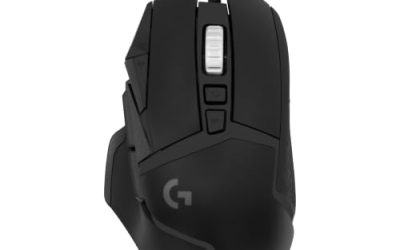
Choose a mouse with a wide thumb wing and a cluster of side buttons, the layout the Logitech G502 HERO popularised. The shelf parks the thumb below the buttons, so each press lands deliberately instead of by accident. Map rotations and consumables to the thumb, keep the two main buttons free, and practise the layout before ranked play. A thumb grid with distinct, textured keys helps you find each bind without looking, which matters mid-fight.
Large Hands That Cramp on Small Mice
Go for a large right-handed shell with a long thumb rest, the class the Corsair Ironclaw RGB Wireless sits in. Length and width matter more than button count here: the palm needs a full landing pad and the thumb needs a shelf that reaches it. Measure your hand first, then check the listed dimensions before ordering. A palm-filling shell also spreads the weight, so long sessions strain the wrist less than a cramped grip does.
A Tidy Desk Without a Cable
Take a wireless ergonomic mouse with a sculpted thumb shelf, the shape the Razer Basilisk V3 X HyperSpeed follows. A 2.4 GHz link keeps input lag out of the conversation, and the shelf gives the thumb the same parking spot as a wired equivalent. Keep the receiver close, charge on a routine, and favour models with a wired fallback. A mouse that runs wired while charging removes the dead-battery panic entirely, so check for that fallback.
Common Mistakes
- Buying on DPI alone: a headline sensitivity number says almost nothing about comfort, and a mouse that cramps your thumb will lose you more fights than a slightly lower sensor ceiling ever could. Treat the sensor as a pass-or-fail check, then judge the shell, the shelf and the button spacing with your own hand in mind, because the number on the box never tells you where your thumb will sit after an hour. Chasing the biggest number usually ends with an expensive mouse that hurts to hold, so let fit lead and let the sensor follow.
- Assuming every ergonomic mouse has a thumb rest: many right-handed shells slope away exactly where a rest should be, and some so-called ergonomic models only add a taller hump while the thumb still dangles. Open the side photos and look for a visible ledge or wing before you order, because the word ergonomic on the box guarantees nothing about where your thumb goes. A listing that never shows the left flank is hiding the answer, so treat missing photos as a reason to keep looking rather than a detail to overlook.
- Ignoring hand size: a shelf positioned for a large hand forces a smaller thumb to stretch, while a compact mouse leaves a big thumb hanging off the edge with nowhere to park. Measure from wrist to fingertip, compare against the listed length, and remember that a centimetre of difference changes the whole feel of the mouse in your hand. Size charts exist for a reason, and guessing usually ends with a return label and a second round of shopping. Check the width too, since a wide shelf changes the grip as much as length does.
- Overloading the thumb with buttons: a grid of side keys looks powerful until the lowest one sits against the rest and fires every time you grip harder in a tense round. Start with two or three thumb buttons you can hit blind, and only add more once the layout feels automatic rather than something you have to think about mid-fight. A button you press by accident is worse than a button you do not have, because it fires at the worst moment and breaks your focus. Distinct shapes and spacing help the thumb tell keys apart without looking down.
- Forgetting the desk setup: a thumb-rest mouse is usually wider than a symmetric one, so it needs a little more pad space and a cable route that does not drag across the shelf side. Clear the space first, check the cable or receiver placement, and give the new shape a full week before judging it, since a hand that has held one shape for years needs time to trust another. A cramped pad turns a comfortable mouse into a frustrating one, no matter how good the shelf feels in the hand.
Frequently Asked Questions
Do all ergonomic gaming mice have a thumb rest?
No. Ergonomic describes a shape that supports the hand, and many right-handed mice achieve that with a tall hump and sloped sides but no dedicated ledge. A true thumb rest is a visible shelf or wing on the left flank, so check side photos and the feature list rather than trusting the word ergonomic alone. If the listing never mentions a thumb rest, assume there is not one.
Are thumb rests only for right-handed players?
Almost always. The rest sits on the left flank for the right thumb, which makes these mice a poor fit for left-handed players and for anyone who swaps hands. Left-handed players should look at symmetric mice or the rare left-handed ergonomic shells instead, and treat any thumb-rest model as right-hand only unless the listing says otherwise. Symmetric ambidextrous mice remain the safer default for left-handed play.
Does a thumb rest slow down fast flicks?
Not on its own. A rest adds a little width, and the extra grams matter to players who chase the lightest possible mouse, but most players flick just as fast once the shape feels familiar. The bigger risk is a shelf that catches the thumb during a lift, so players who reposition constantly should favour a shallow ledge over a deep wing. Allow a week for the hand to adapt.
Can a thumb-rest mouse work for claw grip?
Yes, with the right shelf. Claw players arch their fingers and lift the palm, so a deep wing can feel like it gets in the way, while a short, flat ledge gives the thumb a parking spot without locking the hand in place. Try a medium-height shelf first, and skip models whose rest juts far outward. A low, flat ledge suits claw players better than a tall, scooped wing.
FAQ
Do all ergonomic gaming mice have a thumb rest?
Are thumb rests only for right-handed players?
Does a thumb rest slow down fast flicks?
Can a thumb-rest mouse work for claw grip?
More from Amazon
Programs that pair well with the guide above. Offers and eligibility are set by Amazon and may change.
Free shipping on eligible items, Prime Video and more. Eligible new members can start with a free trial.
Start a Prime free trialAd-free music streaming. Eligible new subscribers can start with a free trial.
Try Music Unlimited freeA Prime membership for ages 18-24 with a trial period. Eligibility is set by Amazon.
See Prime for Young AdultsAudiobooks and podcasts to listen to on the go. Eligible new members can start with a free trial.
Try Audible freeAs an Amazon Associate we earn from qualifying purchases.