Our Top Picks
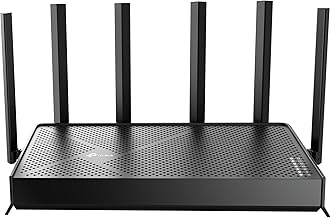
 ASUS RT-AX1800S Dual Band WiFi 6 Extendable RouterRouter9.06 x 5.28 x 2.2 inches0.82 poundsCheck on Amazon



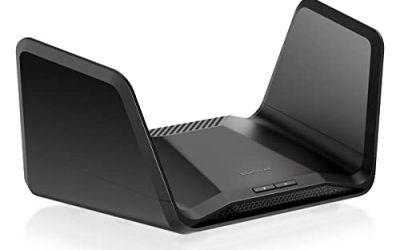
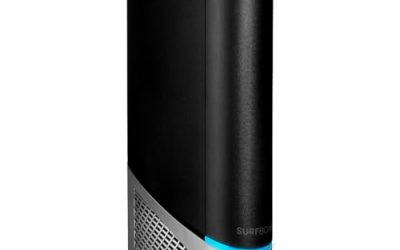
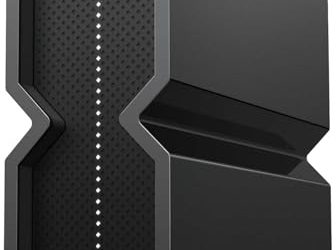
Buy the TP-Link Archer AX21 if you want the best all-round value, because it gives you WiFi 6, four gigabit ports and a free basic security layer for a low spend. If you would rather never pay for security, the ASUS RT-AX1800S is the pick, since its AiProtection Classic is free for life. The NETGEAR Nighthawk R6700AX suits buyers who want the Nighthawk app and simple setup, while the Archer AX10 is the cheapest way into WiFi 6 and the Archer A7 is the cheapest router here for light use.
This guide is for renters, small households and anyone replacing a tired ISP box without spending much. Every router below is a standalone unit with gigabit ports, chosen from Amazon listings and maker spec pages, and each one is judged on what it actually delivers for a low spend rather than on its headline speed.
Quick Picks
As an Amazon Associate we earn from qualifying purchases
| Product | Best for | Key spec from title |
|---|---|---|
| TP-Link Archer AX21 | Best all-round value | WiFi 6 AX1800, 4 gigabit LAN ports |
| ASUS RT-AX1800S | Free security for life | WiFi 6 AX1800, AiProtection Classic |
| NETGEAR Nighthawk R6700AX v3 | Simple setup with the Nighthawk app | WiFi 6 AX1800, up to 1,500 sq ft |
| TP-Link Archer AX10 | Cheapest WiFi 6 pick | WiFi 6 AX1500, 4 gigabit LAN ports |
| TP-Link Archer A7 | Cheapest pick for light use | WiFi 5 AC1750, USB 2.0 port |
How to Choose
Pick WiFi 6 unless the budget is truly tight
Four of the five routers here run WiFi 6, and that matters more than any headline speed number. WiFi 6 handles many connected devices better than WiFi 5 because of OFDMA and MU-MIMO, which let the router talk to several devices at once instead of queuing them one by one. In a home with phones, laptops, a TV and a few smart gadgets, that efficiency shows up as steadier video calls and less lag at busy hours. The one WiFi 5 model, the Archer A7, is still fine for light use, but it belongs in a home with few devices and no plans to add more.
Read the headline speed as two bands, not one
Every router in this guide advertises a combined speed such as AX1800 or AC1750, and no single device ever sees that number. The figure adds the 5 GHz band and the 2.4 GHz band together, so a real device gets one band at a time. For example, an AX1800 router offers up to 1200 Mbps on 5 GHz plus up to 574 Mbps on 2.4 GHz, and your phone connects to one of those. Compare the per-band numbers when you shop, not the combined headline, and remember that walls, distance and interference all pull real speeds below the theoretical maximum.
Count the ports and check they are gigabit
A cheap router is only a bargain if its ports can carry your internet plan. Every pick here has a gigabit WAN port and four gigabit LAN ports, which means a wired connection can use a plan faster than 100 Mbps. Ultra-cheap models with 10/100 Fast Ethernet ports cap every wired device at 100 Mbps, so a faster plan is wasted on them. If you plug in a desktop, a console or a TV, look for at least four LAN ports so you do not need a switch on day one, and remember that none of these routers includes a modem.
Know what security costs after the first month
Security is where budget routers split into free and paid, and the difference shows up after the trial ends. The ASUS RT-AX1800S includes AiProtection Classic free for life, with parental controls and no subscription to remember. TP-Link HomeShield Basic is free on the Archer models, but its advanced layer is a paid subscription. NETGEAR Armor on the Nighthawk runs as a 30-day trial and then becomes paid. Decide before you buy whether you will pay for protection or stick to the free layer, and never assume a trial feature stays free.
The 5 Best Options
TP-Link Archer AX21
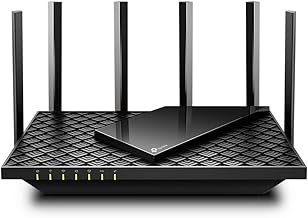
The Archer AX21 is the default pick in this guide because it balances WiFi 6, four gigabit ports and a usable free security layer without asking for a big spend. Its dual-band AX1800 radio gives up to 1200 Mbps on 5 GHz plus up to 574 Mbps on 2.4 GHz, and beamforming with OFDMA and MU-MIMO keeps several devices moving at once. EasyMesh support lets it join a mesh later if your home grows, and the built-in VPN server covers remote access. Four high-gain antennas and Alexa compatibility round out a package that asks very little of the buyer.
Specs
- WiFi 6 (802.11ax), dual-band AX1800 — up to 1200 Mbps on 5 GHz + up to 574 Mbps on 2.4 GHz
- 1x Gigabit WAN + 4x Gigabit LAN ports
- 4 high-gain antennas, beamforming, OFDMA, MU-MIMO
- EasyMesh compatible; OpenVPN + PPTP VPN server; parental controls; Alexa compatible
- HomeShield Basic free; advanced HomeShield features are a paid subscription
- No USB port
Best for: A small household that wants one solid WiFi 6 router and nothing to upgrade soon.
Watch out for: Advanced HomeShield features need a paid subscription after the free Basic layer, and there is no USB port for sharing a drive or printer.
ASUS RT-AX1800S
The RT-AX1800S earns its place as the security pick because its AiProtection Classic suite is free for life, the only genuinely free security suite in this pool. It runs WiFi 6 at AX1800 speeds, up to 1201 Mbps on 5 GHz plus up to 574 Mbps on 2.4 GHz, with 2×2 streams, 80 MHz channels and 1024-QAM. AiMesh lets it work as a main router or a mesh node, parental controls are included, and a built-in VPN plus WPA3 covers the basics. Four external antennas push the signal around a small home, and the whole package suits buyers who never want a security subscription.
Specs
- WiFi 6 (802.11ax), dual-band AX1800 — up to 1201 Mbps on 5 GHz + up to 574 Mbps on 2.4 GHz
- 2×2 streams, 80 MHz channels, 1024-QAM
- 1x Gigabit WAN + 4x Gigabit LAN ports
- AiProtection Classic (Trend Micro) free for life; parental controls included; built-in VPN
- AiMesh compatible; WPA3; 4 external antennas
- No USB port
Best for: A buyer who wants strong security without ever paying a subscription.
Watch out for: There is no USB port, so you cannot plug in a drive for media sharing, and its AX1800 speeds are the same class as the cheaper TP-Link picks.
NETGEAR Nighthawk R6700AX v3
The Nighthawk R6700AX v3 is the pick for buyers who want setup to feel simple, because the Nighthawk app walks through installation and day-to-day control without a manual. It runs WiFi 6 at AX1800 speeds, up to 1200 Mbps on 5 GHz plus up to 600 Mbps on 2.4 GHz across four streams, and NETGEAR rates its coverage at up to 1,500 sq ft for up to 20 devices in open space. Four gigabit LAN ports cover wired gear, and the Nighthawk name carries a familiar interface that many buyers already know from an older router.
Specs
- WiFi 6 (802.11ax), dual-band AX1800 — up to 1200 Mbps on 5 GHz + up to 600 Mbps on 2.4 GHz
- 4-stream; 1x Gigabit WAN + 4x Gigabit LAN ports
- Coverage up to 1,500 sq ft and up to 20 devices (maker claims for open-plan space)
- Nighthawk app setup; NETGEAR Armor is a 30-day trial, then a paid subscription
- No USB port
Best for: A household that values the Nighthawk app and a quick, guided setup.
Watch out for: NETGEAR Armor becomes a paid subscription after its 30-day trial, coverage figures are maker claims that walls and floors will reduce, and only the v3 listing is the current model.
TP-Link Archer AX10
The Archer AX10 is the cheapest way into WiFi 6 in this guide, and it makes sense for a buyer who wants the newer standard on the smallest spend. Its dual-band AX1500 radio offers up to 1201 Mbps on 5 GHz plus up to 300 Mbps on 2.4 GHz, with OFDMA, MU-MIMO and beamforming keeping a handful of devices steady. OneMesh support leaves a path to a mesh later, parental controls are included, and Alexa compatibility covers voice control. Four gigabit LAN ports mean wired devices are not capped at 100 Mbps, which is exactly where many ultra-cheap routers fail.
Specs
- WiFi 6 (802.11ax), dual-band AX1500 — up to 1201 Mbps on 5 GHz + up to 300 Mbps on 2.4 GHz
- 2.4 GHz band runs 802.11n at 300 Mbps, not WiFi 6
- 1x Gigabit WAN + 4x Gigabit LAN ports
- OFDMA, MU-MIMO, beamforming, OneMesh compatible, parental controls, Alexa compatible
- No USB port
Best for: A tight budget that still wants WiFi 6 for a few devices.
Watch out for: One mirror page currently shows this listing out of stock, so check live availability before ordering, and note that its 2.4 GHz band is not WiFi 6.
TP-Link Archer A7

The Archer A7 is the cheapest router in this guide and the right call for a light-use home that does not need WiFi 6. It runs WiFi 5 at AC1750 speeds, up to 1300 Mbps on 5 GHz plus up to 450 Mbps on 2.4 GHz, which is plenty for browsing, streaming and a couple of video calls. Three antennas with beamforming cover a small space, OneMesh support leaves room to grow, and a USB 2.0 port allows media sharing that the other picks lack. A VPN server, parental controls and QoS cover the basics without any subscription layer to think about.
Specs
- WiFi 5 (802.11ac), dual-band AC1750 — up to 1300 Mbps on 5 GHz + up to 450 Mbps on 2.4 GHz
- 1x Gigabit WAN + 4x Gigabit LAN + 1x USB 2.0 (media sharing)
- 3 antennas, beamforming, OneMesh compatible
- VPN server (OpenVPN + PPTP), parental controls, QoS, Alexa compatible, Qualcomm chipset
- No HomeShield — security is basic parental controls + QoS
Best for: A light-use home on the tightest budget that does not need WiFi 6.
Watch out for: This is the weakest listing in the pool with no fresh November 2026 stock signal, so confirm a new-condition US offer live before buying, and remember it is WiFi 5, not WiFi 6.
Which One Fits Your Situation
You want one router and no decisions later
Buy the Archer AX21. It is the best all-round value here, with WiFi 6, four gigabit ports, EasyMesh for later expansion and a free HomeShield Basic layer. It suits a renter or small household that wants to set the router up once and forget about it, and its AX1800 speeds cover streaming, calls and everyday browsing without strain.
You refuse to pay for security
Buy the ASUS RT-AX1800S. Its AiProtection Classic is free for life, so there is no trial to expire and no subscription to cancel. Parental controls and a built-in VPN come with it, and AiMesh means it can grow into a mesh. It is the right pick for anyone who has been burned by a security trial turning into a bill.
You have a lot of devices but a small home
Buy the NETGEAR Nighthawk R6700AX v3 or the Archer AX21. Both run WiFi 6 with OFDMA and MU-MIMO, which keep many devices moving at once, and both give four gigabit ports for wired gear. The Nighthawk adds the guided app setup, while the AX21 adds EasyMesh. Remember that Armor on the Nighthawk becomes paid after 30 days.
Your budget is the smallest it can be
Buy the Archer AX10 for WiFi 6 or the Archer A7 for the lowest spend of all. The AX10 gives the newer standard with AX1500 speeds, while the A7 gives WiFi 5 at AC1750 speeds plus a USB port for media sharing. Check the A7 listing live first, since it has the weakest stock signal in this guide.
Common Mistakes
- Buying a router with 10/100 Fast Ethernet ports, which caps every wired device at 100 Mbps even on a faster plan.
- Treating a combined headline speed like AX1800 as the speed one device gets, when it is the sum of two bands.
- Assuming a free security trial stays free — NETGEAR Armor and advanced HomeShield both become paid after the trial.
- Buying a router and expecting it to replace a modem, when every pick here needs a separate modem or fiber ONT.
- Picking the older R6700AX listing or a Renewed unit instead of the current v3 model, or mixing up the WiFi 5 Archer A7 with a WiFi 6 model.
Frequently Asked Questions
Is an inexpensive router fast enough for streaming?
Yes, for most homes. Every pick here offers gigabit ports and at least 1200 Mbps on its 5 GHz band, which covers several 4K streams and video calls at once. Real speeds depend on distance, walls and interference, so place the router centrally and use the 5 GHz band near it. If your plan is faster than 100 Mbps, avoid any router with Fast Ethernet ports.
Do I need WiFi 6 or is WiFi 5 enough?
WiFi 6 is the better buy when the spend is close, because OFDMA and MU-MIMO handle many devices at once. WiFi 5 is still enough for a light-use home with a few devices, a small space and no plans to add smart gadgets. The Archer A7 is the WiFi 5 pick here; the other four are WiFi 6. Choose by device count, not by the headline speed.
Does a budget router need a modem too?
Yes. Every router in this guide is a standalone router, not a modem, so it needs a separate modem or a fiber ONT to reach the internet. Your internet provider usually supplies the modem, and the router plugs into it with an Ethernet cable. Do not unplug the modem expecting the new router to replace it.
Which security features are actually free?
The ASUS RT-AX1800S includes AiProtection Classic free for life, with parental controls and no subscription. TP-Link HomeShield Basic is free on the Archer models, but its advanced layer is paid. NETGEAR Armor on the Nighthawk is a 30-day trial and then becomes paid. The Archer A7 has no HomeShield at all, only basic parental controls and QoS.
FAQ
Is an inexpensive router fast enough for streaming?
Do I need WiFi 6 or is WiFi 5 enough?
Does a budget router need a modem too?
Which security features are actually free?
More from Amazon
Programs that pair well with the guide above. Offers and eligibility are set by Amazon and may change.
Free shipping on eligible items, Prime Video and more. Eligible new members can start with a free trial.
Start a Prime free trialAd-free music streaming. Eligible new subscribers can start with a free trial.
Try Music Unlimited freeA Prime membership for ages 18-24 with a trial period. Eligibility is set by Amazon.
See Prime for Young AdultsAudiobooks and podcasts to listen to on the go. Eligible new members can start with a free trial.
Try Audible freeAs an Amazon Associate we earn from qualifying purchases.