Our Top Picks
Pros & cons
- 11 programmable buttons add extensive control customization
- Adjustable weights let you fine-tune balance and feel
- LIGHTSYNC RGB syncs lighting with other Logitech gear
- Wired connection limits cable-free desk setups
- Heavier than typical lightweight esports mice at 0.27 pounds
 Razer DeathAdder V3 Pro Wireless Gaming Mouse1000 Hz5.01 x 2.65 x 1.69 inches0.1 poundsCheck on Amazon

As an Amazon Associate we earn from qualifying purchases.

Sweaty hands turn a good gaming mouse into a slippery bar of soap. The palm warms up, moisture builds between skin and shell, and the mouse starts to drift in the hand during the exact moment a flick shot matters. Aim gets worse, the grip tightens to compensate, and the hand tires faster. It is one of the most common comfort problems in PC gaming, and it has almost nothing to do with skill.
The fix is not a stronger grip. The fix is a shell that stays put when it gets damp. Some mice use textured rubber on the sides. Some use a perforated shell that lets air move across the palm. Some use a matte coating that keeps friction high even with moisture on it. And some ship with grip tape in the box, which is the most direct answer of all.
Why Sweaty Hands Make a Mouse Slip
A mouse stays in the hand through friction. Dry skin on a matte surface grips well. Add a thin layer of sweat and the friction drops, especially on glossy plastic. The mouse starts to slide under the thumb and pinky finger, and the player squeezes harder to hold it. That extra squeeze changes how the hand moves the mouse, which changes aim.
Heat makes it worse. Long sessions warm the palm, and a solid shell traps that warmth, so a mouse that feels fine for twenty minutes can feel slick after an hour. Shape and surface matter more than sensor numbers here.
Palm size and grip style change the problem too. Palm-grip players press the whole hand onto the shell, so moisture collects across the palm. Claw-grip players hold the mouse with fingertips and the heel of the palm, so the sides and rear matter most. Fingertip players touch the mouse the least, so they notice slip mainly on the sides during fast flicks.
What Actually Helps When Hands Sweat
Four things separate a mouse that stays put from one that slides. Texture comes first: rubberized side grips give the thumb and ring finger something to hold, and a fine matte texture on the top shell keeps the palm from sliding forward during fast stops. Smooth glossy plastic is the worst surface for sweaty hands.
Airflow comes second: a perforated shell lets air reach the palm and lets moisture escape instead of pooling between hand and plastic. This is the whole idea behind holey shells. Water resistance matters here too, since a shell with holes still needs to keep sweat away from the electronics inside.
Coating comes third: a matte soft-touch coating holds friction better than gloss when damp. Grip tape is the backup plan for any mouse, adding texture exactly where the fingers sit. Shape and weight come fourth: a wider mouse spreads the load so the hand squeezes less, and a lighter mouse needs less force to move, so the hand relaxes and sweats less.
How to Pick the Right One
Start with grip style. Palm players should look at the DeathAdder V3 Pro or the G502 HERO, both right-handed ergonomic shapes with a full palm rest. Claw and fingertip players should look at the Viper V3 Pro or the Model O 2 Wireless, both light symmetrical shapes. Players who want airflow above all else should look at the Aerox 3 Wireless.
Then check size. A mouse that is too small forces the hand to curl and squeeze, which builds heat. A mouse that is too large forces the fingers to stretch, which tires them. The dimensions in each Specs block are the listing figures, so compare them against the mouse you use now.
Wired or wireless is a comfort choice, not a performance one at this level. Wireless mice remove cable drag, and all three wireless picks here use low-latency wireless connections. Wired mice never need charging. The wired pick in this guide, the G502 HERO, is also the heaviest, which suits players who like a planted feel.
Finally, plan for upkeep. Sweat leaves residue on any shell. A quick wipe with a dry cloth after a session keeps texture working, and a damp cloth once a week removes buildup. Grip tape wears out and should be replaced when its edges lift.
The Five Picks at a Glance
| Pick | Best for | Grip answer | Connection |
|---|---|---|---|
| Logitech G502 HERO | Palm grip, lots of buttons | Textured rubber side grips | Wired |
| Razer DeathAdder V3 Pro | Ergonomic palm and claw | Smooth matte shell, grip tape available | Wireless |
| Razer Viper V3 Pro | Claw and fingertip | Grip tape included in the box | Wireless |
| SteelSeries Aerox 3 Wireless | Airflow and sweat resistance | Perforated shell, IP54 rated | Wireless |
| Glorious Model O 2 Wireless | Light ambidextrous play | Matte finish, light symmetrical shape | Wireless |
1. Logitech G502 HERO
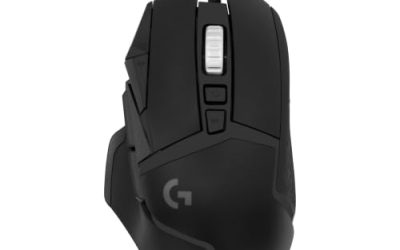
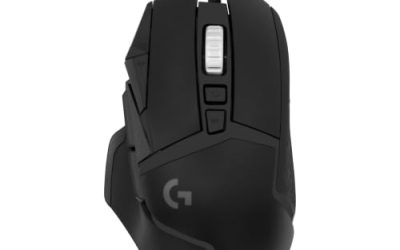
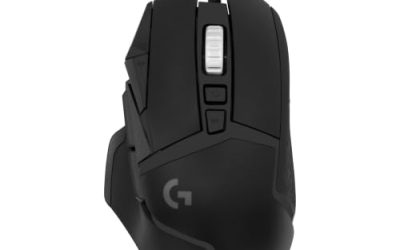
The G502 HERO is the textured-grip pick in this guide. Its right-handed ergonomic shape fills the palm, and the rubberized side grips give the thumb and ring finger a surface that holds even when damp. The shape suits palm and claw grips best, and the extra buttons make it the pick for players who want binds for abilities, weapons and consumables without reaching for the keyboard.
The sensor is the HERO 25K optical sensor, tracking up to 25,600 DPI with no smoothing, filtering or acceleration, according to the listing. Eleven programmable buttons cover a lot of binds, and the dual-mode hyper-fast scroll wheel switches between notched steps and free spin. Five 3.6-gram tuning weights sit in the base, so the mouse can be made heavier for steady aiming or lighter for faster turns. Onboard memory stores up to five profiles directly on the mouse.
At 121 grams before weights, this is the heaviest mouse in the guide. That weight is a feature for players who like a planted feel, and a drawback for players who flick with the wrist. The wired connection means no charging and no battery to think about.
One honest note: the G502 HERO has a long-running complaint in owner forums about its main switches developing a double-click fault after months of use. The listing does not discuss this, and the guide cannot confirm how common it is. Buy from a seller with an easy return policy and use the buttons hard in the first weeks. The mouse is right-handed only.
Specs
- Sensor: HERO 25K optical, up to 25,600 DPI
- Buttons: 11 programmable buttons
- Scroll wheel: Dual-mode hyper-fast with tilt
- Weight: 121 grams, plus five 3.6-gram tuning weights
- Connection: Wired
- Shape: Right-handed ergonomic
- Grip: Textured rubber side grips
- Onboard memory: 5 profiles
- Lighting: RGB
- Dimensions: 1.57 x 2.95 x 5.2 inches
- Model: 910-005469
- ASIN: B07GBZ4Q68
2. Razer DeathAdder V3 Pro
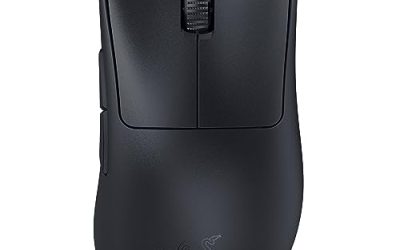
The DeathAdder V3 Pro is the ergonomic pick. Its right-handed shape is a refined version of the classic DeathAdder curve, built for palm and claw grips, and at 63 grams it is one of the lightest ergonomic mice available. The light weight matters for sweaty hands because a lighter mouse needs less squeeze to control, and less squeeze means less heat in the palm over a long session.
The sensor is the Focus Pro 30K optical sensor, with Gen-3 optical switches and HyperSpeed wireless. Battery life runs up to 90 hours per the listing, and charging is over USB-C. The listing gives 5 programmable buttons for the standard model, though some listing copies describe 8 programmable controls; the guide follows the standard listing figure.
The honest flag on this mouse is its finish. The shell uses a smooth matte coating, not a textured rubber grip, so it can feel slick when hands get very sweaty. Razer sells grip tape made for this exact mouse, and many players add it to the sides and main buttons. That is an extra purchase. Players who want grip tape in the box should look at the Viper V3 Pro below instead.
Specs
- Sensor: Focus Pro 30K optical sensor
- Buttons: 5 programmable buttons (some listing copies say 8 programmable controls)
- Switches: Gen-3 optical switches
- Weight: 63 grams
- Connection: HyperSpeed wireless, USB-C charging
- Battery life: Up to 90 hours
- Shape: Right-handed ergonomic
- Grip: Smooth matte coating; Razer grip tape sold separately
- Model: RZ01-04630100-R3G1
- ASIN: B0B6XZLNHQ
3. Razer Viper V3 Pro
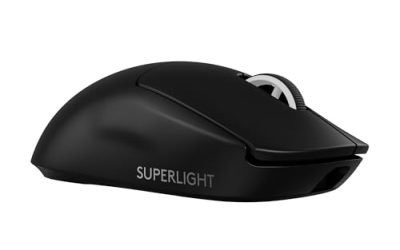
The Viper V3 Pro is the grip-tape pick, and the most direct answer to sweaty hands in this guide. The box includes Razer Mouse Grip Tape, so the fix for slippery sides is in the package instead of a separate purchase. The tape goes on the sides and main buttons, adding texture where the fingers sit.
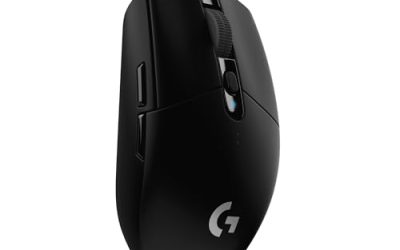
The mouse itself is a 54-gram symmetrical wireless mouse built for claw and fingertip grips. The sensor is the Focus Pro 35K optical sensor, with Gen-3 optical switches and 8K HyperPolling wireless. Battery life runs up to 95 hours per the listing. Eight programmable controls cover binds without crowding the shape, and the symmetrical design works for either hand, though the side buttons sit on the left side only.
At 54 grams, the Viper V3 Pro needs very little force to move, so the hand stays relaxed during long sessions, and a relaxed hand sweats less than one squeezing hard to hold a heavy mouse. The trade-off is that ultra-light mice feel less planted to players who like weight under the palm; those players should look at the G502 HERO instead. The listing used here is the standard black model, model RZ01-05120100-R3U1; confirm the color and model number on the listing before ordering, since the editions share a page.
Specs
- Sensor: Focus Pro 35K optical sensor
- Buttons: 8 programmable controls
- Switches: Gen-3 optical switches
- Polling rate: Up to 8,000 Hz wireless
- Weight: 54 grams
- Connection: HyperSpeed wireless, USB-C charging
- Battery life: Up to 95 hours
- Shape: Symmetrical, ambidextrous
- Grip: Razer Mouse Grip Tape included in the box
- Model: RZ01-05120100-R3U1
- ASIN: B0CW25XR5R
4. SteelSeries Aerox 3 Wireless

The Aerox 3 Wireless is the airflow pick. Its perforated shell is full of small holes that let air reach the palm and let moisture escape instead of pooling between hand and plastic. For players whose hands sweat heavily, this is the most practical design in the guide. The shell also carries IP54 protection through the AquaBarrier design, which shields the inside of the mouse from water splashes, dust and dirt.
The sensor is the TrueMove Air optical sensor, up to 18,000 CPI, with Quantum 2.0 Wireless over 2.4 GHz plus Bluetooth 5.0. Battery life runs up to 200 hours per the listing, and fast charging over USB-C gives over 40 hours of play from 15 minutes of charging, according to the listing. The mouse weighs 68 grams per the listing, though one independent lab measured 66.6 grams; the guide uses the listing figure and notes the measured one.
The perforated shell has a trade-off worth stating plainly. Dust and skin flakes can collect in the holes over time, so this mouse needs a quick wipe more often than a solid-shell mouse. One listing note: the ASIN used here covers the Aerox 3 Wireless listing with its color options, including Onyx black and Snow white. Confirm the color selected before ordering, since the colors share a page.
Specs
- Sensor: TrueMove Air optical sensor, up to 18,000 CPI
- Buttons: 6 buttons
- Weight: 68 grams (one lab measured 66.6 grams)
- Connection: Quantum 2.0 Wireless 2.4 GHz, Bluetooth 5.0, USB-C
- Battery life: Up to 200 hours
- Water resistance: IP54 AquaBarrier
- Shape: Right-handed, perforated shell
- Grip: Perforated shell for airflow
- Feet: 100 percent PTFE
- Lighting: 3-zone PrismSync RGB
- Dimensions: 120 x 67 x 38 mm
- ASIN: B0966V1GPG
5. Glorious Model O 2 Wireless

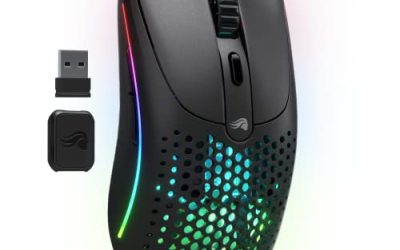
The Model O 2 Wireless is the light ambidextrous pick. At 68 grams with a symmetrical shape, it suits claw and fingertip grips and works for either hand. The matte finish gives the shell more friction than a glossy coating, and the light weight keeps the hand relaxed during long sessions. It is the simplest answer in the guide for players who want a light, plain, reliable mouse that does not slip.
The sensor is the BAMF 2.0 optical sensor at up to 26,000 DPI, with six programmable buttons, 1000 Hz polling and PTFE feet. Connectivity covers 2.4 GHz wireless and Bluetooth 5.2, with a USB-C wired mode. Battery life is listed at up to 210 hours, though some retailer material lists 110 hours instead; the guide follows the listing figure and flags the difference.
One honest note: the Model O 2 Wireless has a solid shell, not the honeycomb shell of the original Model O Wireless. The airflow advantage of a perforated shell belongs to the Aerox 3 in this guide, not this mouse. The listing used here is the black model, model GLO-MS-OWV2-MB. A white version exists under its own listing, so confirm the color on the page before ordering.
Specs
- Sensor: BAMF 2.0 optical sensor, up to 26,000 DPI
- Buttons: 6 programmable buttons
- Polling rate: 1,000 Hz
- Weight: 68 grams
- Connection: 2.4 GHz wireless, Bluetooth 5.2, USB-C wired mode
- Battery life: Up to 210 hours (some retailer material lists 110 hours)
- Shape: Symmetrical, ambidextrous
- Grip: Matte finish
- Feet: PTFE
- Lighting: RGB
- Model: GLO-MS-OWV2-MB
- ASIN: B0BLF5NH32
Keeping Your Grip Working
A good shell is only half the answer. Sweat leaves a film on any surface, and that film builds up. Wipe the mouse with a dry cloth after each session, and use a slightly damp cloth once a week to remove buildup. Dry it fully before the next session, since a damp shell is worse than a dry one.
Grip tape is the cheapest upgrade in this guide. Pre-cut tape for a specific mouse fits the curves and covers the sides and buttons. Replace it when the edges lift or the texture goes smooth, which usually takes a few months of heavy use.
Hand habits help as much as hardware. Wash and dry hands before a long session, and keep a small towel at the desk for breaks between matches. A fan pointed at the desk also helps, since moving air across the hand slows moisture buildup. Finally, check the mouse feet and the desk surface: a mouse that glides poorly makes the hand push harder, which builds heat. Clean feet and a clean pad keep movement light, and light movement keeps the hand relaxed.
Frequently Asked Questions
Does a perforated mouse really help sweaty hands?
Yes. The holes let air reach the palm and let moisture escape instead of pooling on a solid shell. The Aerox 3 Wireless in this guide is the perforated pick, and its IP54 protection covers the inside of the mouse against splashes and dust. The holes do collect dust over time, so a quick wipe after sessions keeps the benefit.
Should I use grip tape on a new mouse?
Grip tape is worth trying if the shell feels slick after an hour of play, even if it feels fine at first. The Viper V3 Pro ships with tape in the box, which makes it the easiest place to start. Tape adds texture where the fingers sit, and it can be removed without damage.
Is a lighter mouse better for sweaty hands?
Usually yes, because a lighter mouse needs less squeeze to control, and a relaxed hand sweats less than a hand that is gripping hard. The Viper V3 Pro at 54 grams and the DeathAdder V3 Pro at 63 grams are the lightest picks here. Players who prefer a planted feel should look at the heavier G502 HERO instead.
Can sweat damage a gaming mouse?
Sweat can corrode switches and leave residue on the shell over time, but a mouse built with water resistance, like the Aerox 3 Wireless with its IP54 protection, is designed with that in mind. Wiping it down after sessions and keeping it dry between uses goes a long way. If clicks start feeling soft or inconsistent, clean the shell first, since residue is the most common cause.
Final Thoughts
Sweaty hands are a surface problem, not a skill problem, and the right mouse treats them that way. The G502 HERO answers with textured rubber grips and a planted shape. The DeathAdder V3 Pro answers with a light ergonomic shape, with grip tape as the backup plan. The Viper V3 Pro answers by shipping the grip tape in the box. The Aerox 3 Wireless answers with a perforated shell and water resistance. The Model O 2 Wireless answers with a light matte ambidextrous shape and a long battery life.
Pick by grip style first, then by how much the hands sweat. Heavy sweaters should start with the perforated shell or the included grip tape. Confirm the exact model, color and live offer on the listing before ordering, since listings change and editions share pages.
FAQ
Does a perforated mouse really help sweaty hands?
Should I use grip tape on a new mouse?
Is a lighter mouse better for sweaty hands?
Can sweat damage a gaming mouse?
More from Amazon
Programs that pair well with the guide above. Offers and eligibility are set by Amazon and may change.
Free shipping on eligible items, Prime Video and more. Eligible new members can start with a free trial.
Start a Prime free trialAd-free music streaming. Eligible new subscribers can start with a free trial.
Try Music Unlimited freeA Prime membership for ages 18-24 with a trial period. Eligibility is set by Amazon.
See Prime for Young AdultsAudiobooks and podcasts to listen to on the go. Eligible new members can start with a free trial.
Try Audible freeAs an Amazon Associate we earn from qualifying purchases.