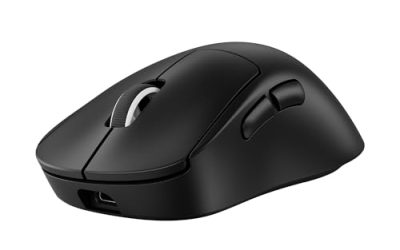
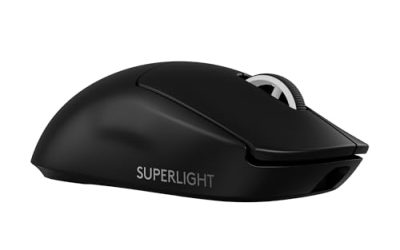
Our Short List of 3

- Best for: Wired players who want tunable weight and eleven buttons across two or more PCs.
- Sensor: HERO 25K sensor, listed up to 25,600 DPI
- Buttons: 11 programmable buttons
- Onboard memory: On-Board Memory, listed in the product title
- Lighting: RGB, with LIGHTSYNC customizable RGB lighting

- Best for: MMO and MOBA players who need a repositionable twelve-button side panel on more than one PC.
- Sensor: Custom PixArt PMW3391 native optical sensor, 18,000 DPI, adjustable in 1 DPI resolution steps
- Buttons: 17 fully programmable buttons, including 12 mechanical side buttons
- Side panel: Patented Key Slider control system to reposition the side buttons
- Onboard memory: Onboard profile storage, stated in the product description

- Best for: Laptop and travel play where long AA battery life and a compact wireless shape matter most.
- Sensor: HERO 12K sensor, 200 to 12,000 DPI sensitivity
- Buttons: 6 programmable buttons
- Onboard memory: On-Board Memory, listed in the product title
- Connection: LIGHTSPEED wireless, with a 1 millisecond report rate described on the listing
All 4 Picks at a Glance
| Product | Specs | Action |
|---|---|---|
| Logitech G502 HERO |
| Check price on Amazon |
| Corsair Scimitar RGB Elite |
| Check price on Amazon |
| Logitech G305 Lightspeed |
| Check price on Amazon |
 Logitech G203 Lightsync |
| Check price on Amazon |
Our Top Picks
Pros & cons
- 11 programmable buttons add extensive control customization
- Adjustable weights let you fine-tune balance and feel
- LIGHTSYNC RGB syncs lighting with other Logitech gear
- Wired connection limits cable-free desk setups
- Heavier than typical lightweight esports mice at 0.27 pounds
Pros & cons
- Up to 250 hours of play on a single AA battery
- Lightweight 3.4-ounce body aids fast, precise movement
- Built-in receiver storage keeps the dongle from getting lost
- Relies on a AA battery rather than a built-in rechargeable cell
- Endurance mode trade-off needed to stretch battery life further

Moving between a home desktop, a laptop, and a PC where you cannot install software turns mouse settings into a recurring chore. Rebuilding DPI stages, button maps, and lighting on every machine wastes time, and a profile that lives only in an app disappears the moment that app is absent. The real decision is therefore not just sensor speed, but whether the mouse itself carries your setup with it.
This guide is for players who switch computers, attend events, or share machines and want their settings to travel in the hardware. Every pick below was chosen only where its own Amazon listing states onboard memory or onboard profile storage in its title or description, and its specifications were taken from the names and details on that Amazon page.
Quick Picks
As an Amazon Associate we earn from qualifying purchases
| Product | Best for | Key spec from title |
|---|---|---|
| Logitech G502 HERO | Wired all-round play with tunable weight | On-Board Memory |
| Corsair Scimitar RGB Elite | MMO and MOBA players who need many side buttons | 17 Programmable Buttons |
| Corsair Dark Core RGB Pro | Wireless palm-grip play across three connections | 18,000 DPI |
| Logitech G305 Lightspeed | Portable wireless play on a single AA battery | On-Board Memory |
| Logitech G203 Lightsync | Simple wired play with a compact six-button layout | On-Board Memory |
How to Choose
How Much Profile Storage You Actually Need
Start by counting the distinct setups you really use, rather than the number a headline advertises. A player with one shooter profile and one desktop profile needs far less storage than an MMO player who keeps separate maps for several classes. The Dark Core RGB Pro and Scimitar RGB Elite listings both describe storage for profiles created in their software, while the Logitech listings emphasise saving settings directly to the mouse. Match the stated storage approach to how often you switch games, because unused profile slots add no benefit if you only ever play one title.
What the Stored Profile Should Carry
Onboard memory is only useful if it carries the settings you would otherwise rebuild. Check the listing wording carefully: some mice store DPI and button assignments, others also store lighting or macros, and the exact mix differs by model. The Scimitar listing, for example, links its onboard storage to taking customized gaming anywhere, while the Dark Core listing specifies lighting and macro profiles in its wider product description. If lighting matters less than button maps, prioritise a listing that names button and DPI storage. If you rely on macros, confirm macros are named before assuming they travel.
Wired, Wireless, and Switching Between PCs
Connection type changes how onboard memory helps you day to day. A wired mouse such as the G502 HERO, Scimitar RGB Elite, or G203 Lightsync moves between PCs with no receiver or battery to manage, which suits a fixed desk hop. Wireless models such as the G305 Lightspeed and Dark Core RGB Pro add receiver storage or multiple connection modes, which helps with laptops but introduces battery checks. Think about the second machine as much as the first: a locked-down PC favours plug-and-play wired use, while a personal laptop favours wireless convenience.
Buttons, Shape, and Weight for Your Games
Profile storage cannot fix a mouse that does not fit your hand or your game. Count the buttons you will genuinely map: seventeen on the Scimitar RGB Elite suits ability-heavy games, eleven on the G502 HERO suits mixed play, and six on the G305 Lightspeed or G203 Lightsync suits simpler shooters and everyday use. Then check weight and dimensions on the listing, including any adjustable weights on the G502 HERO or interchangeable side grips on the Dark Core RGB Pro. A comfortable shape you can control for hours matters more than a larger button count you never reach.
The 5 Best Options
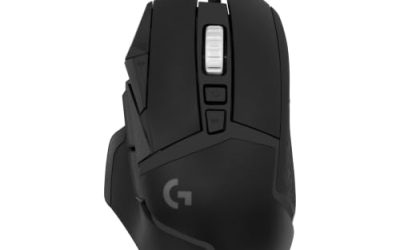
Logitech G502 HERO
- Best for: Wired players who want tunable weight and eleven buttons across two or more PCs.
- Sensor: HERO 25K sensor, listed up to 25,600 DPI
- Buttons: 11 programmable buttons
- Onboard memory: On-Board Memory, listed in the product title
- Lighting: RGB, with LIGHTSYNC customizable RGB lighting
Wired players who want tunable weight and eleven buttons across two or more PCs.
Confirm the wired-only connection suits every machine you use, since there is no wireless mode to fall back on.
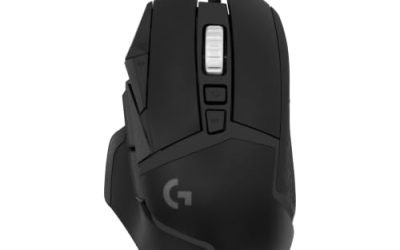
The G502 HERO fits players who want one wired mouse to cover shooters, action games, and everyday PC use without rebuilding settings on each computer. Its eleven programmable buttons give enough room for DPI switching, push-to-talk, and a small set of game commands, while the adjustable weight system lets you tune the feel instead of accepting a fixed balance. It suits a home desk that is also a second-PC desk, where the same profile needs to appear as soon as the cable is plugged in.
Corsair Scimitar RGB Elite
- Best for: MMO and MOBA players who need a repositionable twelve-button side panel on more than one PC.
- Sensor: Custom PixArt PMW3391 native optical sensor, 18,000 DPI, adjustable in 1 DPI resolution steps
- Buttons: 17 fully programmable buttons, including 12 mechanical side buttons
- Side panel: Patented Key Slider control system to reposition the side buttons
- Onboard memory: Onboard profile storage, stated in the product description
MMO and MOBA players who need a repositionable twelve-button side panel on more than one PC.
Check that a right-handed, button-heavy wired shape suits your grip before committing to the side grid.
The Scimitar RGB Elite fits MMO and MOBA players whose limiting factor is ability access, not raw tracking speed. Its twelve mechanical side buttons sit on a patented Key Slider system that can be repositioned for your grip, so a large ability bar becomes reachable without stretching your thumb to a fixed grid. With seventeen programmable buttons in total, it is the natural pick in this list for raid rotations, pet commands, and layered macros that need to travel with the mouse between a desktop and a laptop.
Corsair Dark Core RGB Pro
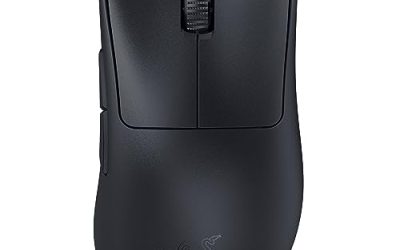
The Dark Core RGB Pro fits palm-grip players who want wireless freedom without giving up stored profiles when they move rooms or machines. Its contoured shape and two interchangeable side grips target longer sessions, while three connection approaches cover a gaming desktop, a laptop, and a wired fallback while charging. Eight programmable buttons keep the layout simpler than an MMO grid, which suits FPS and MOBA players who map a handful of commands and rely more on aim, positioning, and a stored DPI setup that follows the mouse.
Specs
- Sensor: Custom optical sensor, 18,000 DPI, optimized for low power consumption
- Buttons: 8 buttons, programmable with macros and remaps
- Onboard memory: Onboard storage saves up to three profiles, stated in the product description; onboard memory also listed under Built-In Media
- Polling: Hyper-polling technology communicates with the PC at up to 2,000Hz
- Lighting: Nine-zone dynamic RGB backlighting, including a light bar
- Connection: SLIPSTREAM WIRELESS, Bluetooth, and USB wired, with a USB-C connection
- Battery life: Up to 50 hours, stated in the product description
- Model number: CH-9315411-NA
- Dimensions: 5 x 3.5 inches, listed as length by width
Best for: Wireless palm-grip players who switch between desktop, laptop, and wired charging use.
Watch out for: Check the larger contoured shape and listed weight against your hand size, especially if you prefer a small fingertip-grip mouse.
ASIN: B082LVNHW9
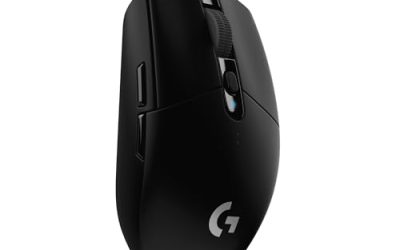
Logitech G305 Lightspeed
- Best for: Laptop and travel play where long AA battery life and a compact wireless shape matter most.
- Sensor: HERO 12K sensor, 200 to 12,000 DPI sensitivity
- Buttons: 6 programmable buttons
- Onboard memory: On-Board Memory, listed in the product title
- Connection: LIGHTSPEED wireless, with a 1 millisecond report rate described on the listing
Laptop and travel play where long AA battery life and a compact wireless shape matter most.
Confirm you are comfortable with AA batteries rather than a built-in rechargeable cell before choosing it for daily travel.
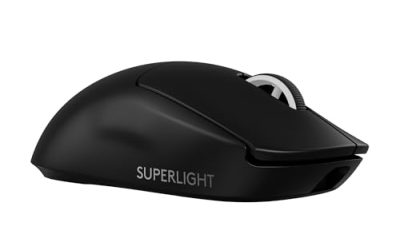
The G305 Lightspeed fits players who carry a mouse with a laptop and want a simple wireless setup that still names onboard memory in its title. Six programmable buttons cover the essentials for shooters and lighter games without a crowded side panel, and the compact symmetrical shape is easy to pack and use on smaller desks. Its long run time on a single AA battery reduces charging routines, and built-in storage for the USB receiver, described on the listing, helps the whole kit travel together between home, office, and study spaces.
Logitech G203 Lightsync
- Best for: A compact wired setup, a spare PC, or a newer player who wants saved settings without wireless upkeep.
- Sensor: Gaming-grade optical sensor, up to 8,000 DPI
- Buttons: 6 programmable buttons
- Onboard memory: On-Board Memory, listed in the product title
- Lighting: LIGHTSYNC RGB lighting
A compact wired setup, a spare PC, or a newer player who wants saved settings without wireless upkeep.
Check the compact size and six-button limit against your hand and game needs, since there is no side grid for extra commands.
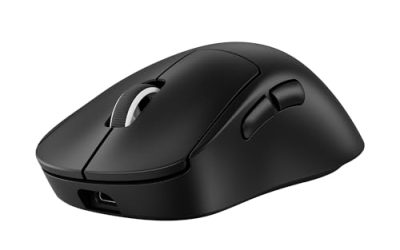
The G203 Lightsync fits players who want the simplest route into onboard memory: a wired, compact mouse with six buttons and no battery or receiver to manage. It suits a first gaming setup, a spare PC, or a shared family computer where each user benefits from settings saved on the mouse rather than in software that may not be installed. The smaller button count keeps learning easy for newer players, while the stated onboard memory in its title means a personal DPI and button setup can still move with it between machines.
Which One Fits Your Situation
You Play MMOs With a Full Ability Bar
Choose the Corsair Scimitar RGB Elite when your main problem is reaching abilities quickly and consistently on different PCs. Its twelve repositionable side buttons and seventeen programmable buttons in total give the most room in this list for rotations and macros, and its stated onboard profile storage means that layout can travel instead of being rebuilt. The G502 HERO is the fallback if you want many buttons but prefer a more conventional side layout.
You Switch Between a Desktop and a Laptop Every Day
Choose the Logitech G305 Lightspeed for a light wireless kit that packs easily, or the Corsair Dark Core RGB Pro if you also want Bluetooth and a wired mode in the same mouse. Both address the daily switch directly: the G305 keeps things simple with long AA battery life and receiver storage, while the Dark Core adds multiple connection modes and up to three stored profiles for different machines and games.
You Cannot Install Software on the Second PC
Choose a mouse whose listing clearly states that profiles are stored on the device, then set it up once on your own PC before you travel. The G502 HERO and G203 Lightsync are straightforward wired options for this situation, since there is no receiver pairing to manage at the second machine. The Scimitar RGB Elite also fits when the blocked PC is used for MMO play and the stored layout is the whole point of the purchase.
You Want One Mouse for Mixed Games at One Desk
Choose the Logitech G502 HERO when one desk hosts shooters, action games, and everyday work in rotation. Eleven buttons, adjustable weights, and a high listed DPI range cover varied demands without the commitment of a full MMO side grid. If your mixed play leans wireless and palm grip, step across to the Dark Core RGB Pro instead, accepting eight buttons in exchange for connection flexibility and a contoured shape.
Common Mistakes
- Assuming software profiles are the same as onboard storage, without checking that the listing itself states memory or profile storage on the mouse.
- Buying the largest button count available, then leaving most side buttons unmapped while struggling to reach the few commands that matter.
- Ignoring what a stored profile actually carries, especially whether macros and lighting travel or only DPI and basic button assignments do.
- Forgetting the second machine entirely, including whether it allows software installation, has a free port for a receiver, or suits a wired cable.
- Choosing by sensor headline alone and skipping the listing details for shape, dimensions, weight, grip style, and connection type.
Frequently Asked Questions
Does onboard memory mean I never need the software at all?
No. In most cases you still use the maker software on one PC to create and save a profile, and the onboard memory then carries that saved result to other machines. The benefit is at the destination: the second PC does not need the same setup work before your DPI, buttons, and other stored settings become available.
How many profiles do most players actually need?
Most players need two or three: one for a main game, one for a second genre, and sometimes one neutral desktop setup. More storage helps MMO players with several class layouts, but unused slots do not improve tracking or comfort. Count your real game setups first, then compare that number with the profile storage stated on each listing.
Will a stored profile work on a PC with no internet access?
A profile already saved to the mouse does not depend on downloading software at the new machine, which is why onboard storage suits travel, events, and restricted PCs. You may still need a connection on your home PC for the initial setup. After saving, moving the mouse itself is what carries the configuration between computers.
Is wired or wireless better when I switch PCs often?
Wired is simpler when the second PC is restricted or unfamiliar, because plugging in the cable is the whole process. Wireless is more convenient with a personal laptop you use daily, provided you manage the receiver and battery. Choose based on the machine you switch to most often, not only on the desk where you play most.
FAQ
Does onboard memory mean I never need the software at all?
How many profiles do most players actually need?
Will a stored profile work on a PC with no internet access?
Is wired or wireless better when I switch PCs often?
More from Amazon
Programs that pair well with the guide above. Offers and eligibility are set by Amazon and may change.
Free shipping on eligible items, Prime Video and more. Eligible new members can start with a free trial.
Start a Prime free trialAd-free music streaming. Eligible new subscribers can start with a free trial.
Try Music Unlimited freeA Prime membership for ages 18-24 with a trial period. Eligibility is set by Amazon.
See Prime for Young AdultsAudiobooks and podcasts to listen to on the go. Eligible new members can start with a free trial.
Try Audible freeAs an Amazon Associate we earn from qualifying purchases.