Our Short List of 3

- Best for: Competitive players who want a light, simple and proven all-round mouse.
- Weight: 60g
- Sensor: HERO 2, 44,000 DPI
- Report rate: up to 8kHz
- Buttons: 5 programmable buttons

- Best for: Palm grip players who want ergonomic comfort without giving up esports-grade tracking.
- Weight: 63g
- Sensor: Focus Pro 30K optical sensor
- Switches: Gen-3 optical switches
- Buttons: 5 programmable buttons

- Best for: Players who want many bindable buttons for utility, voice chat and buy binds.
- Sensor: HERO 25K gaming sensor
- Buttons: 13 buttons
- Switches: LIGHTFORCE hybrid optical-mechanical switches
- Battery life: under 140 hours
All 4 Picks at a Glance
| Product | Specs | Action |
|---|---|---|
| Logitech G Pro X Superlight 2 |
| Check price on Amazon |
| Razer DeathAdder V3 Pro |
| Check price on Amazon |
| Logitech G502 X Lightspeed |
| Check price on Amazon |
 SteelSeries Aerox 5 Wireless |
| Check price on Amazon |
Our Top Picks
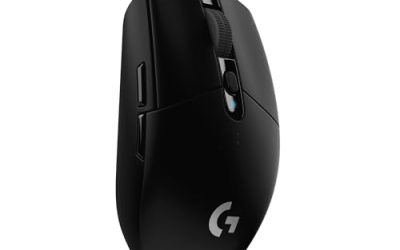
- Logitech G Pro X Superlight 2 Lightspeed WirelessClassic1.57 x 2.5 x 4.92 inches0.1 poundsCheck on Amazon
Pros & cons
- 95-hour battery life reduces how often you need to charge
- 60-gram weight suits fast, low-effort mouse movement
- HERO 2 sensor tracks up to 44,000 DPI with no smoothing
- POWERPLAY wireless charging pad is sold separately
- Premium features add a more complex setup than basic mice
- Razer DeathAdder V3 Pro Wireless Gaming Mouse1000 Hz5.01 x 2.65 x 1.69 inches0.1 poundsCheck on Amazon
In Counter-Strike 2, the real decision is not which mouse looks fastest on a spec sheet. It is which shape lets you hold a tight angle for a full round, flick to a head without overshooting, and still feel fresh in overtime. A mouse that fights your hand will cost you duels that your aim should have won, and no sensor setting can fix a shell that does not fit.
This guide is for CS2 players who want a wireless mouse built around competitive play, from casual matchmaking grinders to Faceit regulars and tournament hopefuls. Every pick below comes from its Amazon product listing, with the weight, sensor, polling rate and battery life taken from the name and details shown there, so you can compare the five on the same terms.
Quick Picks
As an Amazon Associate we earn from qualifying purchases
| Product | Best for | Key spec from title |
|---|---|---|
| Logitech G Pro X Superlight 2 | All-round competitive play | 60g, 44k DPI sensor, 8kHz report rate |
| Razer Viper V3 Pro | Fingertip and claw aimers | 54g, 35K DPI optical sensor, 8K polling |
| Razer DeathAdder V3 Pro | Palm grip and long sessions | 63g, Focus Pro 30K optical sensor, 90 Hr battery |
| Logitech G502 X Lightspeed | Utility-heavy players who want extra buttons | HERO 25K sensor, 13 buttons, under 140 hrs battery |
| SteelSeries Aerox 5 Wireless | Multi-genre players who want buttons and battery life | 74g, 18K DPI TrueMove Air sensor, 180+ Hr battery |
How to Choose
Sensor accuracy and polling rate
A CS2 mouse lives or dies on tracking. Look for a modern optical sensor with a high maximum DPI and a polling rate of at least 1000 Hz, because that is what keeps fast flicks smooth and micro-adjustments readable. Most competitive players run between 400 and 1600 DPI with a low in-game sensitivity, so a huge maximum DPI matters less than clean tracking at low speeds. An 8000 Hz polling rate can shave input delay, but only if your PC can keep up, and a stable 1000 Hz link beats a stuttering 8000 Hz one. Check that the sensor has no acceleration or smoothing quirks at your chosen DPI before you commit.
Weight and balance
Weight changes how a mouse moves, stops and resets between targets. Light mice in the 50 to 65 gram range feel quick on flicks and reduce wrist fatigue across long sessions, which is why most CS2 professionals lean that way. Heavier mice can feel steadier when you hold angles and make small corrections, and some players aim better with a little mass under the palm. Balance matters as much as the number on the scale, so a mouse that is front-heavy will feel different from one with its weight centred. Pick a weight you can control at speed, not simply the lightest shell available.
Shape, size and grip style
Shape is the single most personal choice in a CS2 mouse. Symmetrical shells suit fingertip and claw grips and let you lift and reposition quickly, while ergonomic right-handed shells support the palm and suit players who rest their whole hand on the mouse. A shell that is too long forces your fingers forward and weakens click control, and one that is too narrow leaves your ring finger dragging on the pad. Measure your hand from wrist to middle fingertip and compare it with the length listed on the product page. If possible, hold the shape in a store before ordering, because a perfect sensor cannot rescue a bad fit.
Battery life and connection quality
Wireless is only an advantage when the link stays solid and the battery lasts through your sessions. Look for a dedicated 2.4 GHz receiver rather than Bluetooth alone, since that is the low-latency path designed for competitive play. Battery life varies widely, from around 90 hours on the lightest esports mice to well over 140 hours on larger shells, so match the figure to how often you are willing to charge. A mouse with a USB-C cable that lets you play while charging removes the worry entirely. Keep the receiver close to the mouse, away from metal desk legs and USB 3.0 ports that can add interference.
The 5 Best Options
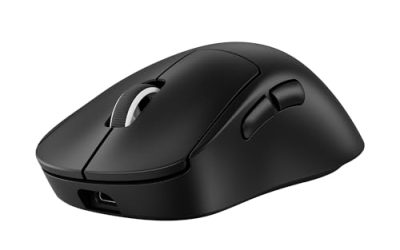
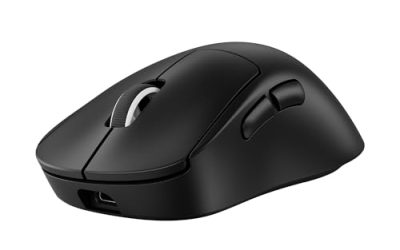
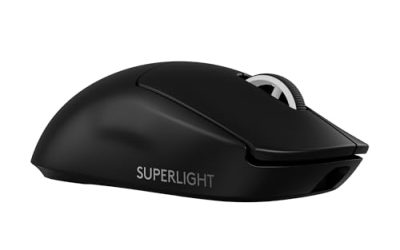
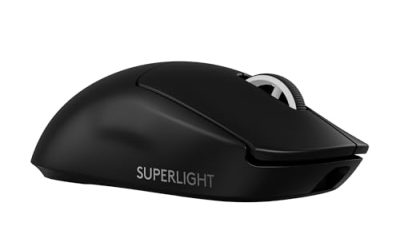
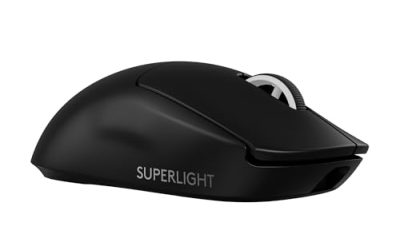
Logitech G Pro X Superlight 2
- Best for: Competitive players who want a light, simple and proven all-round mouse.
- Weight: 60g
- Sensor: HERO 2, 44,000 DPI
- Report rate: up to 8kHz
- Buttons: 5 programmable buttons
Competitive players who want a light, simple and proven all-round mouse.
The minimal button layout leaves no dedicated side buttons beyond the standard pair, and the low-profile shape can feel too flat for large hands.
The Superlight 2 is the safe default for CS2 because it pairs a proven symmetrical shape with a very light 60 gram shell that suits claw and fingertip grips. Its HERO 2 sensor tracks cleanly at low DPI, and the 8000 Hz report rate keeps fast flicks responsive when your system can sustain it. Five programmable buttons keep the layout simple, which suits players who want the mouse to disappear in the hand. The USB-C charging and LIGHTSPEED wireless link round out a package that has become the standard reference point for competitive mice.
Watch out for: The minimal button layout leaves no dedicated side buttons beyond the standard pair, and the low-profile shape can feel too flat for large hands.
Razer Viper V3 Pro
The Viper V3 Pro is built for players who aim with their fingertips and want the lightest possible shell. At 54 grams it moves and stops with very little effort, and the symmetrical shape works for both left and right hands. Its 35K optical sensor and 8000 Hz polling rate are aimed squarely at fast flick shots and tight angle holds, and the Gen-3 optical switches give a crisp click with a long rated lifespan. Eight programmable controls add flexibility without changing the clean shape, and the 95 hour battery keeps it running through a long week of matches.
Specs
- Weight: 54g
- Sensor: 35K DPI optical sensor
- Polling rate: 8K
- Switches: Gen-3 optical switches
- Buttons: 8 programmable controls
- Battery life: up to 95 hours
- Shape: symmetrical
Best for: Fingertip and claw grip players who want the lightest shell in this guide.
Watch out for: The narrow symmetrical body can feel small for large palms, and the smooth sides offer less grip than textured or rubberised shells.
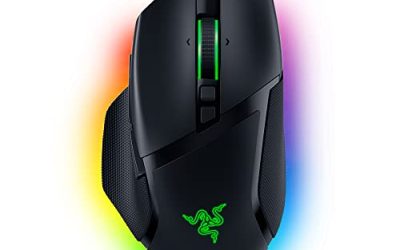
Razer DeathAdder V3 Pro
- Best for: Palm grip players who want ergonomic comfort without giving up esports-grade tracking.
- Weight: 63g
- Sensor: Focus Pro 30K optical sensor
- Switches: Gen-3 optical switches
- Buttons: 5 programmable buttons
Palm grip players who want ergonomic comfort without giving up esports-grade tracking.
The right-handed shape does not suit left-handed players, and the smooth shell can feel slippery during long sessions without grip tape.
The DeathAdder V3 Pro is the ergonomic pick for players who rest their palm on the mouse and play long sessions. Its right-handed shape supports the hand through extended matches, and the 63 gram weight is light for an ergonomic shell. The Focus Pro 30K optical sensor tracks cleanly at competitive sensitivities, while HyperSpeed wireless keeps the connection stable in crowded wireless environments. Five programmable buttons cover the essentials, and the 90 hour battery means charging is a weekly task rather than a daily one.
Watch out for: The right-handed shape does not suit left-handed players, and the smooth shell can feel slippery during long sessions without grip tape.
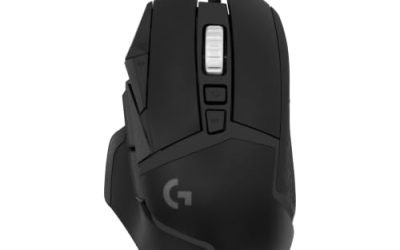
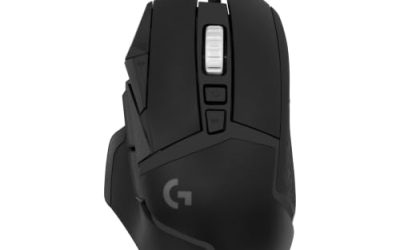
Logitech G502 X Lightspeed
- Best for: Players who want many bindable buttons for utility, voice chat and buy binds.
- Sensor: HERO 25K gaming sensor
- Buttons: 13 buttons
- Switches: LIGHTFORCE hybrid optical-mechanical switches
- Battery life: under 140 hours
Players who want many bindable buttons for utility, voice chat and buy binds.
The larger, heavier body suits palm and larger hands far better than fingertip grips, and the extra buttons can be hit by accident until your hand learns the layout.
The G502 X Lightspeed is the pick for CS2 players who also want a mouse that handles utility, buy menus and desktop work without reaching for the keyboard. Thirteen buttons, including a dual-mode scroll wheel with an infinite scroll toggle, give you room to bind jump throw, radio commands and push-to-talk. The HERO 25K sensor and LIGHTFORCE hybrid switches keep clicks and tracking at competitive standard, and the battery runs for under 140 hours per charge. It also works with PowerPlay wireless charging if you want to skip cables entirely.
Watch out for: The larger, heavier body suits palm and larger hands far better than fingertip grips, and the extra buttons can be hit by accident until your hand learns the layout.
SteelSeries Aerox 5 Wireless
- Best for: Multi-genre players who want extra buttons, long battery life and a light shell.
- Weight: 74g
- Sensor: TrueMove Air optical sensor, 18K DPI
- Buttons: 9 buttons
- Battery life: 180+ hours
Multi-genre players who want extra buttons, long battery life and a light shell.
The honeycomb shell collects dust and skin oils in its holes, and the perforated design can feel rough to players who prefer a solid grip surface.
The Aerox 5 Wireless is the versatile pick, with nine buttons and a honeycomb shell that keeps the weight down to 74 grams. It connects over both Bluetooth and 2.4 GHz wireless, so you can switch between a gaming PC and a laptop without swapping receivers. The TrueMove Air 18K DPI optical sensor handles competitive sensitivities well, and the battery lasts for over 180 hours, the longest in this guide. The water-resistant design adds durability for players who keep drinks on the desk, and the RGB lighting shines through the perforated shell.
Watch out for: The honeycomb shell collects dust and skin oils in its holes, and the perforated design can feel rough to players who prefer a solid grip surface.
Which One Fits Your Situation
You aim with your fingertips and flick a lot
Pick the Razer Viper V3 Pro. Its 54 gram shell and symmetrical shape let you lift, reset and flick with minimal effort, and the 8000 Hz polling rate keeps fast movements responsive. It is the most agile mouse in this guide for players who hold the mouse lightly and reposition constantly.
You play long sessions with a palm grip
Pick the Razer DeathAdder V3 Pro. The ergonomic right-handed shape supports your whole hand, so your wrist stays relaxed through long matchmaking sessions. The 90 hour battery and HyperSpeed wireless link mean you can focus on rounds instead of charging and connection drops.
You want binds for utility, voice and buy menus
Pick the Logitech G502 X Lightspeed. Thirteen buttons and a dual-mode scroll wheel give you room for jump throw binds, radio commands and push-to-talk without touching the keyboard. The HERO 25K sensor keeps tracking competitive, and the long battery life suits players who game every day.
You want one mouse for CS2 and everything else
Pick the SteelSeries Aerox 5 Wireless. Nine buttons, Bluetooth and 2.4 GHz wireless, and a battery life of over 180 hours make it easy to move between a gaming PC, a laptop and everyday use. The 74 gram honeycomb shell stays light enough for competitive play while covering far more than CS2 alone.
Common Mistakes
- Choosing the lightest mouse available without checking whether its shape fits your hand and grip style.
- Running a very high DPI with a high in-game sensitivity, which makes small corrections harder and crosshair placement less consistent.
- Placing the wireless receiver far from the mouse or behind metal objects, which can cause stutter in the middle of a round.
- Buying a mouse for its maximum polling rate when your PC cannot sustain it, then blaming the mouse for the resulting stutter.
- Ignoring battery habits and letting the mouse die mid-match instead of charging it between sessions or playing wired while it charges.
Frequently Asked Questions
What DPI should I use for CS2?
Most competitive players use 400 to 1600 DPI with a low in-game sensitivity, often around an effective DPI of 800 to 1600. Lower settings make small corrections easier and crosshair placement more consistent. Begin at 800 DPI with a sensitivity near 1.0 and adjust in small steps until flicks land without overshooting.
Is wireless good enough for competitive CS2?
Yes, modern wireless mice with a dedicated 2.4 GHz receiver are built for competitive play and their latency matches wired mice in practice. Use the included receiver rather than Bluetooth, keep it close to the mouse, and keep the firmware current. A stable wireless link is far more important than the maximum polling rate on the box.
How light should a CS2 mouse be?
Most competitive players prefer mice between 50 and 70 grams because lighter shells move and stop faster and reduce wrist fatigue. The right weight depends on your grip and hand size, and some players aim more steadily with a slightly heavier mouse. Try a weight in that range first and adjust only if your aim feels unstable.
Does an 8000 Hz polling rate make a real difference?
It can reduce input delay slightly, but the difference is small and only appears when your PC can sustain the higher rate without stutter. A stable 1000 Hz link is better than an unstable 8000 Hz one. If your frame rate dips or the mouse stutters at 8000 Hz, drop back to 1000 Hz and keep your aim consistent.
FAQ
What DPI should I use for CS2?
Is wireless good enough for competitive CS2?
How light should a CS2 mouse be?
Does an 8000 Hz polling rate make a real difference?
More from Amazon
Programs that pair well with the guide above. Offers and eligibility are set by Amazon and may change.
Free shipping on eligible items, Prime Video and more. Eligible new members can start with a free trial.
Start a Prime free trialAd-free music streaming. Eligible new subscribers can start with a free trial.
Try Music Unlimited freeA Prime membership for ages 18-24 with a trial period. Eligibility is set by Amazon.
See Prime for Young AdultsAudiobooks and podcasts to listen to on the go. Eligible new members can start with a free trial.
Try Audible freeAs an Amazon Associate we earn from qualifying purchases.