Our Short List of 3

- Best for: Players who want one mouse that does everything well in Tarkov, from long-range holding to fast room clearing, without fuss or excess weight.

- Best for: Players who want maximum control and the most binds in Tarkov, and palm-grip players who prefer a fuller ergonomic shape with adjustable weight.

- Best for: Palm and claw grip players who want an ergonomic wired mouse with a DPI clutch for long-range Tarkov engagements and plenty of binds for inventory and combat actions.
All 3 Picks at a Glance
| Product | Specs | Action |
|---|---|---|
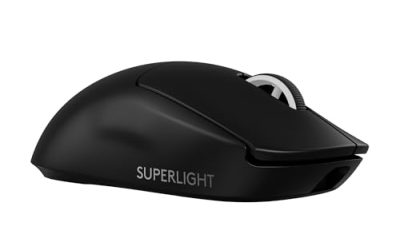
| Logitech G Pro X Superlight 2 |
| Check price on Amazon |
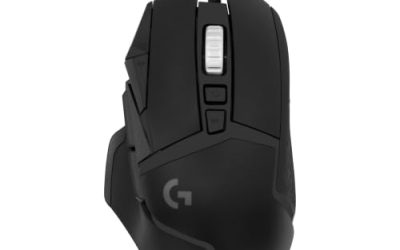
| Logitech G502 HERO |
| Check price on Amazon |
| Razer Basilisk V3 |
| Check price on Amazon |
Our Top Picks
- Logitech G Pro X Superlight 2 Lightspeed WirelessClassic1.57 x 2.5 x 4.92 inches0.1 poundsCheck on Amazon
Pros & cons
- 95-hour battery life reduces how often you need to charge
- 60-gram weight suits fast, low-effort mouse movement
- HERO 2 sensor tracks up to 44,000 DPI with no smoothing
- POWERPLAY wireless charging pad is sold separately
- Premium features add a more complex setup than basic mice
Pros & cons
- 11 programmable buttons add extensive control customization
- Adjustable weights let you fine-tune balance and feel
- LIGHTSYNC RGB syncs lighting with other Logitech gear
- Wired connection limits cable-free desk setups
- Heavier than typical lightweight esports mice at 0.27 pounds
- Razer Basilisk V3 Customizable RGB Wired Ergonomic GamingMouse2.96 x 5.12 x 1.67 inches0.2 poundsCheck on Amazon

Escape from Tarkov is not like other shooters. A single raid can last forty minutes, and most of that time is spent listening, moving slowly, checking corners, and managing a dense inventory grid. Then, without warning, a fight breaks out at close range and the next two seconds decide whether you extract with a backpack full of loot or lose everything you brought in. Your mouse has to handle both extremes: the slow, careful work and the sudden violence.
That split personality is what makes choosing a mouse for Tarkov different from choosing one for a fast arena shooter. Raw flick speed matters, but so does steady, controlled tracking at low sensitivity. A mouse that feels great for ten minutes of deathmatch can become a liability during a long evening of raids, when your wrist is tired and your hand is still expected to make precise micro-adjustments on a scoped target far away.
Tarkov also asks more of your mouse buttons than most games. You are leaning, toggling scopes, switching fire modes, checking magazines, and binding keys for meds. The best mouse for Tarkov is a balance: a flawless sensor, a shape that stays comfortable for hours, enough buttons to be useful, and a weight that lets you flick fast without losing control.
This guide breaks down what actually matters for Tarkov, then compares four mice that cover the main approaches: two ultralight wireless flagships for pure aiming, one button-rich wired classic for maximum control, and one ergonomic wired option built around comfort.
Disclosure: As an Amazon Associate, we earn from qualifying purchases.
At a glance
| Product | Key spec | Best for |
|---|---|---|
| Logitech G Pro X Superlight 2 | HERO 2 sensor, 44,000 DPI, 60 g, 8 kHz wireless | All-around competitive play |
| Razer Viper V3 Pro | Focus Pro 35K sensor, 54 g, 8 kHz wireless | Ultralight flick aiming |
| Logitech G502 HERO | HERO 25K sensor, 25,600 DPI, 11 buttons, tunable weights | Button-heavy loadouts and control |
| Razer Basilisk V3 | Focus Pro 26K sensor, 26,000 DPI, 11 buttons, HyperScroll wheel | Comfort and long raid sessions |
How to choose
Sensor accuracy
The sensor is the foundation of everything else. Tarkov punishes inconsistency more than most games because engagements happen at every range, from point-blank hallway fights to long shots across open ground. You need a sensor that tracks cleanly at low DPI without smoothing, acceleration, or angle snapping, so the distance your hand moves always produces the same distance on screen. Modern flagship optical sensors from Logitech and Razer all clear this bar.
Polling rate
Polling rate is how often your mouse reports its position to your PC, measured in hertz. At 1000 Hz, the mouse reports every millisecond. At 8000 Hz, it reports eight times as often, which reduces the delay between your hand moving and the cursor responding. In Tarkov, that responsiveness matters most in the opening moments of a fight, when both players are acquiring targets and the first accurate burst usually wins. The trade-off is battery life on wireless models and a small increase in CPU usage, so 1000 Hz remains perfectly playable.
Weight
Weight shapes how your mouse feels during both fast and slow movements. A lighter mouse, in the 50 to 65 gram range, makes flicks easier and reduces fatigue over long sessions. A heavier mouse, in the 90 to 120 gram range, can feel steadier during slow, scoped aiming, and some players prefer the planted feeling it gives during precise tracking. Players who use a claw or fingertip grip and play at low sensitivity usually benefit from going light, while palm-grip players who value stability may prefer something with more heft.
Shape and grip style
Shape is the most personal part of mouse selection, and no specification sheet can settle it for you. The three main grip styles are palm, claw, and fingertip. Palm grip players rest their whole hand on the mouse and need a longer, taller body with good rear support. Claw grip players arch their fingers and need a shape with a defined hump. Fingertip grip players control the mouse with their fingertips alone and need a short, light body they can move freely. Symmetric mice suit claw and fingertip grips, while ergonomic right-handed mice suit palm and claw grips with a sculpted thumb rest.
Extra buttons
Tarkov has more useful keybinds than almost any other shooter, and a mouse with extra buttons can genuinely improve your play. Two thumb buttons are the minimum worth having: bind one to lean or toggle your scope, and the other to a med or a quick action. Mice with more buttons let you move even more actions to your thumb, such as switching fire modes, checking your magazine, or toggling your flashlight. The key is placement. Buttons should fall naturally under your thumb without forcing you to shift your grip, and they should be distinct enough that you can tell them apart by feel in a dark room during a tense moment. Too many buttons can backfire if you hit them by accident during a fight.
DPI control
DPI determines how far your cursor moves for a given hand movement, and Tarkov rewards a thoughtful setting rather than a high one. Most experienced players run between 400 and 1600 DPI with a low in-game sensitivity, because that combination gives fine control for long-range aiming while still allowing quick turns. On-the-fly DPI buttons are useful in Tarkov because the game mixes very different aiming tasks: you might want a lower DPI for holding a long angle with a scope, then a higher DPI for clearing a building. A dedicated DPI button, or a sniper button that temporarily drops sensitivity while held, lets you switch between those modes without opening a menu. Whatever DPI you choose, turn off mouse acceleration in Windows and in the game.
Wired versus wireless
Wireless mice have closed the performance gap completely. Modern wireless gaming mice match wired latency, and the freedom from cable drag is a real advantage when you are making the wide, low-sensitivity swipes that Tarkov demands. The remaining considerations are practical: wireless mice need charging, and their battery life drops at higher polling rates. Most current models last for days of heavy play at 1000 Hz, so charging is a weekly habit rather than a daily worry. Wired mice never need charging, and a well-routed cable with a bungee can feel nearly as free as wireless. Choose wireless if you hate cable drag, and choose wired if you want zero battery management and the most buttons for your money.
Top picks
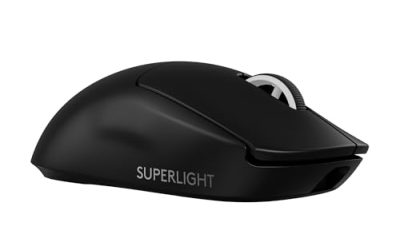
Logitech G Pro X Superlight 2
- Best for: Players who want one mouse that does everything well in Tarkov, from long-range holding to fast room clearing, without fuss or excess weight.
Players who want one mouse that does everything well in Tarkov, from long-range holding to fast room clearing, without fuss or excess weight.
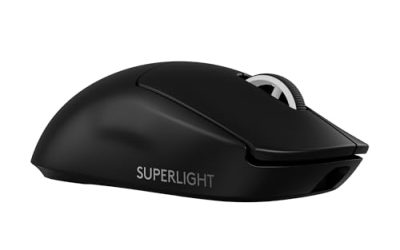
The G Pro X Superlight 2 is the default recommendation for competitive FPS players for a reason, and it translates well to Tarkov. At 60 grams, it is light enough for fast flicks without feeling fragile, and the symmetric shape works for claw and fingertip grips across a wide range of hand sizes. The HERO 2 sensor tracks up to 44,000 DPI with no smoothing or acceleration, and it supports polling rates up to 8000 Hz over the LIGHTSPEED wireless connection, which keeps tracking consistent during both slow scoped aiming and sudden close-range fights.
Battery life is a strong point. Logitech rates the mouse for around 95 hours of continuous play at 1000 Hz polling, which covers a full week of evening raids before you need to plug in the USB-C cable. The five programmable buttons cover the essentials: two main clicks, two thumb buttons, and a scroll wheel click. There is no RGB lighting and no DPI button on the body, which keeps the design clean and the weight down.
Considerations: The symmetric shape does not suit every palm-grip player, and the lack of extra buttons means heavy keybind users may want a more button-rich mouse. The smooth shell can feel slippery during long sessions if your hands run warm.
Razer Viper V3 Pro
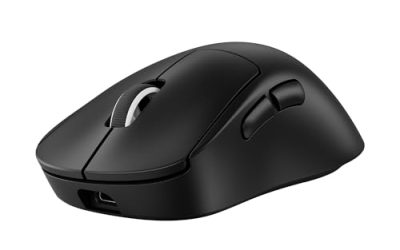
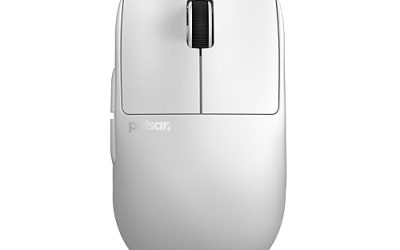
The Viper V3 Pro is the lightest mouse in this guide at 54 grams, and that weight advantage is the whole point. Every flick feels effortless, and the reduced mass makes it easier to stop precisely on a target, which is exactly the skill Tarkov rewards when a target appears in a doorway for half a second. The symmetric shape is slightly longer and lower than the Superlight 2, with a gentle hump that suits claw grip players particularly well, and the textured side walls give a secure hold without rubber grips that wear out.
Inside, the Focus Pro 35K optical sensor tracks up to 35,000 DPI with excellent motion sync, and the HyperPolling wireless receiver supports polling rates up to 8000 Hz. Battery life is rated for around 95 hours at 1000 Hz, matching the Superlight 2 for a week of heavy play between charges. The Gen-3 optical switches deliver a light, fast click that stays consistent over time. Eight programmable controls give you room to bind lean, scope toggle, fire mode, and a med key without touching the keyboard.
Best for: Claw grip players who prioritize flick speed and stopping power, and anyone who wants the lightest full-size wireless mouse available for Tarkov.
Considerations: The minimalist button layout will not satisfy players who want a dozen binds on their mouse. The low profile may feel too flat for palm-grip players with large hands, and the shape rewards a lighter touch rather than a firm palm-down grip.
Logitech G502 HERO
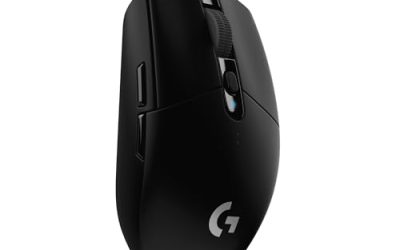
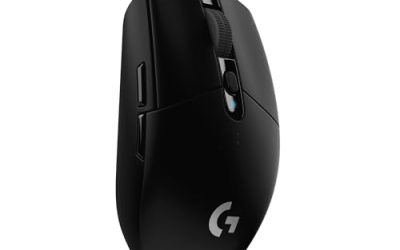
- Best for: Players who want maximum control and the most binds in Tarkov, and palm-grip players who prefer a fuller ergonomic shape with adjustable weight.
Players who want maximum control and the most binds in Tarkov, and palm-grip players who prefer a fuller ergonomic shape with adjustable weight.
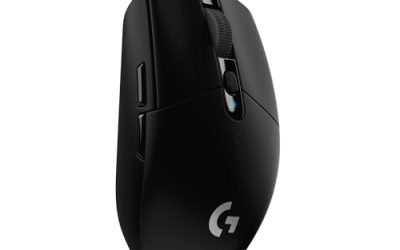
The G502 HERO is the button king of this guide, and for Tarkov that matters more than it does in most games. Eleven programmable buttons put lean, scope toggle, fire mode, magazine check, flashlight, and med binds all within thumb reach, so your left hand can stay on movement keys during a fight. The ergonomic right-handed shape has a sculpted thumb rest and a wide, stable body that suits palm and claw grips, and the adjustable weight system lets you add or remove small weights in the base to tune the feel from light and quick to heavy and planted.
The HERO 25K sensor tracks up to 25,600 DPI with clean, consistent performance at the low sensitivities Tarkov players favor, and the 1000 Hz polling rate over the wired connection keeps latency minimal. The dual-mode scroll wheel is a genuine asset in Tarkov: the notched mode gives precise weapon switching, while the free-spin mode lets you scroll through long inventory lists quickly. Being wired, it never needs charging.
Considerations: At 121 grams before adding weights, it is the heaviest mouse here, and fast flicks take more effort than on the ultralight picks. The wired connection means cable management matters, and the large shape can crowd smaller hands.
Razer Basilisk V3
- Best for: Palm and claw grip players who want an ergonomic wired mouse with a DPI clutch for long-range Tarkov engagements and plenty of binds for inventory and combat actions.
Palm and claw grip players who want an ergonomic wired mouse with a DPI clutch for long-range Tarkov engagements and plenty of binds for inventory and combat actions.
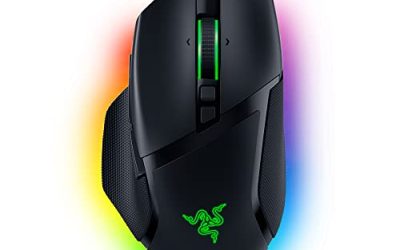
The Basilisk V3 gives you a lot of control in a comfortable ergonomic body. Eleven programmable buttons include two thumb buttons, a DPI clutch that temporarily drops sensitivity while held for precise long-range shots, and a HyperScroll tilt wheel that tilts left and right for extra binds. That DPI clutch is a natural fit for Tarkov, where you often want to hold a long angle at low sensitivity and then return to normal movement speed the moment you release the button.
The Focus Pro 26K optical sensor tracks up to 26,000 DPI with clean low-sensitivity performance, and the wired connection polls at 1000 Hz. The ergonomic right-handed shape has a thumb rest and textured side grips that stay comfortable through the longest raid sessions, and the Chroma RGB lighting can be set to a static color or turned off entirely. Optical switches keep the main clicks crisp and resistant to the double-click issues that can develop in older mechanical designs. The weight sits at 101 grams, which gives the mouse a planted, steady feel during scoped aiming.
Considerations: The wired design needs cable management, and the ergonomic right-handed shape does not suit left-handed players. The 101 gram weight is heavier than the ultralight wireless picks, so players who flick constantly may prefer a lighter mouse.
Which one fits
Match the mouse to how you play, not to a spec sheet. If you play Tarkov the way most competitive players do, with a claw or fingertip grip, low sensitivity, and a focus on winning gunfights, the G Pro X Superlight 2 or the Viper V3 Pro will serve you best. Choose the Superlight 2 if you want the most proven all-rounder, and choose the Viper V3 Pro if you want the lightest possible mouse and the fastest flicks.
If your Tarkov sessions are long and your playstyle leans on utility, with lots of leaning, scoping, inventory work, and keybinds, the G502 HERO or the Basilisk V3 will make your life easier. Choose the G502 HERO if you want the most buttons and the adjustable weight system, and choose the Basilisk V3 if you want the DPI clutch for scoped shots and the most comfortable ergonomic shape for marathon sessions.
FAQ
What DPI should I use for Tarkov?
Most experienced Tarkov players use between 400 and 1600 DPI with a low in-game sensitivity. A common starting point is 800 DPI with an in-game sensitivity around 0.3 to 0.5, adjusted to your mousepad space and comfort. Lower DPI gives finer control for long-range aiming, which is where Tarkov fights are often decided. Turn off mouse acceleration in Windows and in the game so your aim stays consistent from one raid to the next.
Is a wireless mouse good enough for Tarkov?
Yes. Modern wireless gaming mice from Logitech and Razer match wired mice for latency, and the difference is not something you will feel in a raid. Wireless also removes cable drag, which helps during the wide, low-sensitivity swipes Tarkov demands. If you dislike charging entirely, a wired mouse is still a fine choice.
How many buttons do I need on a mouse for Tarkov?
Two thumb buttons are the practical minimum, and they cover the most valuable binds, such as leaning or toggling a scope. Four to six extra buttons give you room for fire mode, magazine checks, meds, and flashlight control without reaching for the keyboard. More than that is useful only if you can tell the buttons apart by feel and will not press them by accident during a fight.
Does mouse weight matter in Tarkov?
Weight matters more than many players expect. A lighter mouse in the 50 to 65 gram range makes flicks faster and reduces arm fatigue over long raids, which adds up across an evening of play. A heavier mouse can feel steadier during slow, scoped aiming, and some palm-grip players prefer the planted feeling. If you play at low sensitivity and make large arm movements, going light is usually the bigger improvement.
Should I use a high polling rate for Tarkov?
A higher polling rate makes your mouse report its position more often, which reduces input delay and makes tracking feel smoother. The jump from 1000 Hz to 4000 Hz or 8000 Hz is noticeable during fast target acquisition, which matters in the opening moments of a Tarkov fight. It costs some battery life on wireless mice and a little CPU usage, so 1000 Hz is still a solid baseline. If your PC handles it comfortably, running a higher polling rate is a free improvement in responsiveness.
Bottom line
The best gaming mouse for Tarkov is the one that stays accurate and comfortable through a full evening of raids. For most players, that means a light wireless mouse with a flawless sensor, and the Logitech G Pro X Superlight 2 is the safest pick in that category, with the Razer Viper V3 Pro as the lighter, faster alternative for claw-grip players. If you want more buttons and a fuller shape for long sessions, the Logitech G502 HERO and the Razer Basilisk V3 give you the control and comfort to manage every bind Tarkov throws at you. Pick the shape that fits your hand, set your DPI low, turn off acceleration, and spend your practice time learning the maps instead of fighting your hardware.
FAQ
What DPI should I use for Tarkov?
Is a wireless mouse good enough for Tarkov?
How many buttons do I need on a mouse for Tarkov?
Does mouse weight matter in Tarkov?
Should I use a high polling rate for Tarkov?
More from Amazon
Programs that pair well with the guide above. Offers and eligibility are set by Amazon and may change.
Free shipping on eligible items, Prime Video and more. Eligible new members can start with a free trial.
Start a Prime free trialAd-free music streaming. Eligible new subscribers can start with a free trial.
Try Music Unlimited freeA Prime membership for ages 18-24 with a trial period. Eligibility is set by Amazon.
See Prime for Young AdultsAudiobooks and podcasts to listen to on the go. Eligible new members can start with a free trial.
Try Audible freeAs an Amazon Associate we earn from qualifying purchases.